Key Takeaways
-
Most Tampa businesses get conference calling bundled into a cloud VoIP or UCaaS platform rather than buying it as a standalone tool, which can simplify management and reduce vendor sprawl.
-
Use audio bridges for quick check-ins, field staff, and dial-in guests since they need little bandwidth; use video for planned meetings, demos, and training that need screen sharing.
-
Before signing, get participant limits, meeting duration caps, written uptime terms, support hours, and contract exit terms in writing, since surprise cutoffs can ruin big client calls.
-
Great conferencing software cannot fix a weak network: check bandwidth for simultaneous users, upgrade old routers, prioritize voice traffic, and consider a backup internet connection.
-
Confirm security basics like meeting passcodes, waiting rooms, recording controls, and recording retention periods, and get any compliance claims in writing rather than taking marketing at face value.
-
Request itemized quotes covering setup fees, add-ons, and recurring charges from several providers and compare them line by line, since pricing varies by users, features, and bundling.
Picture this: your Tampa team is on a big client call. Everyone is ready. Then the audio cuts out, someone’s voice sounds like a robot, and the meeting falls apart. We have all been there, and it is no fun. The good news is that it is fixable.
Choosing the right conference calling Tampa setup does not have to be hard. Most Tampa businesses today get conferencing as part of a cloud phone system, not as a stand-alone tool. That means one platform can handle calls, video, screen sharing, and more.
This friendly guide walks you through what conference calling really means, which features matter, what to check before you buy, and how to make sure your network is ready. Whether you run a small shop in Ybor City or manage several franchise sites across Tampa Bay, you will find clear, simple steps here. Let’s get your team talking, clearly and calmly.

What Does Conference Calling Mean for a Tampa Business?
The phrase sounds simple, but it can mean a few different things. In business telecom, conference calling usually falls into one of these groups:
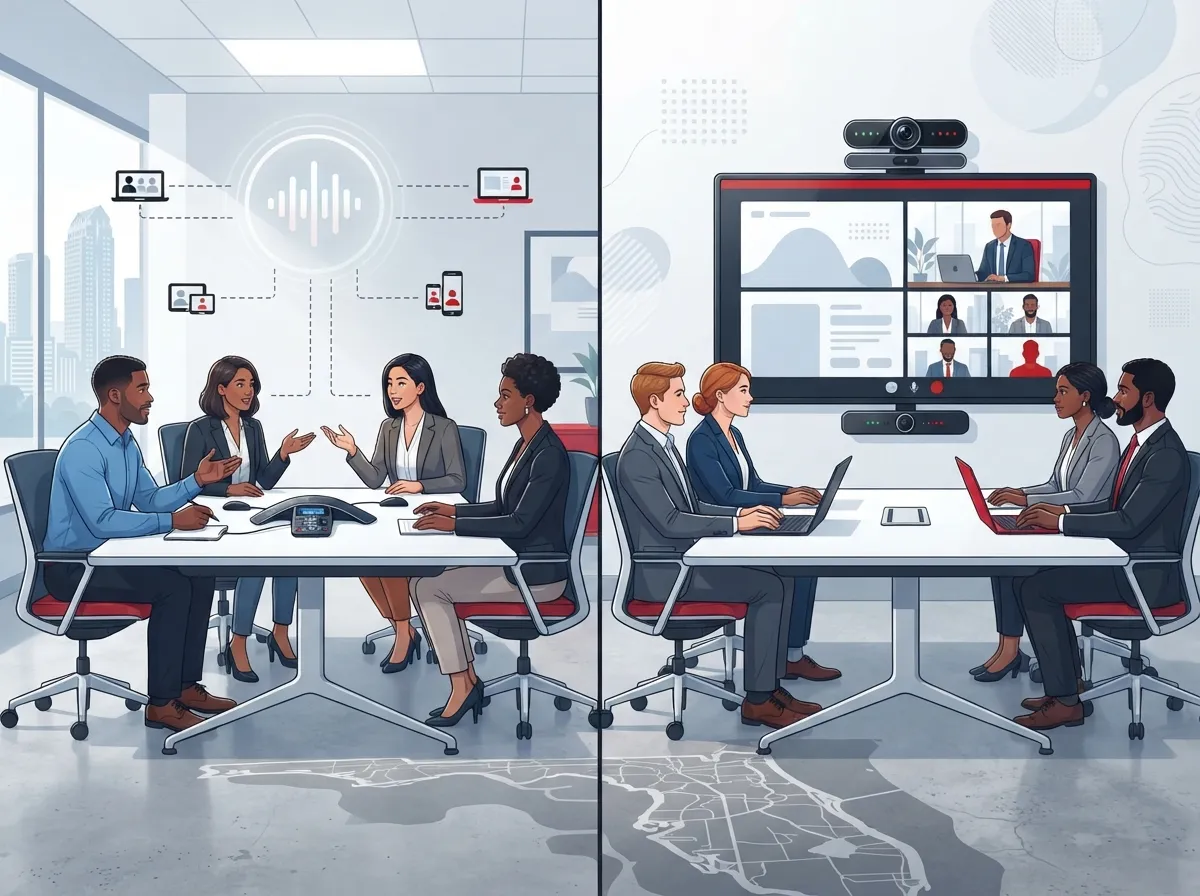
- Audio conference bridges: Everyone dials in by phone or app and talks on one shared line.
- Video meetings: Faces, screens, and files are shared along with the audio.
- Blended setups: Some people join by video while others dial in by phone.
Many providers bundle all of this into cloud VoIP or unified communications (UCaaS) platforms. So you often do not buy conferencing alone. You get it as one piece of a bigger business phone package.
If you are new to the cloud side of things, our guide on what a cloud-based phone system is and whether you need one is a friendly place to start.
Audio Bridge vs. Video Conferencing: Which Do You Need?
This is one of the most common questions we hear. The short answer: it depends on how your team works. Here is a quick side-by-side look.
| Feature | Audio Conference Bridge | Video Conferencing |
|---|---|---|
| Best for | Quick check-ins, field staff, dial-in guests | Team meetings, sales demos, training |
| How people join | Phone number or app | App, browser, or room system |
| Bandwidth needed | Low | Higher |
| Screen sharing | Usually not included | Usually included |
| Good if internet is weak | Yes | Sometimes harder |
Many teams use both. Video works great for planned meetings. Audio dial-in is a handy backup when someone is driving, traveling, or has a weak connection.
Can Tampa Businesses Get Conference Calling With a VoIP Phone System?
Yes, and it is one of the best ways to do it. Cloud-hosted VoIP lets employees join calls from desk phones, computers, or mobile devices. It can also tie multiple offices and remote workers into one platform.
That is a big win if your team is spread out. Think of a company with an office in Tampa, a warehouse in Brandon, and a few people working from home. One system can connect them all without a pile of separate tools.
Want to learn how these systems compare to older setups? Check out the 6 key differences between VoIP and traditional phone systems.
Common Features Bundled With Conferencing
When conferencing comes with a cloud phone system, you may also get these handy extras:
- Auto-attendants that greet callers and route them
- Voicemail and call routing rules
- Mobile and desktop apps
- Screen sharing and chat
- Integrations with CRM and collaboration tools
- Call recording options
Not every plan includes every feature, so always check the details. For a deeper list, see 12 VoIP phone system features every business needs in 2026.
How to Compare Conference Calling Providers in Tampa
Several Tampa-area companies advertise business phone and conferencing services, including Centratel, JR Electronics, PCe Solutions, ABC Networks, and Big Sur Technologies. Offerings and service areas vary, so confirm features and support directly with whoever you are considering.
Here is a simple step-by-step way to compare options:
- List your needs. How many people join a typical call? Do you need video, audio, or both?
- Ask about participant limits. Some plans cap how many people can join.
- Check meeting length limits. Some plans end long meetings early.
- Confirm dial-in access. Make sure guests without apps can still call in.
- Review recording and retention. Ask how long recordings are stored and who can see them.
- Look at security controls. Ask about passcodes, waiting rooms, and encryption.
- Get fees in writing. Ask for all setup and recurring charges.
Our guide on how to choose a business VoIP solutions provider in Tampa goes even deeper on this step.
What to Check Before You Sign a Contract
Provider marketing can sound amazing. Claims about savings, uptime, or security compliance are not always independently verified. So it pays to ask smart questions and get answers in writing.
| Question to Ask | Why It Matters |
|---|---|
| What are the participant and duration limits? | Avoids surprise cutoffs during big meetings |
| What are the written service-level terms? | Puts uptime promises on paper |
| How does emergency calling work? | Important for safety and compliance |
| What are the support hours? | Helps when something breaks mid-day |
| What are the contract length and exit terms? | Prevents getting locked in |
| Do compliance features fit my industry? | Matters for healthcare, finance, and more |
If you are worried about mistakes, take a look at 8 VoIP provider mistakes Tampa businesses must avoid. It could save you real money and stress.
Is Your Network Ready for Conference Calls?
Here is a secret many people miss: great conferencing software cannot fix a weak network. Call quality depends on your internet connection, your local network, and your provider’s setup.
Before you roll anything out, run through this quick readiness check:
- Bandwidth: Make sure you have enough speed for all users on calls at once.
- Wi-Fi and routers: Old routers and crowded Wi-Fi cause choppy audio.
- Voice prioritization: Set your network to give calls priority over other traffic.
- Backup connection: Have a second internet option in case the main line goes down.
- Cabling: Solid wiring keeps desk phones and room systems steady.
Not sure how much speed you need? Read what internet speed you need for VoIP in Tampa. If your connection feels sluggish, here is why your business internet may be slow and how to fix it.
Why Cabling and Connectivity Matter
Many call problems start with old or messy wiring. Good structured cabling gives every phone, computer, and camera a clean path to your network. If your office has grown fast, it may be time for a check-up. See 13 ways structured cabling supports VoIP and cameras for more.
Also, the type of internet you have matters. Learn the differences in fiber vs. cable business internet in Tampa. When you shop for a plan, it helps to know how an Internet Service Provider delivers service to your building.
How Many People Can Join a Business Conference Call?
It depends on the plan. Some platforms are built for small team huddles. Others support large webinars or town halls. Do not assume the limit. Ask for the exact number in writing and compare it to your biggest planned meeting, not just your average one.
Also think about who joins. Do you have clients dialing in by phone? Staff on mobile devices? Franchise managers at remote sites? A good setup lets all of them connect in the way that works best for them.
Security, Recording, and Compliance Basics
Meetings often include private details, like pricing, patient information, or contracts. So security matters. Here are the basics to confirm with any provider:
- Meeting passcodes and waiting rooms
- Controls over who can record
- How long recordings are kept
- Where recordings are stored
- Whether features meet your industry rules
Do not take compliance claims at face value. Ask for the details in writing and make sure they match your own obligations. If you handle sensitive data, our post on how to choose a data security service for business telecom can help.
How Much Does Business Conference Calling Cost in Tampa?
There is no single price. Pricing depends on the number of users, the features you pick, and whether conferencing is bundled with a full phone system. Setup fees, add-ons, and contract terms can all change the final bill.
The best move is to request itemized quotes from a few sources and compare them line by line. For a closer look at phone system pricing, read how much a VoIP phone system costs for a business in Tampa. You might also enjoy 15 ways to reduce business telecom costs in Tampa.
Tips for Different Types of Tampa Businesses
Every business is a little different. Here is how conferencing can fit a few common situations:
- Small business owners: Pick a simple, bundled cloud phone plan so you do not juggle many tools.
- Mid-sized companies: Look for integrations with your CRM and room-based video gear.
- IT managers: Focus on security controls, network prioritization, and clear service terms.
- Office managers: Choose a provider with fast, friendly support when things go wrong.
- Franchise operators: Look for one platform that scales across many locations.
If you run multiple sites, these reliable network solutions for multi-location Tampa businesses are worth a read.
Why Work With One Telecom Partner?
Conferencing touches your phones, internet, wiring, and network all at once. When different vendors handle each piece, finger-pointing can happen when something goes wrong. A single partner can keep everything working together.
Ideal Solutions Provider is a Tampa-based telecom and IT partner with over 24 years of experience and 35+ vetted suppliers. We help businesses compare options, audit current setups, and handle installation and ongoing support. You can learn more about the cloud-based phone systems we help clients choose, or see why many owners prefer using one telecom partner in Tampa FL.
Ready to Get Your Team Talking Clearly?
Great conference calling comes down to a few simple things: choose the right type of meeting tools, compare providers with clear questions, and make sure your network is ready. When those pieces line up, calls feel smooth and your team can focus on the conversation, not the technology.
If you would like a friendly, no-pressure review of your current setup, contact us today or call us to talk with a Tampa telecom pro. We are happy to help you find a conferencing solution that fits your team and your budget.
FAQs
Q: What is the best conference calling service for a Tampa business?
A: The best choice depends on your team size, how you meet, and your budget. Many Tampa businesses do well with conferencing bundled into a cloud VoIP system, since it keeps calls, video, and mobile access in one place. Compare participant limits, security controls, and support terms before you decide.
Q: What is the difference between an audio conference bridge and video conferencing?
A: An audio bridge lets people talk on one shared line by phone or app, and it uses little bandwidth. Video conferencing adds faces, screen sharing, and file sharing, but it needs a stronger connection. Many teams use both so everyone can join in the way that works best.
Q: Can employees join conference calls from mobile phones or remote offices?
A: Yes, in most cloud-based setups. Staff can usually join from desk phones, computers, or mobile apps, whether they are in the office, at home, or on the road. Just confirm that your provider supports the devices and dial-in options your team needs.
Q: What internet speed and network setup are needed for reliable conference calls?
A: Needs vary by number of users and whether you use video. Check your bandwidth, upgrade old routers, and set up voice prioritization on your network. A backup internet connection is also a smart safety net, and a telecom partner can test your setup before you go live.
Q: What security and compliance features should I check before choosing a provider?
A: Look for meeting passcodes, waiting rooms, recording controls, and clear rules on how long recordings are stored. Ask for compliance claims in writing and make sure they match your industry needs. Provider marketing is not always independently verified, so written terms really matter.