Key Takeaways
-
Cloud-based contact center software (CCaaS) lets Tampa businesses add or remove agents as needs change, support remote workers, and manage multiple locations without on-site phone hardware.
-
Before buying, confirm you have enough bandwidth for all agents on calls at once, plus backup internet and failover routing so calls reroute during an outage.
-
Compare total cost, not just the starting rate: check usage and carrier charges, number porting fees, recording storage, contract length, and whether setup and support are billed separately.
-
Prioritize core tools like call queues, IVR menus, skills-based routing, call recording, and real-time reporting, and confirm which channels and CRM integrations are included versus add-ons.
-
Avoid buying on price alone, since a cheap plan lacking queues or reporting can cost more later, and budget time for agent training on the new tools.
-
Use a short pre-purchase checklist: document average call volume and peak hours, list needed channels, confirm CRM links, get pricing and support terms in writing, and test a demo with real agents.
Picture this: it’s a busy Monday morning in Tampa. Your phones are ringing nonstop, one agent is out sick, and a customer has been on hold for six minutes. Sound familiar? If so, you’re not alone. Many Tampa businesses hit a point where a basic phone line just can’t keep up with customer demand.
That’s where call center software Tampa businesses rely on comes in. It helps you route calls, manage queues, track results, and keep customers happy. The good news? You don’t need a huge budget or an IT degree to get started.
In this friendly guide, we’ll walk through what call center software really is, which features matter, what it costs, and how to avoid common mistakes. Whether you run a small shop or manage several locations, you’ll leave with a clear plan. Let’s dive in!
What Is Call Center Software for Tampa Businesses?
Call center software is a platform that helps your team handle customer calls (and often other messages) in an organized way. For Tampa businesses, it’s best understood as a contact-center platform paired with business telecom services. Think VoIP calling, hosted PBX, reliable internet, and setup support working together.
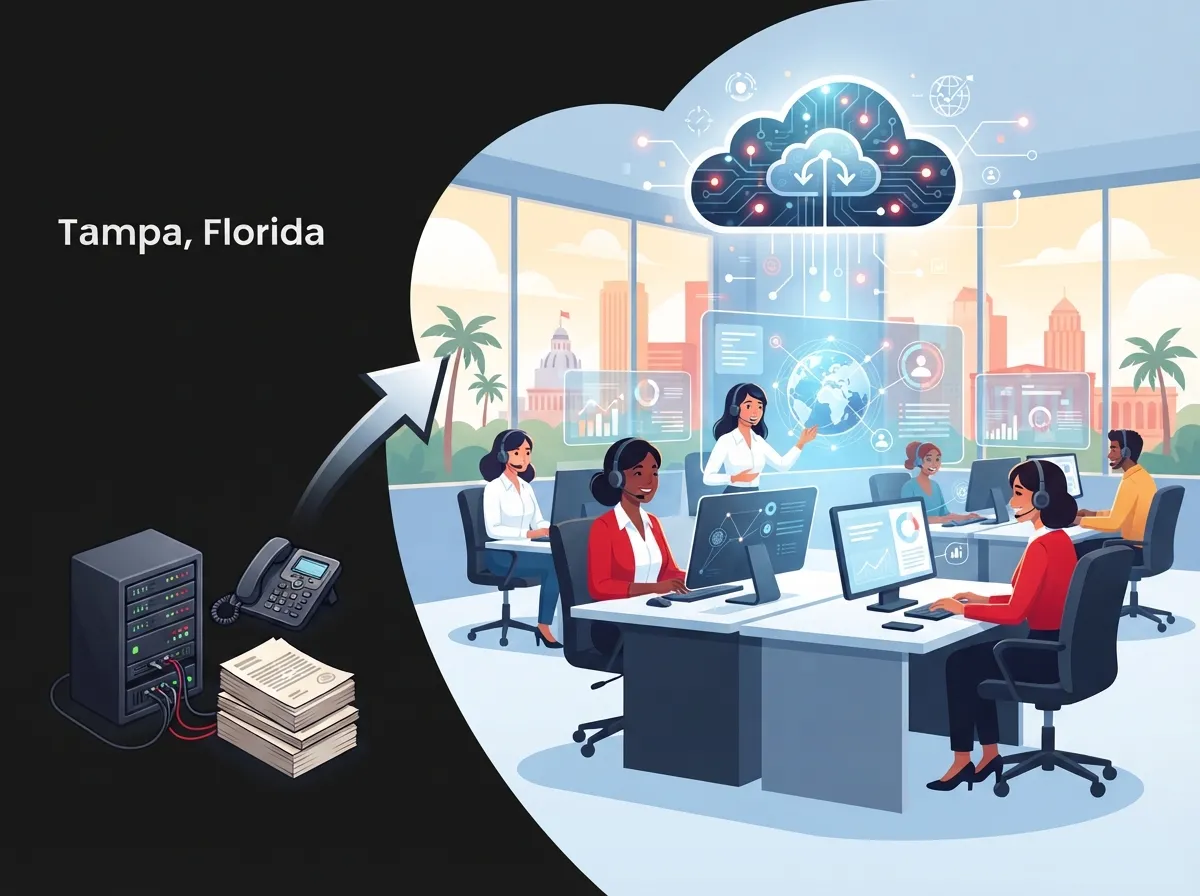
Most modern tools are cloud-based. That means they run over the internet instead of bulky equipment in a back closet. This is often called CCaaS, or contact center as a service.
Just to be clear, we’re talking about the tools your team uses to answer calls. We’re not talking about software development or job listings. Many businesses also pair these platforms with a strong cloud based phone system to keep everyday calling smooth.
VoIP vs. Hosted PBX vs. Contact Center Software
These terms get mixed up a lot. Here’s a quick way to tell them apart.
| Solution | What It Does | Best For |
|---|---|---|
| VoIP | Sends calls over the internet instead of old phone lines | Any business wanting lower costs and flexibility |
| Hosted PBX | A cloud-run phone system with extensions, voicemail, and auto attendants | Offices needing a full business phone setup |
| Contact Center Software | Adds queues, skills-based routing, recording, and reporting on top of calling | Teams handling high call volume or customer service |
In short, VoIP is the foundation, hosted PBX is the office phone system, and contact center software is the power-up for busy teams. If you want to see how VoIP stacks up against older systems, check out these 6 key differences between VoIP and traditional phone systems.
Why Tampa Businesses Are Moving to Cloud Call Centers
The market is growing fast, and for good reason. Mordor Intelligence estimates the global contact center software market at $72.86 billion in 2025, with a projection of $184.24 billion by 2031. Its report also says cloud deployment held 74.24% of the market in 2025. Grand View Research puts North America at 36.4% of global revenue that year. Estimates vary by firm and method, and these aren’t Tampa-specific numbers. Still, the trend is clear: more companies are going cloud.
Here’s why Tampa teams like it:
- Flexibility: Add or remove agents as your needs change.
- Remote-friendly: Agents can work from home, the office, or another city.
- Multi-location support: One system can serve every site, which franchise operators love.
- Less hardware: No giant on-site phone boxes to maintain.
- Better insight: Reports show you what’s working and what isn’t.
If you’re weighing the switch, these 14 reasons to switch to a cloud phone system in Tampa make a helpful read.
Key Features to Look for in Call Center Software
Not every platform includes the same tools, and features can change by plan. Always confirm what’s included before you sign. Here are the big ones to look for.
Core Calling Tools
- Call queues: Keep callers in line instead of sending them to voicemail.
- Interactive voice response (IVR): A friendly menu that points callers to the right team.
- Skills-based routing: Send billing questions to billing and tech questions to tech.
- Call recording: Great for training and quality checks.
- Real-time and historical reporting: See wait times, missed calls, and busy hours.
Omnichannel and Integration Options
Some platforms bring voice together with email, chat, SMS, and social messaging. That lets agents manage every customer chat in one shared view. Ask which channels are included, since some are add-ons.
CRM integration is another big win. When a call comes in, the agent can see the customer’s name and history right away. That means fewer repeated questions and happier callers. Check our guide on VoIP integration mistakes so you know what to avoid.
Everyday VoIP Features That Still Matter
Don’t forget the basics, like voicemail-to-email, mobile apps, and auto attendants. Our list of 12 VoIP phone system features every business needs in 2026 covers what to expect from a modern setup.
How Much Does Call Center Software Cost in Tampa?
This is the question everyone asks, and the honest answer is: it depends. Prices change based on the number of users, features, and contract terms.
For a sense of scale, TSS USA, a Tampa-area provider, advertises small-business phone plans starting at $18 per user per month. That’s a provider-specific starting price for phone service. It isn’t a market average, and it isn’t necessarily a full contact-center quote.
When you compare plans, look at the total picture:
- Cost per user or concurrent agent: Know which pricing model you’re being offered.
- Usage and carrier charges: Minutes, texting, and toll-free numbers may cost extra.
- Contract length: Longer terms can lower the monthly rate but limit flexibility.
- Number porting fees: Moving your existing numbers may carry a cost.
- Recording and storage fees: Some plans charge for extra storage.
- Integrations and analytics: Premium add-ons can change the total fast.
- Support terms: Check if setup and ongoing help are included or billed separately.
For a deeper look at budgeting, see how much a VoIP phone system costs for a business in Tampa. You can also explore 15 ways to reduce business telecom costs in Tampa.
Don’t Forget Reliability: Internet and Network Matter
Here’s something that surprises many owners. Even the best call center software can only perform as well as your internet and network. Cloud systems depend on connectivity, network setup, headsets and phones, and provider resilience.
Before you buy, ask yourself:
- Do we have enough bandwidth for all agents on calls at once?
- Do we have backup internet if our main line goes down?
- Is there failover so calls reroute during an outage?
- How will emergency calling (911) work for remote agents?
- What uptime does the provider commit to?
Tampa’s summer storms make backup plans extra smart. A guide to the internet speed you need for VoIP in Tampa can help you size things right. If you’re shopping for connectivity, take a look at the 7 best business high speed internet services in Tampa FL.
Good wiring helps too. Clean, organized cabling keeps calls clear and reduces random drops. Learn more about structured cabling and why it supports voice quality, then see our professional structured cabling services for Tampa businesses.
Who Provides Call Center Software in Tampa?
Several Tampa-area providers advertise hosted PBX, cloud phone systems, VoIP, and contact-center services. Examples from recent searches include TDM, Ideal Solutions Provider, TSS USA, ShowTech Solutions, and Fuse.Cloud. Availability, features, and support terms can differ, so confirm details directly with anyone you consider.
Ideal Solutions Provider is a Tampa-based telecom and IT partner with over 24 years of experience. Instead of locking you into one carrier, the team compares options across 35+ vetted suppliers and acts as your single point of contact. That can save you a lot of back-and-forth. If you like the sound of one partner for everything, read about 11 reasons to use one telecom partner in Tampa FL.
How a Telecom Partner Helps With Setup
Choosing software is only half the battle. Getting it running smoothly is the other half. A good telecom partner can help with:
- Needs assessment: Reviewing your call volume, team size, and goals.
- Platform selection: Matching you with software that fits your workflow.
- Call flow design: Building menus, queues, and routing rules.
- Number porting: Moving your current numbers over without downtime.
- Device setup: Connecting headsets, desk phones, and softphones.
- CRM integration: Linking customer records to your calls.
- Ongoing support: Fixing issues and tuning the system as you grow.
Always ask whether implementation and support are included or billed separately. If you want to see how a rollout typically works, read how cloud phone system installation works for Tampa businesses. And if keeping your current numbers is a worry, here’s how to keep your phone number when switching to VoIP in Tampa.
Which Option Fits Your Business Type?
Different teams have different needs. Here’s a simple way to think about it.
| Business Type | What Matters Most | Smart Starting Point |
|---|---|---|
| Small business | Low cost, easy setup, simple call routing | VoIP or hosted PBX with basic queues |
| Mid-sized company | Reporting, integrations, scalability | Cloud contact center with CRM links |
| Franchise operator | Multi-location control, consistent service | Centralized cloud platform with shared reporting |
| IT or office manager | Reliability, vendor support, easy maintenance | Managed solution with one point of contact |
Small businesses often start with a simpler phone system and add contact-center tools later. Our guide on how to choose the right phone system for a small business is a nice first step. Franchise teams may like reliable network solutions for multi-location Tampa businesses.
Common Mistakes to Avoid
We’ve seen Tampa businesses stumble in a few predictable ways. Here’s how to dodge them.
- Buying on price alone. A cheap plan that lacks queues or reporting can cost you more later.
- Ignoring your network. Weak internet leads to choppy calls, no matter the software.
- Skipping the fine print. Watch for recording fees, overage charges, and long contracts.
- Forgetting training. Agents need time to learn the tools.
- No backup plan. Plan for outages before they happen.
Our articles on VoIP provider mistakes and hosted PBX mistakes go into more detail. And when you’re ready to compare vendors, here’s how to choose a business VoIP solutions provider in Tampa.
A Simple Checklist Before You Choose
Keep this short list handy while you shop:
- Write down your average daily call volume and busiest hours.
- List the channels you need (voice, chat, SMS, email).
- Note which CRM or tools must connect.
- Confirm your internet speed and backup options.
- Ask for a full price breakdown, not just a starting rate.
- Confirm setup, porting, and support terms in writing.
- Request a demo and try it with real agents.
Want to learn how a telecom partner can guide you? Read how to work with a telecom expert who gets results. You can also see how an Internet Service Provider fits into the bigger picture, since your connection is the backbone of every cloud call.
Ready to Find the Right Fit?
Choosing the right call center software in Tampa doesn’t have to feel overwhelming. Start with your real needs, check your network, compare total costs, and lean on a partner who knows the local landscape. Do that, and you’ll give your customers a smoother experience and your team better tools.
If you’d like friendly, no-pressure help, contact us for a free consultation and we’ll review your current setup and map out your options. Prefer to talk? Call us any time. You can also follow along on YouTube for helpful telecom tips.
FAQs
Q: What is the best call center software for a small business in Tampa?
A: There’s no single best pick, since it depends on your call volume, budget, and the tools you need. Many small teams start with a cloud VoIP or hosted PBX plan that includes queues and basic reporting, then grow into a full contact center. A telecom partner can help you compare options without the guesswork.
Q: How much does call center software cost in Tampa, Florida?
A: Pricing varies by users, features, and contract length. One Tampa-area provider, TSS USA, advertises small-business phone plans starting at $18 per user per month, but that’s a phone-service starting price, not a full contact-center quote. Always compare total cost, including usage charges, porting, recording storage, and support.
Q: Can Tampa call center software integrate with my CRM?
A: Many cloud contact-center platforms offer CRM integrations, so agents can see customer details when a call comes in. The exact integrations differ by provider and plan, so confirm yours is supported before you buy. A good setup partner can handle the connection for you.
Q: How reliable is cloud call center software during an internet outage?
A: Cloud systems depend on your internet, so an outage can affect calls unless you plan ahead. Smart steps include backup connectivity, failover call routing, and clear uptime commitments from your provider. It’s also wise to plan how emergency calling will work for remote agents.
Q: Do Tampa telecom providers help with setup, number porting, and ongoing support?
A: Many do, including help with needs assessment, call flow design, number porting, device setup, and CRM integration. Just confirm whether implementation and ongoing support are included in the price or billed separately. Getting those terms in writing helps you avoid surprises.