
Key Takeaways
-
IP66 is the practical minimum for exposed commercial outdoor cameras, while IP67 is recommended for flood-prone areas; always verify the actual IP rating instead of relying on marketing terms like 'weatherproof' which aren't standardized.
-
Choose the correct power source (PoE, PoE+, or PoE++) before installation—cameras with heaters or pan-tilt-zoom functions need PoE+ (30 watts) or higher, otherwise they won't perform during cold snaps or demanding conditions.
-
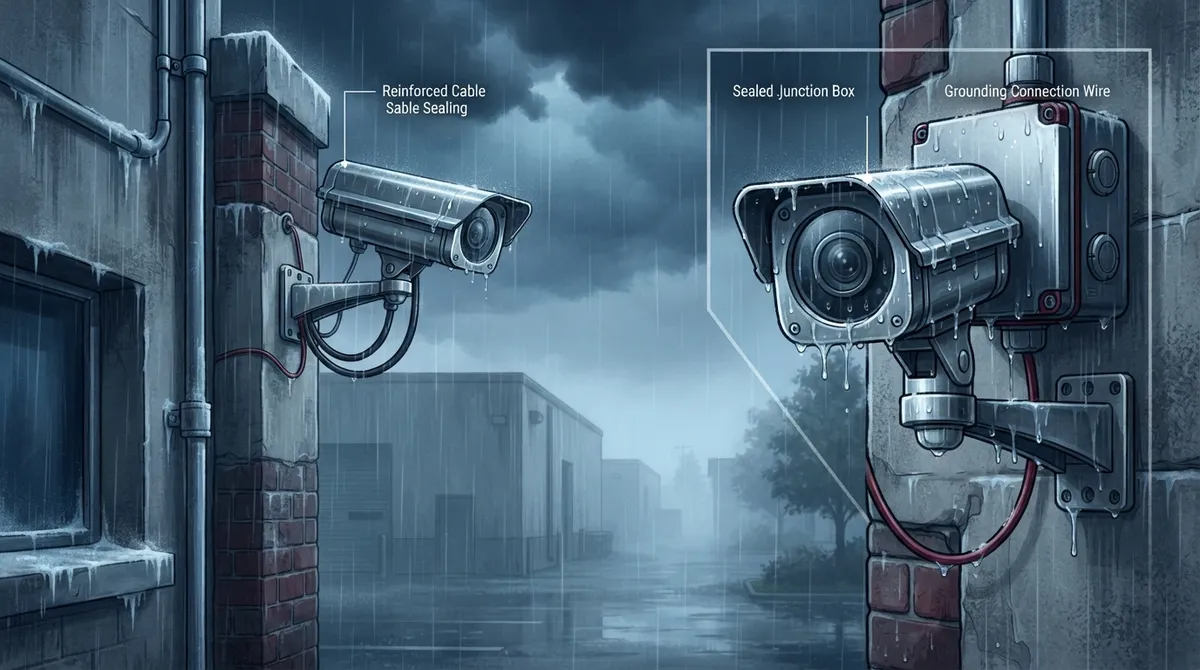
Poor installation practices negate even the best IP ratings; proper cable sealing, drip loops, grounding, and junction box protection are critical because unsealed connections are common failure points.
-
Check operating temperature range separately from IP rating, as a weather-resistant camera may still fail in extreme cold without built-in heaters or proper defrosting features.
-
Vandal resistance (measured by IK rating) is completely separate from weather resistance; high-traffic locations need both a solid IP rating and strong IK rating plus tamper alarms and protective mounting.
-
Plan for network bandwidth and ONVIF compatibility before deploying multiple outdoor cameras, as high-resolution models consume significant bandwidth and must integrate properly with your recording software and access control systems.
Picture this: it’s pouring rain in Tampa, the wind is whipping sideways, and your parking lot camera just… stops working. Sound familiar? If you’ve ever dealt with a security camera that couldn’t handle Florida weather, you know the frustration is real. The good news? Choosing the right weather resistant security cameras doesn’t have to feel overwhelming, and we’re here to walk you through it together.
Weather resistant security cameras are outdoor network cameras built to keep working through rain, dust, humidity, temperature swings, and sometimes even temporary flooding. For businesses using an IP video-surveillance system, these cameras connect through Ethernet, fiber, or a managed network, giving you eyes on your property no matter what’s happening outside. Whether you run a small shop, manage a growing enterprise, or oversee IT for multiple locations, understanding what makes a camera truly weatherproof will save you money, headaches, and a whole lot of grainy footage.
What Makes a Security Camera Weather Resistant?
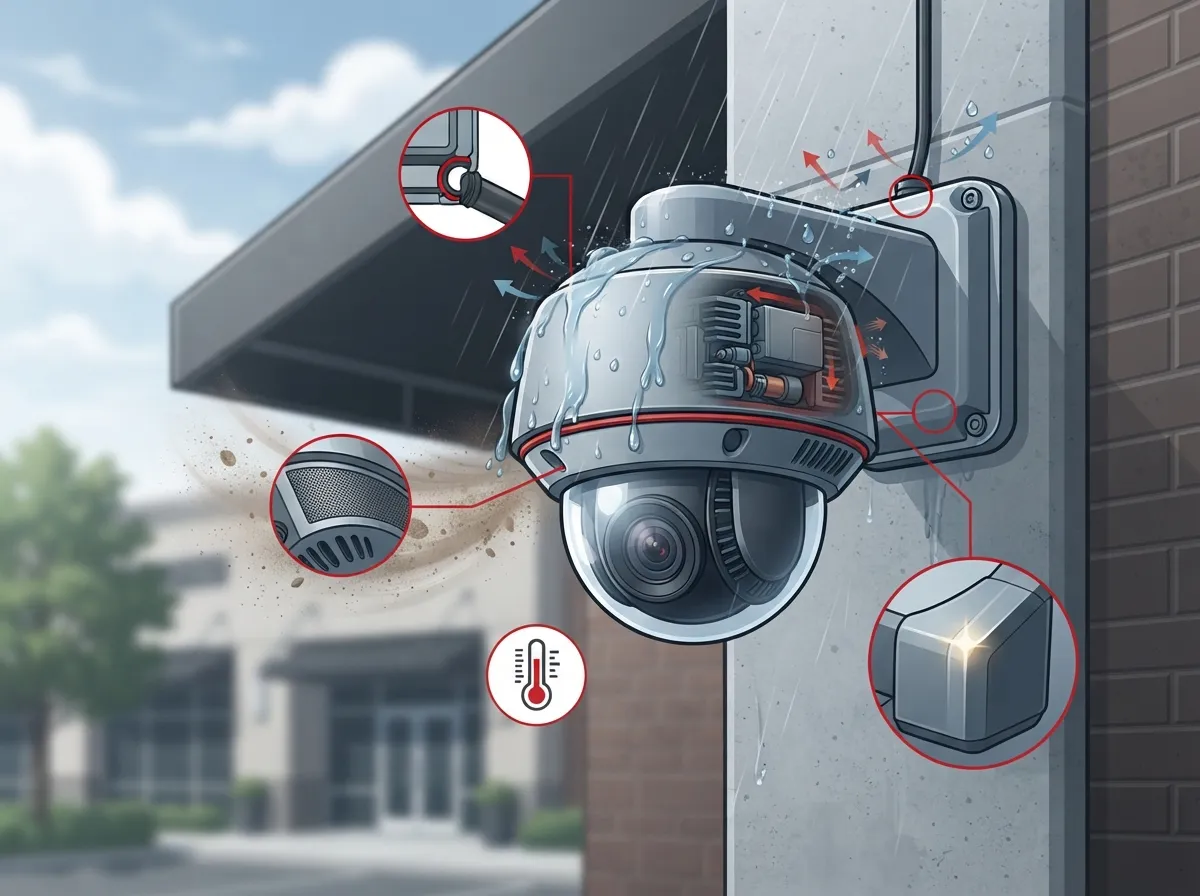
Weather resistance isn’t just a marketing buzzword. It’s measured using something called an IP rating, defined by IEC 60529 (also known in the U.S. as ANSI/IEC 60529). This rating system tells you exactly how well a camera resists dust and water.
Here’s the simple version: the first number after “IP” shows how well the camera keeps out solid particles like dust. The second number shows how well it keeps out water. Higher numbers mean better protection. That’s really all you need to remember before diving into the details.
Understanding IP Ratings for Commercial Cameras
Let’s break down the three ratings you’ll see most often when shopping for outdoor cameras:
| IP Rating | Dust Protection | Water Protection | Best For |
|---|---|---|---|
| IP65 | Dust-protected | Resists low-pressure water jets | Sheltered areas like covered entrances or under eaves |
| IP66 | Dust-tight | Resists powerful water jets from any direction | Exposed outdoor spots: building fronts, parking lots, fences |
| IP67 | Dust-tight | Withstands temporary immersion (up to 1 meter, 30 minutes) | Flood-prone areas, docks, low-mounted cameras, washdown zones |
Most experts agree that IP66 is the practical minimum for exposed commercial installations. If your business faces standing water risk, like a loading dock near a drainage area, IP67 gives you extra peace of mind. Neither rating, though, protects against everything. An IP-rated camera can still struggle with corrosion, impact damage, or extreme temperatures if those conditions go beyond its specs.
Weatherproof vs. Weather-Resistant vs. Vandal-Resistant: What’s the Difference?
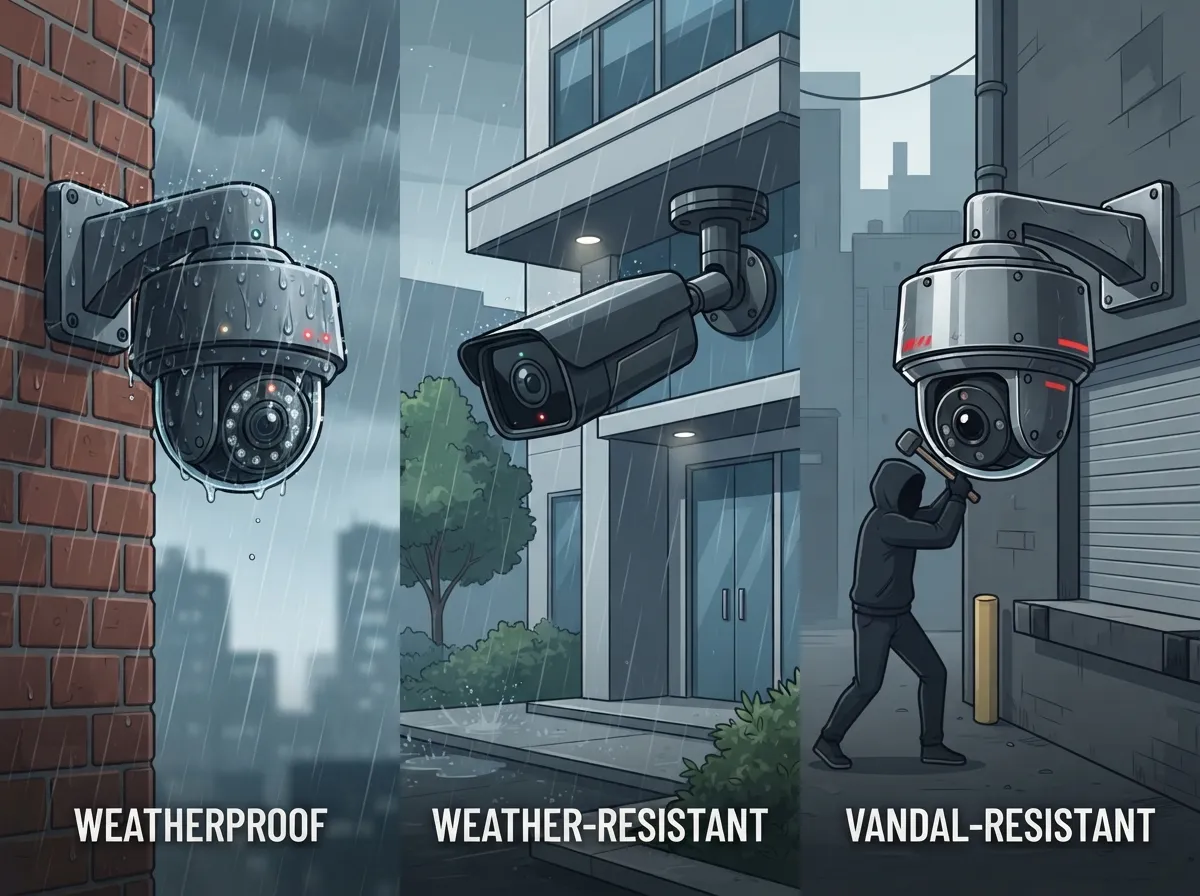
This trips up a lot of business owners, so let’s clear it up. “Weather-resistant” and “weatherproof” are often used interchangeably, but neither term is officially standardized the way IP ratings are. Always ask for the actual IP rating instead of relying on marketing language alone.
Vandal resistance is a completely separate thing. It’s measured by IK ratings, which show how well a camera survives physical impact, like someone trying to smash it with a bat. A camera can be perfectly weatherproof and still get destroyed by a determined vandal. If your location has foot traffic or a history of tampering, you’ll want both a solid IP rating and a strong IK rating, plus features like protected mounting heights and tamper alarms.
Power Matters: PoE, PoE+, and Beyond
Here’s something a lot of people don’t think about until installation day: how will your camera get power? For most business setups, Power over Ethernet (PoE) is the answer. One cable carries both data and power, which simplifies installation and cuts down on cabling costs.
- Standard PoE (802.3af): Delivers up to 15.4 watts from the source. Good for basic fixed cameras.
- PoE+ (802.3at): Delivers up to 30 watts from the source and about 25.5 watts to the camera. This is often needed for cameras with heaters, blowers, or advanced infrared.
- PoE++: Needed for higher-power devices like PTZ (pan-tilt-zoom) cameras or units with built-in defrosters.
Choosing the wrong power source is one of the most common mistakes businesses make. A camera might have a great IP rating, but if it can’t get enough power to run its heater during a cold snap, it won’t perform the way you expect. This is exactly the kind of detail a good structured cabling partner should help you plan for from day one.
Beyond the IP Rating: Other Factors That Matter
An IP rating tells you a lot, but it doesn’t tell you everything. Here are other specs worth checking before you buy:
- Operating temperature range: Look for cameras rated for both extreme heat and cold. A common commercial spec might run from about -30°C to 60°C, though this varies by model.
- Infrared and low-light performance: Weather resistance means nothing if the footage is unusable at night or during storms.
- Lens heating or defogging: Important for areas with big temperature swings or high humidity.
- Wide dynamic range (WDR): Helps cameras handle bright sun and deep shadows in the same frame.
- Corrosion-resistant housing: Especially important near the coast, where salt air can eat away at cheaper materials over time.
- Surge protection: Florida’s lightning storms are no joke, and a surge protector can save your whole system.
Installation: The Part Everyone Forgets
Here’s a truth that doesn’t get said enough: even the best-rated camera can fail if it’s installed poorly. Weatherproofing is a system, not just a single component.
Think about it this way. You could buy the sturdiest raincoat in the world, but if you leave the zipper open, you’re still getting soaked. The same logic applies to cameras. Cable glands, junction boxes, conduit, drip loops, and proper grounding all matter just as much as the IP rating printed on the box.
A few installation details that often get overlooked:
- Unsealed RJ45 connectors can let moisture into an otherwise weatherproof camera
- Cable entry points need proper sealing, not just tape or caulk
- Drip loops help water run off cables instead of pooling at connection points
- Grounding protects against electrical surges during storms
- Mounting height affects both weather exposure and vandal risk
This is where working with an experienced partner really pays off. At Ideal Solutions Provider, we’ve seen firsthand how a rushed installation can undo the benefits of a great camera. Our team handles everything from the initial site walkthrough to the final cable seal, so nothing gets left to chance.
Making Sure Your System Works Together
Weather resistant cameras don’t operate in a vacuum. They’re part of a larger network that includes your business network, recording software, and often your access control system. This is where ONVIF compatibility becomes important.
ONVIF is a standard that helps cameras, video-management software, and recorders from different manufacturers talk to each other. It’s a great feature to look for, but don’t assume every ONVIF-certified device supports every function you need. Always confirm which specific ONVIF profile a camera supports before committing.
Bandwidth and Network Capacity Considerations
Outdoor commercial cameras, especially high-resolution ones, can use a surprising amount of bandwidth. Before installing multiple cameras, it’s smart to review your current business internet setup to make sure it can handle the extra load, particularly if you’re also running VoIP phones and other cloud services on the same connection.
Where Businesses Typically Use Weather Resistant Cameras
These cameras show up in more places than you might think. Common spots include:
- Building entrances and exits
- Parking lots and garages
- Warehouse yards and loading docks
- Construction sites
- Retail storefronts and drive-throughs
- Perimeter fencing around larger campuses
- Remote facilities like utility substations
For franchise operators managing multiple sites, consistency matters just as much as durability. You want the same reliable performance whether a location is in coastal Florida or somewhere with harsh winters. Scalable, cloud-based network solutions make it much easier to manage cameras across every location from one dashboard.
A Simple Checklist Before You Buy
Feeling ready to shop for cameras? Here’s a quick checklist to run through before making a decision:
- Identify the exact location: covered, exposed, or flood-prone?
- Choose the right IP rating for that specific spot (IP65, IP66, or IP67)
- Check the operating temperature range against your local climate
- Confirm PoE, PoE+, or PoE++ compatibility with your network gear
- Ask about ONVIF profile support if you use third-party software
- Plan for proper cable sealing and grounding during installation
- Decide if vandal resistance (IK rating) is also needed
- Review your network bandwidth to support the added camera traffic
Running through this list with a knowledgeable partner can save you from expensive do-overs. If you’re unsure where to start, our team can walk through a free site assessment to match the right cameras to your specific risks.
The Growing Demand for Reliable Video Surveillance
You’re not alone if you’re investing in better outdoor cameras right now. According to a 2025 market estimate from Straits Research, the global video-surveillance market was valued at approximately USD 87.24 billion, with projections reaching USD 97.72 billion in 2026 and climbing to USD 242.12 billion by 2034. That’s a projected annual growth rate of around 12.01% through 2034. Businesses everywhere are recognizing that reliable video security, paired with strong Internet Service Provider infrastructure, is no longer optional. It’s a core part of running a safe, well-managed operation.
Why a Single Point of Contact Makes This Easier
Juggling separate vendors for cameras, cabling, networking, and internet service can turn a simple project into a logistical headache. That’s exactly the problem Ideal Solutions Provider was built to solve. With over 24 years of experience and partnerships with 35 plus vetted suppliers, our team compares options, handles installation, and provides ongoing support so you don’t have to manage five different phone calls every time something needs attention.
Whether you’re a small business owner looking for your first outdoor camera system, an IT manager coordinating upgrades across departments, or a franchise operator scaling across new locations, having one trusted partner simplifies everything. We also share updates and behind-the-scenes looks at our work on Facebook, Instagram, and YouTube, so you can see real examples of installations before making a decision.
Let’s Get Your Business Covered, Rain or Shine
Weather resistant security cameras aren’t just about picking the highest IP rating you can find. They’re about matching the right camera, power setup, network, and installation approach to your specific location and risks. Get this combination right, and you’ll have dependable footage no matter what the forecast says.
Ready to stop worrying about your outdoor cameras every time a storm rolls through? Contact us today for a free consultation, or call us to talk through your specific needs with a real person who genuinely wants to help.
FAQs
Q: What IP rating should an outdoor business security camera have?
A: For most exposed commercial spots, we recommend IP66 as your starting point. It handles powerful water jets from any direction and keeps dust completely out. If your camera sits somewhere prone to flooding or standing water, bump up to IP67 for that extra layer of protection.
Q: Is an IP66 camera better than an IP67 camera for commercial outdoor surveillance?
A: Not necessarily better, just different! IP66 is great for most exposed areas like parking lots and building fronts. IP67 adds protection against temporary immersion, which matters more for low-mounted cameras near docks or flood-prone zones. Pick based on your actual location, not just the higher number.
Q: Can weather resistant security cameras operate in snow, freezing temperatures, or extreme heat?
A: Many can, but you’ll want to check the operating temperature range separately from the IP rating. A camera might be rated IP67 and still struggle in extreme cold without a built-in heater. Always look at both specs together before deciding.
Q: Do outdoor security cameras need PoE, PoE+, or a separate power supply?
A: It depends on the camera’s features. Basic fixed cameras usually run fine on standard PoE, while models with heaters, blowers, or pan-tilt-zoom functions often need PoE+ or even a dedicated power supply. We’re happy to help you figure out exactly what your setup needs.
Q: How do I protect outdoor camera cables and Ethernet connections from water damage?
A: Proper sealing makes all the difference here. Cable glands, junction boxes, conduit, and drip loops all work together to keep moisture out. Even a top-rated camera can fail if the Ethernet connection itself isn’t sealed correctly during installation.





