

Key Takeaways
-
Cat 6A is the recommended choice for new commercial installations because it supports 10Gbps speeds over the full 100-meter distance and future-proofs your network for PoE-powered devices.
-
Ethernet cable has a strict 100-meter distance limit (90m permanent cabling + patch cords); exceeding this causes signal degradation and requires additional equipment or fiber-optic solutions.
-
Power over Ethernet (PoE) lets a single cable deliver both data and power to VoIP phones, security cameras, and wireless access points, eliminating the need for separate power outlets.
-
Professional installation following ANSI/TIA-568 standards is critical; common DIY mistakes like sharp bends, over-pulling cables, and skipped testing cause intermittent outages that are difficult to diagnose.
-
Fiber-optic cabling is necessary for connecting separate buildings, backbone links between floors, high-bandwidth data centers, and areas with heavy electrical interference.
-
Proper documentation and certification testing after installation are essential; many network failures result from skipped testing, poor cable management, and inadequate labeling rather than equipment failure.
Picture this: your VoIP phones freeze mid-call, your security cameras lag, and your Wi-Fi drops right when you need it most. Chances are good the real culprit isn’t your equipment. It’s the cabling hiding behind your walls. Network cabling is the quiet hero of every business network, and understanding the basics can save you from headaches, downtime, and wasted money.
Whether you run a small Tampa shop or manage IT for a growing company with multiple locations, this guide will walk you through everything you need to know about structured cabling, cable types, distance limits, and how it all connects to your phones, cameras, and internet. Grab a coffee, and let’s make sense of the wires behind your walls together.

What Is Network Cabling, and Why Does Your Business Need It?
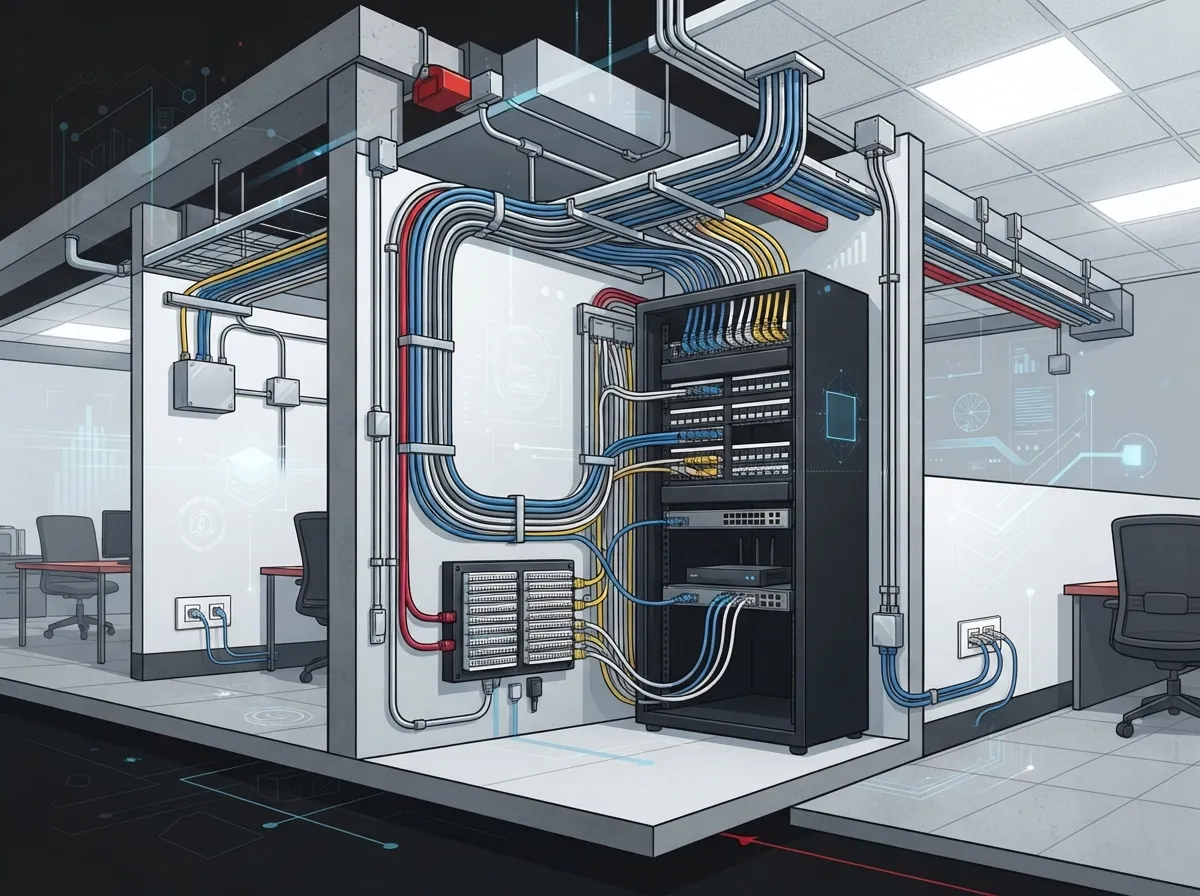
Network cabling is the physical wiring that connects your computers, VoIP phones, wireless access points, security cameras, and servers to your network and the internet. Think of it as the highway system for all your business data. Without good roads, traffic jams happen. Without good cabling, your data hits the same kind of gridlock.
A properly designed system, often called structured cabling, separates the permanent wiring built into your building from the patch cords and equipment you plug in every day. This separation makes troubleshooting easier and keeps your network flexible as your business grows. If you’re curious about how this applies to your specific building, check out this guide on what structured cabling means for your business network.
Good cabling isn’t just about convenience. It directly affects call quality, internet speed, camera reliability, and even how easily you can add new devices later. That’s why so many Tampa businesses turn to trusted partners for their professional structured cabling services instead of trying to piece it together themselves.
The Standards Behind Every Good Cabling Job
You wouldn’t want your electrician making up rules as they go, right? The same goes for network cabling. There’s a set of official standards that guide how commercial cabling should be designed and installed.
The main standard is ANSI/TIA-568.1-E, which covers commercial building cabling requirements. Related standards cover twisted-pair cabling, fiber-optic cabling, pathways, telecom rooms, grounding, labeling, and testing. Following these standards, along with local electrical and fire codes, protects your investment and keeps your network safe and reliable for years to come.
When you hire a cabling contractor, always ask if their work meets current TIA standards. It’s a simple question that can save you from costly problems down the road. Learn more about picking the right partner in this piece on how to spot the best structured cabling contractor.
Copper Cable Types: Cat 5e vs Cat 6 vs Cat 6A
Copper cabling is the backbone of most office networks. But not all copper cable is created equal. Here’s a simple breakdown of the three most common types businesses use today.
| Cable Type | Bandwidth Rating | Max Speed at 100m | Best For |
|---|---|---|---|
| Cat 5e | 100 MHz | 1 Gbps | Basic offices, VoIP phones, light PoE devices |
| Cat 6 | 250 MHz | 1 Gbps (10 Gbps up to ~37-55m) | Growing businesses needing more headroom |
| Cat 6A | 500 MHz | 10 Gbps | New builds, future-proofing, high-demand networks |
For most new commercial installs, Cat 6A is the smart pick if you expect to need 10Gbps speeds or plan to power a lot of devices with PoE down the road. It costs a bit more upfront but saves you from ripping out walls again in a few years. Want a deeper dive? This article on key differences between Cat5e and Cat6 cabling breaks it down further, and this one covers why Cat6 cabling is the smart choice for growing businesses.
How Far Can Network Cable Actually Run?
Here’s a fact that surprises a lot of business owners: Ethernet cable has a strict distance limit. The standard channel limit is 100 meters, roughly 328 feet. That total usually breaks down as 90 meters of permanent cabling in the walls, plus patch cords connecting your devices and equipment.
Go beyond that limit, and your signal quality drops fast. This is one reason why proper planning matters so much before installation begins. If your building is larger or spans multiple floors, you may need extra equipment or a completely different cabling strategy. Our guide on how to plan network cabling installation covers this in more detail.
When Should You Use Fiber Instead of Copper?
Copper cable is great for connecting individual devices, but it has limits. That’s where fiber-optic cable comes in. Fiber uses light instead of electrical signals, which means it can travel much farther and resist interference from nearby power lines or machinery.
Here are the situations where fiber makes the most sense for your business:
- Connecting separate buildings on the same campus
- Running backbone connections between telecom rooms on different floors
- Supporting data centers or high-bandwidth server rooms
- Working in areas with heavy electrical interference or lightning risk
- Planning for future bandwidth needs without re-cabling later
Multimode fiber typically handles shorter building and campus links, while single-mode fiber is built for longer distances, like connecting to your internet service provider or linking multiple campus buildings together. If you’re weighing your options, this resource on fiber optic cabling services for commercial buildings is a great next read, along with tips on how to choose fiber cabling for your business network.
Can Your Cabling Power Your Devices Too?
Yes, and this is one of the coolest parts of modern network cabling. Power over Ethernet, or PoE, lets a single cable carry both data and electrical power. That means your VoIP phones, wireless access points, security cameras, and access control readers can run off the same cable that carries their network connection. No extra power outlets needed.
There are a few PoE standards worth knowing:
- IEEE 802.3af (PoE): Delivers up to 15.4 watts, good for basic phones and access points
- IEEE 802.3at (PoE+): Delivers up to 30 watts, ideal for stronger wireless access points and pan-tilt-zoom cameras
- IEEE 802.3bt Type 3: Delivers up to 60 watts, great for advanced devices and some building automation tools
- IEEE 802.3bt Type 4: Delivers up to 90 watts, built for the most power-hungry devices like multi-function displays
Planning your PoE setup means thinking about your switch’s total power budget, how many devices you’ll connect, and how much heat your cable bundles can handle. This is a spot where working with an experienced installer really pays off. See how it all comes together in this article about how structured cabling supports VoIP phones and security cameras.
Key Terms You’ll Hear During Installation
Cabling has its own language, and it helps to know a few basic terms before your installer arrives. Here’s a quick cheat sheet:
- Permanent Link: The fixed cabling built into your walls and ceilings, usually up to 90 meters
- Channel: The full path from device to device, including the permanent link plus patch cords, up to 100 meters total
- Patch Panel: A mounted panel where wall cabling connects to your network switch
- Patch Cord: The short cable connecting your device to a wall jack or your switch to the patch panel
Knowing these terms helps you ask better questions and understand your installer’s proposal. It also helps when troubleshooting issues later, since your IT team or telecom partner can pinpoint exactly where a problem is happening.
Steps for a Smooth Network Cabling Installation
A successful cabling project doesn’t happen by accident. Here’s the general process a professional installer should follow:
- Needs Assessment: Review your current setup, device count, and future growth plans
- Capacity Planning: Decide on cable types, PoE requirements, and bandwidth needs
- Pathway and Rack Design: Plan where cables will run and how telecom rooms will be organized
- Cable Selection: Choose the right copper or fiber cable based on distance and speed needs
- Installation: Run cables with proper bend radius and pulling tension to avoid damage
- Termination: Connect cables to jacks, patch panels, and equipment correctly
- Certification Testing: Test every cable run to confirm it meets performance standards
- Documentation: Label everything and create as-built diagrams for future reference
Skipping steps, especially testing and documentation, is one of the most common reasons networks fail later. Poor bend radius, overfilled pathways, or untested links can cause random outages that are hard to diagnose. If you want to avoid these headaches, this article on structured cabling mistakes that hurt your business is worth a read, along with tips on signs your business needs structured cabling now.
DIY or Professional Installation? Weighing Your Options
It’s tempting to think you can save money by running cables yourself. But commercial cabling is trickier than it looks. One wrong pull, one untwisted pair, and your fast new network could run slower than your old one.
Professional installers bring certified testing equipment, knowledge of local codes, and experience avoiding common mistakes. They also carry the right tools to handle large office buildings, multi-floor spaces, or multi-location franchises. For a full comparison, take a look at this guide on DIY vs professional structured cabling for Tampa offices.
This is exactly where a company like Ideal Solutions Provider steps in. With over 24 years of experience and partnerships with 35 or more vetted suppliers, they act as a single point of contact for cabling, VoIP, internet, networking, security cameras, and access control. That means no juggling five different vendors when something goes wrong.
How Cabling Connects to Your Bigger Telecom Picture
Network cabling doesn’t work in a vacuum. It’s the foundation that supports everything else in your business communications setup. Your cloud phone system, your high-speed internet, your security cameras, and your access control system all depend on solid cabling behind the scenes.
If you’re planning a phone system upgrade, it helps to think about cabling at the same time. Check out this resource on choosing the best cloud-based phone system for your business to see how the two connect. Similarly, if you’re upgrading internet service, this guide on how to choose the right internet speed for your business pairs well with your cabling plans.
Businesses moving to cloud-based security cameras or access control systems especially benefit from strong cabling. Learn more in this piece about what security cameras really do for your business.
Common Mistakes That Cause Cabling Headaches
Even well-meaning installers can make mistakes that hurt your network down the road. Here are a few to watch for:
- Bending cables too sharply, which damages internal wiring
- Pulling cables too hard during installation, stretching the pairs inside
- Untwisting copper pairs more than necessary at termination points
- Overfilling pathways and conduits, which causes heat buildup
- Mixing incompatible components from different manufacturers
- Skipping certification testing after installation
Any one of these issues can cause intermittent faults that are frustrating to track down later. A trusted installer will avoid all of them and give you documentation proving your network was tested and certified properly.
What Does Commercial Cabling Installation Cost?
Costs vary based on building size, cable type, and how many drops (individual cable runs) you need. Fiber installations typically cost more than copper due to specialized equipment and termination skills required. Larger offices or multi-location franchises will naturally see higher totals, but the investment pays off through fewer outages and easier future upgrades.
The best way to get an accurate number is a walk-through with an experienced provider who can assess your specific space. Many businesses find that a free consultation, like the ones offered through Ideal Solutions Provider, helps them avoid overpaying or underbuilding their network.
Bringing It All Together
Network cabling might not be the flashiest part of your business technology, but it’s one of the most important. Good cabling means fewer dropped calls, faster internet, reliable security cameras, and a network that grows with you instead of holding you back.
Whether you’re setting up a new office, expanding to multiple locations, or just tired of mystery network issues, understanding these basics puts you in a stronger position to make smart decisions. And you don’t have to figure it all out alone. Ideal Solutions Provider has spent over 24 years helping businesses across Tampa and nationwide plan, install, and maintain their cabling and telecom systems the right way the first time.
Ready to stop guessing about your network’s foundation? Reach out to our team for a free consultation, or give us a call today to talk through your cabling needs with a real person who actually wants to help. You can also follow along with tips and updates on Facebook, Instagram, and YouTube. We’re here whenever you’re ready.
FAQs
Q: What is structured network cabling, and why do businesses need it?
A: Structured network cabling is the organized, standards-based wiring system that connects all your devices, from phones to computers to cameras, to your network. Businesses need it because messy, unplanned wiring leads to slow connections, dropped calls, and a nightmare to troubleshoot later. Think of it as building a solid foundation instead of a house of cards.
Q: Should a business choose Cat 5e, Cat 6, or Cat 6A cabling?
A: For most new installations, Cat 6A is the smart choice because it supports 10Gbps speeds over the full 100-meter distance and handles future PoE needs well. Cat 5e or Cat 6 can work for smaller budgets or lighter needs, but you may find yourself upgrading sooner than you’d like. It really comes down to how much room you want for future growth.
Q: What is the maximum Ethernet cable length for a business network?
A: The standard limit is 100 meters total, which usually breaks down into 90 meters of permanent cabling plus patch cords on each end. Going beyond this distance causes signal loss and unreliable connections. If your building is larger, you’ll likely need extra network equipment or fiber links instead.
Q: When should a business use fiber-optic cable instead of copper Ethernet cable?
A: Fiber makes the most sense for connecting separate buildings, running backbone links between floors, or supporting high-bandwidth needs like data centers. It’s also a great choice in areas with lots of electrical interference. Copper still works great for connecting individual devices like phones and computers within a single space.
Q: Can network cabling power VoIP phones, cameras, and wireless access points?
A: Yes, this is called Power over Ethernet, or PoE, and it’s honestly one of the neatest features of modern cabling. A single cable carries both data and electrical power, so you don’t need separate outlets for every device. Just make sure your network switch has enough power budget to support everything you’re connecting.





