

Key Takeaways
-
Cloud biometric systems eliminate physical keycards by using facial or fingerprint scanning managed remotely via smartphone, reducing replacement costs and administrative overhead for businesses managing multiple locations.
-
Edge processing (matching at the door) provides better privacy and faster response than cloud processing, while full cloud processing enables advanced analytics; clarify with providers which method they use.
-
Network infrastructure is critical: ensure wired Ethernet with PoE, business-grade internet, Wi-Fi backup, and cellular failover to prevent door access delays or complete system lockdowns during outages.
-
Implement layered security combining biometrics with mobile credentials, PINs, RFID cards, and time-based schedules rather than relying on biometrics alone, following NIST zero-trust principles.
-
Verify vendor encryption standards (AES-256, TLS 1.2), ISO 27001 certification, data residency location, and export/deletion processes before signing contracts to protect against legal liability and vendor lock-in.
-
Test biometric accuracy in your actual environment before full deployment, as lighting, masks, sunburns, and seasonal changes significantly impact fingerprint and facial recognition performance.
Picture this: your office manager loses her keycard for the third time this month, and you’re stuck ordering another replacement badge. Now imagine a system where her face or fingerprint is the key, and you can manage every door from your phone. That’s the promise of cloud access control biometric technology, and it’s changing how Tampa businesses think about security. Whether you run a small office, manage IT for a growing company, or oversee multiple franchise locations, this technology deserves a closer look.
At Ideal Solutions Provider, we’ve spent over 24 years helping businesses across Tampa Bay and nationwide solve their telecom and security puzzles. We’ve seen firsthand how cloud based access control paired with biometric readers can simplify operations while tightening security. Let’s walk through what this technology really does, how it works with your network, and what you need to know before you invest.
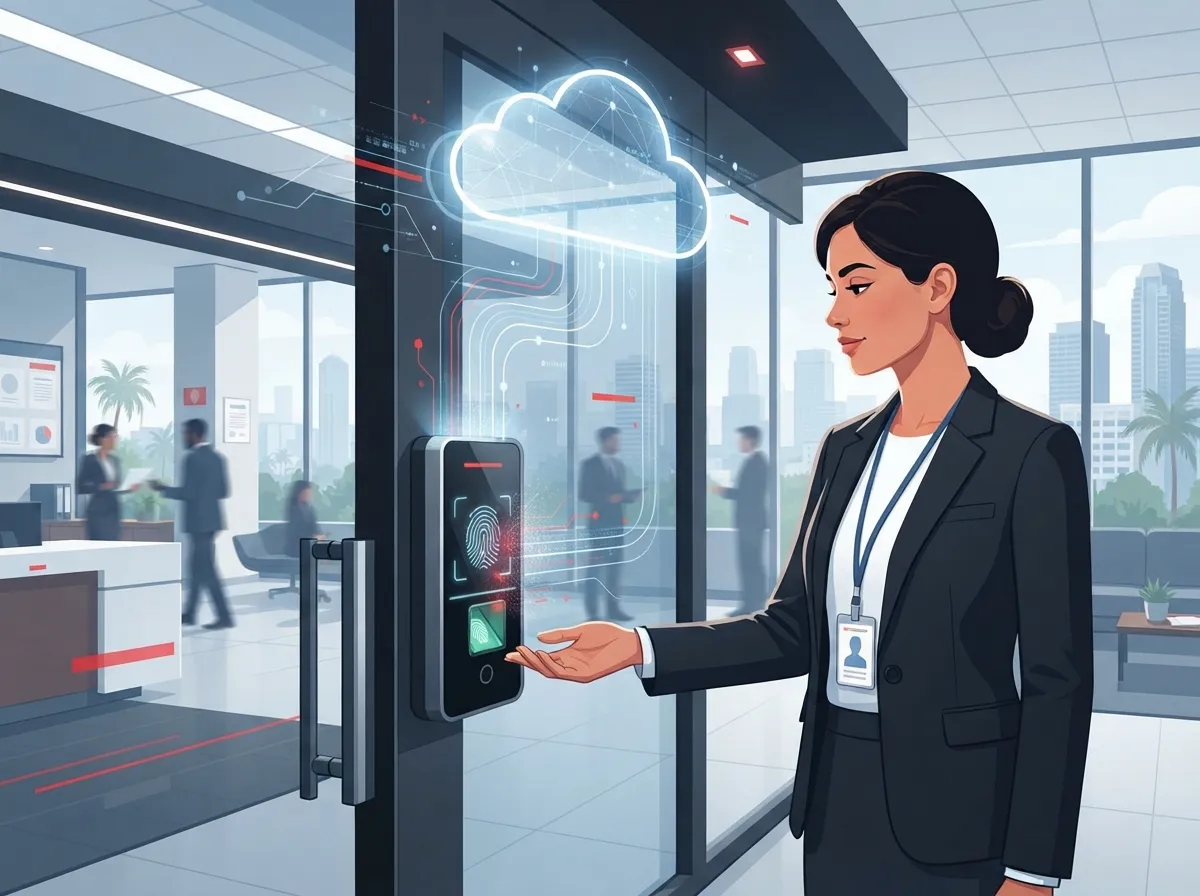
What Is Cloud Access Control Biometric Technology?
Cloud access control biometric systems combine two things: biometric readers (like face or fingerprint scanners) and a cloud-hosted platform that manages everyone’s access. Instead of keeping a server closet full of equipment, your data lives securely online. You can add employees, remove ex-staff, and check who entered which door, all from a laptop or smartphone.
For businesses in the telecom and IT space, this is more than a security gadget. It’s a connected system that depends on solid internet, reliable Wi-Fi, and sometimes cellular backup. The readers, door controllers, and cloud software all need to talk to each other smoothly, which means your network setup matters just as much as the hardware you choose.
How the Pieces Work Together
Think of it like a chain. Each link needs to hold strong for the whole system to work:
- Biometric readers scan a face, fingerprint, or other trait at the door
- The reader either verifies locally or sends data to the cloud for matching
- The cloud platform checks permissions and sends an unlock signal
- Event logs record who came in and when
- Administrators manage everything remotely through a dashboard or app
This setup relies heavily on your high-speed internet for business connection staying stable. A shaky connection can mean slow door responses or missed events, so it pays to get your network right from the start.
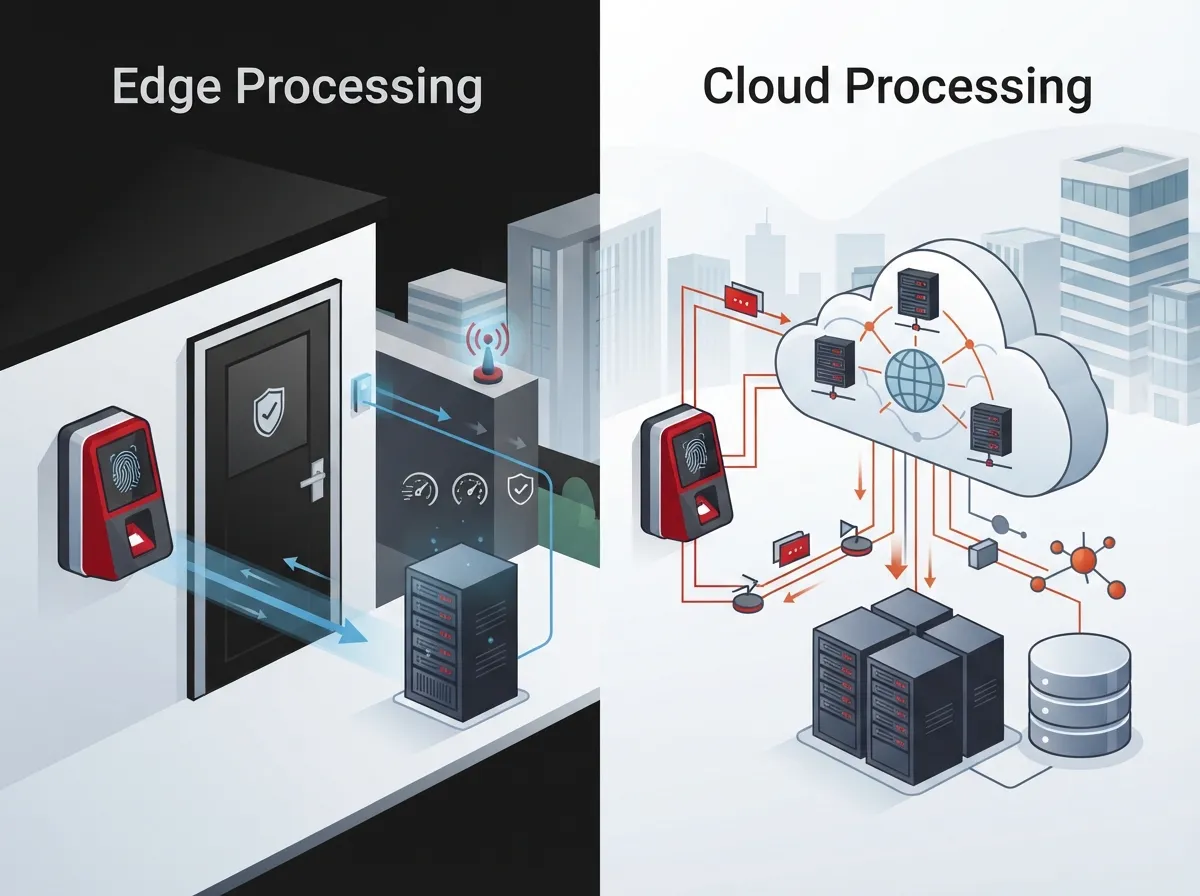
Edge Processing vs Cloud Processing: Why It Matters
One question every IT manager should ask: does the biometric matching happen at the door, or does it happen in the cloud? This isn’t just a technical detail. It affects speed, privacy, and how your system behaves during an outage.
With edge processing, the reader itself checks the fingerprint or face locally. Only the result (a simple yes or no) gets sent to the cloud. This limits how much sensitive biometric data travels over the internet, which is a plus for privacy. With full cloud processing, the raw scan travels to a server for matching, which can add a slight delay but may allow for more advanced analytics.
Questions to Ask Your Provider
- Is my biometric data stored as a template, an image, or both?
- Where does matching actually happen, on the device or in the cloud?
- How is that data encrypted, both moving and sitting still?
- What happens to my data if I cancel the contract?
- Can I export my access logs and user records if I switch providers?
These aren’t just IT questions. They’re business questions that affect liability, compliance, and trust with your employees.
Why Layered Security Beats Biometrics Alone
Here’s something worth remembering: biometrics work best as one layer, not the whole plan. The National Institute of Standards and Technology (NIST) published SP 800-210 in July 2020, offering general access control guidance for cloud systems. It highlights five things every cloud system deals with: broad network access, resource pooling, rapid elasticity, measured service, and data sharing.
NIST also released SP 800-207A in 2023, which recommends a zero-trust approach for cloud-native applications across multiple locations. In plain terms, zero trust means never assuming someone is trustworthy just because they’re on your network. Every access request gets checked, every time.
Building a Layered Approach
A smart access control setup often combines several factors:
- Facial or fingerprint verification at the door
- Mobile credentials on employee smartphones
- PIN codes for backup entry
- RFID cards for visitors or contractors
- Time-based schedules limiting when doors unlock
- Video verification tied to your business security cameras
This layered strategy protects you even if one factor fails or gets spoofed. It’s the same logic we use when recommending scalable access control systems for growing companies.
Network Requirements for Biometric Access Systems
Before you install a single reader, your network needs to be ready. This is where working with a telecom partner really pays off, since access control touches internet, Wi-Fi, and cabling all at once.
| Component | Purpose | Why It Matters |
|---|---|---|
| Wired Ethernet (PoE) | Powers and connects door readers | Reduces battery issues and connection drops |
| Business-grade internet | Connects readers to cloud platform | Slow or unstable internet causes delayed door access |
| Wi-Fi backup | Secondary connection option | Keeps mobile credential features working |
| Cellular failover | Backup if main internet fails | Prevents total system shutdown during outages |
| Structured cabling | Physical wiring for readers and cameras | Supports reliable, long-term performance |
Many businesses skip planning for structured cabling until problems show up. Doing it right the first time saves headaches later, especially if you’re opening a new location or renovating an office.
What Happens When the Internet Goes Down?
This is a question every office manager should ask before signing a contract. Doors that rely 100% on cloud verification with no backup plan can leave you locked out, or worse, locked in during an emergency.
A well-designed system should have a documented fail-safe or fail-secure mode for critical doors. Fail-safe doors unlock during a power loss, useful for emergency egress. Fail-secure doors stay locked, useful for high-security areas. Your provider should explain this clearly, not bury it in fine print.
Comparing Credential Types
Not every door needs the same level of security. Here’s a quick comparison to help you decide what fits each area of your building:
| Credential Type | Best For | Convenience Level | Security Level |
|---|---|---|---|
| Facial recognition | Main entrances, high-traffic areas | High | High |
| Fingerprint | Server rooms, sensitive areas | Medium | High |
| Mobile credential | Everyday employee access | High | Medium-High |
| RFID card | Visitors, contractors | Medium | Medium |
| PIN code | Backup access | Medium | Low-Medium |
A 2025 announcement from Suprema for its BioStar Air platform described a cloud-native system supporting facial authentication, mobile credentials, RFID, QR passes, and PINs, all without needing on-premises servers. The company also cited ISO 27001 certification along with AES-256 and TLS 1.2 encryption. These are vendor claims worth verifying independently, but they show where the industry is heading.
Privacy and Compliance Considerations
Biometric data isn’t like a lost key card. Once someone’s fingerprint or face data gets collected, it creates real privacy and legal responsibilities. Rules vary by state and industry, so this isn’t a one-size-fits-all situation.
Steps to Handle Biometric Data Responsibly
- Define a clear, lawful purpose for collecting biometric data
- Give employees notice and, where required, get their consent
- Collect only what you need, nothing extra
- Set retention and deletion timelines for old data
- Encrypt data both in transit and at rest
- Review vendor contracts for data handling clauses
- Create a process for handling biometric failures or complaints
Skipping these steps can create legal exposure down the road. It’s worth having a conversation with your legal team alongside your telecom provider before rolling out biometric readers company-wide.
Integrating Biometric Access With Your Existing Systems
One of the biggest advantages of cloud-based systems is how well they connect with other tools you already use. This is especially valuable for mid-sized companies and franchise operators managing multiple locations.
Common integrations include:
- Cloud video security cameras for visual verification of access events
- VoIP phone systems for alerting front desk staff about visitors
- HR software to automatically add or remove access when staff join or leave
- Visitor management apps for temporary guest credentials
- Alarm systems for coordinated emergency responses
If you’re already running a cloud-based phone system, adding access control on the same network can create a more unified communications and security setup. This is exactly the kind of single-point-of-contact approach we specialize in at Ideal Solutions Provider.
Franchise and Multi-Location Considerations
Franchise operators face a unique challenge: keeping access policies consistent across locations while allowing local flexibility. Cloud platforms make this easier because administrators can set company-wide rules from one dashboard, then adjust schedules or permissions per site as needed.
This mirrors what we’ve seen work well with reliable network solutions for multi-location businesses, where centralized management saves time without sacrificing local control.
Cost Comparison: Cloud vs On-Premises Access Control
Budget is always part of the conversation. Here’s a general comparison to help frame the decision:
| Factor | Cloud-Based System | On-Premises System |
|---|---|---|
| Upfront hardware cost | Lower to moderate | Higher, includes servers |
| Maintenance | Automatic updates included | Manual updates required |
| Multi-site management | Simple, centralized | Complex, often separate systems |
| Ongoing cost | Monthly or annual subscription | Occasional upgrade costs |
| Remote access | Built-in | Often requires VPN setup |
Every business is different, so it helps to get a real audit of your current setup. We’ve found that most companies we review are overpaying, underperforming, or both when it comes to their telecom and security stack.
Steps to Evaluate a Cloud Biometric Access Control Provider
Choosing the right partner matters as much as choosing the right hardware. Here’s a simple checklist to guide your evaluation:
- Ask for security certifications and evidence, not just marketing claims
- Confirm encryption standards for data in transit and at rest
- Check if administrator accounts require multi-factor authentication
- Review logging and reporting capabilities for audits
- Ask about penetration testing and vulnerability disclosure practices
- Understand data residency, meaning where your data physically lives
- Clarify the process for exporting or deleting data at contract end
- Review service-level agreements for uptime and support response times
Taking time on this checklist upfront saves major frustration later, especially if your business grows or your needs change.
Accuracy and Real-World Performance
Biometric readers don’t perform the same everywhere. Lighting, camera angles, masks, and even seasonal changes in staff (like sunburns or new glasses) can affect accuracy. It’s smart to test systems in your actual environment before committing company-wide.
Vendors often report accuracy using false acceptance rates and false rejection rates. These numbers only mean something if the testing conditions match your real-world setup. Don’t compare vendor numbers unless you know the testing method, lighting, and population were similar.
Common Environmental Factors to Test
- Bright sunlight near entry doors
- Low-light areas like parking garages
- Employees wearing masks, hats, or glasses
- High foot traffic during peak hours
- Accessibility needs for employees with disabilities
Testing in your own space, not just trusting a spec sheet, is the best way to avoid surprises after installation.
Cloud access control biometric technology is a powerful tool, but it works best as part of a bigger security and connectivity plan. From network reliability to privacy compliance to smart integrations with your phones and cameras, there’s a lot to get right. That’s exactly why businesses across Tampa Bay and beyond turn to a single trusted partner instead of juggling separate vendors. If you’re ready to explore whether biometric access control fits your business, reach out to our team for a free consultation, or give us a call to talk through your options today. You can also follow our latest projects and tips on Facebook, Instagram, and YouTube.
FAQs
Q: What is cloud access control biometric technology and how does it work for businesses?
A: It’s a system that pairs biometric readers, like fingerprint or facial scanners, with a cloud platform that manages access for your whole building or company. Instead of housing servers on-site, everything runs securely online, so you can manage doors, staff, and alerts from anywhere. It’s a great fit for businesses juggling multiple locations or remote management needs.
Q: Is cloud-based biometric access control secure for offices and data centers?
A: Yes, when set up correctly with encryption, multi-factor admin logins, and a layered security approach. Biometrics work best alongside other factors like mobile credentials or PINs, not as a standalone solution. We always recommend reviewing a provider’s certifications and encryption standards before signing on.
Q: What happens to doors and biometric authentication if the internet goes down?
A: This depends on your system design, which is why it’s so important to ask about it upfront. Good systems include fail-safe or fail-secure modes so critical doors still function safely during outages. We help businesses plan for backup connectivity so a dropped connection never means a locked-out team.
Q: Are fingerprint and facial recognition data subject to privacy laws?
A: Absolutely, biometric data often comes with specific legal requirements around consent, storage, and deletion that vary by state. It’s smart to work with your legal team and your telecom provider together to make sure you’re covered. Taking this step early builds trust with your employees too.
Q: How much does cloud biometric access control cost compared to on-premises systems?
A: Cloud systems often have lower upfront hardware costs since you skip the on-site servers, but you’ll pay an ongoing subscription fee. On-premises systems can cost more initially but may have lower recurring costs. The right choice really depends on how many locations you manage and how much remote flexibility you need.





