
Key Takeaways
-
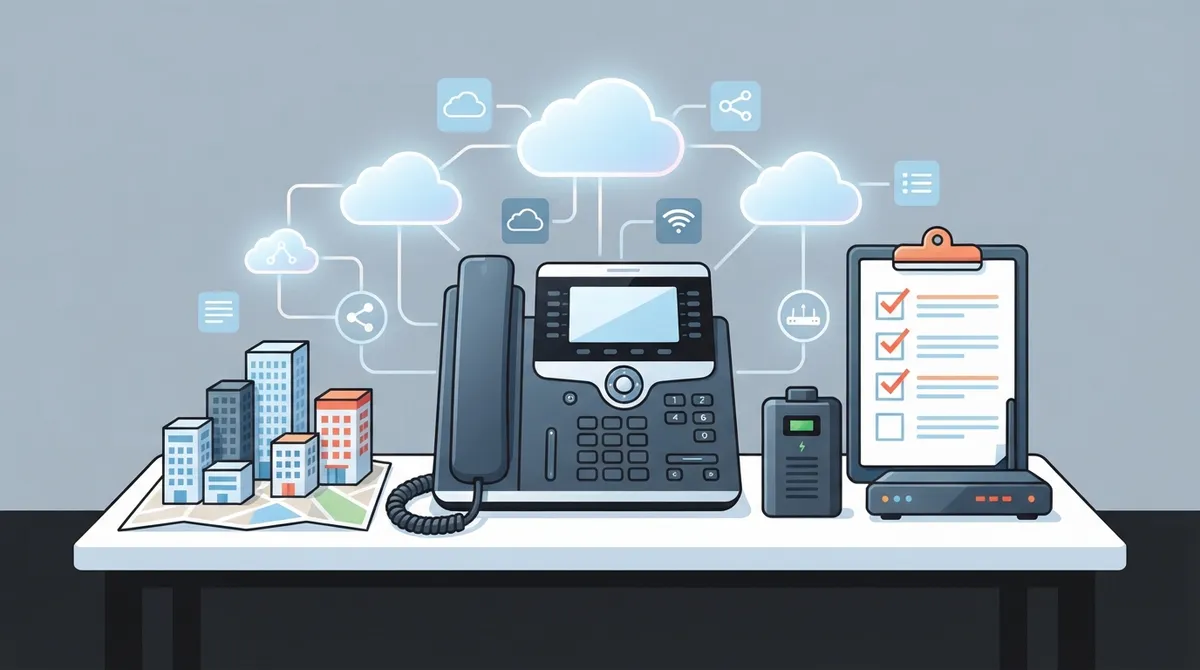
Map your users, locations, and remote workers before comparing vendors, since this count drives pricing, hardware needs, and whether a cloud or on-premises system fits.
-
Ask for an all-in quote covering per-user licensing, taxes, desk phones, setup fees, and add-ons, rather than comparing only the advertised monthly per-user price.
-
Test your internet connection first and plan backups such as a second connection or battery power, because VoIP call quality and calling during outages depend on them.
-
Confirm number porting arrangements before canceling your old phone service to avoid a gap where customers cannot reach your business.
Picking an office phone system can feel like shopping for a car in a language you don’t speak. There are acronyms everywhere, a dozen vendors waving different price tags, and a nagging worry that you’ll choose wrong and live with it for years. Take a breath. You’ve got this, and we’re here to help.
The good news is that today’s office phone system options are more flexible than ever. According to FCC-reported figures summarized by Brightlio, the U.S. had 63.4 million interconnected VoIP subscriptions in June 2025, and 44 million of them were business lines. Business VoIP subscriptions grew 4.1% from the year before. In short, a lot of companies like yours have already made the leap.
Whether you run a small shop, manage IT for a growing company, keep the office humming as an office manager, or oversee several franchise locations, these 14 tips will help you choose, set up, and enjoy an office phone system that actually works for your team in 2026.

1. Understand What an Office Phone System Really Does
An office phone system is a business communications platform that manages inbound and outbound calls, business numbers, extensions, call routing, and voicemail. Think of it as the traffic controller for every conversation your company has with customers and with each other.
Modern systems usually run on VoIP, which carries voice over an internet connection instead of old copper phone lines. That shift is what makes features like mobile apps and computer calling possible.

2. Know Your Three Main Deployment Options
Most office phone systems fall into one of three buckets. Knowing the difference helps you ask better questions.
| Type | How It Works | Best For |
|---|---|---|
| Traditional on-premises PBX | Equipment lives in your building and uses standard phone lines | Sites that need full local control |
| On-premises IP PBX | Local server handles calls over your data network | Larger offices with in-house IT |
| Cloud-hosted PBX / UCaaS | Provider hosts the system and manages updates | Growing, remote, and multi-location teams |
Cloud systems are managed by the provider. On-premises systems give you more direct control but need local equipment and support. If you want a deeper comparison, our guide on 6 key differences between VoIP and traditional phone systems walks through it step by step.
3. Count Your Users and Locations First
Before you look at a single brochure, write down how many people need a phone line, how many sites you have, and how many work remotely. This simple list shapes everything else, from price to hardware.
Franchise operators and multi-location owners especially benefit from this step. A scalable cloud setup lets you add a new site without buying a whole new box of equipment.
4. Decide Which Devices Your Team Will Use
Business users can place calls through desk phones, computer softphones, or mobile apps. Many systems support a mix, so your sales rep on the road and your receptionist at the front desk can both use the same business number.
Ask yourself who truly needs a desk phone. Often the answer is fewer people than you think. A mixed approach can trim hardware costs while keeping everyone connected.
5. Make a Must-Have Features List
Features are where phone systems differ most. Availability and pricing vary by provider and plan, so know what you can’t live without before you shop.
- Auto-attendant or IVR: a friendly digital receptionist that routes callers
- Call queues: keep callers organized when lines get busy
- Voicemail and forwarding: never miss an important message
- Conferencing: meet with clients and teammates in one call
- Call recording and analytics: useful for training and quality checks
- Software integrations: connect calls to the tools you already use
For a full rundown, check out 12 VoIP phone system features every business needs in 2026.
6. Budget for the Whole Picture, Not Just the Monthly Fee
One vendor article cited $25 to $45 per user per month for mid-sized businesses wanting advanced VoIP features. Treat that as a rough market example, not a promise. Your final number depends on several things.
- Monthly per-user licensing
- Calling plans and taxes
- Desk phones and other hardware
- Setup and implementation fees
- Add-ons like recording or advanced analytics
Asking for an all-in quote saves you from sticker shock later. Our breakdown of how much a VoIP phone system costs for a business in Tampa can help you plan.
7. Check Your Internet Before You Switch
VoIP call quality depends on your internet connection, your network setup, and your provider’s service. A great phone system on a shaky connection is like a sports car on a gravel road.
Look at your bandwidth, ask about prioritizing voice traffic on your network, and think about a backup connection. If speed worries you, see what internet speed you need for VoIP. A reliable Internet Service Provider is the foundation of everything.
8. Don’t Forget Your Cabling and Network
Desk phones, access points, and cameras all lean on your wiring. Clean, organized structured cabling keeps voice and data traveling smoothly and makes future changes far easier.
If your office has a tangle of old cables, now is a lovely time to fix it. Learn more in 13 ways structured cabling supports VoIP and cameras.
9. Plan for Power Outages and Failover
Because VoIP relies on both internet and power, an outage can affect calling. The fix is planning, not panic.
- Add battery backup for key network gear
- Ask about automatic call rerouting to mobile phones
- Consider a second internet connection for critical sites
Your front desk and customer-facing lines deserve the strongest protection.
10. Take 911 Seriously
In the United States, interconnected VoIP providers must provide 911 service and collect your physical location before activation. The FCC also notes that emergency calling can be affected by power or broadband outages.
Practical steps include confirming how your provider handles emergency calls, keeping registered addresses current when people move desks or sites, and telling your staff how 911 works on your system. The FCC’s VoIP and 911 guide is a helpful read.
11. Protect Your Existing Phone Numbers
Many businesses can keep their current numbers when changing providers, thanks to number porting. Eligibility, timing, and process depend on the provider and the number, so details matter.
The golden rule: confirm your porting arrangements before you cancel old service. Otherwise you risk a gap where customers can’t reach you. We cover the process in how to keep your phone number when switching to VoIP.
12. Avoid the Common Rookie Mistakes
Plenty of smart owners trip over the same few hurdles. Skipping a network check, ignoring porting timelines, and buying more features than you need top the list. Reading up on 15 cloud phone system mistakes small businesses make can save you real headaches.
13. Plan a Smooth Rollout
A good installation is a team effort. Train your staff, test every line, and schedule the cutover for a quiet time. A step-by-step approach keeps office managers calm and customers happy.
- Audit your current lines, numbers, and costs
- Choose your deployment type and provider
- Verify network readiness and backup options
- Start the number porting request early
- Install, configure, and test everything
- Train your team and gather feedback
Our 5 steps to switch your business phone to the cloud is a nice companion guide.
14. Lean on a Single Telecom Partner
Juggling separate vendors for phones, internet, cabling, and security is exhausting. A single point of contact keeps everything coordinated and accountable.
Ideal Solutions Provider is a Tampa-based telecom and IT partner with over 24 years of experience and 35+ vetted suppliers. They compare options side by side, audit your current setup, and handle consultation, installation, and ongoing support. You can explore their cloud based phone systems to see what’s possible, and you can follow along on YouTube for helpful videos.
Which Office Phone System Fits Which Business?
| Business Type | Priority | Likely Fit |
|---|---|---|
| Small business | Low cost, easy setup | Cloud-hosted VoIP |
| Mid-sized company | Features and integrations | Cloud UCaaS |
| Franchise or multi-site | Scalability, central control | Cloud-hosted PBX |
| Site needing local control | Custom configuration | On-premises IP PBX |
Ready to Find Your Perfect Fit?
Choosing an office phone system doesn’t have to be stressful. Start with your needs, check your network, protect your numbers, and plan for emergencies. Do that, and you’ll end up with a system that makes your team’s day easier instead of harder.
If you’d like a friendly expert to look over your current setup and spot savings, contact us for a free consultation, or call us and chat with the team today.
FAQs
Q: What is an office phone system and how does it work?
A: An office phone system is a business communications platform that manages calls, numbers, extensions, routing, and voicemail. Most modern ones use VoIP, which sends your voice over an internet connection so you can call from desk phones, computers, or mobile apps.
Q: What is the difference between a cloud phone system and an on-premises PBX?
A: A cloud phone system is hosted and managed by a provider, so you skip most of the local equipment and upkeep. An on-premises PBX lives in your building and gives you more direct control, but it needs local infrastructure and support.
Q: How much does an office phone system cost per user?
A: Costs vary by provider and plan. One vendor example cited $25 to $45 per user per month for mid-sized businesses wanting advanced features, but taxes, hardware, setup, and add-ons can change your total, so ask for an all-in quote.
Q: Can I keep my existing business phone numbers when switching providers?
A: Often you can, through number porting, though eligibility and timing depend on the provider and the number. Confirm your porting arrangements before you cancel your old service so you don’t have a gap in coverage.
Q: How does 911 work with a VoIP office phone system?
A: In the U.S., interconnected VoIP providers must offer 911 and collect your physical location before activation. Keep registered addresses up to date, and remember that power or internet outages can affect emergency calling, so plan for backups.





