

Key Takeaways
-
Businesses using call recording paired with structured QA programs report 20-30% improvement in first-call resolution, making it a measurable investment in customer service quality.
-
AI-powered transcription and sentiment analysis can boost productivity by up to 23% through better coaching and real-time feedback for sales and support teams.
-
Role-based and extension-level controls let you record only essential departments (sales, support) while excluding others, significantly reducing storage costs.
-
Automatic call recording eliminates human error and is essential for high-volume teams and regulated industries like finance, healthcare, and insurance.
-
CRM integration automatically links recordings to customer contact records, enabling agents to review past conversations before follow-ups without manual work.
-
Compliance tools with IVR prompts and notification systems are critical since some states require all-party consent, and violations can create serious legal problems.
Imagine this: a customer calls to dispute an order, and you have no record of the conversation. Or a new sales rep keeps making the same mistakes, but no one catches it until it’s too late. Sound familiar? If so, call recording VoIP might be exactly what your business needs.
VoIP call recording is one of the most powerful — and underused — features in modern business phone systems. It captures every conversation over your internet-based phone system and stores it securely for future use. Whether you’re running a small Tampa business or managing multiple office locations nationwide, the right call recording setup can protect your business, train your team, and improve customer satisfaction all at once.
In this guide, we’ll walk through the 8 most important call recording VoIP features your business should have in 2026. Let’s dive in!
What Is VoIP Call Recording and How Does It Work?
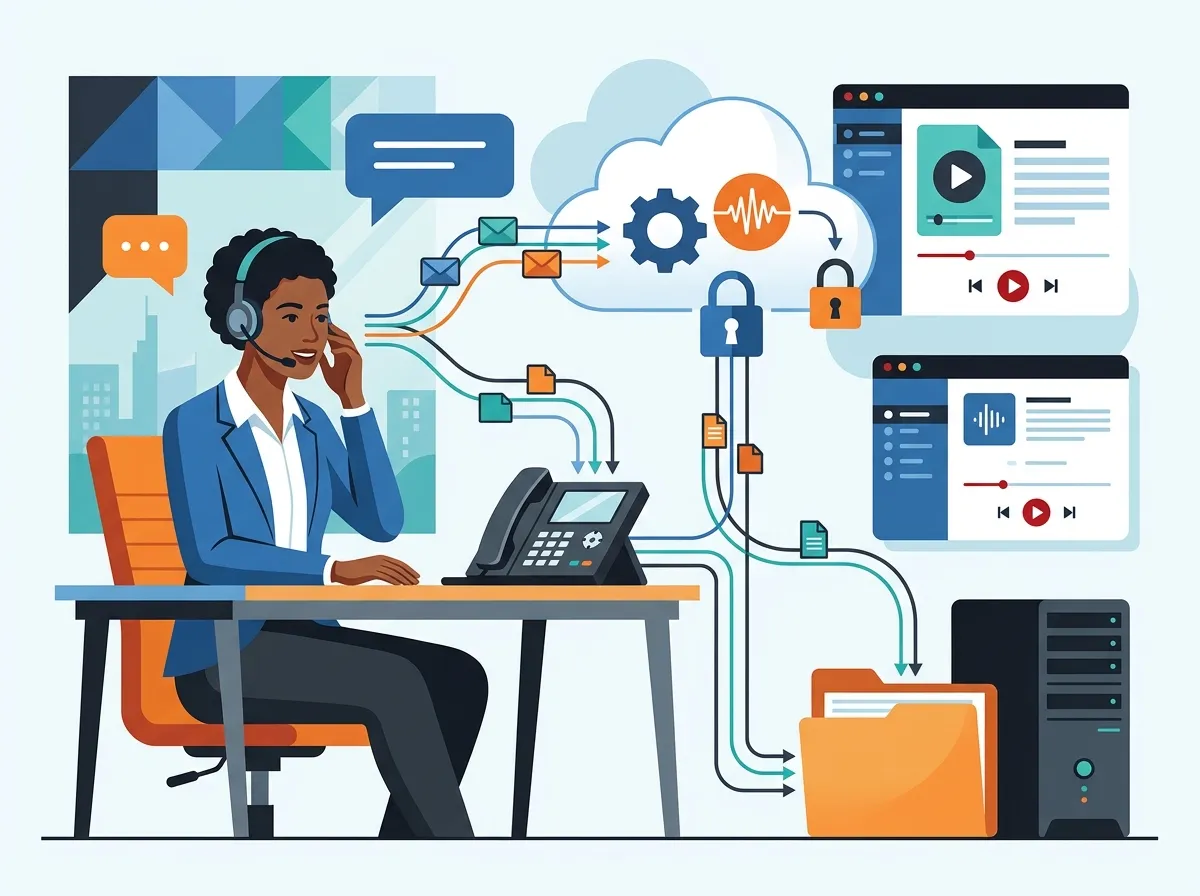
VoIP call recording captures audio from internet-based phone calls by tapping into the digital voice stream. The system then saves those conversations as encrypted audio files — usually in MP3 or WAV format — either in the cloud or on a local server.
Unlike old-school tape recorders, modern VoIP call recording is entirely digital. It works automatically in the background without interrupting the call. If you’d like to learn more about how VoIP compares to traditional systems, check out this helpful breakdown: 6 Key Differences Between VoIP and Traditional Phone Systems.

Why VoIP Call Recording Matters for Your Business
Over 70% of mid-sized businesses that use call recording do so primarily for training and quality assurance. Another 40–50% cite compliance and regulatory requirements as a key driver. That’s a lot of businesses finding real, measurable value in this feature.
Here are some of the top reasons businesses invest in VoIP call recording:
- Dispute resolution: Settle customer disagreements with a clear record of what was said
- Staff training: Use real calls to coach agents on what works and what doesn’t
- Quality assurance: Monitor call quality and service consistency across teams
- Compliance: Meet legal and regulatory requirements in industries like finance and healthcare
- Performance tracking: Identify top performers and replicate their success
Companies using call recording and analytics report up to a 20–30% improvement in first-call resolution when they pair it with structured QA programs. That’s a significant boost for any customer service team. You can explore more powerful features of modern VoIP systems in this article: 12 VoIP Phone System Features Every Business Needs in 2026.
8 Call Recording VoIP Features Every Business Needs
1. Automatic Call Recording
The first and most essential feature is automatic recording. This means every call is captured without anyone needing to press a button. It removes human error and ensures nothing slips through the cracks.
Many modern cloud business phone systems include automatic call recording in all their plans. This is a must-have for teams that handle high call volumes or work in regulated industries. Curious about cloud phone options for your business? This guide is a great starting point: Which Cloud-Based Phone System Is Best for Tampa Businesses?.
2. On-Demand Recording
On-demand recording lets individual agents start or stop recording during a call. This is especially useful when calls shift to sensitive topics like payment details or medical information.
It gives your team flexibility and control. Some calls may not need recording at all, while others absolutely must be captured. On-demand recording gives you the best of both worlds.
3. Role-Based and Extension-Level Controls
Not every employee needs to be recorded all the time. Role-based recording lets you configure which extensions, departments, or user roles are recorded. This targeted approach is smarter, more cost-effective, and easier to manage.
For example, you might record all calls in your sales and support departments while excluding internal admin lines. This setup keeps storage costs down while capturing the conversations that matter most.
4. Encrypted Cloud Storage
Security should always be a top priority when storing recorded calls. The best VoIP call recording systems encrypt files both in transit and at rest. This protects sensitive customer data from unauthorized access.
Look for solutions that offer role-based access control — meaning only authorized team members can listen to recordings. Retention policies are also important, allowing you to set how long recordings are stored before automatic deletion. Here’s a deeper look at cloud storage benefits: 9 Cloud Storage for Business Benefits You Should Know.
| Security Feature | Why It Matters | Best Practice |
|---|---|---|
| Encryption at Rest | Protects stored recordings from data breaches | Use AES-256 encryption standard |
| Encryption in Transit | Secures recordings during upload/download | Use TLS/SRTP protocols |
| Role-Based Access Control | Limits who can access sensitive recordings | Assign permissions by department or role |
| Retention Policies | Auto-deletes recordings after set period | Align with your industry’s regulations |
5. Search, Tagging, and Filtering
What good is a recording if you can’t find it quickly? Advanced VoIP call recording platforms let you search, tag, and filter recordings by date, agent, phone number, call duration, and more.
This makes it much faster to pull up a specific call during a dispute or training session. Some platforms even let you add notes or ratings to calls for structured QA workflows. This is a feature that really pays off as your call library grows over time.
6. AI-Powered Transcription and Sentiment Analysis
This is where VoIP call recording gets really exciting! AI-powered transcription converts your recorded calls into searchable text automatically. No more listening to hours of audio to find one key moment.
Sentiment analysis takes it a step further. It analyzes the emotional tone of calls to flag frustrated customers or highlight successful sales techniques. A 2026 industry analysis found that teams using AI conversation intelligence reported productivity gains of up to 23% through better coaching and real-time feedback. That’s a game-changer for sales and support teams.
| AI Feature | Benefit | Ideal For |
|---|---|---|
| Auto-Transcription | Converts audio to searchable text | All business types |
| Sentiment Analysis | Flags emotional tone in calls | Customer service teams |
| Keyword Spotting | Alerts on specific words or phrases | Compliance-heavy industries |
| Conversation Intelligence | Identifies coaching opportunities | Sales teams and call centers |
7. CRM Integration
Your call recordings become even more powerful when they connect directly to your CRM system. With CRM integration, recordings are automatically linked to the customer’s contact record, making them easy to find during future interactions.
Your sales team can review past calls before follow-up meetings. Your support agents can check previous conversations for context. This creates a much smoother, more personalized customer experience without any extra manual work.
8. Compliance and Legal Consent Tools
Call recording without proper legal consent can create serious problems. Different states and countries have different rules. Some require one-party consent (only one person on the call needs to know it’s being recorded), while others require two-party or all-party consent.
The best VoIP call recording systems include built-in compliance tools, such as automated IVR prompts that notify callers they’re being recorded. This keeps your business protected and ensures you meet legal requirements without any extra effort from your team. Want to make sure you’re choosing the right VoIP solution overall? This resource will help: How to Choose Business VoIP Solutions That Actually Work.
Legal Considerations for VoIP Call Recording
Before you start recording calls, it’s important to understand the legal landscape. Here’s a quick overview of what most businesses need to know:
- Check your state laws: Some U.S. states require all parties to consent before a call is recorded. California, Florida, and Illinois are examples of stricter all-party consent states.
- Notify callers: Use an automated message or IVR prompt at the start of every call to inform callers that the conversation may be recorded.
- Review industry regulations: Financial services (FINRA), healthcare (HIPAA), and insurance companies face stricter recording requirements. Make sure your system supports compliance in your specific industry.
- Consult legal counsel: When in doubt, talk to a legal professional about your specific obligations before enabling call recording.
Following the right consent procedures protects your business and builds trust with your customers. It’s always better to be upfront about recording than to face legal issues later.
How to Set Up VoIP Call Recording for Your Business
Getting started with call recording VoIP is simpler than you might think. Here’s a step-by-step overview of how to set it up:
- Choose a VoIP provider with built-in recording: Many cloud phone systems include call recording as a standard feature. Make sure your provider supports automatic and on-demand recording options.
- Configure recording rules: Decide which extensions, departments, or call types should be recorded. Set up role-based controls to match your team structure.
- Set up caller notifications: Enable IVR prompts or verbal notices to inform callers they’re being recorded. This is both legally required in many places and simply the right thing to do.
- Define storage and retention policies: Choose between cloud or on-premises storage. Set retention periods that align with your industry’s regulations.
- Integrate with your CRM: Connect your call recording system to your customer relationship management platform so recordings are automatically linked to contact records.
- Train your team: Show your staff how to access recordings, add tags or notes, and use recordings for self-improvement and coaching.
If you’re still choosing the right VoIP phone system for your business, this article is a fantastic resource: How to Choose the Right Phone System for Small Business. You can also learn more about switching to a cloud-based system here: 5 Steps to Switch Your Business Phone to the Cloud in Tampa.
VoIP Call Recording vs. Traditional Call Recording: A Quick Comparison
| Feature | VoIP Call Recording | Traditional Call Recording |
|---|---|---|
| Setup Cost | Low (often included in plan) | High (hardware required) |
| Scalability | Easily scales with business | Limited by hardware capacity |
| Storage | Cloud-based, flexible | On-premises, fixed |
| AI Features | Transcription, sentiment analysis | Rarely available |
| Remote Access | Available from any device | Typically on-site only |
| CRM Integration | Standard in most platforms | Complex and costly |
The advantages of VoIP call recording are clear! For a broader comparison of VoIP and traditional phone systems, check out: VoIP vs. Traditional Phone: Which Wins for Tampa Businesses?.
Industries That Benefit Most from VoIP Call Recording
While virtually any business can benefit from call recording, some industries find it especially valuable. Here are the sectors that rely on it most:
- Financial Services: Required by regulators to keep records of client communications and advice given over the phone
- Healthcare: Helps maintain patient communication records while supporting HIPAA compliance requirements
- Insurance: Records are essential for verifying what coverage details were communicated to policyholders
- Legal Services: Protects firms with accurate records of client consultations and instructions
- Retail and E-Commerce: Resolves order disputes and improves customer service quality
- Real Estate: Documents verbal agreements and ensures accurate communication with buyers and sellers
No matter your industry, having a solid call recording strategy is a smart investment. You can explore how a trusted telecom partner can help you implement the right solution here: How to Work With a Telecom Expert Who Gets Results.
How Ideal Solutions Provider Can Help
Setting up VoIP call recording the right way takes more than just turning on a feature. You need the right phone system, the right storage configuration, and the right policies in place from day one.
That’s where Ideal Solutions Provider comes in. As a Tampa-based telecom and IT partner with over 24 years of experience, we work with 35+ vetted suppliers to find the right VoIP solution for your business — including full-featured call recording that meets your compliance and operational needs. Whether you’re a small business owner or an IT manager overseeing multiple locations, we act as your single point of contact so you don’t have to juggle multiple vendors. Learn more about what a single-source telecom partner can do for you: 11 Reasons to Use One Telecom Partner in Tampa FL.
We’d love to connect with you! Follow us on Facebook and Instagram for telecom tips, industry news, and helpful resources for business owners just like you.
Best Practices for Getting the Most Out of VoIP Call Recording
Having the feature is just the beginning. Here’s how to actually use it to improve your business:
- Review recordings regularly: Set aside time each week to listen to a sample of recorded calls for QA purposes
- Use recordings in training: Build a library of great (and not-so-great) calls to use as real-world training examples
- Create a feedback loop: Share specific recordings with agents along with actionable feedback to help them improve
- Monitor compliance trends: Track whether agents are following required scripts or disclosures on regulated calls
- Celebrate wins: Use recordings to recognize great performance and boost team morale
You can find even more tips on building a high-performing business phone system by checking out: 9 VoIP Phone System Features Every Business Needs in 2026. And for those of you exploring affordable VoIP options, this is a great read: 8 Affordable VoIP Phone Services for Tampa Businesses in 2026.
You can also browse helpful video content and guides on our YouTube channel to get a better feel for how these solutions work in real business environments.
Conclusion
VoIP call recording is one of those features that quietly does a lot of heavy lifting for your business. It protects you legally, helps your team grow, improves customer satisfaction, and keeps you compliant — all without interrupting your day-to-day operations.
From automatic recording and encrypted cloud storage to AI-powered transcription and CRM integration, the 8 features covered in this guide represent the gold standard for business call recording in 2026. Whether you’re just getting started with VoIP or looking to upgrade your current setup, now is the perfect time to make call recording a core part of your business communications strategy.
Ready to explore VoIP call recording solutions that actually fit your business? Get in touch with our team at Ideal Solutions Provider for a free consultation — we’ll review your current setup, identify what’s missing, and help you find the right solution without the hassle of managing multiple vendors. Or if you prefer, just give us a call and let’s talk!
FAQs
Q: What is VoIP call recording and how does it work for businesses?
A: VoIP call recording captures audio from internet-based phone calls by tapping into the digital voice stream and saving the conversation as an encrypted audio file — usually in MP3 or WAV format. The recordings are stored securely in the cloud or on a local server and can be accessed anytime for training, compliance, or dispute resolution. It’s a built-in feature in most modern cloud business phone systems, so setup is usually quick and straightforward!
Q: Is VoIP call recording legal, and do I need caller consent?
A: Yes, VoIP call recording is legal for businesses, but consent requirements vary depending on your location and industry. Some states (like California and Florida) require all parties on a call to be notified before recording begins, while others only require one-party consent. Most modern VoIP systems include automated IVR prompts to handle caller notifications, so staying compliant is easy — just make sure to review the rules for your specific state and industry.
Q: Can VoIP call recording integrate with my CRM system?
A: Absolutely! Most modern VoIP call recording platforms offer built-in CRM integration, which automatically links recorded calls to the matching customer contact record. This means your sales and support teams can pull up past conversations in seconds before a follow-up call or meeting. It’s a huge time-saver and makes every customer interaction feel more personalized and informed.
Q: How long are VoIP call recordings stored, and is the storage secure?
A: Storage duration depends on your VoIP provider and plan — options typically range from 30 days to several years. The best systems use encrypted cloud storage with role-based access control so only authorized team members can listen to recordings. You can also set custom retention policies to automatically delete recordings after a set period, which is especially helpful for staying compliant with industry regulations.
Q: How can VoIP call recording improve my team’s performance?
A: VoIP call recording is one of the best tools for coaching and improving your team’s performance! Managers can review recorded calls to identify common mistakes, celebrate wins, and build real-world training libraries. Businesses that use call recording with structured QA programs have reported up to a 20–30% improvement in first-call resolution and customer satisfaction. It turns everyday phone calls into powerful learning opportunities for your entire team.





