

Key Takeaways
-
Cloud video security enables remote access to live and recorded footage from any device, allowing managers to monitor multiple locations from a single dashboard without being tied to on-site monitors.
-
AI-powered analytics detect people, vehicles, and unusual motion to send targeted alerts, eliminating hours of manual footage review and enabling faster incident response times.
-
Cloud systems eliminate expensive upfront hardware costs by shifting from large capital expenses to predictable monthly subscriptions, while automatic updates remove IT maintenance burdens.
-
Off-site footage storage protects against on-site damage from fires or break-ins, ensuring critical evidence survives even when physical equipment is destroyed.
-
Scaling up requires no new wiring or hardware; simply add cameras to your existing plan, making expansion seamless for growing businesses and multi-location operators.
-
Cloud video integrates with access control, alarms, and VoIP systems through a single app, creating a connected security ecosystem that requires reliable internet, proper network design, and vendor support working together.
Picture this: you’re grabbing coffee before sunrise, and your phone buzzes with a quick clip from your warehouse camera. No drive to the office. No fumbling with a clunky recorder in a back closet. Just a clear video, right there in your hand. That’s the everyday magic of cloud video security, and honestly, once business owners try it, they rarely look back.
If you’re running a small shop, managing a growing company, or overseeing IT for a multi-location brand, you’ve probably wondered whether switching from old-school cameras to a cloud-based system is worth it. Spoiler: for most businesses, it really is. But the real value comes from pairing smart cameras with dependable internet, solid networking, and a support team that actually answers the phone. That’s where a partner like Ideal Solutions Provider comes in handy, since security cameras only work as well as the network behind them. Let’s walk through 13 real, practical benefits you can expect, plus a few things worth double-checking before you sign up.

1. Watch Your Business From Anywhere
This is the big one. With cloud video security, you can pull up live or recorded footage from your phone, tablet, or laptop, no matter where you are. Heading out of town? No problem. Checking in on a satellite office? Easy. You’re not chained to an on-site monitor anymore.
For office managers juggling a dozen tasks, this kind of remote access is a lifesaver. You can peek in on the front desk during lunch or confirm a delivery arrived, all without leaving your desk.
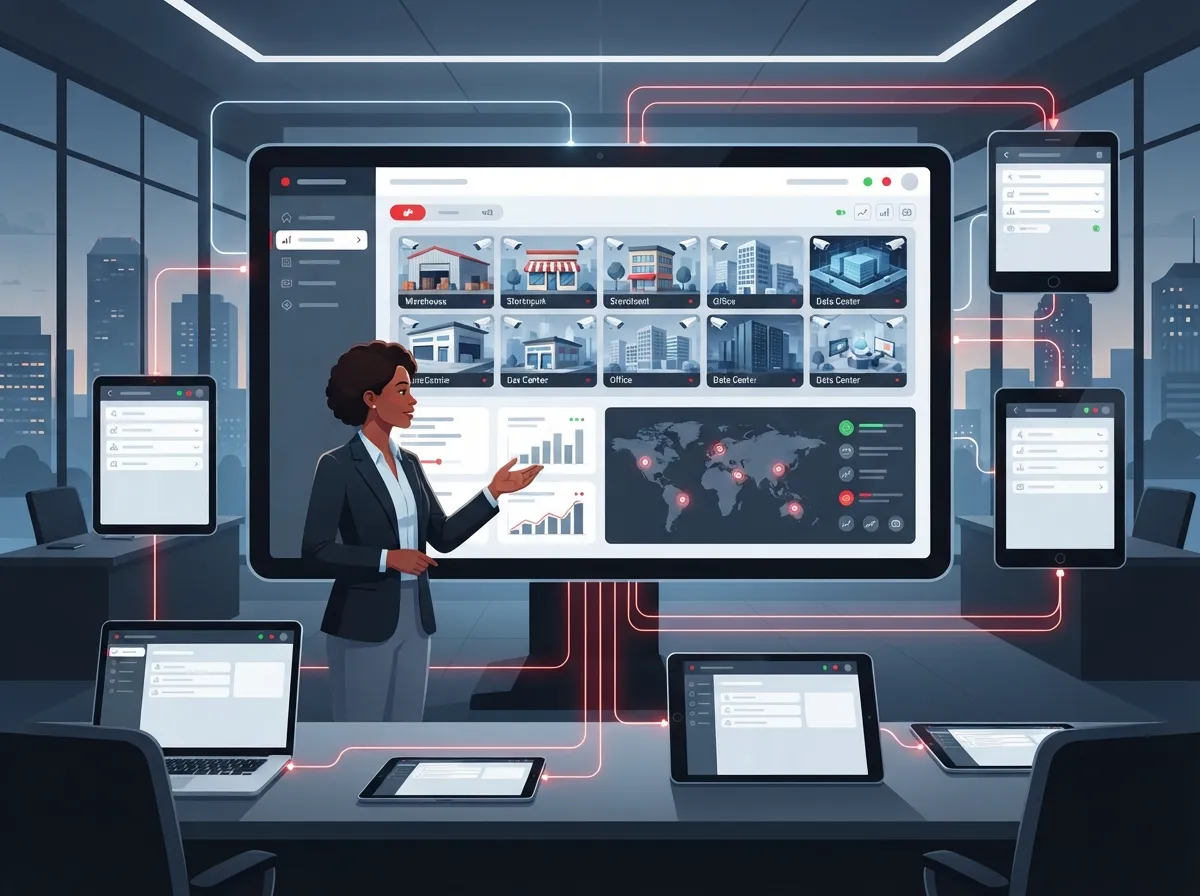
2. Manage Every Location From One Dashboard
Franchise operators and multi-site businesses know the headache of checking separate systems at every location. Cloud platforms fix that by pulling everything into a single dashboard. You get one login, one view, and consistent settings across every site.
This also makes it simple to standardize things like user permissions, retention rules, and alert settings company-wide. For a deeper look at multi-site setups, check out this guide on scalable access control systems for multi-location businesses.
3. Less Hardware to Buy, Store, and Babysit
Traditional CCTV systems come with a closet full of gear: DVRs, NVRs, hard drives, and cables running everywhere. Cloud video security trims a lot of that down. Since storage and processing happen off-site, you don’t need to buy and maintain big recording servers.
This shifts costs from a huge upfront purchase to a predictable monthly subscription, which is much easier on a small business budget.
4. Scale Up Without Starting Over
Adding a new camera to an old-school system can mean adding new wiring, new storage, and sometimes a whole new recorder. With cloud systems, scaling is far simpler. Need five more cameras at a new location? Just add them to your existing plan.
This flexibility is a huge win for mid-sized enterprises and franchise operators who are opening new locations or expanding existing ones. It pairs nicely with reliable network solutions for multi-location businesses that grow right alongside you.
5. Automatic Updates Without the IT Headache
Cloud providers typically handle software updates, firmware patches, and backups behind the scenes. That means your IT team doesn’t have to manually update every single camera or worry about missing a critical security patch.
For IT managers already stretched thin, this is one less recurring task on the to-do list, freeing up time for bigger network priorities.
6. Footage Stays Safe Even If Something Happens On-Site
If a fire, break-in, or storm damages your building, an on-site recorder could get destroyed right along with the evidence you need. Cloud storage keeps your footage off-site, so it’s protected even if the worst happens at your location.
Just remember, this protection depends on your specific setup. It’s smart to ask any provider how cameras keep working during internet outages before you commit.
7. Smarter Alerts With AI-Powered Analytics
Modern cloud systems can do more than just record. Many use AI to detect people, vehicles, license plates, or unusual motion, then send you an alert right away. Instead of scrubbing through hours of footage, you jump straight to the moment that matters.
According to a 2025 industry report from Pipl Systems, businesses using advanced remote monitoring and AI analytics saw notably fewer incidents and improved response times. These numbers come from vendor research, so it’s wise to treat them as helpful estimates rather than guarantees, but they do point to a real trend worth paying attention to.
Common AI Features Worth Asking About
- Motion and person detection to reduce false alerts
- Vehicle and license plate recognition for parking lots
- Line-crossing alerts for restricted areas
- Object left behind or removed notifications
- Crowd or occupancy counting for retail spaces
8. Video Doubles as a Business Operations Tool
Security cameras aren’t just for catching bad actors anymore. Businesses use cloud footage to check queue lengths, monitor workplace safety, track deliveries, and even review customer service quality. It’s a practical way to keep an eye on daily operations without adding staff.
Just be clear with employees about what’s being monitored and why, since transparency builds trust and keeps you on the right side of workplace privacy expectations.
9. Built-In Security Controls Protect Your Footage
A reputable cloud video system should include encryption both in transit and at rest, multifactor authentication, and role-based access permissions. These aren’t just nice extras, they’re what keeps unauthorized users out of your video feeds.
The National Institute of Standards and Technology even includes a specific control, PE-6(3), addressing recorded surveillance video review, which shows how seriously security governance treats this data. When evaluating providers, ask about their approach to audit logs, secure device onboarding, and network segmentation.
10. Works Hand-in-Hand With Your Network and Phone Systems
Cloud video doesn’t operate in a vacuum. It depends on solid business internet, proper bandwidth, and a network that can prioritize video traffic without slowing everything else down. That’s why pairing cloud cameras with dependable connectivity matters so much.
If your current setup struggles, it might be time to look at choosing the right internet speed for your business. Video traffic needs enough upload bandwidth and low latency, especially if you’re running several cameras at once.
11. Integrates With Access Control and Alarms
One of the coolest parts of a modern cloud setup is how well it plays with other systems. Cloud video can link up with your cloud access control systems, alarms, and even VoIP phone systems for a more complete security picture.
Imagine getting a door alert and pulling up the camera feed instantly, all from the same app. That’s the kind of connected setup a single telecom partner can help design.
12. Predictable Monthly Costs Instead of Big Surprises
Cloud video security typically runs as a subscription, covering storage, software, and support. This shifts spending from a large capital expense to a steady operating cost, which makes budgeting much easier for small business owners and finance teams alike.
Below is a simple comparison to help visualize the differences between traditional and cloud-based systems.
| Feature | Traditional On-Site CCTV | Cloud Video Security |
|---|---|---|
| Upfront Cost | High (hardware, servers) | Lower (subscription-based) |
| Remote Access | Limited or complex setup | Built-in, app-based access |
| Scalability | Requires new hardware | Add cameras and users easily |
| Maintenance | Manual updates, on-site visits | Automatic updates, remote support |
| Off-Site Resilience | Vulnerable to on-site damage | Footage stored off-site |
13. One Partner Handles the Whole Puzzle
Cameras alone don’t make a great security system. You need connectivity, network design, cybersecurity, and support that actually works together. That’s exactly what Ideal Solutions Provider does, tying together cloud video security, business internet, and structured cabling under one roof.
With over 24 years of experience and relationships with 35-plus vetted suppliers, they act as a single point of contact instead of leaving you to coordinate five different vendors. That’s a huge relief for IT managers and office managers who already have enough on their plates.
Questions to Ask Before You Choose a Provider
Before signing on with any cloud video security provider, it helps to ask a few smart questions. Here’s a quick checklist to keep in your back pocket.
- Where is my video data stored, and who else can access it?
- What happens to footage if my internet connection drops?
- How long is footage retained, and can I adjust that?
- What encryption and authentication methods are used?
- Can I export or delete footage on request?
- How does the provider handle law enforcement or employee data requests?
- What’s included in the service-level agreement?
Taking the time to ask these questions upfront can save you from headaches down the road. It also helps to review how your internet service provider handles bandwidth allocation, since video traffic can be demanding on a shared connection.
Keeping Your Network Ready for Video Traffic
Cameras generate a lot of data, and that amount depends on resolution, frame rate, and how many cameras you’re running. A single high-resolution camera recording constantly needs a lot more bandwidth than a low-res one that only records on motion.
This is where structured cabling and proper network segmentation really matter. A well-designed network keeps your video traffic from choking your VoIP calls or slowing down everyday internet use. If your current setup feels shaky, it might be time to check out signs your business needs structured cabling now.
Bringing It All Together
Cloud video security genuinely changes the game for busy business owners, IT managers, and franchise operators who need visibility without the hassle. From remote access and easy scaling to AI-powered alerts and off-site resilience, the benefits stack up quickly. Just remember that a great camera is only half the story, the real value comes from pairing it with reliable connectivity, smart network design, and a support team that has your back.
If you’re ready to see how cloud video security could work for your business, feel free to reach out to our team for a free consultation, or simply give us a call to chat about your options. You can also follow along on Facebook, Instagram, or YouTube for more tips on business telecom and security solutions.
FAQs
Q: What is cloud video security for businesses?
A: Cloud video security uses internet-connected cameras that store and manage footage through an online platform instead of a local recorder. This means you can view live or recorded video from your phone or computer, anywhere you have internet access. It’s a much more flexible way to keep an eye on your business.
Q: How much internet bandwidth does cloud video surveillance need?
A: It really depends on how many cameras you have, their resolution, and how often they record. A single camera might need very little, while a dozen high-definition cameras running constantly can require a lot more upload speed. Our team can help calculate the right bandwidth for your specific setup, so nothing gets bogged down.
Q: Can I view my cloud security cameras remotely from my phone?
A: Yes, that’s actually one of the best parts. Most cloud video systems come with a mobile app that lets you check live feeds, review recordings, and get instant alerts, all from your phone. You don’t have to be on-site or near a monitor to keep tabs on things.
Q: What happens to footage if the internet goes down?
A: This depends on the specific system you choose. Some cameras include local storage that saves footage temporarily and uploads it once the connection is restored, while others may pause recording. It’s a smart question to ask any provider before you sign up.
Q: Is cloud video surveillance secure and protected from hacking?
A: A well-built cloud system includes encryption, multifactor authentication, and role-based access to keep unauthorized users out. That said, no system is automatically secure just because it’s in the cloud. It’s important to ask providers about their specific security practices and how they handle updates and access controls.





