
Key Takeaways
-
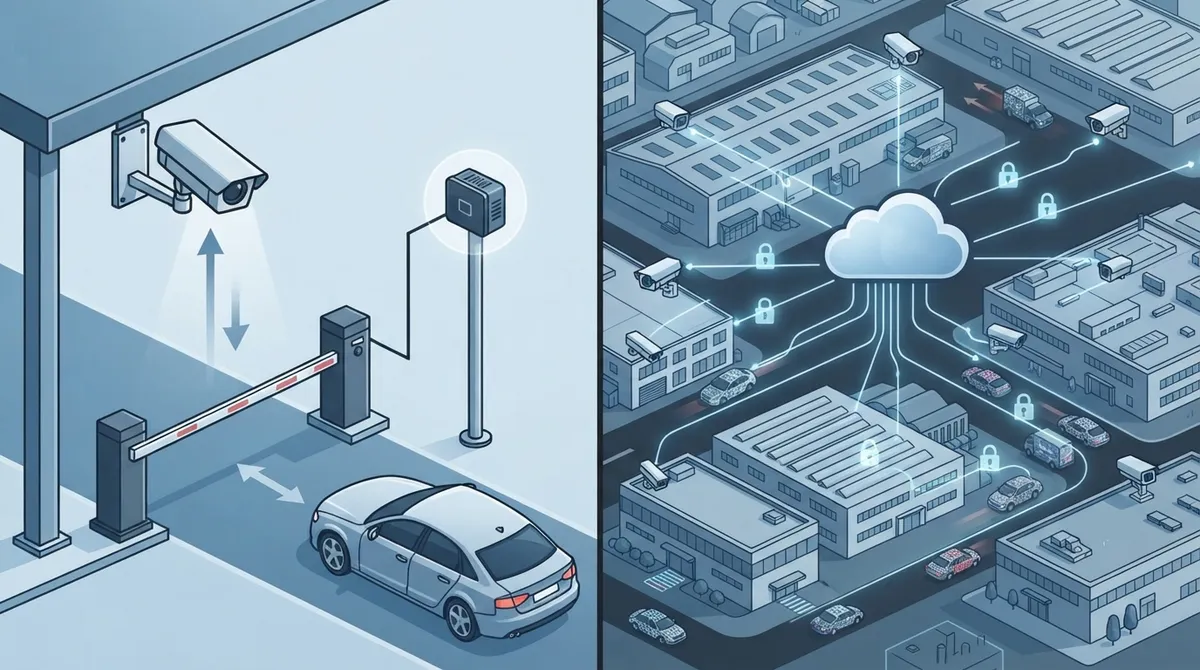
Edge and cloud processing each have distinct advantages: edge processing uses less bandwidth and provides faster alerts for single locations, while cloud processing enables easy cross-site searching and centralized management for multi-location businesses.
-
License plate data is regulated personal information in 23 states plus DC and US Virgin Islands, with California imposing $2,500 per violation penalties; businesses must document legitimate use, set retention schedules, and encrypt data to ensure compliance.
-
Network connectivity choice significantly impacts ALPR performance: wired Ethernet provides rock-solid uptime for main gates, while managed private LTE with VPN and device certificates works best for remote locations without cable infrastructure.
-
Modern ALPR systems achieve 95-98% accuracy under ideal conditions, but real-world factors like poor lighting, dirty plates, vehicle speed, and weather can dramatically reduce effectiveness; always test systems under your actual site conditions before full deployment.
-
ALPR cameras require layered security including unique device credentials, firmware updates, role-based access, multifactor authentication, and network segmentation to prevent hacking; a no-public-IP architecture eliminates direct internet exposure.
-
Conduct a network bandwidth audit before installing ALPR cameras to identify if your current internet can handle video streams or if you should adopt edge processing to reduce data flow and avoid connectivity problems.
Picture this: a delivery truck rolls into your gated lot at 2 a.m., and your phone buzzes with an alert before the driver even parks. That’s the magic of license plate recognition cameras. If you run a business in Tampa or anywhere across the country, this technology isn’t just for big-city toll roads anymore. It’s showing up at parking garages, warehouses, gated communities, and office parks everywhere. And here’s the fun part: getting it right has a lot less to do with the camera itself and a lot more to do with the network behind it.
At Ideal Solutions Provider, we’ve spent over 24 years helping Tampa businesses build smart, connected systems. So when clients ask us about license plate recognition cameras, we don’t just talk hardware. We talk bandwidth, uptime, cybersecurity, and how it all fits with the phones, internet, and security systems you already have. Grab a coffee, and let’s walk through what really matters when choosing between edge processing and cloud processing for your ALPR setup.
What Are License Plate Recognition Cameras, Really?
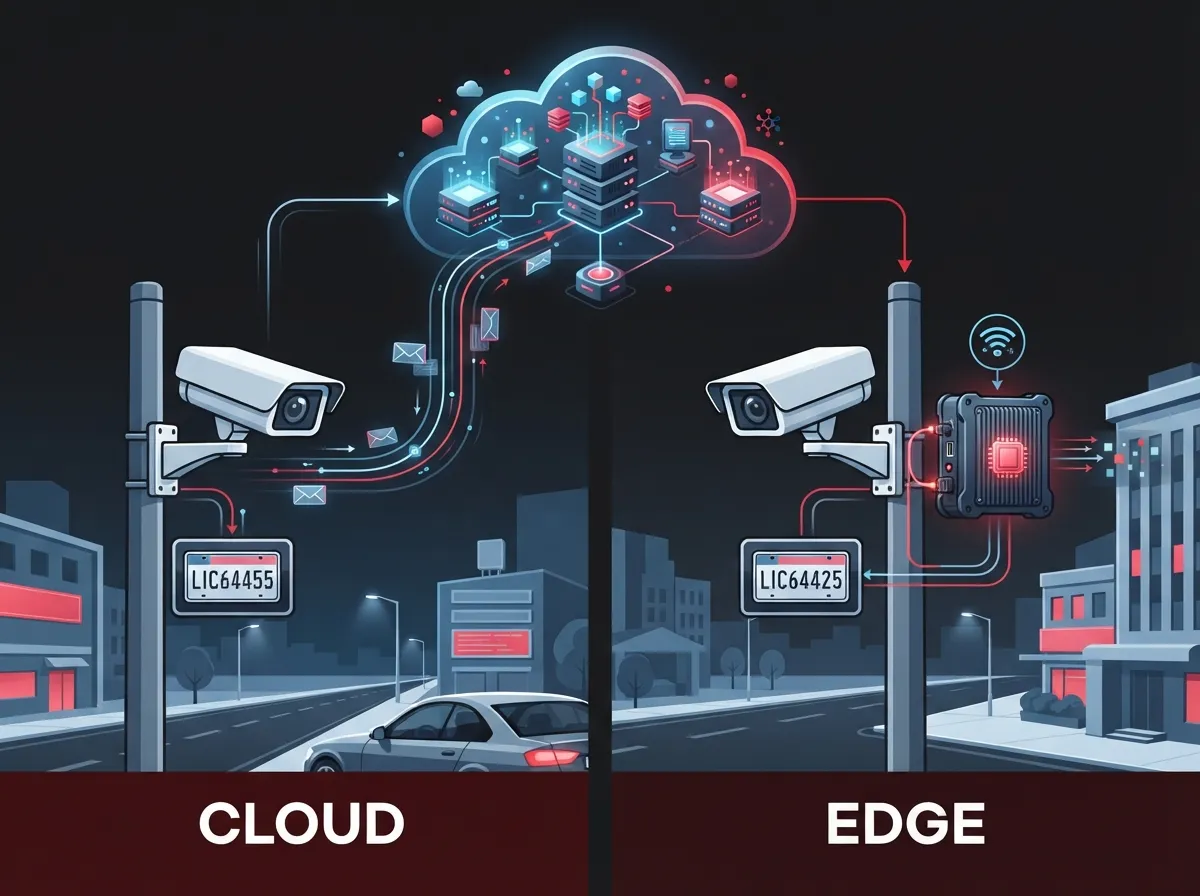
License plate recognition cameras, also known as automatic license plate recognition (ALPR) or automatic number plate recognition (ANPR) cameras, use smart imaging and optical character recognition (OCR) to read vehicle plates automatically. They don’t just snap a photo. They turn that plate into searchable data, complete with time, date, location, and often a full picture of the vehicle too.
Think of it like a super-attentive gate guard who never blinks, never takes a coffee break, and remembers every single vehicle that ever passed through. That’s the appeal for business owners juggling security, parking, and access needs.
Common Ways Businesses Use ALPR Cameras
We see license plate recognition cameras pop up in more places than you’d expect. Here are the most common business applications:
- Parking lot and garage management for offices and retail centers
- Gated communities and residential-style commercial properties
- Industrial yards and warehouse loading zones
- Fleet and logistics tracking at distribution hubs
- Vehicle theft alerts and watchlist monitoring
- Integration with visitor management and access control systems
If you already use cloud based access control for your building doors, ALPR cameras are a natural next step for your parking lot or gate.
Edge Processing vs. Cloud Processing: The Real Comparison
Here’s where things get interesting for telecom-minded folks like us. The camera hardware matters, sure. But where the plate-reading actually happens makes a huge difference in cost, speed, and reliability.
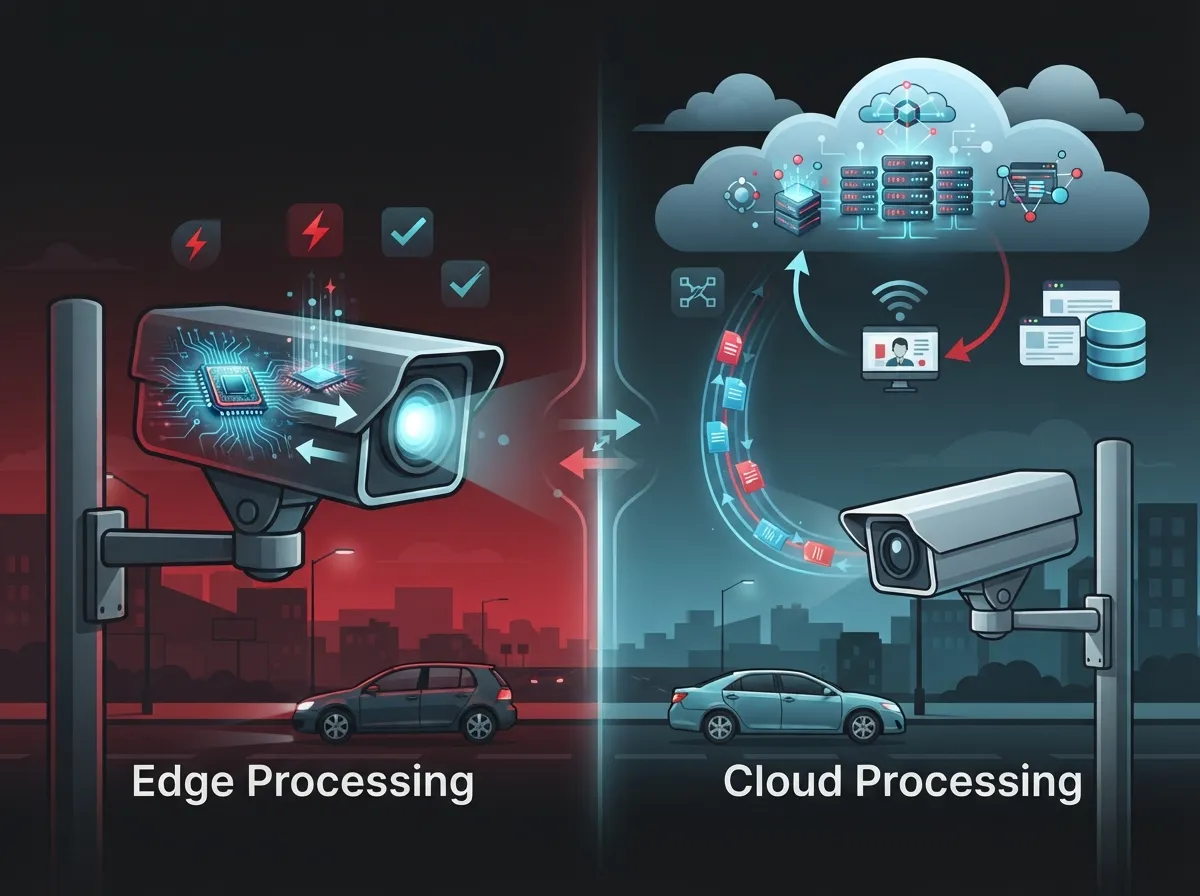
Edge processing means the camera or a nearby device reads the plate right there on site. Cloud processing sends video or images up to a remote platform for reading and storage. Global Growth Insights reported that edge-processing ALPR represented about 48% of usage in its 2025 market analysis, while cloud-integrated platforms made up roughly 52%. Neither one is automatically better. It depends on your bandwidth, your budget, and how many locations you’re managing.
| Feature | Edge Processing | Cloud Processing |
|---|---|---|
| Bandwidth usage | Lower, since only data is sent | Higher, since video may be uploaded |
| Speed of alerts | Very fast, near-instant | Slightly slower depending on network |
| Cross-site search | Limited to that site | Easy to search across all locations |
| Software updates | Manual, per device | Centralized and automatic |
| Best for | Remote sites, limited internet | Multi-location franchises, HQ oversight |
For a single-location small business, edge processing might be all you need. But if you’re a franchise operator managing five, ten, or fifty sites, cloud processing gives you one dashboard to rule them all. Many businesses actually land somewhere in the middle, using edge processing to cut bandwidth and cloud tools for reporting and remote access.
How Connectivity Choices Shape Your ALPR System
License plate recognition cameras need a reliable way to talk to your network. This is where a telecom partner earns their keep. Cameras can connect through wired Ethernet, fiber, Wi-Fi, private LTE, or standard 4G/5G cellular service.
When Wired Connections Make Sense
If your camera sits near your main building, wired Ethernet or dedicated fiber internet usually gives you the most stable, fastest connection. It’s the go-to choice for main entrances, front gates, and busy parking structures where you need rock-solid uptime.
When Cellular Connectivity Saves the Day
Not every gate or lot has easy access to wired internet. That’s where cellular connectivity shines. It works great for:
- Remote gates far from the main building
- Construction sites without permanent infrastructure
- Temporary event parking or pop-up locations
- Overflow lots where running new cable isn’t practical
A managed private APN, paired with a VPN, firewall, and device certificates, helps keep those cellular-connected cameras isolated from public internet traffic. That’s a big deal for protecting sensitive video and plate data from prying eyes.
Bandwidth Planning: What You Actually Need
One question we hear constantly is, “How much internet speed do I need for this?” It’s a fair question, and honestly, it depends on how many cameras you’re running and whether you’re leaning on edge or cloud processing.
Edge-processing systems send small bits of data, like plate numbers and timestamps, so they sip bandwidth. Cloud-heavy systems that stream video constantly need a lot more room to breathe. If your office already struggles with slow internet during video calls, adding several ALPR cameras without upgrading your connection is a recipe for frustration. We’ve written before about why business internet slows down and how to fix it, and the same principles apply here.
Before installing ALPR cameras, it’s smart to run a network audit. Check your current usage, your speed tiers, and whether your setup has enough headroom for new devices. Our team at Ideal Solutions Provider often finds that businesses are either underpowered for new tech or overpaying for internet they don’t fully use. If you want a second opinion, feel free to reach out to our team for a free network review.
Accuracy: What Affects It and Why It Matters
Let’s be honest about something. No camera reads plates perfectly 100% of the time. A 2025 MarketIntelo report claimed modern ALPR systems can achieve roughly 95% to 98% recognition accuracy, compared to 85% to 90% for older, legacy systems. Those numbers sound great, but they depend heavily on real-world conditions.
Factors That Hurt Accuracy
- Poor lighting or harsh glare from headlights or the sun
- Dirty, bent, or partially covered plates
- Vehicles moving too fast for the camera’s shutter speed
- Rain, fog, or heavy weather conditions
- Cameras mounted at the wrong height or angle
- Unusual or out-of-state plate designs
This is exactly why we recommend testing any ALPR system under your actual site conditions before fully committing. Vendor accuracy claims are a starting point, not a guarantee. If your business is using plate reads for anything high-stakes, like restricting access or flagging banned vehicles, a human should double-check before taking action.
Privacy, Compliance, and Data Retention
Here’s the part that catches a lot of business owners off guard. License plate data isn’t just a security tool, it’s also personal information in the eyes of many state laws. A September 2025 legislative survey found ALPR laws or rules in 23 states, the District of Columbia, and the U.S. Virgin Islands. Some of these rules apply to private businesses, not just government agencies.
California is a good example of how serious this can get. A 2025 legal alert reported that California’s ALPR law can require covered companies to use reasonable security measures and publish a written usage and privacy policy. Reported statutory exposure was $2,500 per violation. If you operate in multiple states, this is one more reason to get legal advice specific to your locations.
Steps for Responsible ALPR Data Handling
- Define a clear, legitimate business reason for collecting plate data
- Limit who can access the system and why
- Set a written retention schedule and stick to it
- Encrypt data both in transit and while stored
- Audit searches regularly to catch misuse early
- Post required notices or privacy policies where applicable
It might feel like extra paperwork, but a documented policy protects your business just as much as it protects the public.
Security: Locking Down Your ALPR Network
A camera connected to the internet is also a camera that could be hacked if it’s not properly secured. This is one of the biggest reasons businesses partner with a telecom provider instead of just buying cameras off the shelf.
Good security architecture for ALPR systems should include:
- Unique credentials for every device, never factory defaults
- Signed firmware and timely patch management
- Role-based access so only the right people see sensitive data
- Multifactor authentication for platform logins
- Network segmentation to keep cameras separate from other business systems
- Regular logging and backup routines
A no-public-IP architecture is especially helpful. It keeps cameras from being directly reachable from the open internet, cutting down on a major attack surface. This same layered approach applies to broader cloud security versus traditional network security decisions many businesses face today.
Who Benefits Most From ALPR and Managed Connectivity?
Not every business needs license plate recognition cameras, but a lot more benefit than you’d think. Here’s a quick breakdown of who gains the most:
| Business Type | Primary Benefit |
|---|---|
| Property managers | Track visitor and resident vehicles automatically |
| Warehouses and distribution centers | Monitor truck arrivals and yard activity |
| Franchise operators | Standardize security across multiple locations |
| Gated communities and offices | Automate gate access without manual checks |
| Construction sites | Deter theft with flexible cellular-connected cameras |
Franchise operators in particular love the cloud-based approach because it lets a corporate office check on any site from anywhere. If you’re scaling across Tampa Bay or nationwide, pairing ALPR with scalable access control across multiple locations keeps everything consistent.
Why a Managed Telecom Partner Makes This Easier
Here’s the honest truth: buying a camera is the easy part. Making sure it stays connected, secure, and useful over the next five years is where things get tricky. That’s exactly why businesses lean on a managed telecom partner instead of juggling separate vendors for connectivity, cybersecurity, and hardware.
A solid managed approach typically includes:
- SIM and eSIM lifecycle management for cellular-connected cameras
- 24/7 network monitoring with automatic failover
- Bandwidth planning so your internet keeps up with new devices
- Cloud platform integration for centralized management
- A clear service-level agreement with defined support response times
We built our business around being that single point of contact. Instead of juggling calls between your camera vendor, your internet provider, and your IT team, you get one team handling it all. This same philosophy shows up across our business network setup services and our structured cabling installations too.
The Market Is Growing Fast, But Numbers Vary
If you’re wondering whether this is a fad or a lasting trend, the market data says the latter. A 2025 estimate from MarketIntelo valued the global license plate recognition camera market at approximately $3.2 billion, projecting growth to about $6.8 billion by 2034. Meanwhile, Global Growth Insights placed the broader ALPR market closer to $1.21 billion in 2025, forecasting $4.72 billion by 2035.
These numbers don’t match exactly, and that’s normal. Different research firms use different definitions and methods. What matters is the direction: more businesses are adopting this technology every year, and the connectivity behind it is only becoming more important. MarketIntelo also reported traffic management as the largest application segment in 2025, at about 28.5% of the market, showing just how broad the use cases have become beyond simple parking lots.
Getting Started: A Simple Planning Checklist
If you’re considering license plate recognition cameras for your business, here’s a straightforward path forward:
- Identify your goals: parking control, theft prevention, fleet tracking, or access automation
- Assess your current network bandwidth and connectivity options
- Decide between edge processing, cloud processing, or a hybrid approach
- Review privacy laws in every state where you operate
- Choose cameras rated for your specific lighting and weather conditions
- Partner with a telecom provider who can manage connectivity, security, and support long-term
Skipping any of these steps usually leads to headaches down the road, whether that’s spotty connectivity, unexpected legal exposure, or a system that just doesn’t perform as promised.
Wrapping It All Up
License plate recognition cameras can genuinely transform how you manage parking, security, and site access. But the camera is really just the tip of the iceberg. The real success comes from the network, the security setup, and the ongoing management behind the scenes.
At Ideal Solutions Provider, we’ve spent over two decades helping Tampa businesses and organizations nationwide connect the dots between their telecom needs and their security goals. Whether you need help planning bandwidth for new cameras, securing your network, or just want an honest second opinion on your current setup, we’re happy to help. Follow along with our latest tips and behind-the-scenes updates on Facebook, Instagram, and YouTube for more real-world telecom advice.
Ready to see how license plate recognition cameras could fit into your business’s broader telecom and security strategy? Get in touch with our team for a free consultation, or simply give us a call to talk through your options today.
FAQs
Q: What are license plate recognition cameras and how do they work?
A: License plate recognition cameras, also called ALPR or ANPR cameras, use computer vision and optical character recognition to read vehicle plates automatically. They turn each plate into searchable data, complete with time, location, and often a photo of the vehicle, so you can review activity anytime.
Q: Should license plate data be processed at the edge or in the cloud?
A: It really depends on your setup. Edge processing saves bandwidth by reading plates right at the camera, while cloud processing makes it easier to search across multiple locations. Many businesses we work with actually use a mix of both for the best of everything.
Q: How much internet bandwidth do I need for ALPR cameras?
A: It varies based on how many cameras you have and whether you’re streaming full video or just sending plate data. We always recommend a quick network audit first, since we’ve seen plenty of businesses either underpowered or overpaying for internet they don’t fully use.
Q: Are license plate recognition cameras accurate in bad weather or at night?
A: Modern systems can reach impressive accuracy, but rain, glare, and poor lighting can still trip things up. That’s why testing under your actual site conditions matters so much before you fully commit to a system.
Q: What privacy rules apply to business ALPR systems?
A: Rules vary quite a bit by state, and some do apply to private businesses, not just government agencies. It’s worth checking your local requirements and setting a clear data retention policy, since a little upfront planning saves a lot of headaches later.





