

Key Takeaways
-
Plan cable management before installation, not after—proper planning with 25-40% spare capacity prevents costly rework, overcrowded pathways, and interference issues that cause slow internet and dropped calls.
-
Use hook-and-loop fasteners instead of tight zip ties to avoid damaging cable jackets and affecting performance, especially critical for fiber optic lines that require proper bend-radius protection.
-
Follow ANSI/TIA-568 and ANSI/TIA-942 standards and separate power cables from data cables to prevent signal interference, overheating, and accidental disconnections during maintenance.
-
Label every cable at both ends using consistent naming, test all runs with calibrated equipment, and maintain as-built documentation so technicians can quickly identify and fix problems.
-
Coordinate cable management with building codes, fire safety requirements, grounding rules, and cooling needs—working with experienced contractors ensures compliance and prevents hidden costs.
-
Design scalable systems from the start by standardizing rack layouts across locations, using modular patch panels, and keeping detailed port records to support business growth without major infrastructure changes.
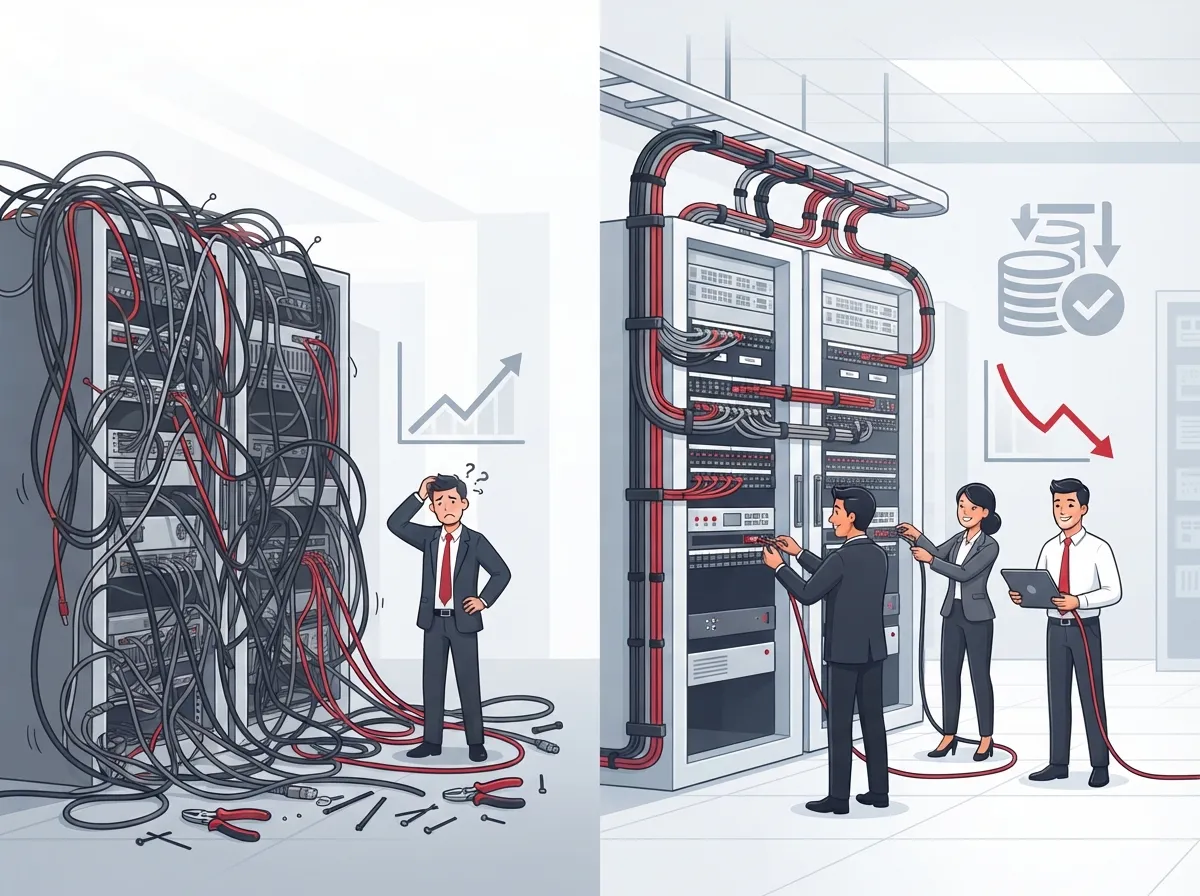
Let’s be honest: nobody starts a business dreaming about cable trays and Velcro straps. But if you’ve ever crawled under a desk to find one loose wire in a spaghetti bowl of cords, you know exactly why cable management solutions matter. A messy network closet isn’t just an eyesore. It slows down your team, makes repairs a nightmare, and can even cause outages that cost you real money.
Here’s the good news. You don’t need to be a network engineer to understand the basics of good cable management. Whether you run a small shop in Tampa or manage IT for a growing company with locations across the country, this guide will walk you through everything you need to know. We’ll cover the standards, the hardware, the planning steps, and the mistakes to avoid. By the end, you’ll feel confident talking about cable management with your provider or your team, and you might even enjoy it a little.

What Cable Management Solutions Actually Mean for Your Business
Cable management solutions are the systems and habits used to route, support, protect, label, and document the cables running through your office. This includes copper cabling, fiber-optic lines, coaxial cable, and even power cords near your network equipment. Think of it as the invisible skeleton behind your VoIP phones, Wi-Fi, security cameras, and internet connection.
Good cable management is not just about looks. It supports the entire structure of your structured cabling system, which is the organized wiring backbone that connects every device in your building. When done right, it keeps your network running smoothly for years. When done wrong, it becomes a hidden cost that shows up as slow internet, dropped calls, and frustrated employees.
Common Components You’ll See in a Well-Organized Network Closet
- Cable trays and ladder racks that carry bundles of cable overhead or along walls
- Basket trays, which are lighter, open-mesh versions of trays for smaller cable runs
- Conduits and raceways that protect cables running through walls or floors
- Vertical and horizontal rack managers that organize cables inside equipment racks
- Patch panels that give you a clean connection point between cables and devices
- Cable rings, hook-and-loop straps, and labeling systems for identification and support
Each of these pieces plays a role. Trays and conduits protect the cable itself. Rack managers keep your equipment room tidy and serviceable. Labels and documentation make sure that when something breaks, someone can actually find it and fix it fast.
Why Planning Cable Management Early Saves You Money Later
Here’s a lesson many business owners learn the hard way: cable management should be planned before installation, not added as an afterthought. When it’s bolted on later, you end up with cramped pathways, overloaded trays, and cables crossing power lines in ways that cause interference.
A proper plan looks at where your equipment will sit, how cables will travel between rooms, how much room you’ll need for growth, and how technicians will access everything later for repairs or upgrades. This is exactly the kind of planning our team walks through when we plan network cabling installation across Tampa Bay for businesses of every size.
Steps for Planning Your Cable Infrastructure
- Survey your site to understand equipment locations and cable routes
- Design pathway capacity with room for at least 25 to 40 percent future growth
- Separate power cables from data and voice cables to avoid interference
- Choose rack layouts that make future moves, adds, and changes simple
- Pull and terminate cables following manufacturer bend-radius limits
- Label every cable at both ends using a consistent naming system
- Test and certify every cable run with a calibrated tester
- Document everything in an as-built record for future reference
Skipping any of these steps might save a little time now, but it almost always costs more later. Many of the businesses we help through our professional structured cabling services come to us after a rushed, poorly planned install caused problems down the line.
The Standards Behind Good Cable Management
You don’t need to memorize technical standards, but it helps to know they exist and why they matter. ANSI/TIA-568 is the core framework for commercial telecommunications cabling in the United States. It covers cable types, topology, performance, and testing requirements. ANSI/TIA-942 builds on that same foundation but focuses specifically on data centers, covering things like rack layout, redundancy, and cooling.
Following these standards isn’t just about being technically correct. It’s about making sure your network performs well and stays serviceable for years. A contractor who understands these standards will design a system that avoids common problems like signal loss, overheating, and accidental disconnections.
| Pathway Type | Best Use Case | Key Benefit |
|---|---|---|
| Cable Tray / Ladder Rack | Overhead runs in server rooms or ceilings | High capacity, easy access for changes |
| Basket Tray | Lighter cable loads in offices | Good airflow, lower cost |
| Conduit | Cables running through walls or floors | Strong physical protection |
| Raceway | Surface-mounted runs in finished spaces | Clean appearance, easy to open for repairs |
| Rack Cable Manager | Inside equipment racks and patch panels | Keeps rack organized and serviceable |
How Cable Management Protects Your Network’s Performance
Poor cable management doesn’t just look bad. It creates real risks for your business. Overfilled pathways can crush cables, damaging the copper or fiber inside. Cables bent too sharply lose signal quality. Power lines running too close to data cables can cause interference that shows up as static on phone calls or slow internet speeds.
- Reduces accidental disconnections during routine maintenance
- Improves airflow around servers and network equipment, preventing overheating
- Makes it faster to trace and fix a problem when something goes wrong
- Lowers the risk of installation errors during future upgrades
- Protects your investment in cabling, which is expensive to replace
If you’ve ever dealt with slow Wi-Fi or dropped VoIP calls, cable management issues might be part of the problem. Our article on why business internet slows down and how to fix it covers some related causes worth checking.
Choosing Hardware: Ties, Straps, and Fasteners That Actually Help
This part surprises a lot of people. Those tight plastic zip ties you see wrapped around cable bundles? They can actually damage cables over time. When ties are pulled too tight, they compress the cable jacket and can affect performance, especially with fiber optic lines.
Hook-and-loop fasteners, like Velcro straps, are almost always the better choice for telecom installations. They hold cables in place without over-compressing them, and they’re easy to remove and reposition when you need to make changes. A good cabling contractor will use hook-and-loop fasteners as a standard practice, not an upgrade.
What to Look for in Cable Management Hardware
- Reusable hook-and-loop straps instead of one-time-use zip ties
- Labeled cable rings that keep bundles organized without overcrowding
- Rack-mounted horizontal and vertical managers sized for your equipment
- Bend-radius-friendly guides that protect fiber and copper cabling
- Fire-rated materials where required by local building codes
Market Trends Worth Knowing About
Cable management is a growing part of the telecom and IT industry, and the numbers show it. One industry report estimates the global data-center cable-management market was worth about $3.2 billion in 2025, with projections reaching roughly $5.8 billion by 2034. That’s a steady growth rate of around 7.8 percent per year.
Within that market, cable trays and ladders make up about 28.5 percent of total sales, showing just how central these components are to modern network design. A broader industry estimate also found that IT and telecommunications account for over 28 percent of the entire cable management market, with metallic solutions making up more than 62 percent of products sold. These numbers vary depending on how each report defines the market, but the overall trend is clear: businesses are investing more in organized, scalable cabling infrastructure.
Coordinating Cable Management With Other Building Systems
Cable management doesn’t exist in a vacuum. It has to work alongside other building requirements like fire safety, electrical codes, and cooling systems. A skilled telecom partner will coordinate cable management with:
- Firestopping requirements where cables pass through fire-rated walls or floors
- Grounding and bonding rules to keep your network and equipment safe
- Rack loading limits so equipment doesn’t become too heavy or unstable
- Airflow and cooling needs, especially in server rooms and data centers
- Local building and electrical codes that vary by city and state
This is one of the reasons working with an experienced provider matters so much. Ideal Solutions Provider has spent over 24 years helping businesses design cabling and network systems that meet these requirements from day one, working with more than 35 vetted suppliers to get it right the first time.
Cable Management for Growing Businesses and Franchises
If you’re running a franchise or planning to open new locations, cable management deserves extra attention. A system designed for five employees won’t hold up when you scale to fifty. That’s why smart businesses build in spare capacity from the start.
How to Design for Future Growth
- Leave 25 to 40 percent spare capacity in trays and pathways
- Use modular patch panels that make adding new devices simple
- Standardize rack layouts across all your locations for easier support
- Keep detailed port assignment records so any technician can jump in quickly
- Choose scalable cloud-based systems that grow with your business, like the options in our guide to scalable access control systems for multi-location businesses
This kind of planning pays off when you’re rolling out VoIP, security cameras, and internet across multiple sites. It also makes ongoing support far less stressful for whoever manages your IT, whether that’s an in-house manager or an outside partner.
What to Look for in a Cable Management Contractor
Not every contractor treats cable management the same way. Some will simply pull cables and call it done. Others take the time to plan pathways, label everything clearly, and test each connection before they leave. Here’s what separates the two.
- Ask if they follow ANSI/TIA-568 and ANSI/TIA-942 standards
- Confirm they test and certify every cable run with proper equipment
- Check that they provide as-built documentation when the job is finished
- Ask how they separate power and data cabling in their designs
- Look for experience with your specific building type and industry
A good contractor should also be someone who explains things clearly instead of drowning you in jargon. If you’d like a deeper look at picking the right team, our guide on how to find a reliable structured cabling contractor breaks down the questions worth asking.
Bringing It All Together for Your Business
Cable management might seem like a small detail, but it touches almost everything in your office. Your phones, your internet, your security cameras, and your daily productivity all depend on a network that’s organized and reliable. Taking the time to do it right, or partnering with someone who will, pays off for years to come.
At Ideal Solutions Provider, we’ve spent over 24 years helping businesses across Tampa and nationwide build telecom systems that actually work, from structured cabling to full network design. We act as your single point of contact, comparing options across 35+ trusted suppliers so you get a setup built around your needs, not a sales quota. You can follow our latest projects and tips on Facebook, check out our work on Instagram, or watch real installations on our YouTube channel.
Ready to clean up your network and set your business up for smoother growth? Reach out to our team today for a free consultation, or give us a call to talk through your current setup. We’re happy to help, no pressure, just honest answers.
FAQs
Q: What are cable management solutions for business telecom networks?
A: They’re the systems and practices used to route, support, protect, and label cables in your office or network closet. This includes trays, conduits, rack managers, and labeling systems that keep your VoIP, internet, and security cables organized and easy to maintain.
Q: What’s the difference between cable trays, raceways, conduits, and rack cable managers?
A: Trays and ladders carry cable bundles overhead or along walls, conduits protect cables inside walls or floors, raceways cover surface-mounted runs neatly, and rack managers organize cables inside your equipment racks. Each one solves a different part of the puzzle, and most networks use a combination of all four.
Q: How much spare capacity should I leave in cable trays and pathways?
A: A good rule of thumb is leaving 25 to 40 percent extra room for future growth. This way, when you add new devices, phones, or cameras, you won’t need to rip out and redo your entire cabling system.
Q: How should telecom cables be labeled and tested after installation?
A: Every cable should be labeled at both ends with a clear, consistent naming system, then tested with a calibrated cable analyzer or fiber tester to confirm it performs correctly. Keep the test results along with as-built documentation so future technicians can troubleshoot quickly.
Q: How can cable management improve network reliability?
A: Organized cabling reduces accidental disconnections, improves airflow around your equipment, and makes it much faster to trace problems when something goes wrong. It’s one of those behind-the-scenes investments that quietly prevents a lot of headaches down the road.





