
Key Takeaways
-
Choose Cat6A cable for new installations to support 10-Gigabit Ethernet and Power over Ethernet devices, future-proofing your network and avoiding costly rewiring within a few years.
-
Plan telecommunications rooms strategically to keep all connections within the 100-meter distance limit (90m permanent cable + 10m patch cords), preventing dead zones in spread-out office layouts.
-
Use fiber-optic backbone cabling for multi-floor or multi-building connections to avoid distance limitations, resist electromagnetic interference, and support growing bandwidth demands.
-
Implement comprehensive labeling and as-built documentation of all cables and ports immediately after installation to enable fast troubleshooting during emergencies and simplify future expansions.
-
Power over Ethernet requires careful planning of cable category, bundle size, temperature, and connector quality to prevent overheating and ensure reliable power delivery to access points and cameras.
-
Work with installers who follow ANSI/TIA-568 industry standards and provide post-installation testing and certification to guarantee your cabling system performs reliably for years.
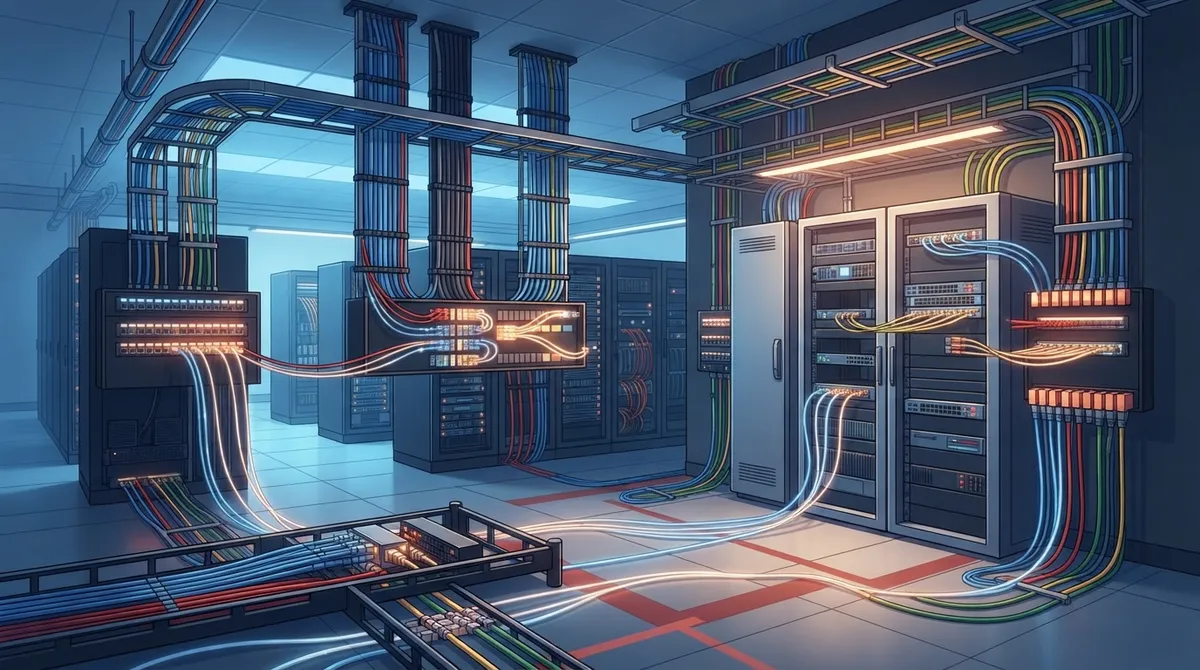
Ever peek behind an office server rack and see a tangled mess of cables? It’s not pretty, and it’s definitely not efficient. Whether you run a small Tampa shop or manage IT for a growing enterprise, the wires hiding in your walls quietly decide how well your phones, Wi-Fi, cameras, and internet actually work. That’s where structured cabling components come in, and understanding them can save you headaches (and money) down the road.
Think of structured cabling as the skeleton of your entire office technology setup. It’s the standardized system of cables, panels, and hardware that connects everything from your VoIP phones to your security cameras to your Wi-Fi access points. Get it right, and your network runs smoothly for years. Get it wrong, and you’ll be calling for emergency repairs every time you add a new employee or device.
In this friendly guide, we’ll walk through the four core structured cabling components your business needs to know about. We’ll keep things simple, skip the confusing jargon, and give you practical advice you can actually use. By the end, you’ll understand why structured cabling matters so much for modern businesses, and how to make smart choices for your own space.
Why Structured Cabling Components Matter for Your Business
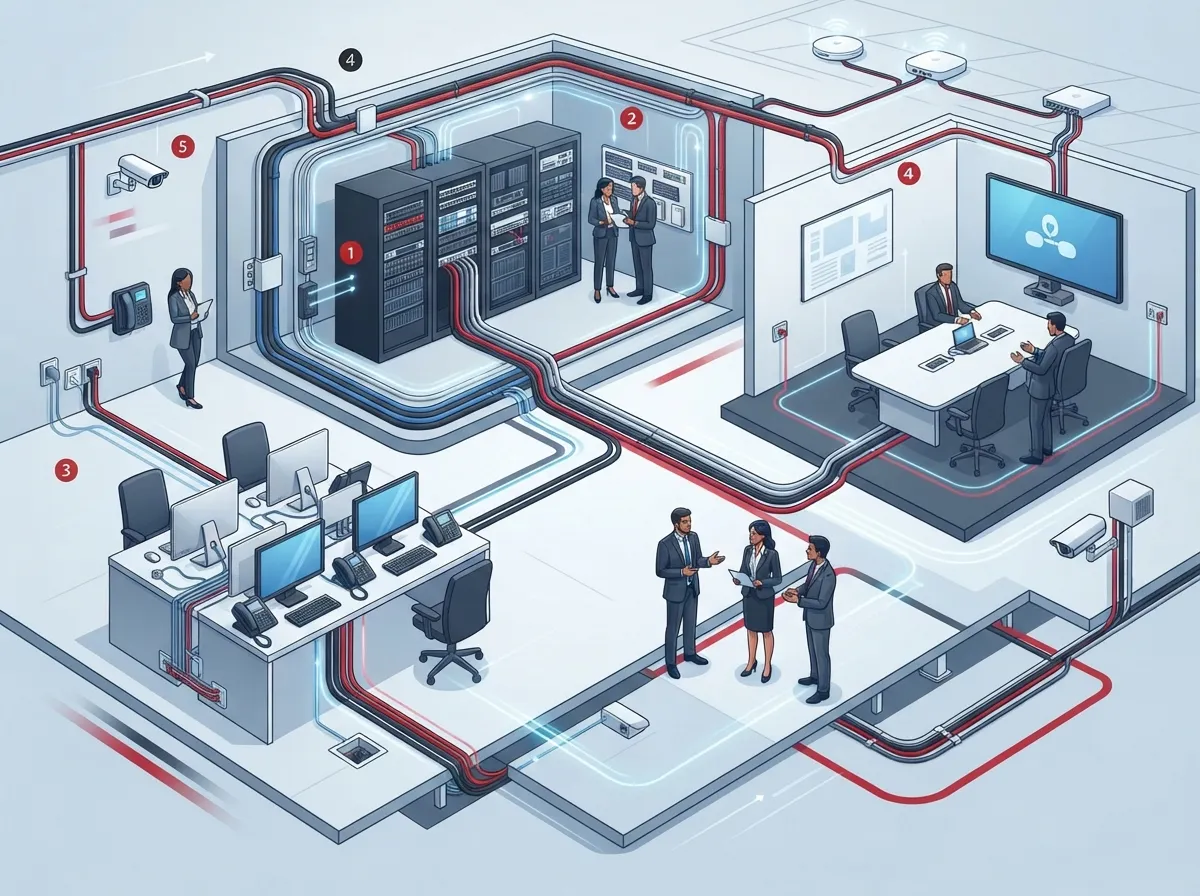
Before we jump into the components themselves, let’s talk about why this stuff matters. Structured cabling isn’t just wires in the wall. It’s a standardized system designed to support everything your business needs, including data, voice over IP, video, wireless access points, security systems, and building automation.
Instead of running separate cables for your phones, your internet, your cameras, and your access control system, structured cabling lets all these services share one well-organized infrastructure. That means fewer headaches, easier upgrades, and a lot less mess behind your walls.
Here’s why this matters to different people in your organization:
- Small business owners save money by avoiding repeated rewiring every time they add new equipment.
- IT managers get a documented, organized system that’s easy to troubleshoot and expand.
- Office managers enjoy fewer service disruptions and simpler moves when furniture or desks shift around.
- Franchise operators can replicate the same reliable setup across multiple locations.
1. Horizontal Cabling and Work-Area Connections
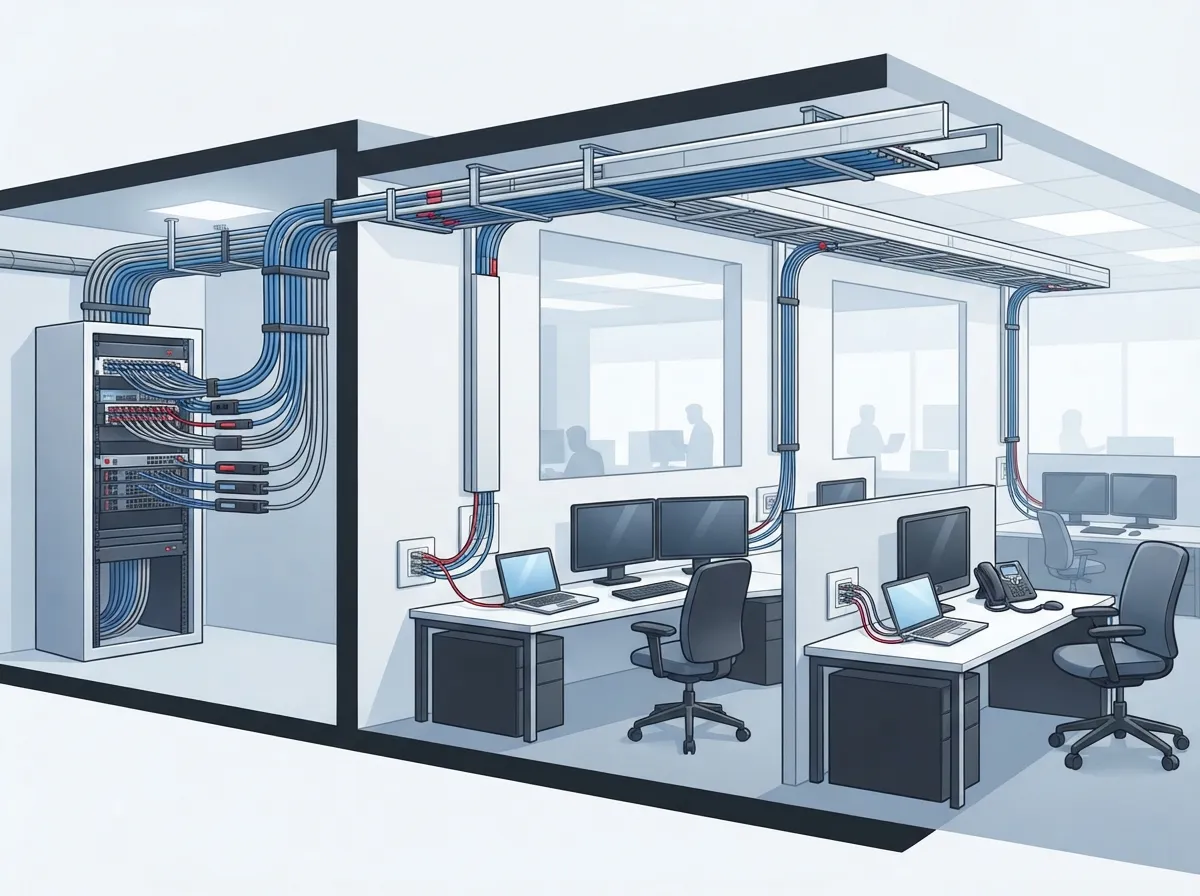
Let’s start with the part of the system you actually see and touch every day. Horizontal cabling connects your telecommunications room to the outlets, wireless access points, cameras, and phones sitting at each desk or work area.
This is the cabling that runs from the wall jack behind your desk back to a central closet or rack. According to ANSI/TIA guidance, the permanent horizontal cable portion is limited to 90 meters, with up to 10 additional meters allowed for patch cords. That creates a total 100-meter channel from your equipment room to your desk.
Why does this distance limit matter? Because if your office is spread out over a large floor plan, you may need extra telecommunications rooms to keep every connection within that 100-meter range. A good cabling installer plans this out ahead of time, so you never end up with a dead zone.
Common Copper Cable Options
Most horizontal cabling today uses copper twisted-pair cable. You’ve probably heard terms like Cat5e, Cat6, and Cat6A tossed around. Here’s a simple breakdown:
| Cable Type | Best For | Speed Support |
|---|---|---|
| Cat5e | Basic phone and internet needs | Up to 1 Gigabit |
| Cat6 | Growing offices with moderate demands | Up to 10 Gigabit (limited distance) |
| Cat6A | Modern offices, high-density Wi-Fi, PoE devices | Full 10 Gigabit at standard distances |
Many businesses today choose Cat6A for new installations because it supports 10-Gigabit Ethernet over the standard channel distance. It also gives you extra headroom for high-density wireless and Power over Ethernet devices, which brings us to an important point.
Power Over Ethernet: A Bigger Deal Than You Think
Power over Ethernet, or PoE, lets your cabling do double duty by delivering both data and electrical power through the same cable. This powers devices like Wi-Fi access points, VoIP phones, security cameras, and access control readers without needing a separate power outlet.
If you’re planning to install a lot of PoE devices, your cabling provider needs to consider cable category, bundle size, temperature, and connector quality. Skimping here can cause overheating or unreliable power delivery, so it pays to work with someone who understands your full device lineup. For more on how this supports your phone and camera systems, check out this guide on how structured cabling supports VoIP and cameras.
2. Backbone Cabling: The Highway Between Rooms
If horizontal cabling is like the side streets connecting each building to your desk, backbone cabling is the highway. It connects your main equipment room to other telecommunications rooms, floors, or even separate buildings on a campus.
Backbone cabling often uses fiber-optic cable instead of copper. Why? Fiber supports much longer distances and resists electromagnetic interference better than copper. For inter-floor or inter-building connections, or any link that needs serious bandwidth, fiber is usually the smart choice.
Here are a few reasons businesses lean toward fiber for backbone connections:
- It can travel much farther than the 100-meter copper limit without losing signal quality.
- It handles higher bandwidth demands, which matters as your data needs grow.
- It resists interference from motors, lighting, and other electrical equipment nearby.
- It future-proofs your network for years of technology upgrades.
If your business operates across multiple locations or floors, understanding backbone cabling becomes especially important. You can learn more about planning this out in our guide on how to plan network cabling installation in Tampa Bay.
3. Equipment Rooms, MDFs, and IDFs
Every structured cabling system needs a central brain, and that’s where the equipment room or Main Distribution Frame (MDF) comes in. This is the hub where your core network equipment lives, including routers, firewalls, switches, voice platforms, and patch panels.
Larger offices often add Intermediate Distribution Frames (IDFs), sometimes called telecommunications rooms, on other floors or in other parts of the building. These act as smaller distribution points that connect back to the main MDF through backbone cabling.
What’s Inside an Equipment Room?
A well-organized equipment room typically includes:
- Rack systems and cabinets to hold and organize equipment
- Copper and fiber patch panels for organized connections
- Cable managers to keep everything neat and accessible
- Grounding and bonding hardware for safety and signal integrity
- Labels on every cable and port for easy troubleshooting
Good labeling and documentation might seem like a small detail, but it’s a lifesaver when something goes wrong at 2 a.m. and your IT team needs to find the right cable fast. A professional installer should also provide as-built documentation for future maintenance and expansion, something we always recommend when working with a reliable structured cabling contractor.
4. Entrance Facilities and Fiber Termination Hardware
The fourth key component is the entrance facility, which is basically the front door where your internet service provider’s network meets your building’s internal cabling. This is where the transition from outside carrier lines to your internal system happens.
Entrance facilities may contain demarcation equipment, carrier handoffs, fiber termination points, grounding and bonding hardware, and protection equipment. If this area isn’t set up properly, it can create bottlenecks or vulnerabilities right where your service enters the building.
Fiber components deserve special mention here. These include multimode or single-mode fiber, connectors, adapters, pigtails, splice closures, cassettes, patch panels, and transceiver interfaces. Fiber plays a big role not just at the entrance facility, but throughout backbone links, data centers, and high-bandwidth uplinks across your network.
Choosing the right Internet Service Provider and making sure their handoff integrates cleanly with your entrance facility is a step many businesses overlook. If you’re not sure where to start, our team can walk you through options for dedicated fiber internet for your business.
Standards That Keep Everything Consistent
You might be wondering who decides all these distance limits and cable specifications. That’s where industry standards come in. The Telecommunications Industry Association publishes the ANSI/TIA-568 family of standards, which most professional installers follow closely.
Here’s a quick rundown of the key standards:
| Standard | What It Covers | Published |
|---|---|---|
| ANSI/TIA-568.0-E | Generic structured cabling architecture and testing requirements | March 2020 |
| ANSI/TIA-568.1-E | Commercial building infrastructure, entrance facilities, pathways | March 2020 |
| ANSI/TIA-568.2-E | Balanced twisted-pair cabling and components | November 2024 |
These standards cover everything from cable distances to grounding, firestopping, and how installations should be tested and certified. Working with a provider who knows these standards inside and out gives you peace of mind that your system will perform reliably for years.
Steps to Plan Your Structured Cabling Project
Ready to get started or upgrade your existing setup? Here’s a simple step-by-step approach that works well for most businesses:
- Assess your current and future needs. Think about phones, Wi-Fi access points, cameras, and access control systems you plan to add.
- Map out your space. Identify where your equipment room, IDFs, and work areas will be located.
- Choose the right cable categories. Decide between Cat5e, Cat6, or Cat6A based on your bandwidth and PoE needs.
- Plan for fiber where needed. Consider backbone connections between floors or buildings.
- Document everything. Make sure your installer labels cables, ports, and provides as-built diagrams.
- Test and certify. Every installed link should be tested to confirm it meets performance standards.
Skipping any of these steps often leads to costly rework later. It’s much easier to plan ahead than to rip open walls a second time.
Common Mistakes Businesses Make
We’ve seen plenty of offices struggle with cabling issues that could have been avoided. Here are a few mistakes to watch for:
- Choosing the cheapest cable category without considering future bandwidth needs
- Skipping documentation, making troubleshooting a nightmare later
- Ignoring PoE load requirements when planning cable bundles
- Running cables past the 100-meter distance limit without a repeater or fiber solution
- Mixing incompatible components from different performance classes
Avoiding these pitfalls usually comes down to working with an experienced partner who understands both the technical standards and your business goals. If you want to see more examples, take a look at our article on structured cabling mistakes that hurt your business.
How Ideal Solutions Provider Can Help
At Ideal Solutions Provider, we’ve spent over 24 years helping Tampa businesses and companies nationwide design structured cabling systems that actually work. As a single point of contact partnered with 35 vetted suppliers, we handle everything from initial consultation to installation and ongoing support.
We know that navigating cable categories, distance limits, and industry standards can feel overwhelming. That’s exactly why businesses trust us to simplify the process, whether you’re setting up a single office or coordinating cabling across multiple franchise locations. You can also follow our latest projects and tips on Facebook, Instagram, or YouTube.
Wrapping Up: Building a Network That Works for You
Structured cabling components might not be the most exciting topic at your next team meeting, but they quietly power everything your business relies on. From horizontal cabling at your desk to backbone fiber connecting your floors, each piece plays an important role in keeping your operations running smoothly.
Whether you’re a small business owner ready to ditch tangled wires, an IT manager planning a major upgrade, or a franchise operator scaling across multiple sites, getting your cabling right sets the foundation for everything else, including your phones, Wi-Fi, cameras, and security systems.
Ready to talk through your options with a friendly team who genuinely wants to help? Contact us today for a free consultation, or call us to get started on a structured cabling plan built around your business.
FAQs
Q: What are the six main components of a structured cabling system?
A: The six main pieces are the entrance facility, equipment room (MDF), backbone cabling, telecommunications rooms (IDFs), horizontal cabling, and the work area. Think of it like a well-organized highway system connecting your internet service all the way to your desk. Each piece has a job, and together they keep your whole office running smoothly.
Q: What cable category is best for a business network: Cat5e, Cat6, or Cat6A?
A: For most modern offices, we recommend Cat6A because it supports 10-Gigabit speeds and handles Power over Ethernet devices like Wi-Fi access points and cameras really well. Cat5e can work for very basic needs, but it may leave you upgrading sooner than you’d like. It’s worth investing a little more upfront to avoid rewiring in a few years.
Q: How far can structured cabling run without a repeater or switch?
A: The standard limit is 100 meters total, which includes 90 meters of permanent cable plus up to 10 meters of patch cords. If your office is larger than that, you’ll need additional telecommunications rooms or a fiber connection to bridge the gap. Don’t worry, a good installer will map this out before any cable gets pulled.
Q: When should a business use fiber-optic cabling instead of copper?
A: Fiber shines when you need to connect different floors, buildings, or handle very high bandwidth demands. It travels much farther than copper without losing signal quality and it resists interference from nearby electrical equipment. If you’re building out a multi-floor office or connecting multiple locations, fiber is usually the smarter long-term choice.
Q: How is a structured cabling installation tested and certified?
A: After installation, every cable run gets tested with specialized equipment to confirm it meets performance standards for speed and signal quality. This certification process catches any issues before they become a headache later. A trustworthy provider will always hand you documentation showing your system passed these tests.





