
Key Takeaways
-
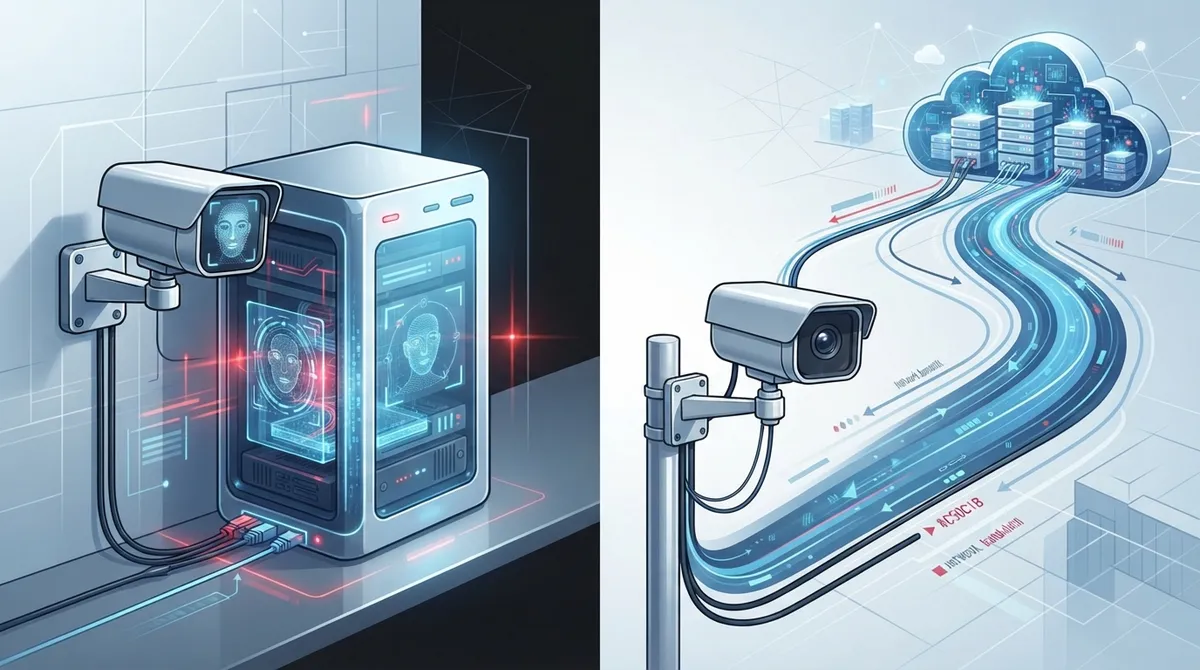
Choose between edge processing (lower bandwidth, better privacy for single sites) and cloud processing (simpler multi-location management) based on your business size and data sensitivity, not vendor preference.
-
Facial recognition systems show significant accuracy variations across demographic groups with false-positive rates 2-7,203x higher for certain groups; always request algorithm-specific test results and treat results as supplementary, not primary security.
-
Your network infrastructure directly impacts camera performance—ensure sufficient PoE power, low-latency connectivity, network segmentation, and structured cabling before installation or you'll face lag, dropped alerts, and poor image quality.
-
23 U.S. states have passed biometric data laws as of August 2025; conduct a legal audit, obtain written consent, define data retention periods, and document legitimate business purpose before deployment to avoid fines and lawsuits.
-
Cloud-based facial recognition requires significantly higher upload bandwidth since video streams travel offsite continuously; assess your current upload capacity and consider fiber internet before adding cameras to avoid connection bottlenecks.
-
Integrate facial recognition as one layer within a broader security strategy using badges, PINs, mobile credentials, and security guards rather than replacing existing systems, which simplifies compliance and improves reliability.
Thinking about adding facial recognition security cameras to your business? You’re definitely not alone. More Tampa business owners are asking us about this technology every month, and honestly, it’s an exciting time to explore it. But here’s the thing: facial recognition cameras aren’t just about picking a camera off a shelf. They depend heavily on your network, your bandwidth, and how you plan to process all that data. Whether you’re protecting a warehouse, managing employee access, or keeping an eye on a retail storefront, the choice between edge processing and cloud processing will shape everything from your monthly costs to how quickly you get alerts.
In this friendly guide, we’ll break down exactly what facial recognition security cameras do for businesses, how they connect to your telecom setup, and which approach (edge or cloud) makes the most sense for your situation. We’ll also cover the accuracy questions, privacy rules, and network requirements you need to know before saying yes to a vendor. Grab a coffee, and let’s get into it together.
What Are Facial Recognition Security Cameras, Really?
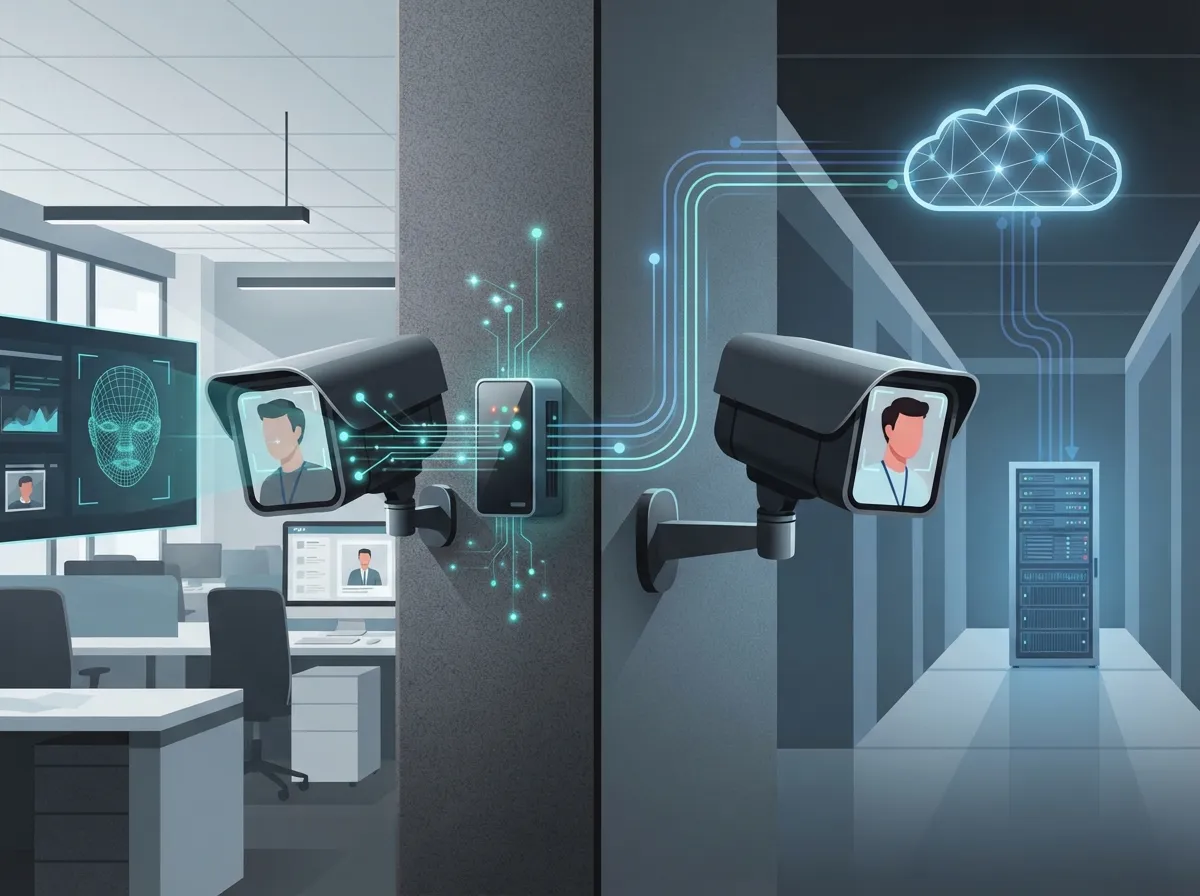
Facial recognition security cameras combine regular video surveillance with computer vision and biometric matching. Instead of just recording footage, these cameras can identify or verify a specific person. Think of it as your camera system getting a memory upgrade.
For a Business Telecom Solutions environment, these cameras plug into your existing IP-camera network, access-control system, or cloud platform. They don’t work in isolation. They rely on your business network setup to send data quickly and securely, whether that data stays onsite or travels to the cloud.
Common Business Use Cases
Businesses aren’t just installing these cameras for fun. There are real, practical reasons companies invest in this technology:
- Controlled-entry authentication at office buildings or secure facilities
- Employee and contractor access verification
- Visitor management at front desks or lobbies
- Retail loss prevention and shoplifting deterrence
- High-security facility monitoring, like data centers or labs
- Incident investigation after a theft or safety event
- Watchlist alerts when a flagged individual appears on-site
Notice a pattern? Most of these use cases pair facial recognition with something else, like cloud-based access control or a broader cloud video security system. It’s rarely a standalone tool.
Edge Processing vs. Cloud Processing: The Real Comparison
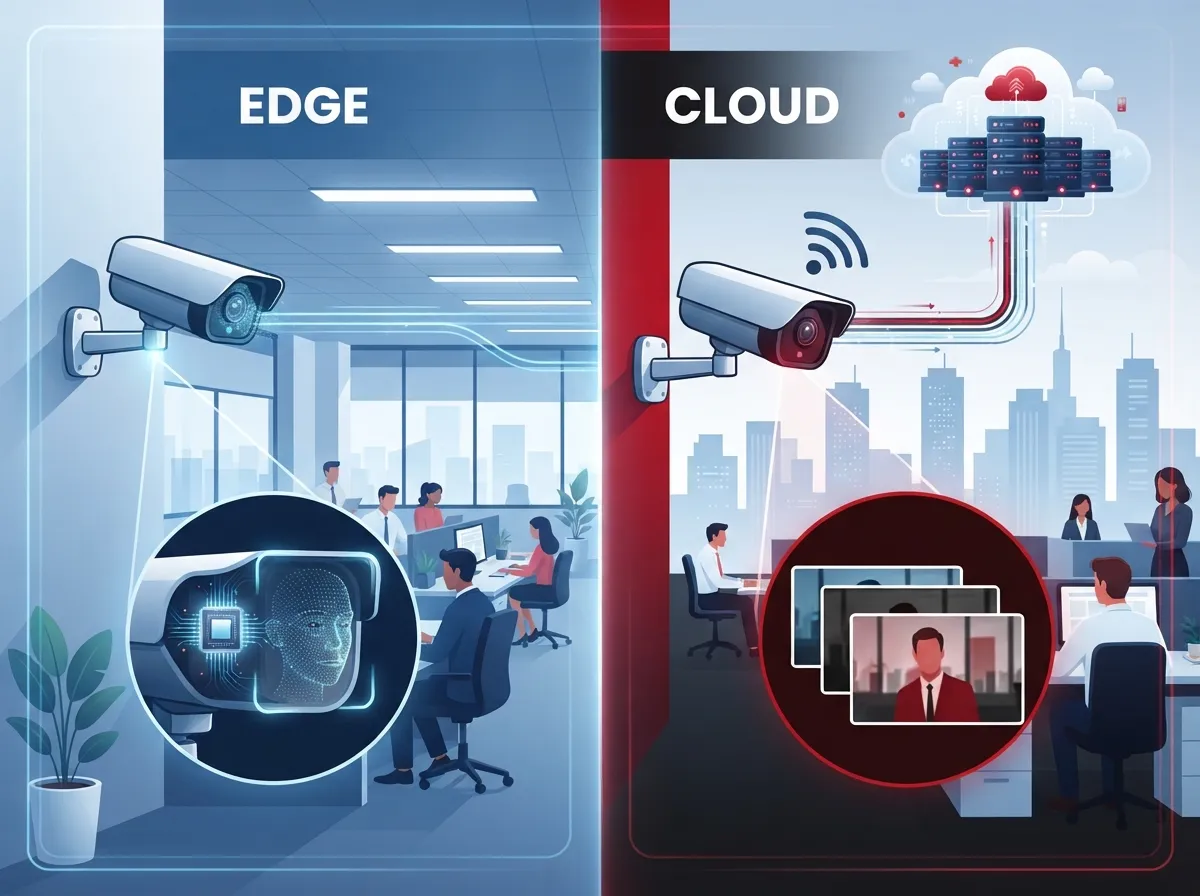
This is the big decision every business faces. Should facial matching happen right on the camera (edge processing), or should video get sent to a hosted platform (cloud processing)? Both have real strengths, and the right choice depends on your business size, budget, and privacy priorities.
| Factor | Edge Processing | Cloud Processing |
|---|---|---|
| Bandwidth Usage | Lower, since matching happens onsite | Higher, since video or templates travel to the cloud |
| Raw Video Exposure | Reduced, less data leaves the building | Increased, depends on encryption and provider security |
| Multi-Site Management | More complex to centralize | Simpler, one dashboard for all locations |
| Upfront Cost | Higher hardware investment | Lower hardware cost, ongoing subscription fees |
| Latency for Alerts | Typically faster, local processing | Depends on internet speed and provider |
| Best For | Single-site businesses with strict privacy needs | Franchises and multi-location companies |
Neither option is automatically “better.” A single Tampa office might love the simplicity of edge processing. A franchise with ten locations across the state might prefer cloud processing for centralized control. The key is matching the technology to your actual business needs, not just picking the flashiest option.
Why Your Telecom Infrastructure Matters So Much
Here’s something a lot of vendors won’t tell you upfront: your camera is only as good as the network behind it. Facial recognition cameras are data-hungry, and if your infrastructure isn’t ready, you’ll run into lag, dropped alerts, or grainy footage exactly when you need clarity most.
Key Infrastructure Requirements
- Reliable Power over Ethernet (PoE) so cameras stay powered and connected without a mess of extra cables
- Sufficient uplink capacity to handle multiple video streams without slowing down your other business operations
- Low-latency connectivity for real-time alerts, especially for watchlist notifications
- Secure remote access so authorized staff can check footage from anywhere
- Network segmentation to keep camera traffic separate from your core business systems
- Integration with your video-management, access-control, alarm, and unified-communications systems
If your current setup feels shaky just running a cloud-based phone system, adding facial recognition cameras on top will likely expose those weak spots fast. That’s why a proper structured cabling foundation matters so much. Good structured cabling practices keep your network organized, scalable, and ready for whatever devices you add down the road.
How Accurate Are These Cameras, Really?
Let’s have an honest conversation about accuracy, because this matters a lot. The National Institute of Standards and Technology (NIST) has tested nearly 200 facial recognition algorithms from almost 100 developers, using more than 18 million images of over 8 million people. That’s a massive dataset, and the results tell an important story.
NIST found that false-positive rates varied a lot across demographic groups. In many algorithms tested, false positives were 2 to 5 times higher for women than men. Some later findings showed false-positive differences could vary by a factor of 7,203 in certain comparisons, while false-negative differences varied by roughly a factor of 3. That’s a huge range, and it proves one thing clearly: not all facial recognition systems perform the same way.
Lighting, camera angle, motion, and image quality all affect results too. A dimly lit hallway or a camera pointed at a bad angle can throw off even a strong algorithm. This is why we always tell clients to ask vendors for algorithm-specific test results, not vague marketing claims about “99% accuracy.” Ask whether that number reflects one-to-one verification or one-to-many identification, and under what conditions it was tested.
What This Means for Your Business
- Never rely on facial recognition alone for critical access decisions
- Pair it with badges, PINs, or mobile credentials as backup verification
- Have a clear process for handling false matches or denied access
- Choose cameras and algorithms backed by independent testing data
- Review lighting and camera placement carefully during installation
Privacy, Legal, and Compliance Considerations
Facial recognition involves biometric data, and that comes with real legal risk. As reported by NPR in August 2025, 23 U.S. states have passed or expanded laws restricting how businesses collect or use biometric data. That’s nearly half the country with its own rules, and the list keeps growing.
Before rolling out facial recognition cameras, businesses should take these steps:
- Identify which state, sector-specific, or industry rules apply to your business
- Provide clear notice and get consent where required
- Define how long you’ll retain biometric data and when you’ll delete it
- Limit who has access to facial recognition data and matching results
- Document a legitimate business purpose for using the technology
- Create a fair process for employees or visitors to dispute false matches
This isn’t about scaring you away from the technology. It’s about protecting your business from lawsuits, fines, and reputational damage. A responsible telecom partner will walk you through these requirements before installation, not after something goes wrong.
Setting Up Facial Recognition Cameras the Right Way
So you’ve decided facial recognition cameras make sense for your business. What happens next? A responsible integrator should never just show up and start drilling holes in your wall. There’s a process, and skipping steps almost always leads to headaches later.
The Setup Process
- Conduct a site survey to assess camera placement, lighting, and existing infrastructure
- Evaluate your current bandwidth and power capacity for new devices
- Select cameras and algorithms backed by independent testing, not just brand reputation
- Encrypt data both in transit and at rest to protect biometric information
- Set up role-based administration and multifactor authentication for system access
- Maintain detailed audit logs of who accessed footage and when
- Establish a regular patching schedule for camera firmware and software
- Build an incident-response plan before going live, not after a breach
This is exactly the kind of project where having one trusted partner pays off. Instead of juggling a camera vendor, a network provider, and a cybersecurity consultant separately, Ideal Solutions Provider can serve as your single point of contact. With over 24 years of experience and partnerships across 35+ vetted suppliers, they handle the consultation, installation, and ongoing support so you don’t have to become a security expert overnight.
Should Facial Recognition Replace Your Current Security Measures?
Short answer: no. Facial recognition should supplement your existing security tools, not replace them entirely. Think of it as an extra layer, not a full swap.
Here’s how it typically fits into a broader security strategy:
- Badges and key cards still work well for general employee access
- PINs and mobile credentials add a backup verification method
- Security guards provide human judgment that cameras can’t replicate
- Traditional video analytics catch movement and behavior patterns cameras alone might miss
- Facial recognition adds precision for high-security zones or watchlist alerts
Businesses that treat facial recognition as one piece of a larger puzzle, rather than a magic solution, tend to get the best results. It also makes compliance easier, since you’re not putting all your security eggs in one biometric basket.
Bandwidth Planning: What Business Owners Need to Know
One question we hear constantly is, “How much internet speed do I actually need?” It’s a fair question, and the answer depends on your camera count, resolution, and whether you’re using edge or cloud processing.
Cloud-based systems generally need more consistent upload bandwidth since video streams travel offsite continuously. Edge systems reduce this load since matching happens locally, but you’ll still need solid connectivity for remote viewing and system updates. If your office already struggles with slow uploads during video calls, that’s a warning sign worth addressing before adding cameras. Many Tampa businesses find that upgrading to dedicated fiber internet solves bandwidth headaches before they start, giving cameras the steady connection they need for reliable alerts.
It’s also worth remembering that a good Internet Service Provider relationship matters just as much as the camera hardware itself. Cameras are only as reliable as the connection feeding them.
Making the Right Choice for Your Business
At the end of the day, the edge versus cloud decision comes down to a few honest questions. How many locations do you manage? How sensitive is your data? What’s your budget for hardware versus ongoing subscriptions? A single-location small business with tight privacy concerns might lean toward edge processing. A growing franchise with multiple Tampa Bay sites might find cloud processing far more practical for centralized management.
Whatever you choose, don’t go it alone. Facial recognition technology touches your network, your legal compliance, your physical security, and your budget all at once. That’s a lot to juggle without expert guidance. If you want to see real examples of how businesses are using this technology successfully, check out our team’s videos and behind-the-scenes content on YouTube, or follow along on Facebook and Instagram for tips and updates from the field.
Ready to Explore Facial Recognition for Your Business?
We know this is a lot to think through, and that’s completely okay. Big security decisions deserve careful thought, not rushed sign-offs. Whether you’re weighing edge versus cloud processing, worried about compliance, or just need someone to review your current network before adding cameras, we’re happy to help walk through it with you. Contact us for a free consultation, or call us today and let’s find the setup that actually fits your business, your budget, and your peace of mind.
FAQs
Q: How do facial recognition security cameras work for businesses?
A: They combine regular video surveillance with computer vision to identify or verify a person’s identity. The camera captures an image, compares it against a stored database, and either grants access or sends an alert. It’s like giving your existing camera system a smart upgrade that recognizes faces instead of just recording footage.
Q: Should facial recognition processing happen on the camera or in the cloud?
A: It really depends on your business! Edge processing (on the camera or an onsite appliance) uses less bandwidth and keeps raw video local, which is great for privacy-focused single-site businesses. Cloud processing simplifies management across multiple locations, making it a favorite for growing franchises.
Q: Are facial recognition cameras legal for businesses to use?
A: In many places, yes, but the rules vary a lot by state. As of August 2025, 23 U.S. states had passed or expanded biometric data laws, so you’ll want to check what applies to your location. We always recommend getting clear consent and documenting a legitimate business purpose before rollout.
Q: How accurate are facial recognition security cameras in real-world conditions?
A: Accuracy varies quite a bit depending on the algorithm, lighting, and camera angle. NIST testing found false-positive rates differed significantly across demographic groups, so it’s smart to ask vendors for specific test results rather than trusting a blanket accuracy percentage.
Q: How much bandwidth do facial recognition security cameras require?
A: It depends on your camera count, resolution, and whether you choose edge or cloud processing. Cloud-based systems typically need more consistent upload speed since video travels offsite, while edge systems ease that load since matching happens locally. A quick network assessment can tell you exactly what you need.





