
Key Takeaways
-
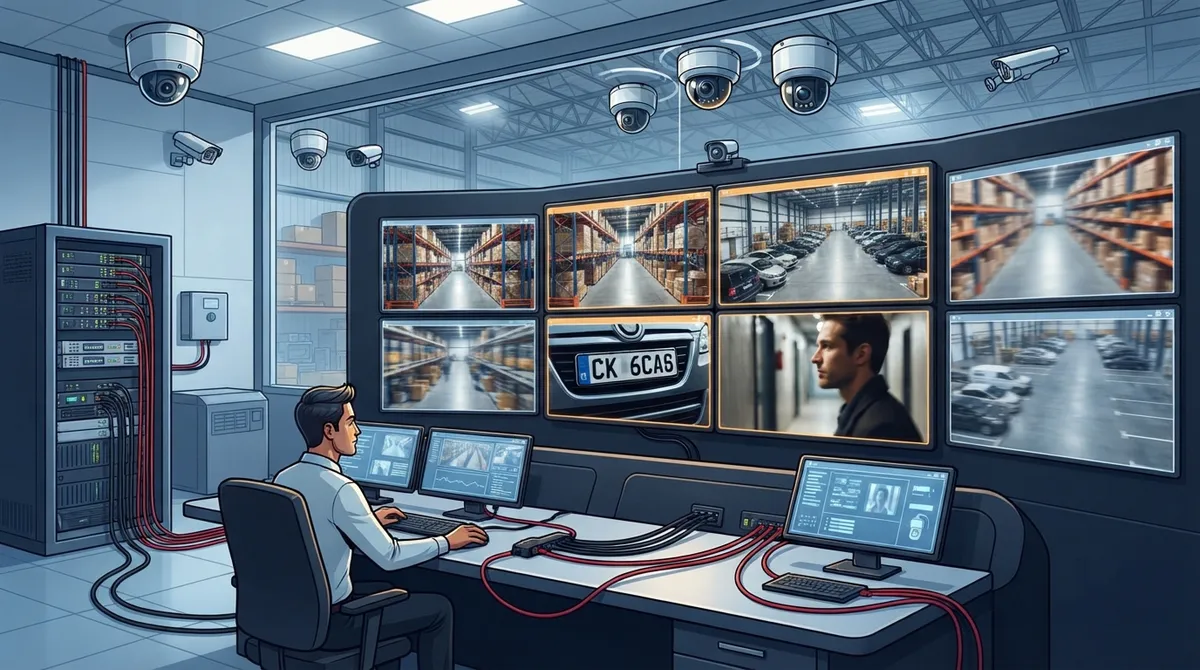
Optical zoom physically adjusts the lens to maintain sharp detail when zooming, while digital zoom crops and enlarges the image making it blurry—prioritize optical zoom for identifying faces, license plates, or specific details from distance.
-
PTZ cameras (pan-tilt-zoom) work best for large spaces like parking lots and warehouses where operators need to track movement, but should be paired with fixed cameras for constant uninterrupted coverage of key areas.
-
Your zoom camera system is only as good as your network infrastructure; verify your bandwidth capacity and internet speed can support high-resolution footage before installing, as this is a common blind spot causing lag and storage issues.
-
Ensure zoom cameras support ONVIF standards for compatibility across different manufacturers and brands, protecting your investment and preventing vendor lock-in when expanding your security system later.
-
Modern commercial zoom cameras require proper Power over Ethernet (PoE) setup and structured cabling planning from the start; combining camera upgrades with a cabling review prevents performance problems and simplifies installation.
-
Build your zoom camera system with business-grade features like preset positions, auto-tracking, infrared imaging, encryption, and integration with alarms and access control—not just high magnification numbers alone.
Picture this: something happens in your parking lot at 2 a.m., and all you can see on playback is a blurry shape. Frustrating, right? That’s the moment many Tampa business owners realize they need security cameras with zoom capabilities instead of standard fixed lenses. The good news is you don’t need to be a tech expert to get this right. You just need the right facts, a little planning, and a partner who knows how cameras and networks work together.
At Ideal Solutions Provider, we’ve spent over 24 years helping businesses build telecom and security setups that actually work. We know zoom cameras aren’t just about buying the flashiest gadget. They’re about connecting the right hardware to the right network so your team gets clear, usable footage every single time. Let’s walk through everything you need to know, in plain, friendly language, so you can make a smart choice for your business.
What Are Security Cameras With Zoom Capabilities?
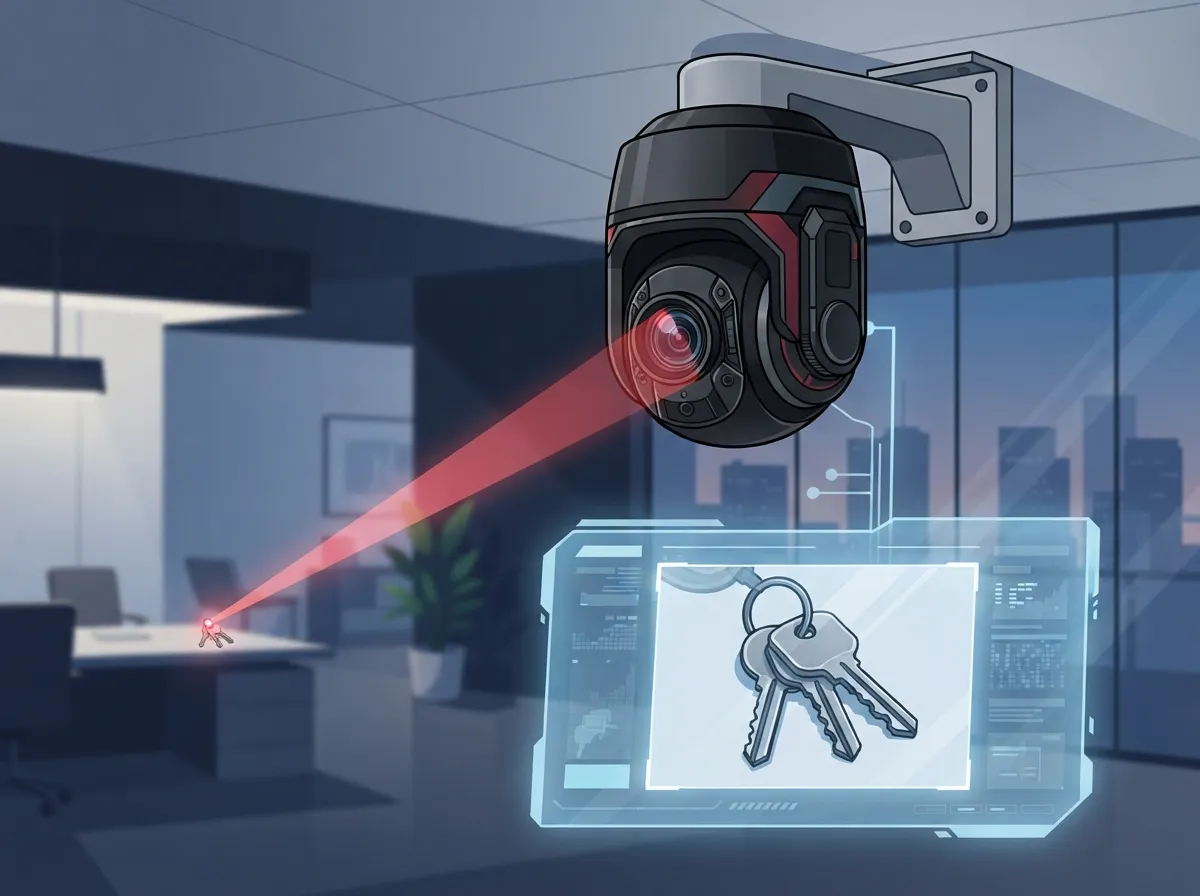
Security cameras with zoom capabilities let you get a closer look at something far away without walking over to check it out. Think of it like binoculars built into your camera system. These cameras generally fall into two types.
- Motorized-zoom cameras stay pointed in one fixed direction but let the lens zoom in and out.
- PTZ cameras (pan-tilt-zoom) can swivel, tilt, and zoom, so an operator can actively track movement across a large space.
Both types are useful, but they serve different purposes. A motorized-zoom camera is great for watching one specific area closely, like a cash register or entry gate. A PTZ camera is better for covering wide spaces where you might need to follow someone walking across a lot or inspect something happening far away.
Optical Zoom vs. Digital Zoom: Why It Matters
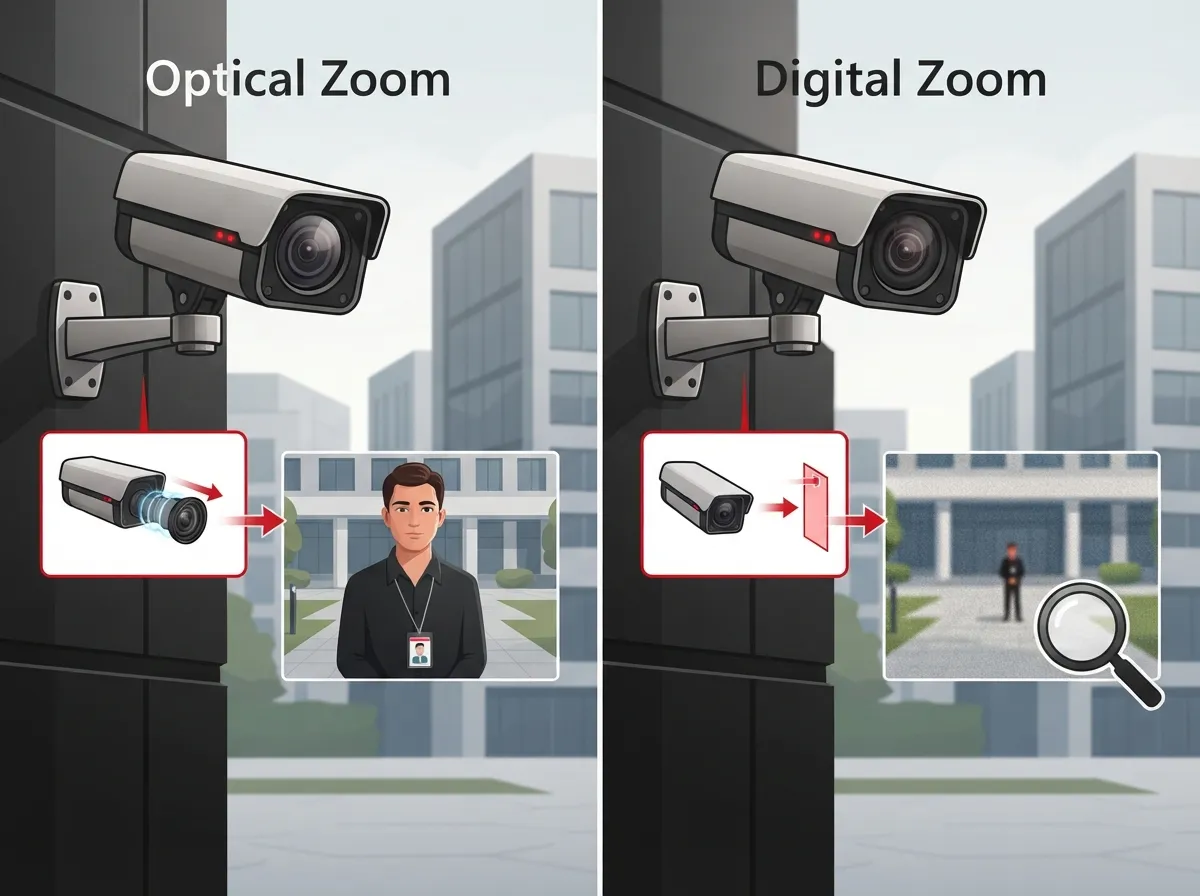
This is the part that trips up a lot of business owners, so let’s keep it simple. Optical zoom physically changes the camera lens to bring the image closer, without losing detail. Digital zoom just crops and stretches the picture you already have, which can make it blurry or pixelated.
According to ONVIF’s PTZ Service Specification, digital zoom “crops or diminishes” the image, while optical zoom changes the focal length through the lens itself. In plain terms: optical zoom keeps things sharp. Digital zoom often does not. If you plan to zoom in on a license plate or a face from far away, optical zoom is the feature that actually delivers results.
Quick Comparison: Optical vs. Digital Zoom
| Feature | Optical Zoom | Digital Zoom |
|---|---|---|
| How it works | Physically adjusts the lens | Crops and enlarges the image |
| Image quality at max zoom | Stays sharp and detailed | Often pixelated or blurry |
| Best for | Identifying faces, plates, activity | Casual close-up viewing |
| Typical business use | Parking lots, warehouses, campuses | Low-priority monitoring only |
Where PTZ Cameras Make the Biggest Difference
PTZ cameras shine in business settings where a lot of ground needs to be watched. A single fixed camera just can’t cover the same territory. Here are common places where PTZ cameras earn their keep:
- Parking lots and garages
- Warehouses and distribution centers
- Business campuses with multiple buildings
- Loading docks
- Retail sales floors
- Transportation hubs and fleet yards
- Large outdoor perimeters
These are places where staff may need to follow a person or vehicle in real time, or zoom in after the fact to review a specific incident. If your business fits any of these descriptions, it’s worth exploring how a PTZ setup could strengthen your cloud video security plan.
How Zoom Cameras Connect to Your Business Network
Here’s where the telecom side of things comes into play, and it’s more important than most people realize. A zoom camera is only as good as the network carrying its video signal. Modern commercial IP cameras typically rely on:
- Ethernet connectivity for stable, wired data transfer
- Power over Ethernet (PoE) so one cable can handle both power and data
- Video management software (VMS) to control and view multiple cameras
- Network video recorders (NVRs) for storing footage locally
- Remote access through your business network or a secure cloud platform
PoE is a real time-saver during installation because you skip running separate power lines to each camera. But it also means your structured cabling needs to be planned properly from the start. If your current wiring is outdated or mismatched, even the best zoom camera won’t perform well. This is exactly why many Tampa businesses pair camera upgrades with a review of their structured cabling services at the same time.
Why Compatibility (ONVIF) Should Be on Your Checklist
If you’re combining cameras, recorders, and software from different brands, compatibility matters a lot. This is where ONVIF comes in. ONVIF is an industry standard that helps different security devices “talk” to each other smoothly.
- Profile S supports IP video streaming and, when supported, basic PTZ control.
- Profile T adds newer streaming features, including H.265 video compression and event-based analytics.
Choosing ONVIF-compatible zoom cameras gives you flexibility down the road. You won’t feel stuck with one manufacturer if you want to expand your system later or add cameras from a different vendor.
How to Choose the Right Zoom Camera for Your Business
Ready to pick the right camera? Follow these steps to avoid costly guesswork.
- Identify your goal. Are you trying to identify faces, read license plates, or just monitor general activity?
- Measure your distance. The farther the target, the more optical zoom you’ll likely need.
- Check lighting conditions. Low-light or nighttime areas need cameras with strong infrared or low-light imaging.
- Review your network capacity. High-resolution zoom footage uses more bandwidth and storage.
- Confirm ONVIF compatibility. This protects your investment if you expand later.
- Decide between PTZ and fixed cameras. Most businesses benefit from a mix of both.
It’s easy to get caught up in marketing terms like “20x zoom” or “25x zoom.” But according to commercial product data, magnification alone doesn’t guarantee clear results. Resolution, sensor size, lens quality, distance, and lighting all play a role in whether you can actually identify a person or object on camera.
Why You Still Need Fixed Cameras Too
Here’s something important that often gets overlooked: a PTZ camera can only look in one direction at a time. If it’s zoomed in on one corner of your parking lot, it might miss something happening on the other side.
That’s why most well-designed business security systems combine PTZ cameras with fixed cameras. Fixed cameras provide constant, uninterrupted coverage of key areas. PTZ cameras then step in for active investigation, tracking movement, or zooming in on suspicious activity. Think of PTZ as your zoom lens for details, and fixed cameras as your steady, always-watching backup.
Features That Matter for Business-Grade Zoom Cameras
Not all zoom cameras are created equal. When comparing options, look for these business-friendly features:
- Preset positions for quick recall of common viewing angles
- Guard tour scheduling for automatic patrol patterns
- Auto-tracking to follow moving subjects
- Privacy masking to block sensitive areas from view
- Infrared or low-light imaging for nighttime clarity
- Wide dynamic range for handling bright and shadowed areas at once
- Weather and vandal resistance for outdoor durability
- Encrypted connections and user permission controls
- Integration with alarms, access control, and communication systems
These features aren’t just nice extras. They directly affect how useful your footage will be when you actually need it. Businesses that skip these details often end up disappointed after an incident, when it’s too late to fix the gaps.
Bandwidth and Storage: What to Plan For
Higher resolution zoom cameras, especially 4K PTZ models, use significantly more bandwidth and storage than standard cameras. If your current internet connection or internal network wasn’t built with this in mind, you may run into lag, dropped footage, or storage limits filling up too fast.
This is one of the most common blind spots we see when auditing business networks. Many companies invest in great cameras but pair them with internet service that simply can’t keep up. Before installing zoom-capable cameras, it’s worth reviewing your high-speed internet setup to make sure it can handle the extra load, especially if you’re running multiple cameras across several locations.
The Growing Demand for Smarter Surveillance
Zoom-capable and IP-based cameras aren’t a passing trend. The global video surveillance market was valued at an estimated USD 87.24 billion in 2025 and is projected to reach USD 242.12 billion by 2034, growing at a compound annual rate of about 12.01% from 2026 onward, according to Straits Research. IP cameras alone made up roughly 61.8% of that market in 2025. Businesses everywhere are recognizing that smarter, more flexible surveillance isn’t optional anymore. It’s simply good business practice.
Keeping Remote Access Secure
Zoom cameras are often accessed remotely, whether that’s a manager checking footage from home or an IT team monitoring multiple sites. This convenience is wonderful, but it also means security matters more than ever. Strong practices include:
- Using encrypted connections for remote viewing
- Setting up individual user permissions instead of shared logins
- Reviewing audit logs regularly
- Keeping camera firmware updated
- Working with a provider who understands both networking and security cameras
This is exactly where combining telecom expertise with security camera knowledge pays off. A camera system is only as secure as the network behind it, and that’s a detail many standalone camera vendors overlook.
Why a Single Point of Contact Makes This Easier
Juggling separate vendors for internet, cabling, networking, and cameras can turn a simple upgrade into a headache. That’s the exact problem Ideal Solutions Provider was built to solve. With partnerships across 35+ vetted suppliers, our team compares options, handles installation, and manages ongoing support so you don’t have to become a security camera expert overnight.
We’ve helped businesses across Tampa Bay and nationwide connect their business network setup, cabling, and camera systems into one smooth, reliable package. Whether you’re a small office or a multi-location franchise, having one trusted partner means fewer headaches and faster support when you need it most.
Final Thoughts on Choosing Zoom Security Cameras
Security cameras with zoom capabilities can genuinely transform how your business monitors activity, deters problems, and investigates incidents. But the technology only works well when it’s matched with the right network, the right storage plan, and the right mix of fixed and PTZ coverage.
If you’re ready to explore zoom-capable security cameras built around a network that can actually support them, our team is here to help. Reach out to our team today for a free consultation, or give us a call to talk through your options. We’ll help you build a system that keeps your business protected, connected, and ready for whatever comes next.
You can also see real examples of our work on Facebook, follow project updates on Instagram, or watch installation walkthroughs on YouTube.
FAQs
Q: What is the difference between optical zoom and digital zoom on a security camera?
A: Optical zoom physically adjusts the camera lens to get closer without losing image quality, while digital zoom just crops and enlarges the existing picture. If clear detail matters to your business, optical zoom is the one you want to prioritize.
Q: Are PTZ security cameras suitable for warehouses, parking lots, and business campuses?
A: Absolutely! PTZ cameras are perfect for these larger spaces since they can pan, tilt, and zoom to follow activity across a wide area. Many businesses pair them with fixed cameras for full, uninterrupted coverage.
Q: How much optical zoom does a commercial security camera need?
A: It really depends on your distance and goals, not just the zoom number on the box. A camera with less zoom but better resolution and lens quality can often outperform a higher-zoom camera in poor lighting or at long range.
Q: Can a business security camera with zoom work over PoE and an existing network?
A: Yes, most commercial zoom cameras use Power over Ethernet, which sends both power and data through a single cable. This makes installation simpler, though your network still needs enough bandwidth to handle the extra video traffic.
Q: Should a business use PTZ cameras, fixed cameras, or both?
A: In most cases, both work best together. Fixed cameras give you steady, nonstop coverage, while PTZ cameras let you zoom in and investigate specific activity when something catches your attention.





