

Key Takeaways
-
Cat 6A is the recommended choice for most businesses, supporting full 10 Gbps performance across 100 meters and future-proofing your network for 10-15 years of growth without costly rewiring.
-
Poor ethernet cabling is often the hidden culprit behind slow networks and dropped VoIP calls, not your internet plan, making proper installation critical regardless of service quality.
-
Power over Ethernet (PoE) delivers both data and power through a single cable to VoIP phones, access points, and cameras, reducing installation complexity and power outlet needs.
-
Ethernet cable runs have a hard 100-meter limit in commercial buildings; beyond that distance, fiber optic cabling becomes necessary to avoid signal loss and connection drops.
-
Professional installation with proper testing, certification, and documentation prevents hidden failures, electromagnetic interference issues, and expensive troubleshooting that DIY approaches commonly create.
-
A structured cabling plan should assess current needs, plan for 5-year growth, map interference-free pathways, account for PoE power budgets, and include complete documentation for future maintenance.
Ever notice how your office network slows to a crawl the moment everyone joins a video call at once? Or how your new wireless access points never seem to hit the speeds they promised? The problem might not be your internet plan at all. It could be the ethernet cabling for businesses hiding behind your walls and ceilings, quietly holding your whole network back.
Think of ethernet cabling as the roads your data travels on every single day. If those roads are old, narrow, or poorly built, it doesn’t matter how fast your cars are. Everything backs up. In this friendly guide, we’ll walk through what business owners, IT managers, and office leaders really need to know about choosing, installing, and maintaining ethernet cabling. No confusing tech-speak, just clear answers you can actually use.

What Is Ethernet Cabling and Why Does It Matter for Business Telecom?
Ethernet cabling is the physical wiring that connects your computers, VoIP phones, wireless access points, security cameras, printers, and servers to your local network. It’s the quiet backbone behind everything your team does online. Without solid cabling, even the best cloud phone system or fiber internet plan can’t perform the way it should.
This matters more than ever because modern offices run on more connected devices than ever before. You’ve got desktop computers, IP phones, Wi-Fi access points, and often cameras and access control readers all sharing the same network. Good structured cabling keeps everything organized, fast, and ready to grow with your business.
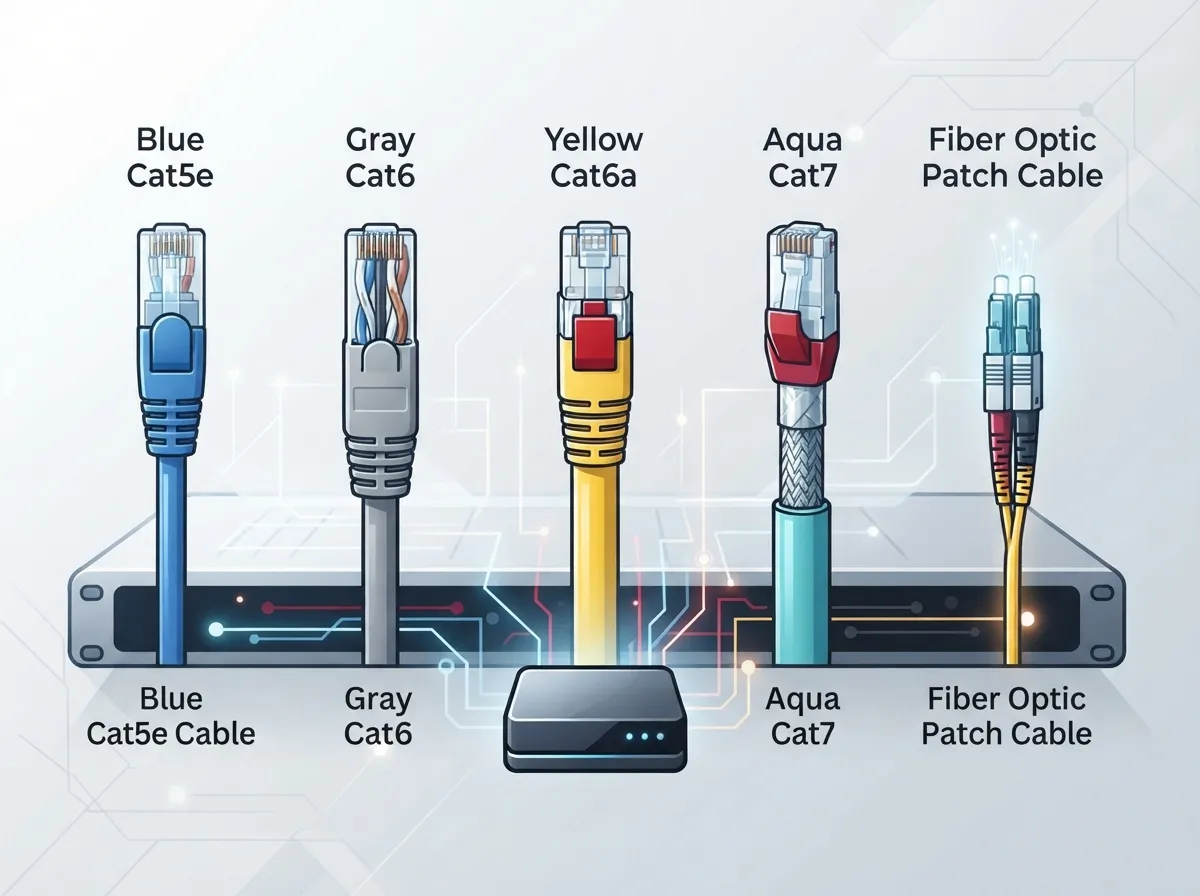
The Main Types of Ethernet Cable for Business Networks
Not all ethernet cable is created equal. Picking the right category can save you money now and headaches later. Here’s a simple breakdown of the most common options.
| Cable Type | Max Speed | Typical Distance for Top Speed | Best For |
|---|---|---|---|
| Cat 5e | 1 Gbps | 100 meters | Basic office tasks, older buildings |
| Cat 6 | 1–10 Gbps | 37–55 meters for 10 Gbps | General offices wanting some upgrade room |
| Cat 6A | 10 Gbps | 100 meters | New installs, Wi-Fi 6, VoIP, cameras |
| Cat 8 | 25–40 Gbps | Around 30 meters | Data centers, server rooms only |
Notice that jump from Cat 5e to Cat 6A? That’s not just a marketing number. Cat 6A supports 500 MHz of bandwidth and can carry 10 Gbps across the full 100-meter distance most offices need. That headroom matters when you add more devices, heavier video traffic, or faster Wi-Fi access points down the road.
Should You Choose Cat 6 or Cat 6A?
This is one of the most common questions we hear from business owners planning a new build-out or renovation. Here’s the honest answer: for most businesses today, Cat 6A is worth the small extra cost.
- Cat 6 works fine for basic connectivity but loses top speed over longer runs.
- Cat 6A supports full 10 Gbps performance across the entire 100-meter channel.
- Cat 6A gives you more room to add power-hungry devices like cameras and access points.
- Cat 6A future-proofs your office against the next 10 to 15 years of network growth.
If you’re weighing the differences in more detail, our guide on how to choose between Cat6 and Cat6A for your office breaks it down even further.
What About Cat 7 and Cat 8? Do Businesses Need Them?
Short answer: probably not, at least not for your average office. Cat 8 is built for short, high-bandwidth links inside data centers, not for running cable across an entire floor. Cat 7 comes with its own connector quirks that can create compatibility headaches. For nearly every business network, Cat 6A hits the sweet spot between performance, cost, and easy availability.
How Ethernet Cabling Supports Your VoIP Phones and Wireless Network
Here’s something a lot of business owners don’t realize until it’s too late. Your phone system and your cabling are deeply connected. If you’re running or planning a cloud-based phone system, the quality of your cabling directly affects call clarity and reliability.
Ethernet cabling also carries something called Power over Ethernet, or PoE. This lets a single cable deliver both data and electrical power to devices like VoIP phones, wireless access points, security cameras, and even door access readers. That means fewer power outlets to install and a cleaner, safer setup overall.
PoE Standards Every Business Should Know
Not all PoE is the same. Here’s a quick look at the standards you might come across when planning your network:
- 802.3af (PoE): Supplies up to 15.4 watts at the switch, good for basic IP phones.
- 802.3at (PoE+): Supplies up to 30 watts, enough for most wireless access points and pan-tilt-zoom cameras.
- 802.3bt Type 3 (PoE++): Supplies up to 60 watts, suited for higher-demand devices.
- 802.3bt Type 4 (PoE++): Supplies up to 90 watts, built for advanced access points and video walls.
Choosing the right cable and switch combination matters here. Cable length, heat buildup, and total power load all affect how well your PoE devices perform. This is exactly the kind of detail that trips up DIY installs and where a trained cabling technician earns their keep.
How Far Can Ethernet Cable Run in a Commercial Building?
Great question, and one with a clear answer. Standard structured cabling design limits a permanent link to 90 meters, measured from your telecom room to the wall outlet. Add in patch cords on both ends, and your total channel tops out at 100 meters. Go beyond that, and you’ll start seeing signal loss, slower speeds, and dropped connections.
If your building is larger than that, or you’re connecting separate buildings on a campus, fiber optic cabling becomes the better choice. Fiber doesn’t have the same distance limits and handles electrical interference far better than copper. We cover this topic in depth in our article on how to choose fiber cabling for your business network.
Planning a Structured Cabling Project: Key Steps
Whether you’re moving into a new office or upgrading an old one, a little planning goes a long way. Here’s a simple roadmap we recommend to clients:
- Assess your current setup. Count your devices, note pain points, and identify weak spots in your network.
- Plan for growth. Think about where your business will be in five years, not just today.
- Choose the right cable category. For most businesses, that means Cat 6A for horizontal runs.
- Map out pathways. Keep cabling away from electrical lines and sources of interference.
- Account for PoE power budgets. Make sure your switches can handle the load of your connected devices.
- Test and certify every cable run. This confirms your cabling meets performance standards before you rely on it.
- Label and document everything. Future troubleshooting will thank you.
Skipping steps here often leads to costly rework. Our guide on how to plan network cabling installation walks through this process in even more detail.
DIY vs. Professional Installation: What’s the Real Difference?
We get it. DIY feels tempting, especially for a small office. But ethernet cabling for businesses is one of those projects where mistakes hide until they cause real problems. Poor terminations, untested runs, and messy pathways can cause slow speeds, dropped calls, and expensive troubleshooting later.
Professional installers bring a few things a DIY approach usually can’t match:
- Standards-compliant termination and testing equipment
- Experience avoiding electromagnetic interference from lighting and electrical lines
- Proper documentation and labeling for easy future updates
- Warranty-backed workmanship on every cable run
Curious how the two approaches stack up in more detail? Check out our breakdown of DIY vs. professional structured cabling for offices.
How Much Does Commercial Ethernet Cabling Installation Cost?
Pricing depends on a lot of factors: building size, cable category, number of drops, and whether you need new pathways or conduit. Older buildings with limited access to ceilings or walls often cost more to wire than open, modern spaces. As a general rule, Cat 6A costs a bit more upfront than Cat 6 but pays off through fewer future upgrades.
The smartest move is getting a real walkthrough and quote rather than guessing. Ideal Solutions Provider offers free consultations that review your space and give you a clear, honest estimate before any work begins.
Keeping Your Network Reliable: Testing, Labeling, and Documentation
Cabling isn’t a “set it and forget it” project. Good maintenance habits keep your network running smoothly for years. Here’s what that looks like in practice:
- Certify every cable run with proper testing tools after installation
- Label each cable clearly at both ends
- Keep updated documentation showing where every cable goes
- Schedule periodic reviews as you add new devices or staff
This kind of documentation becomes priceless when you’re troubleshooting an outage at 5 p.m. on a Friday. It also makes future expansions much smoother, whether you’re adding security cameras or a new access control system.
When Should You Consider Fiber Instead of Copper?
Copper ethernet cabling works great for most office environments. But there are moments when fiber makes more sense:
- Connecting buildings across a campus or parking lot
- Running cable longer than 100 meters
- Areas with heavy electrical interference
- High-bandwidth needs like large data transfers or video production
Many businesses actually use both. Fiber often runs as the backbone between buildings or floors, while copper Cat 6A handles the final connection to desks and devices. This hybrid approach gives you the best of both worlds.
Why Work With a Single Telecom Partner for Cabling and More?
Juggling separate vendors for cabling, internet, phones, and security cameras gets old fast. That’s where working with an experienced partner makes life easier. With over 24 years of experience and partnerships with 35+ vetted suppliers, Ideal Solutions Provider serves as a single point of contact for structured cabling, high-speed internet, VoIP systems, and more, from consultation through installation and ongoing support.
This matters most for franchise operators and mid-sized companies managing multiple locations. Instead of coordinating five different vendors for one project, you get one team handling the whole picture. That kind of consistency keeps rollouts smooth across every site, whether you’re in Tampa or expanding nationwide.
Ready to Upgrade Your Business Network?
Your ethernet cabling might be invisible, but its impact on your daily operations is anything but. Slow networks, dropped calls, and unreliable Wi-Fi often trace back to cabling that’s outdated or was never installed correctly in the first place. The good news? This is one of the easiest problems to fix with the right partner on your side.
Whether you’re building out a new office, upgrading an old one, or just tired of guessing why your network feels sluggish, we’re happy to help. Contact us today for a free consultation, or call us to talk through your options with a real person who actually wants to help you get it right.
FAQs
Q: What type of ethernet cable is best for a business network?
A: For most businesses today, Cat 6A is the sweet spot. It supports 10 Gbps over the full 100-meter distance and gives you plenty of room to grow as you add more devices, cameras, and access points down the road.
Q: Should a business install Cat 6 or Cat 6A cabling?
A: We usually recommend Cat 6A for new installs, even though it costs a bit more upfront. It supports faster speeds over longer distances and saves you from having to rewire again in a few years.
Q: How far can ethernet cable run in a commercial building?
A: The standard limit is 100 meters total, including your permanent cable run and patch cords on each end. If your building is bigger than that, fiber optic cabling is usually the better choice.
Q: Can ethernet cabling support VoIP phones and wireless access points?
A: Absolutely, and it does more than just connect them. Power over Ethernet lets a single cable deliver both data and electricity, so your VoIP phones and access points can run without extra power outlets nearby.
Q: How much does commercial ethernet cabling installation cost?
A: It really depends on your building size, cable category, and how many drops you need. The best way to get a real number is a walkthrough and free consultation, which takes the guesswork out of budgeting.





