
Key Takeaways
-
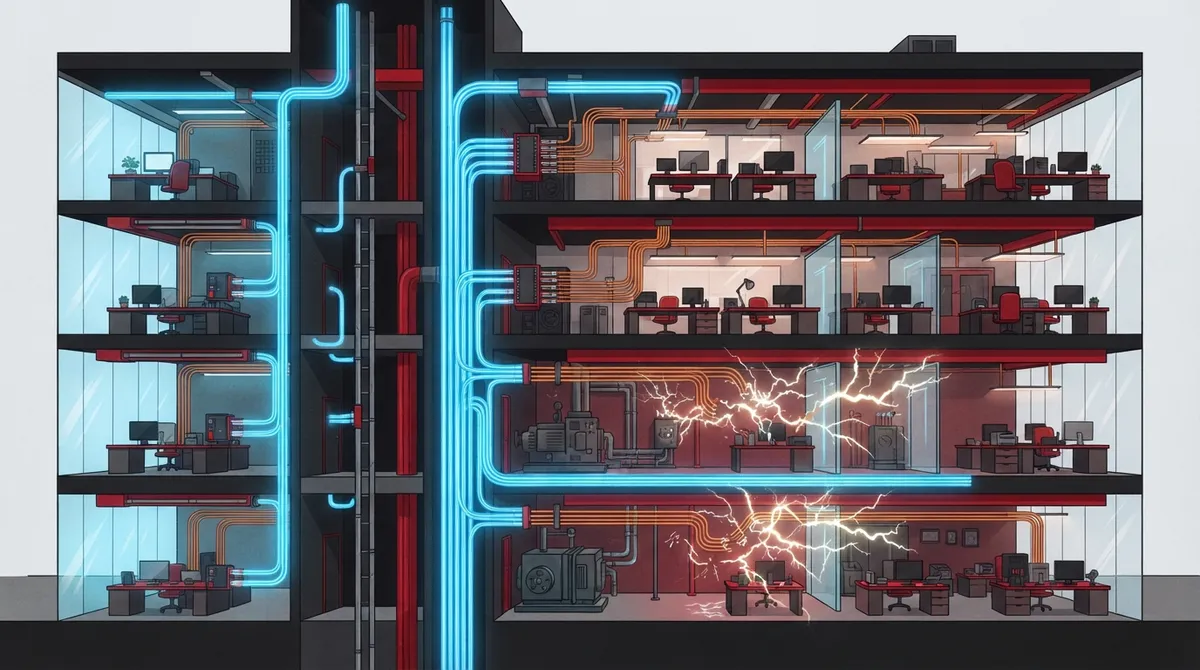
Fiber-optic cabling is limited to 100 meters for copper (Cat6A), while fiber can extend several hundred meters to kilometers, making fiber essential for multi-floor offices, building-to-building connections, and campus networks.
-
Most modern businesses use a hybrid approach with fiber as the backbone connecting main switches across floors or buildings, and copper extending from switches to individual desks, phones, and devices that need Power over Ethernet.
-
Copper remains the practical choice for powering devices through Power over Ethernet (PoE), which is critical for IP phones, security cameras, wireless access points, and access control readers that cannot operate on fiber alone.
-
Fiber is immune to electromagnetic interference from motors, generators, and heavy machinery, while copper is vulnerable to signal degradation near such equipment, making fiber the only viable option in industrial environments.
-
Fiber has higher upfront installation costs due to specialized optics and trained technicians, but can provide long-term savings in demanding environments; copper offers lower initial costs and is simpler to install for smaller projects.
-
Fiber provides better security and reliability for sensitive data, as it cannot be intercepted without physically cutting the cable and causing detectable signal loss, unlike copper which can theoretically be tapped with proper equipment.
Picking the right cabling for your business network feels a bit like choosing the right shoes for a big race. Wear the wrong ones, and you will feel it every single day. That is exactly why so many Tampa business owners, office managers, and IT teams ask us the same question: copper vs fiber cabling, which one actually fits our building? The good news is you do not have to choose just one. Most modern networks use both, and understanding why will help you avoid costly mistakes.
Grab a coffee and let’s walk through this together. We will keep things simple, skip the confusing tech-speak, and focus on what actually matters for your business. By the end, you will know exactly which cable belongs where, and you will feel confident talking about it with your IT team or your telecom partner.
What Copper and Fiber Cabling Actually Do
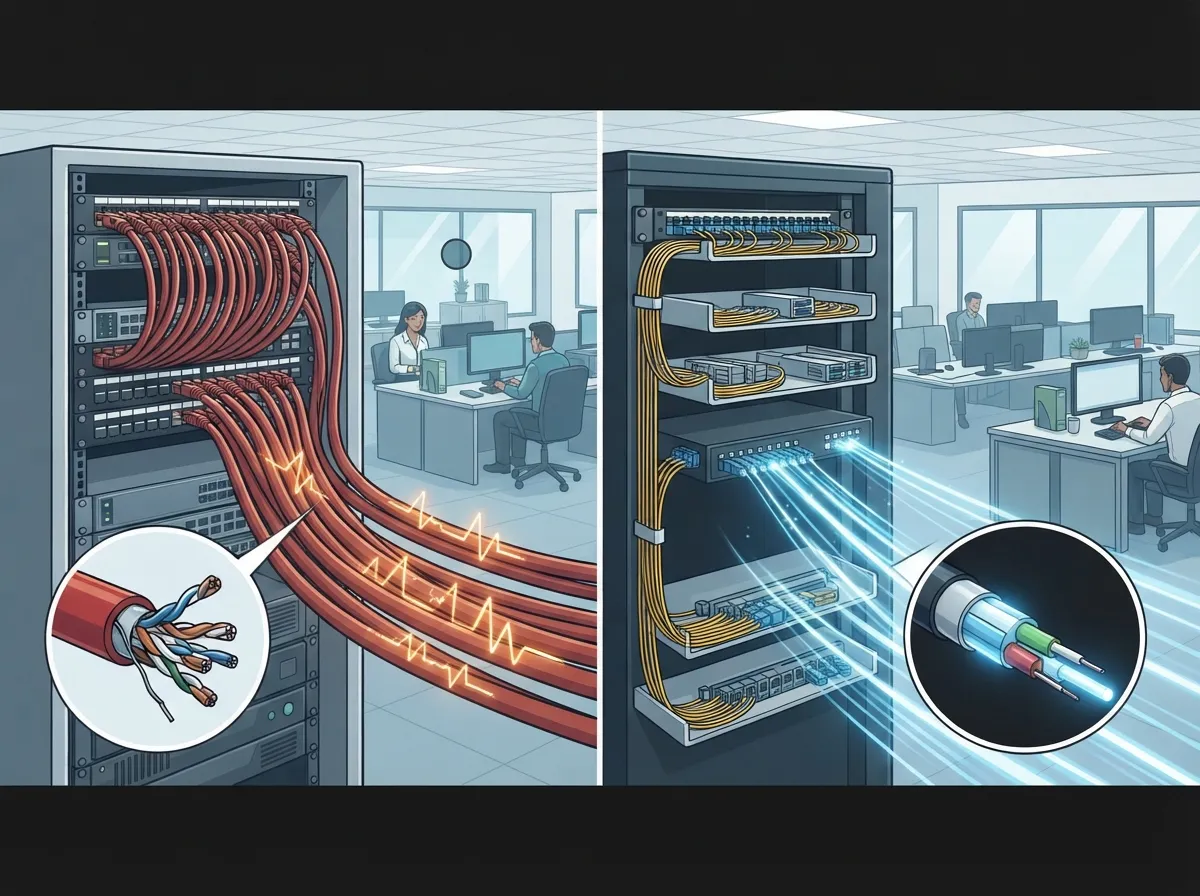
Copper cabling has been the backbone of office networks for decades. It sends data using electrical signals through twisted pairs of wires. You will find it running to desktops, IP phones, printers, and Wi-Fi access points all over your office.
Fiber-optic cabling works differently. Instead of electricity, it sends data as pulses of light through thin strands of glass or plastic. This lets fiber carry huge amounts of data over much longer distances without losing quality along the way.
Think of copper as your neighborhood streets and fiber as the interstate highway. Both matter. You need the highway to move a lot of traffic fast between cities, but you still need local streets to actually reach each house. Business networks work the same way, using structured cabling to organize both types efficiently.
Copper vs Fiber Cabling: The Core Differences
Let’s break down the real differences that matter for your business, not just the technical specs that make your eyes glaze over.
| Feature | Copper (Cat6/Cat6A) | Fiber Optic |
|---|---|---|
| Max Distance | 100 meters per channel | Hundreds of meters to several kilometers |
| Speed at Full Distance | 10 Gbps (Cat6A only) | 10 Gbps and beyond, easily scalable |
| Powers Devices (PoE) | Yes | No, needs a separate power source |
| Interference Resistance | Vulnerable to electrical noise | Completely immune |
| Installation Cost | Lower upfront cost | Higher upfront cost |
| Best Use Case | Desks, phones, cameras, access points | Backbone, building-to-building, data centers |
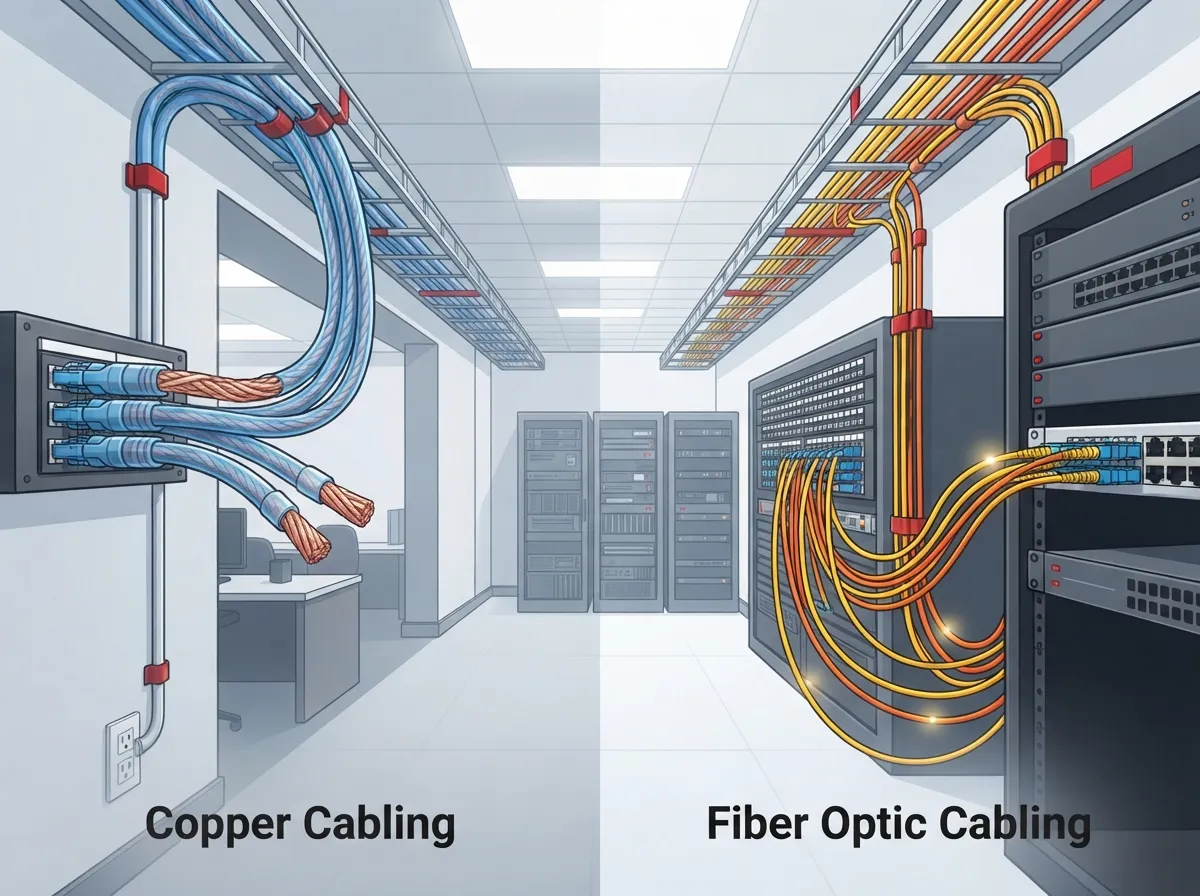
Notice how neither cable wins in every category. That is the whole point. They are built for different jobs, and smart businesses use each one where it makes sense.
How Far Can Each Cable Actually Reach?
Distance is one of the biggest factors in this decision, and it trips up a lot of business owners who assume one cable can do it all.
Copper Cable Distance Limits
Standard Ethernet rules cap copper cable at 100 meters total. That usually breaks down into a 90-meter permanent run plus up to 10 meters of patch cords connecting your equipment. Cat6A copper can push a full 10 Gigabit signal across that entire 100-meter stretch, operating at frequencies up to 500 MHz. Standard Cat6 can also hit 10 Gbps, but usually only over 37 to 55 meters, depending on interference in the walls and ceiling.
If your office spans more than one floor or stretches across a large warehouse, copper alone may not reach every corner without signal loss.
Fiber Cable Distance Limits
Fiber does not really have one hard distance ceiling. Multimode fiber, common in offices and data centers, often runs several hundred meters without a problem. Single-mode fiber can stretch several kilometers or more, depending on the equipment and optics you use. This is why fiber is the go-to choice for connecting separate buildings on a campus or linking multiple franchise locations across town.
If your business is growing across Tampa Bay or expanding to new sites nationwide, understanding these distance differences early can save you a major headache later. Our guide on how to plan network cabling installation in Tampa Bay walks through this in more detail.
Why Power Over Ethernet Still Favors Copper
Here is something a lot of people forget when they hear “fiber is better.” Fiber cannot deliver electrical power to your devices. Copper can, through something called Power over Ethernet, or PoE.
PoE lets a single copper cable carry both data and electricity at the same time. This is huge for:
- IP phones that need power without a separate outlet
- Security cameras mounted in hard-to-reach spots
- Wireless access points on ceilings or ductwork
- Access control readers on doors and entry points
- Sensors and small IoT devices scattered around your building
If you install fiber straight to a device, you still need to find another way to power that device. That is one big reason copper remains the standard choice at the edge of your network, even in buildings with a strong fiber backbone. Our team covers this in more depth in our article on how structured cabling supports VoIP phones and security cameras.
When Fiber Is Clearly the Better Choice
There are situations where fiber is not just nice to have, it is the smart and sometimes only practical option. Here is when you should lean toward fiber:
- Connecting separate buildings. Fiber does not conduct electricity, so it avoids grounding issues and lightning risk between structures.
- Running a campus backbone. If you have multiple departments or floors feeding into one main network hub, fiber handles the heavy traffic better.
- Working near industrial equipment. Motors, generators, and heavy machinery create electromagnetic interference that copper struggles with. Fiber shrugs it off completely.
- Planning for serious growth. Fiber gives you bandwidth headroom for years, so you are not ripping out cable again in three years.
- Linking data center racks. Spine and leaf connections in server rooms benefit from fiber’s speed and lower latency.
Franchise operators managing several locations often lean on fiber for their core connections while keeping copper flexible at each site. If that sounds like your situation, take a look at our post on reliable network solutions for multi-location businesses.
When Copper Still Makes the Most Sense
Copper is not old news. It is still the practical choice for most of the connections inside your actual office space. Here is when copper wins:
- Connecting desktop computers and workstations to a nearby switch
- Wiring IP phones for your VoIP system
- Powering wireless access points spread across a floor
- Running short cable drops under 100 meters
- Keeping installation costs lower for smaller offices or single locations
Small business owners with a single Tampa office rarely need fiber at every desk. Copper handles daily traffic just fine, and it costs less to install and maintain. If you are exploring your options, our article on key differences between Cat5e and Cat6 cabling is a great next read.
The Hybrid Approach Most Businesses Actually Use
Here is the secret that most cabling guides skip over. You do not have to pick a side in the copper vs fiber cabling debate. Most well-designed business networks use both, and honestly, that is the smartest way to do it.
A typical setup looks like this:
- Fiber runs as the backbone, connecting your main network switch to secondary switches on other floors or in other buildings.
- Copper takes over from each switch out to individual desks, phones, cameras, and access points.
- This combination gives you fiber’s speed and distance where it matters most, plus copper’s affordability and PoE support where you need it daily.
This hybrid design is standard across enterprise networks, hospitals, schools, and growing franchise chains. It balances performance, cost, and future scalability without forcing you to overspend on fiber everywhere or settle for slow copper across long runs.
Cost Considerations: Upfront vs Long-Term
Money matters, so let’s talk numbers honestly. Fiber usually costs more upfront. You need specialized optics, careful termination, cleaning tools, and technicians trained specifically in fiber splicing and testing. Copper is simpler to install and terminate, which keeps labor costs down for smaller projects.
That said, fiber can save money over time in high-capacity or long-distance situations. One industry example often cited comes from an AT&T investor presentation, which claimed fiber networks were roughly 35% less costly to maintain than copper in their infrastructure. That is a provider-specific number, not a universal guarantee, but it shows the long-term trend favoring fiber in demanding environments.
A separate study from the Fiber Broadband Association, cited by Corning, found that all-fiber broadband networks could save around $91 per home passed per year compared to DSL, adding up to roughly $910 over a decade. That figure applies to residential broadband access, not office LAN cabling directly, but it does illustrate how fiber’s efficiency compounds over time.
For your business, the real answer depends on your building size, growth plans, and how much bandwidth you expect to need five years from now. That is exactly the kind of analysis we walk through during a free consultation, and it is worth reading our post on structured cabling mistakes that hurt your business before you commit to a plan.
Security and Reliability Differences
Fiber has a quiet advantage that often gets overlooked: it is very difficult to tap without physically cutting the cable, which usually causes an obvious signal disruption. Copper, being electrical, can technically be intercepted with the right equipment and access, though this is rare in most everyday office settings.
Fiber’s immunity to electromagnetic interference also means fewer random glitches, dropped connections, or slowdowns near elevators, HVAC systems, or industrial equipment. If your business handles sensitive data, healthcare records, or financial transactions, this reliability boost is worth factoring into your decision.
Questions to Ask Before You Choose
Before finalizing your cabling plan, walk through these questions with your telecom partner or IT manager:
- How far does each cable run need to travel?
- Which devices need PoE power delivered directly through the cable?
- Is there heavy machinery or electrical interference nearby?
- How much bandwidth will we realistically need in five years?
- What is our total budget, including labor and future upgrades?
Answering these honestly will point you toward the right mix of copper and fiber for your specific building, rather than a one-size-fits-all guess.
Working With a Trusted Cabling Partner
At Ideal Solutions Provider, we have spent over 24 years helping Tampa businesses and nationwide clients design networks that actually work for their space, budget, and growth plans. As a single point of contact working with 35+ vetted suppliers, we handle everything from the initial site audit to installation and ongoing support, so you never have to juggle multiple vendors or guess which cable goes where.
Whether you are wiring a brand-new office, upgrading an aging network, or connecting multiple franchise locations, getting the copper vs fiber cabling decision right from day one saves you money and frustration down the road. You can see examples of our completed installations on our YouTube channel, or follow our latest project updates on Facebook and Instagram.
Bringing It All Together
So, copper vs fiber cabling, who really wins? Neither, and both. Copper remains the smart, affordable choice for connecting desks, phones, and devices that need power. Fiber steps up for backbone connections, building-to-building links, and any situation demanding serious speed and distance. The businesses that get the best results combine both, using each cable exactly where it performs best.
If your network feels slow, unreliable, or simply outdated, do not wait for a bigger problem to force your hand. Our team would love to walk through your building, review your current setup, and recommend a cabling plan built around your actual needs and budget. Contact us today for a free consultation, or give us a call at 813-388-4935 to get started.
FAQs
Q: Is fiber optic or copper cabling better for a business network?
A: Honestly, it depends on the job! Copper is great for short runs to desks, phones, and cameras since it can carry power too. Fiber shines for long distances, building-to-building links, and heavy data traffic. Most happy businesses use a mix of both.
Q: What is the maximum distance for Cat6 and Cat6A Ethernet cable?
A: Cat6A can handle 10 Gigabit speeds across the full 100-meter channel, which is fantastic for most offices. Standard Cat6 also supports 10 Gbps, but usually only up to about 37 to 55 meters depending on your building’s conditions.
Q: Does fiber optic cable support Power over Ethernet?
A: Not on its own, unfortunately! Fiber carries data beautifully but cannot deliver electrical power to devices like copper can. That is why copper still handles connections to IP phones, cameras, and access points that need PoE.
Q: When should a business use fiber between buildings?
A: Anytime you are connecting separate buildings, fiber is your best friend. It is immune to electrical interference and avoids grounding issues that copper can run into outdoors, making it safer and more reliable over those longer stretches.
Q: Should a business choose a fiber backbone with copper connections to users?
A: Yes, this hybrid setup is what most growing businesses choose, and for good reason! You get fiber’s speed and reach for your main network backbone, plus copper’s affordability and power delivery right where your team and devices need it most.





