

Key Takeaways
-
Category 6A copper cabling is the smart choice for most new office installations because it supports 10 Gb/s speeds across the full 100-meter distance, providing future growth capacity without costly wall reopening.
-
Reliable cabling depends equally on four factors: right cable type, standards-compliant parts, careful installation, and proper testing—poor installation can make quality cable fail as quickly as cheap cable.
-
The 100-meter rule is critical: up to 90 meters of permanent cable in walls plus 10 meters of patch cords maximum; exceeding this limit directly reduces network speed and reliability.
-
Always require field certification testing with documented per-link results using calibrated testers; this verification against industry standards is the key difference between quality installations and cheaper jobs.
-
Proper installation includes avoiding sharp bends, organizing cable bundles separately from electrical interference, labeling everything at both ends, and maintaining documentation—these details prevent signal degradation and future troubleshooting headaches.
-
Fiber optic cabling is best reserved for backbone connections between buildings or connecting multiple office locations, while copper Cat 6A handles local workstations and phones most cost-effectively.
Picture this: your phones drop calls, your internet crawls, and your security cameras freeze up right when you need them most. Nine times out of ten, the real problem isn’t your equipment. It’s what’s hiding behind your walls. We’re talking about your cabling. Grab a coffee, because we’re about to make structured cabling simple, friendly, and totally doable for your business.
Whether you run a cozy Tampa storefront or manage IT for a growing company with offices across the country, this guide is for you. We’ll walk through what “reliable” really means, how to pick the right cable type, and how to make sure your installer does the job right the first time. No confusing tech-speak. Just clear, honest advice from folks who’ve spent over 24 years wiring businesses for success.
What Does “Most Reliable” Structured Cabling Actually Mean?
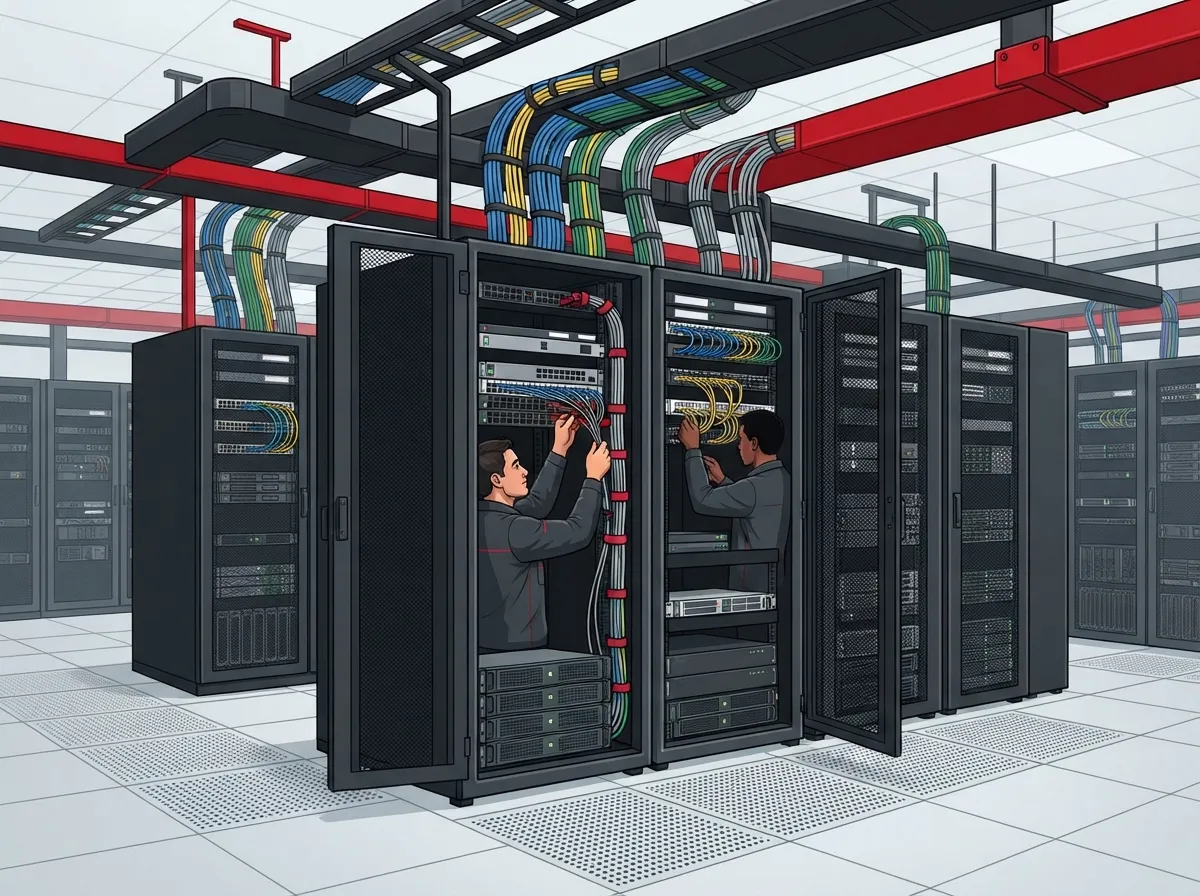
Here’s a little secret: there’s no magic cable brand that guarantees reliability. The most reliable structured cabling comes from four things working together. You need the right cable type, standards-compliant parts, careful installation, and proper testing after everything’s connected.
Think of it like building a house. You can buy the best bricks in the world, but if the foundation is crooked, the whole thing wobbles. Cabling works the same way. A great cable installed poorly will fail just as fast as a cheap one.
So when someone asks, “What’s the most reliable cabling for my office?” the honest answer is: it depends on your needs, but it always depends on quality design and installation. Let’s break down exactly what that looks like.

Choosing the Right Cable Type for Your Business
Not every business needs the same cabling setup. Your choice depends on how much data you’re moving, how far it needs to travel, and how much room you want for future growth.
Category 6A: The Smart Choice for Most New Installations
If you’re wiring a new office today, Category 6A copper cabling is often your best bet. It supports speeds of 10 gigabits per second across the full 100-meter cable run. That’s the entire standard distance allowed for these cables. Category 6 cable, by comparison, can only hit those speeds over shorter distances, sometimes as little as 37 to 55 meters, depending on interference from nearby cables.
Why does this matter for your business? Because ripping out walls to upgrade cabling later is expensive and disruptive. Installing Cat 6A now gives you room to grow without redoing the work in a few years. Curious about the details? Check out our guide on how to choose between Cat6 and Cat6A for your office.
Fiber Optic Cabling: Built for Distance and Speed
Fiber cabling shines when you need to connect buildings, run longer distances, or handle huge amounts of data traffic. It’s commonly used for backbone connections between network closets or between separate office locations.
Fiber isn’t magic, though. It still needs careful handling, clean connections, and proper testing. A sloppy fiber installation can perform worse than a well-installed copper one. If your business is expanding to multiple locations, our article on how to plan fiber optic cabling walks through the basics.
Copper vs. Fiber: A Quick Comparison
| Feature | Category 6A Copper | Fiber Optic |
|---|---|---|
| Max Channel Distance | 100 meters | Varies widely (much longer) |
| Speed Capability | Up to 10 Gb/s | 10 Gb/s and beyond |
| Best Use Case | Office desks, workstations, phones | Backbone links, between buildings |
| Interference Resistance | Good, needs proper installation | Excellent, immune to electrical noise |
| Typical Cost | Lower upfront cost | Higher upfront cost |
Not sure which fits your building? Our team breaks it down further in Copper vs Fiber Cabling: Which Wins for Your Office?
The 100-Meter Rule You Need to Know
Here’s something a lot of business owners don’t realize. Standard copper cabling channels are limited to 100 meters total. That breaks down into two parts:
- Up to 90 meters of permanent cable run inside your walls and ceilings
- Up to 10 meters of patch cords connecting your equipment
If your installer stretches beyond this limit, your network speed and reliability can suffer. This is a common mistake we see when reviewing setups for new clients. It’s a simple rule, but it gets ignored more often than you’d think.
How to Make Sure Your Installation Is Done Right
Good cabling isn’t just about the materials. How it’s installed matters just as much. Here’s a simple checklist to keep your installer honest and your network humming.
1. Avoid Sharp Bends and Excess Pulling
Cables have bend-radius limits for a reason. Bending them too tightly or yanking them through walls can damage the internal wiring, even if the outside looks fine.
2. Keep Cable Bundles Organized
Messy cable bundles aren’t just an eyesore. They can cause interference between cables, slowing down your network without any obvious sign of damage.
3. Separate Cabling from Electrical Interference
Running network cables too close to power lines or fluorescent lighting can introduce noise into your signal. A good installer knows how to route cables away from these trouble spots.
4. Label Everything
This sounds boring, but trust us, it saves hours of headaches later. Every cable should be labeled at both ends and mapped out in a document you can keep on file.
Testing and Certification: The Step You Can’t Skip
Here’s where a lot of cheaper cabling jobs fall short. Anyone can run a cable through a wall. But how do you know it actually works the way it should? That’s where certification testing comes in.
A proper installer uses a calibrated tester to check each cable run against industry standards. This isn’t a guess; it’s a pass-or-fail test. According to Fluke Networks’ cabling certification guidance, testers check things like frequency performance, with Cat 6A requiring testing up to 500 MHz.
Permanent Link vs. Channel Testing: What’s the Difference?
These are two different test models, and it’s important your installer uses the right one:
- Permanent Link Test: Tests just the fixed cabling in your walls, up to 90 meters, without patch cords included.
- Channel Test: Tests the entire connection including patch cords, up to the full 100 meters.
Ask your installer which model they use and request the test results in writing. This documentation becomes gold if something goes wrong later and you need warranty support.
Steps to Get Reliable Cabling for Your Business
Ready to get started? Here’s a simple roadmap to follow:
- Assess your current and future bandwidth needs based on staff size and equipment
- Choose the right cable category (Cat 6A for most new builds, fiber for backbones)
- Confirm your installer follows the 90/10 meter split for permanent links and patch cords
- Require field certification testing with documented, per-link results
- Get warranty terms in writing before work begins
- Keep as-built documentation on file for troubleshooting and future upgrades
If this feels like a lot to manage, you’re not alone. That’s exactly why businesses across Tampa Bay and nationwide turn to Ideal Solutions Provider. We handle the entire process, from consultation to installation to ongoing support, so you don’t have to juggle multiple vendors.
Common Cabling Mistakes That Hurt Reliability
We’ve seen it all over the years. Here are the mistakes that show up again and again:
- Skipping certification testing to save a few dollars upfront
- Mixing cable categories within the same run
- Overloading cable bundles without proper pathway planning
- Ignoring bend-radius limits during installation
- Failing to document cable routes and labels
- Choosing the cheapest bid without checking installer credentials
Avoiding these pitfalls is easier when you work with a team that’s done this thousands of times. For a deeper dive, take a look at 12 Structured Cabling Mistakes That Hurt Your Business.
Why This Matters for Every Part of Your Telecom Setup
Your cabling isn’t just about internet speed. It’s the backbone supporting your VoIP phones, your cloud security cameras, and your access control systems too. A shaky cabling foundation can cause dropped calls, laggy video feeds, and unreliable door access.
If you’re planning a bigger telecom upgrade, structured cabling should be step one, not an afterthought. Learn more about how it all connects in 13 Ways Structured Cabling Supports VoIP & Cameras.
And if you’re still relying on outdated wiring, it might be time for a change. Structured cabling beats messy, ad-hoc wiring setups in nearly every way. Our comparison piece, Structured Cabling vs. Ad-Hoc Wiring: Which Wins for Tampa?, explains why.
Finding a Cabling Partner You Can Trust
Choosing the right installer matters as much as choosing the right cable. Look for a partner who provides written test results, clear documentation, and warranty terms you understand. Ask questions. A good contractor won’t mind explaining their process.
With over 24 years of experience and partnerships with 35 vetted suppliers, Ideal Solutions Provider has helped businesses across industries, from healthcare to manufacturing, get cabling that actually holds up. We serve as your single point of contact, so you’re never stuck chasing down multiple vendors when something needs attention.
You can see examples of our work and client experiences on our Facebook page or check out installation walkthroughs on our YouTube channel. We also share quick tips and behind-the-scenes looks on Instagram.
Wrapping It Up: Reliable Cabling Is Worth the Investment
Reliable structured cabling isn’t about buying the fanciest cable on the shelf. It’s about smart design, quality installation, and honest testing. Get these fundamentals right, and your business will enjoy faster internet, clearer phone calls, and dependable security systems for years to come.
If your current setup feels shaky, or you’re planning a new office buildout, don’t wait for problems to pile up. Our friendly team is ready to review your current cabling, answer your questions, and design a system built to last. Contact us today for a free consultation, or call us to talk through your options. We’re here to make your network reliable, so you can focus on running your business.
FAQs
Q: What is the most reliable Ethernet cable for a business network?
A: For most new office installations, Category 6A copper cable is a fantastic, future-proof choice. It supports 10 Gb/s speeds across the full 100-meter cable run, giving your business plenty of room to grow without needing an upgrade anytime soon.
Q: Is Cat6A better than Cat6 for a new office installation?
A: In most cases, yes! Cat6A supports full 10 Gb/s speeds over the entire 100-meter distance, while Cat6 can only hit those speeds over much shorter runs. If you’re building fresh, Cat6A gives you more breathing room for future needs.
Q: Should a business use fiber or copper structured cabling?
A: It really depends on your setup. Copper works great for connecting desks and workstations, while fiber shines for longer distances and connections between buildings. Many businesses actually use both, copper for local connections and fiber for backbone links.
Q: How do you certify structured cabling after installation?
A: A qualified installer uses a calibrated tester to check each cable run against industry performance standards. This gives you a clear pass-or-fail result for every single connection, plus documentation you’ll want to keep for warranty and troubleshooting purposes.
Q: What should a structured cabling warranty cover?
A: A solid warranty should clearly spell out what components are covered, how long the coverage lasts, and what certification requirements were met during installation. Always get these terms in writing before work begins, so there are no surprises down the road.





