
Key Takeaways
-
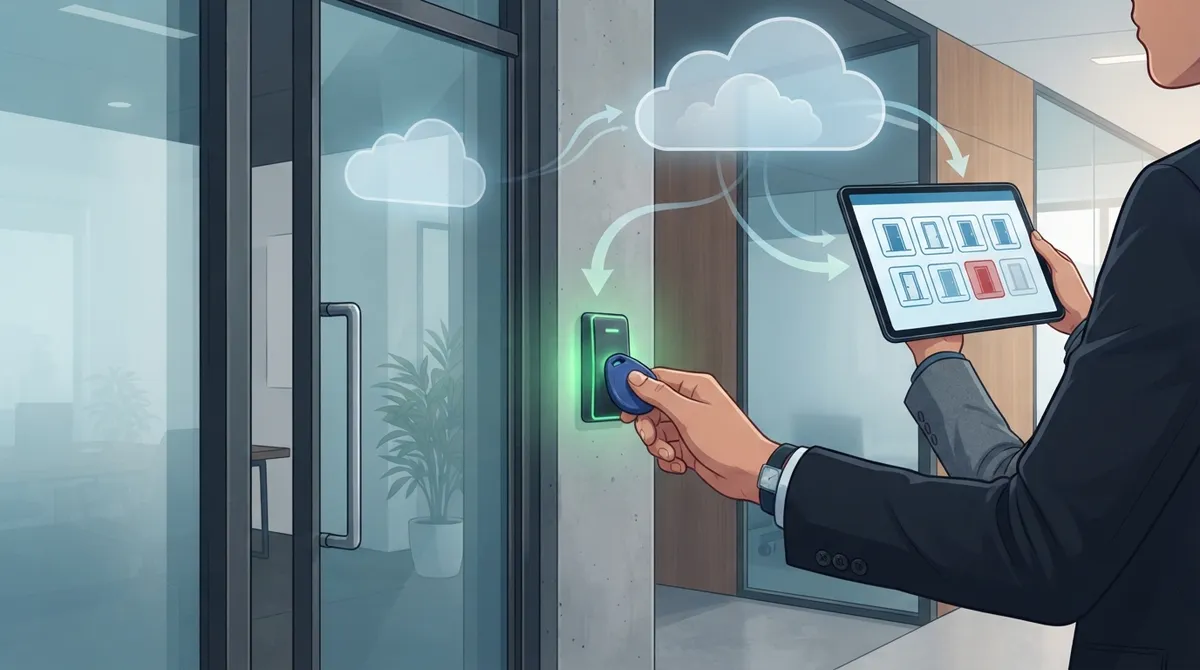
Deactivate a lost or departed employee's key fob in management software within seconds, instead of rekeying every lock, and every entry is logged with name, date, and time.
-
Choose encrypted fobs, since basic unencrypted fobs can be copied with inexpensive tools, which undermines the security benefits of the system.
-
Check your structured cabling and internet reliability before installation, because readers and cloud platforms depend on a stable network to sync changes and keep doors responsive.
-
Cloud-based systems are usually the better choice for growing businesses, offering lower upfront cost, automatic updates, and single-dashboard management across multiple locations.
-
Map access levels by role and set schedules, such as after-hours access for cleaners limited to one side door, before rolling out the system.
-
Pair access control with cameras so you can pull up video of any door event right away, and work with one vendor for cabling, internet, and security to avoid finger-pointing.
Picture this: it’s Monday morning, and your office manager is hunting through a drawer of mismatched keys. An employee who left last month still has a copy of the front door key. Sound familiar? You’re definitely not alone, and there’s a friendlier, smarter way to handle it.
A key fob access control system lets your team unlock doors with a quick tap of a small tag. No fumbling. No guessing who has which key. Just simple, trackable entry that you control from a computer or phone.
In this guide, we’ll walk through how a key fob access control system works, what it costs, how it connects to your network, and how to pick the right setup for your business in 2026. Whether you run a small shop in Tampa or manage several franchise locations, you’ll find clear, practical answers here. Let’s dive in!
What Is a Key Fob Access Control System?
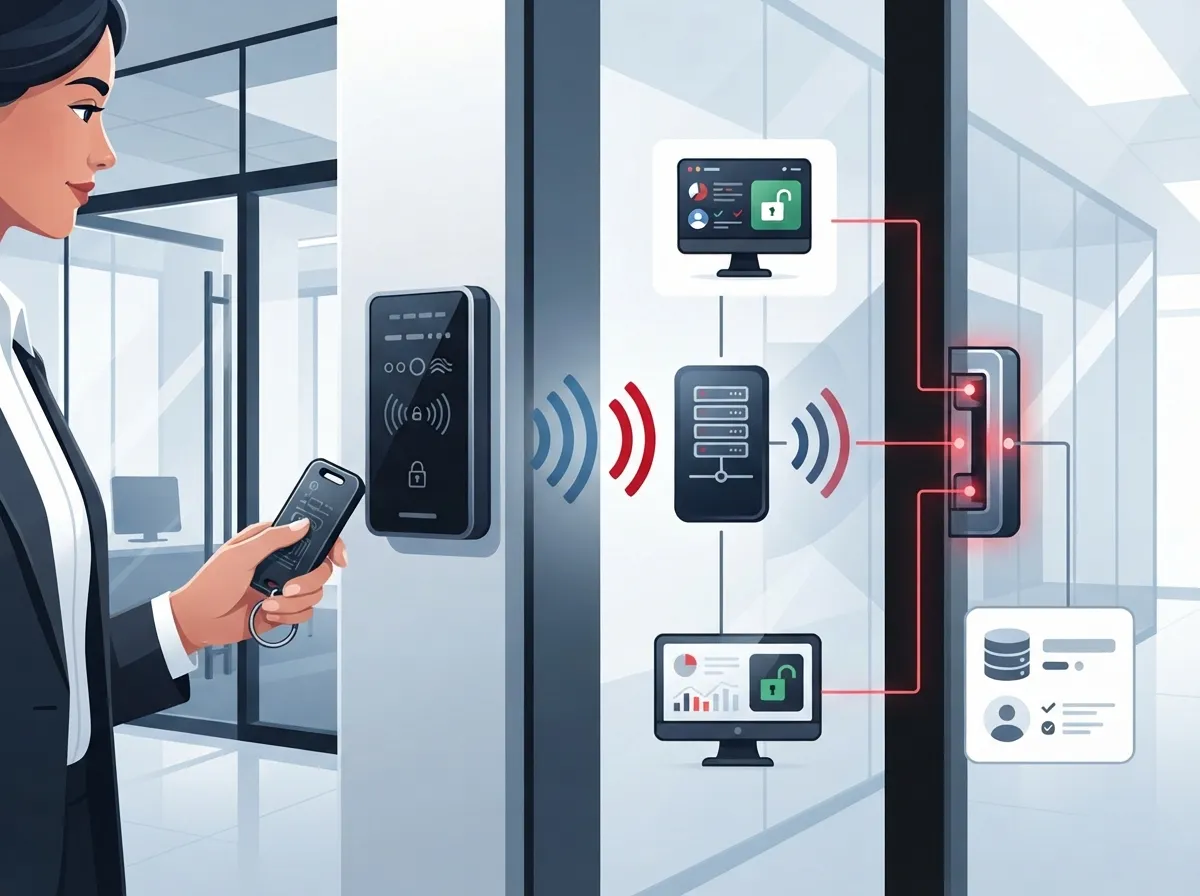
A key fob access control system is a security setup that uses small electronic tags, called fobs, to unlock doors. Each fob holds a unique digital code. When someone taps it on a reader near the door, the system checks the code and decides whether to open the lock.
Think of it like a digital doorman. It knows who is allowed in, which doors they can use, and what times they can enter. Best of all, it keeps a record of every entry.
The Main Parts of the System
- Key fobs: Small tags that carry each person’s unique code.
- Readers: Devices mounted by the door that scan the fob.
- Controller: The “brain” that approves or denies entry.
- Electronic locks: Magnetic locks or electric strikes that open on command.
- Management software: The dashboard where you add users, set schedules, and view activity.
When all five parts work together, you get fast, secure, and organized entry control for your whole building.
How Does a Key Fob Access Control System Actually Work?
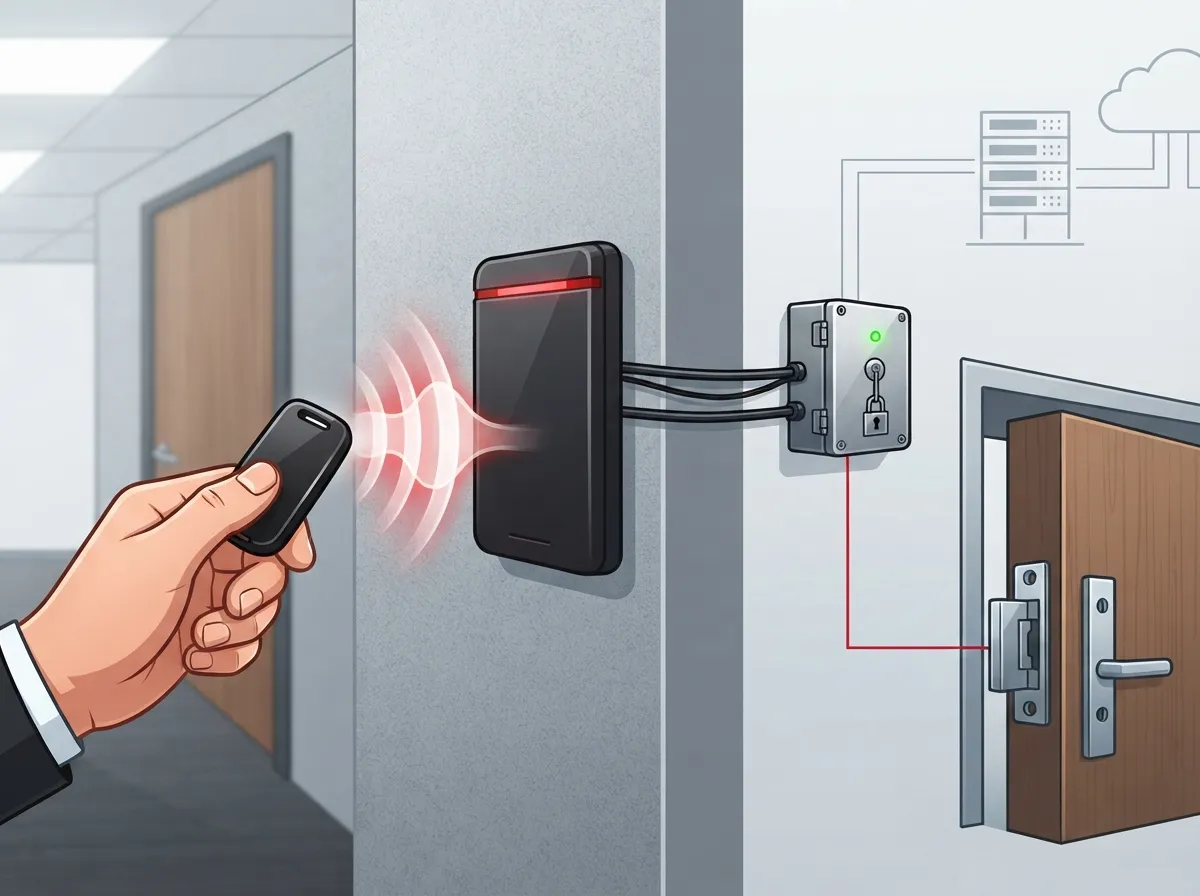
The process takes less than a second, but a lot happens behind the scenes. Here is the simple step-by-step version.
- An employee holds their fob near the reader.
- The reader pulls the fob’s unique code using radio signals (usually RFID).
- The reader sends that code to the controller.
- The controller checks the code against your list of approved users.
- If the code is allowed for that door and time, the controller sends a signal to unlock.
- The system logs the entry with a date, time, and name.
That last step is a big win. You always know who came and went, which helps with safety, audits, and peace of mind.
Where Telecom Comes In
Here’s the part many business owners miss. Modern systems depend on your network. Readers and controllers often connect through structured cabling, and cloud platforms need reliable internet to sync user changes in real time. If your network is shaky, your doors can lag or lose connection.
That’s why telecom and access control belong together. A strong network keeps your doors responsive, your logs accurate, and your alerts instant. If you’d like to understand the cabling side, our guide on 13 Ways Structured Cabling Supports VoIP & Cameras shows how one clean network can power many systems.
Key Fob vs. Other Access Methods
Key fobs are popular, but they aren’t the only option. Here is how they stack up against other common choices.
| Access Method | Ease of Use | Security Level | Best For |
|---|---|---|---|
| Traditional metal keys | Easy but hard to track | Low | Very small offices |
| Key fobs | Very easy (tap and go) | Medium to high | Offices, clinics, retail |
| Key cards | Easy | Medium | Hotels, large campuses |
| Mobile credentials | Very easy (uses phone) | High | Modern, growing teams |
| Keypad codes | Easy but shareable | Low to medium | Low-risk storage areas |
Fobs hit a sweet spot. They’re affordable, durable, and simple for everyone to use, even folks who aren’t tech-savvy. If you’re weighing fobs against phone-based entry, check out Mobile vs. Traditional Access Control: Which Wins for Tampa? for a friendly side-by-side.
Why Businesses Love Key Fob Access Control
So why do so many companies make the switch? Here are the benefits we hear about most often.
- No more rekeying: Lost a fob? Deactivate it in seconds instead of changing every lock.
- Clear entry records: See exactly who entered which door and when.
- Custom schedules: Let cleaners in after hours, but only through the side door.
- Fast onboarding and offboarding: Add a new hire or remove a former employee in minutes.
- Scalable growth: Add doors, users, or whole locations as your business grows.
- Better peace of mind: You control access instead of hoping nobody copies a key.
For franchise operators and multi-location owners, the ability to manage every site from one dashboard is a true game changer. No more driving across town to hand over keys.
Cloud-Based vs. On-Premise Key Fob Systems
Not all key fob systems store their brains in the same place. This choice affects cost, flexibility, and upkeep.
| Feature | Cloud-Based | On-Premise |
|---|---|---|
| Management | Any device, anywhere | Usually on-site computer |
| Upfront cost | Lower | Higher |
| Software updates | Automatic | Manual |
| Multi-location control | Easy | Complicated |
| Internet dependence | Needs reliable internet | Works locally |
Most growing businesses prefer the cloud route because it’s simpler to manage and update. If you’re curious, Cloud vs. On-Premise Access Control: Tampa’s Best Pick? breaks down the trade-offs in plain language. You can also learn more about the cloud approach in 10 Cloud Access Control Benefits Every Business Should Know.
How to Choose the Right Key Fob Access Control System
Picking a system doesn’t have to feel overwhelming. Walk through these questions with your team first.
Start With Your Real Needs
- Count your doors. Which entrances, server rooms, or storage areas need protection?
- Count your people. How many employees, contractors, and visitors need access?
- Define your rules. Who gets 24/7 access, and who gets limited hours?
- Check your network. Is your cabling and internet ready to support readers and cloud software?
- Plan for growth. Will you add locations or staff in the next few years?
Features Worth Looking For
- Encrypted fobs that are hard to clone
- Real-time alerts for forced or propped doors
- Easy reporting for audits and compliance
- Integration with your cloud security cameras
- Backup power so doors still work during outages
Tying access control to video is especially powerful. When a door event happens, you can pull up the matching camera clip right away. Our post on How to Choose Access Control Systems for Tampa Businesses offers even more decision-making tips.
Common Mistakes to Avoid
A little planning prevents big headaches later. Watch out for these pitfalls.
- Skipping the network check: Weak cabling or slow internet can make doors lag.
- Buying cheap, unencrypted fobs: Basic fobs can be copied with inexpensive tools.
- Forgetting offboarding: Always deactivate fobs the day someone leaves.
- Ignoring backup plans: Know what happens during a power or internet outage.
- Working with too many vendors: Separate vendors for cabling, internet, and security can create finger-pointing.
That last one hits close to home for many IT managers. Having one partner who understands cabling, internet, and access control makes life far easier.
What Does a Key Fob Access Control System Cost?
Costs vary based on the number of doors, the type of lock, and whether you choose cloud or on-premise software. Here is a general way to think about the budget.
| Cost Item | What Affects It |
|---|---|
| Readers and controllers | Number of doors |
| Key fobs | Number of users and replacements |
| Locks and hardware | Door type (glass, metal, wood) |
| Cabling and installation | Distance and building layout |
| Software subscription | Cloud features and user count |
The best way to get an accurate number is a quick site review. A pro can spot cabling needs and door challenges you might miss on your own. For an idea of how the planning works from start to finish, see Why Do Tampa Businesses Need Commercial Access Control?.
How Telecom Experts Make Access Control Easier
Here’s where a telecom and IT partner really shines. Access control isn’t just locks and tags. It lives on your network, depends on your internet, and often pairs with cameras and phone systems.
Ideal Solutions Provider has served businesses for over 24 years as a single point of contact. They handle consultation, installation, and ongoing support for cloud based access control, along with the cabling and internet that keep it running smoothly. Instead of juggling several vendors, you work with one friendly team backed by 35+ vetted suppliers.
That means one call when something needs attention. It also means your doors, cameras, phones, and network are designed to work together from day one. If you want to see how the pieces connect, take a look at cloud video security and how it pairs with entry control.
Want to see these systems in action? You can also browse helpful walkthroughs on their YouTube channel.
Tips for a Smooth Rollout
Once you pick a system, a thoughtful rollout keeps everyone happy.
- Map your access levels. Group people by role, like staff, managers, and vendors.
- Test before launch. Try every door and every schedule with a few fobs first.
- Train your team. A quick ten-minute walkthrough prevents lots of questions.
- Label and track fobs. Keep a simple record of who holds each one.
- Review logs monthly. Spot odd patterns early, like repeated after-hours entries.
A friendly tip: celebrate the switch! Handing out new fobs can feel like a small upgrade day for your team, and people appreciate the convenience.
Ready to Upgrade Your Business Entry?
A key fob access control system gives you tighter security, cleaner records, and a lot less hassle than old-fashioned keys. When it’s paired with solid cabling and reliable internet, it becomes one of the easiest upgrades you can make this year.
You don’t have to figure it out alone. Whether you manage a single office or several locations across Tampa Bay and beyond, a quick conversation can point you toward the right setup. Contact us for a free consultation, or call us to talk through your doors, your network, and your goals. We’d love to help you feel confident about who comes and goes in your building.
FAQs
Q: How secure is a key fob access control system?
A: Quite secure when you choose the right fobs! Encrypted fobs are much harder to copy than basic ones, and you can deactivate a lost fob in seconds. Pairing the system with cameras adds even more protection.
Q: What happens if someone loses their key fob?
A: No worries, it happens to everyone. You simply deactivate the lost fob in your management software and issue a new one, so there’s no need to change any locks.
Q: Does a key fob system need internet to work?
A: It depends on the setup. Cloud-based systems need reliable internet for updates and remote management, while on-premise systems can run locally. Many good systems also keep working at the door during short outages.
Q: Can I use key fobs across multiple business locations?
A: Yes! Cloud-based platforms let you manage every location from one dashboard. That’s a huge time saver for franchise operators and growing companies.
Q: How long does it take to install a key fob access control system?
A: Small setups can often be finished in a day or two, while larger buildings with more doors and cabling take longer. A quick site review gives you a realistic timeline.





