
Key Takeaways
-
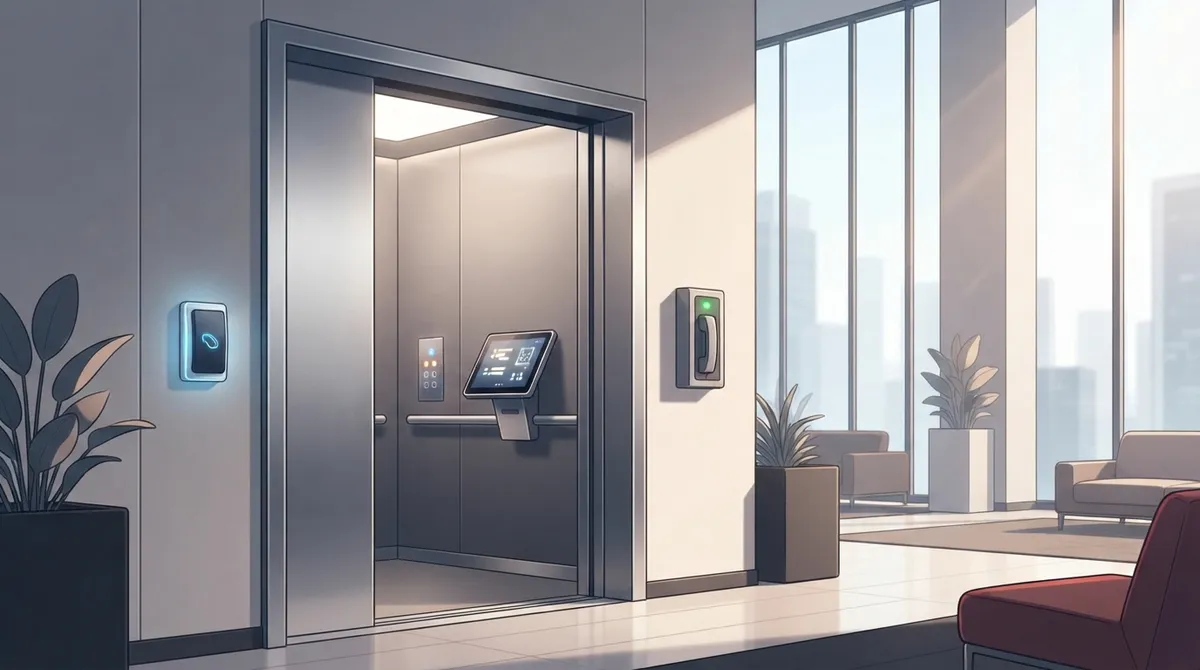
Elevator access control limits which floors each credential can reach, so sensitive areas like server rooms and HR files stay protected while guests and staff ride smoothly.
-
Choose between destination dispatch, which assigns a permitted car and suits busy high-rises, and conventional control, where a reader enables approved buttons and often fits older buildings.
-
Elevator access control is separate from the emergency phone, which follows adopted elevator and accessibility codes; the access upgrade must never interfere with life-safety communication.
-
Confirm elevator controller compatibility, existing credential formats, and accessibility requirements with your elevator contractor before buying, since these details shape the entire design.
-
Decide fail-safe or fail-secure behavior for power and network outages in advance, with safety and code professionals, and plan backup power and network paths.
-
Use temporary QR or mobile visitor passes tied to a host and visit window so access expires automatically, and define who can reach which floors and when before installation.
Picture this. It is Monday morning, and your lobby is busy. Employees, tenants, delivery drivers, and a few first-time visitors all pile into the elevator. Somebody wanders onto the floor that holds your server room, your HR files, or your executive suite. Nobody meant any harm, but it still makes you wince.
That is the problem an elevator access control system solves. It connects your elevators to your building’s identity and security rules, so people can only ride to floors they are cleared to visit. It is friendly for guests, firm for strangers, and simple for staff.
If you manage a Tampa office, a multi-tenant building, or a growing company with several floors, this guide is for you. We will cover how these systems work, how they tie into your phones, network, and cabling, and what to check before you buy. No jargon pileups, promise. Let’s take the ride together.
What Is an Elevator Access Control System?
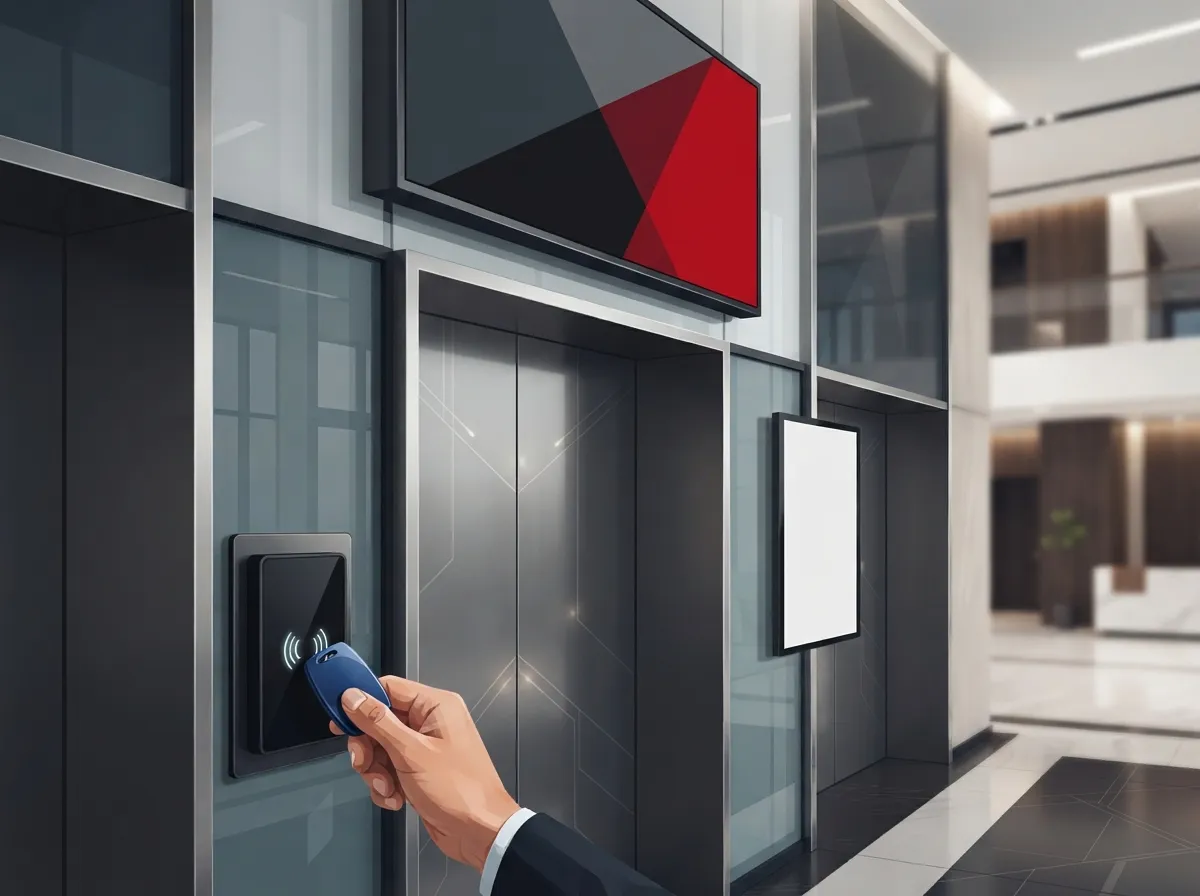
An elevator access control system limits which floors a person can reach. It does this by linking a credential to the elevator’s controls. That credential might be a badge, a mobile phone credential, a PIN, or a temporary visitor pass.
Think of it like a door lock, but for floors. Instead of asking, “Can this person open this door?”, the system asks, “Can this person go to this floor?”
It helps to know what this system is not. An elevator access control system is separate from the elevator’s emergency communication equipment. The emergency phone or intercom inside the car follows its own safety codes. Access control adds a layer of security, but it never replaces that life-safety equipment.
How Does an Elevator Access Control System Work?
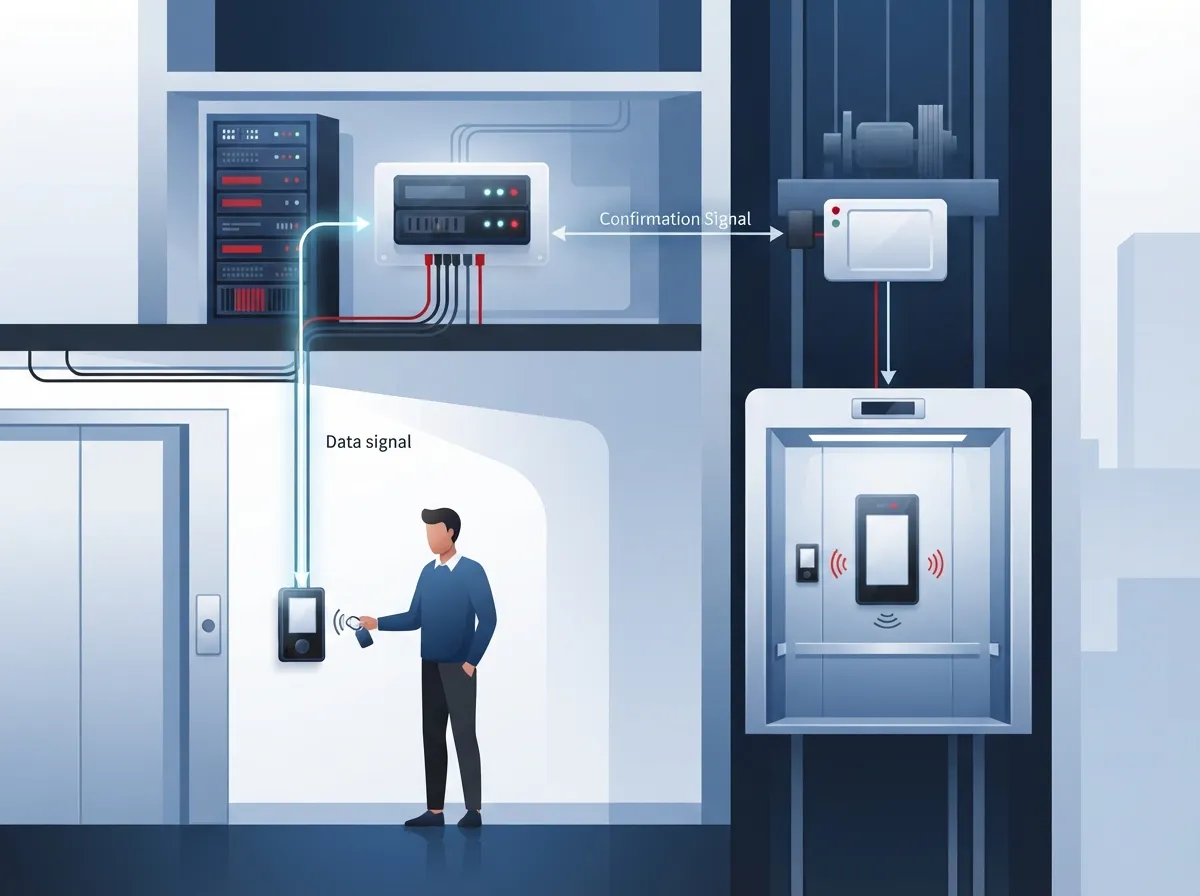
The basic flow is easy to follow:
- A person presents a credential, such as a badge, phone, or visitor QR code.
- The access control platform checks that credential against its rules.
- If approved, the system tells the elevator which floors that person may use.
- The person rides to an allowed floor. Other floors stay locked out.
The details change depending on your elevator controller and your building workflow. Two common setups show up again and again.
Destination Dispatch
With destination dispatch, an authorized credential assigns a permitted destination. The system then tells the person which car to take. It is fast and efficient in busy lobbies.
Conventional Elevator Control
In a conventional setup, a card reader inside or near the car enables only approved floor buttons. Everyone else sees buttons that simply do not respond. This approach often fits older buildings with traditional elevator controls.
| Feature | Destination Dispatch | Conventional Control |
|---|---|---|
| How floors are chosen | Credential assigns a permitted destination | Reader enables approved floor buttons |
| Best for | High-traffic towers and busy lobbies | Mid-size and older buildings |
| User experience | Guided to the right car | Familiar button-pressing |
| Integration effort | Often higher; depends on elevator controller | Often simpler to retrofit |
The right choice depends on the elevator controller, the access control platform, and how your people actually move through the building. A qualified elevator contractor should confirm what your equipment supports.
Why Business Telecom Matters for Elevator Access
Here is where our world comes in. A modern elevator access control system is not a standalone gadget. It relies on solid network connections, power, and communication paths. That is classic telecom and IT territory.
Telecom and network pieces often involved include:
- Network connectivity between readers, controllers, and the access control platform
- VoIP and intercom links for lobby and floor communication
- Centralized monitoring so your team can see events and alerts in one place
- Reliable internet if your platform runs in the cloud
- Clean cabling so every device talks without hiccups
If your office internet is shaky, your access system will feel it. Our guide on why business internet gets slow and how to fix it is a good starting point. And if you are weighing connection types, fiber vs. cable business internet is worth a read.
The Cabling Behind the Scenes
Elevator shafts and equipment rooms are tricky spaces. Devices there still need dependable wiring, clear labeling, and sensible pathways. Poor cabling is a top cause of flaky readers and dropped connections.
That is why structured cabling services matter so much for access projects. A clean, documented cabling plan makes troubleshooting far easier later. It also keeps your future upgrades from turning into a spaghetti mess. If you are planning a larger project, see how to plan network cabling installation in Tampa Bay.
One Credential for the Whole Building
One of the nicest perks of a connected system is the unified credential. A single badge or mobile pass can work across:
- Lobby doors and turnstiles
- Elevators
- Tenant suites and office doors
- Parking gates and shared amenities
Employees carry one credential instead of a keyring full of cards. Administrators manage one system instead of four. When someone leaves the company, you revoke access once, and it applies everywhere.
Many platforms can also connect with your identity directory, visitor management tools, video, and building-management systems. If you want to learn more about the door side of this picture, check out 10 cloud access control benefits every business should know.
Handling Visitors and Contractors the Easy Way
Visitors are where elevator access control really shines. Instead of walking guests upstairs or handing out loose badges, you can issue a temporary credential that does the work for you.
A typical visitor flow looks like this:
- A host registers the visitor ahead of time.
- The guest receives a temporary QR code or mobile pass.
- The pass is tied to a host and a visit window.
- The guest can reach only the approved floor.
- The pass expires or is revoked automatically.
Contractors work the same way. A cleaning crew might get access to certain floors only during evening hours. An HVAC technician might get one floor for one afternoon. You stay in control without playing doorman.
Elevator Access Control vs. Emergency Communication
This is the part people mix up most, so let’s be crystal clear. These are two different systems with two different jobs.
| Topic | Elevator Access Control | Elevator Emergency Communication |
|---|---|---|
| Main purpose | Restrict who can reach which floors | Let passengers contact help in an emergency |
| Governed by | Your security policies and building needs | Adopted elevator and accessibility codes |
| Required? | Optional security upgrade | Required in passenger elevators where code applies |
| Who handles it | Integrator, IT, and elevator contractor | Elevator contractor and qualified code professionals |
The U.S. Access Board’s ADA guidance on elevators and platform lifts references ASME A17.1 requirements for two-way emergency communication in passenger elevators. That guidance says the emergency system must connect to authorized personnel, give a visual indication that the call was received, and identify the building location and elevator car to the responder. Requirements depend on your jurisdiction and the adopted code edition, so always verify them for your project.
The takeaway: your access control upgrade should never interfere with the emergency phone. Keep them coordinated, and keep each one doing its own job.
What to Check Before You Buy
A little homework up front saves a lot of headaches later. Before you commit to any elevator access control system, walk through these questions.
Elevator Controller Compatibility
Not every elevator controller plays nicely with every access platform. Ask your elevator contractor what integrations your equipment supports. This one detail can shape your entire design.
Credential Formats
Do you already use badges, fobs, or mobile credentials? Make sure the new system works with them, or plan a smooth transition. Learn how mobile options stack up in mobile vs. traditional access control for Tampa businesses.
Fail-Safe or Fail-Secure Behavior
What should happen to floor access during a power or network outage? Some buildings choose to keep floors open for safety. Others lock sensitive floors down. Decide this on purpose, with input from safety and code professionals.
Accessibility
Controls, readers, and signals should work for everyone, including people with disabilities. Confirm your design meets applicable accessibility requirements.
Cybersecurity and Network Resilience
Connected devices need protection. Plan for network segmentation, strong authentication, software updates, and backup paths. A reliable network design keeps your security tools from becoming a weak spot. Our overview of managed network services shows how ongoing support helps.
Tenant and Visitor Policies
Write down who gets access to what, and when. Technology works best when the rules are clear. Policies for tenants, staff, visitors, vendors, and after-hours use should be settled before installation day.
Planning the Rollout: A Simple Roadmap
Big projects feel smaller when you break them into steps. Here is a friendly roadmap to follow.
- Define your goals. Are you protecting sensitive floors, managing tenants, or tracking visitors?
- Audit what you have. Review your elevators, existing access control, network, and cabling.
- Bring the right people together. Include building management, the elevator contractor, security, IT, and your telecom partner.
- Design the system. Choose the elevator control approach, credentials, readers, and software.
- Prepare the network and power. Confirm network paths, backup power, and monitoring.
- Install and test. Test normal use, visitor passes, outages, and emergency scenarios.
- Train and support. Teach staff and tenants how it works, and decide who handles ongoing support.
That last point is easy to overlook. Responsibility for ongoing support should be clear from day one. If something breaks at 7 a.m. on a Monday, you want to know exactly who to call.
Who Benefits Most?
Different teams get different wins from this technology:
- Small business owners in shared buildings can protect their suite without managing a complicated system.
- Mid-sized companies can secure sensitive floors while keeping guests welcome.
- IT managers get a connected, monitored system instead of yet another disconnected box.
- Office managers save time on badges, visitor passes, and after-hours requests.
- Franchise operators with several sites can standardize access rules across locations.
For multi-site teams, scalable access control systems for multi-location businesses is a helpful companion read.
Why a Single Telecom Partner Makes This Easier
Elevator projects touch a lot of moving parts: access control, networking, cabling, internet, phones, intercoms, and sometimes cameras. When each piece comes from a different vendor, finger-pointing can happen fast.
Ideal Solutions Provider is a Tampa-based telecom and IT partner with over 24 years of experience and relationships with 35+ vetted suppliers. We help businesses coordinate the network, cabling, and security pieces that make access projects run smoothly, then stick around for support. You can explore our cloud based access control options to see how the door-and-credential side fits in. If you are curious about the bigger picture, read why one telecom partner can simplify everything.
We always recommend confirming elevator design and code requirements with qualified elevator, access control, telecom, and local code professionals. A good partner brings those voices together instead of working in a silo.
Final Thoughts
An elevator access control system gives your building a smart, friendly layer of security. Authorized people glide to the right floors. Visitors get a smooth, guided experience. Sensitive areas stay protected. And with the right network, cabling, and support behind it, the whole thing hums along without drama.
Start with clear goals, check compatibility early, respect the separate emergency communication rules, and plan for outages. Do that, and you will avoid the most common pitfalls.
Ready to talk it through? Contact us for a free consultation, or call us to chat with a real person about your building’s access, network, and telecom needs. We would love to help you ride this project all the way to the top floor.
FAQs
Q: What is an elevator access control system, and how does it work?
A: It is a security system that limits which floors a person can reach in an elevator. A badge, mobile credential, PIN, or visitor pass is checked against your access rules, and the elevator then allows only approved floors. It works through destination dispatch or by enabling only certain floor buttons.
Q: Can visitors get temporary elevator access?
A: Yes, and it is one of the best features. Visitors can receive a temporary QR or mobile credential tied to a host and a visit window. The pass limits them to approved floors and expires or is revoked automatically.
Q: Is elevator access control the same as the elevator emergency phone?
A: Nope, they are two separate systems. Access control manages who can reach which floors, while emergency communication lets passengers contact help and follows adopted elevator and accessibility codes. Your access upgrade should never replace or interfere with the emergency system.
Q: What happens to floor access if the network or power goes down?
A: That depends on how the system is designed. Some buildings choose a fail-safe setup that keeps floors open for safety, while others use fail-secure behavior for sensitive areas. Decide this ahead of time with elevator, security, and code professionals, and plan backup power and network paths.
Q: What should I check before adding access control to an existing elevator?
A: Start with elevator-controller compatibility, then review credential formats, visitor and tenant policies, accessibility, cybersecurity, and network resilience. Also confirm who handles ongoing support. A telecom and IT partner can help coordinate all of these pieces with your elevator contractor.





