
Key Takeaways
-
Business internet is the foundation for nearly every other service, so compare upload speeds, latency, installation timelines, and SLA commitments, not just advertised download speeds.
-
Cloud phone systems (VoIP) bundle calling, voicemail, texting, and video, but verify device compatibility, number porting, emergency calling, and admin tools before switching.
-
A second connection that does not share the same weak points as your main line, such as cellular or fixed wireless, provides automatic failover when outages occur.
-
Managed networking offloads monitoring, updates, and troubleshooting to a provider, making it a strong fit for small teams without a full IT department.
-
Total cost includes equipment, installation, taxes, support, and early-termination fees, so review the full picture rather than the monthly price alone.
-
Security is shared between your business, telecom provider, and cloud vendors, so enforce strong authentication, role-based access, and clear account-change procedures.
If you run a business, you already know that communication is the heartbeat of everything you do. Phones ring, emails fly, video calls start, and customers expect fast answers. Behind all of that sits a set of tools that most people never think about until something breaks. Those tools are business telecommunications services.
The good news? You do not need to be a tech wizard to choose the right mix. You just need to know what is out there and what each piece does. In 2026, the choices are bigger than ever, and the demand keeps growing. CTIA reports that U.S. wireless networks carried 132 trillion megabytes of data in 2024, about 35% more than in 2023. That is industry-wide, not just business use, but it shows how fast our connected world is moving.
In this friendly guide, we walk through 10 core services, explain them in plain English, and share tips for picking what fits your team and budget. Grab a coffee and let’s dive in.
What Are Business Telecommunications Services?
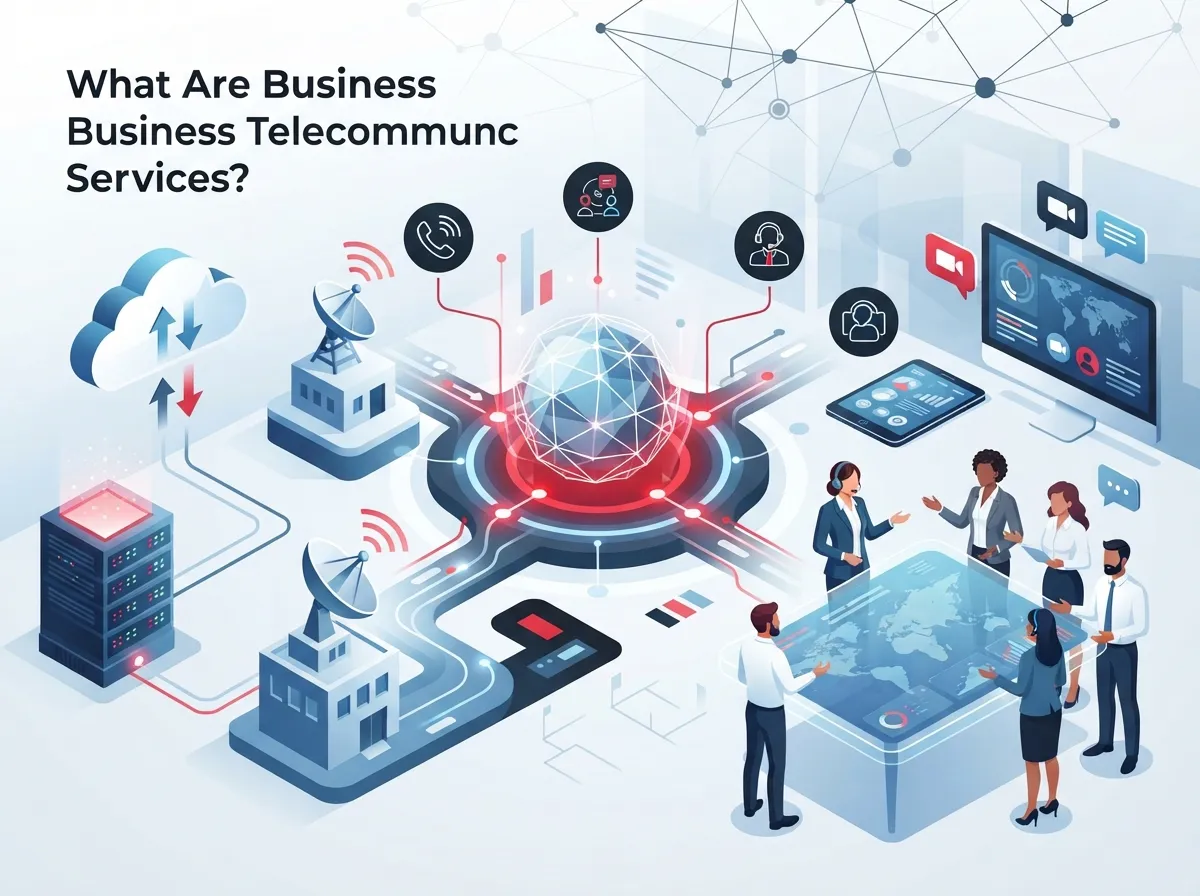
Business telecommunications services are the connectivity and communication tools that link your people, locations, customers, and cloud apps. Think of them as the roads and bridges of your company. If the roads are smooth, work flows. If they are bumpy, everything slows down.
A typical setup combines several pieces. The right mix depends on your location, how you work, how reliable you need to be, and what you can spend. A small shop in Tampa may need just phones and internet. A growing franchise may need cloud phones, secure networking, and cabling across many sites.
Why a Strong Setup Matters
- Customer trust: Missed calls and dropped video meetings cost you business.
- Team productivity: Slow networks waste hours every week.
- Security: Weak systems leave doors open for fraud and attacks.
- Growth: Scalable tools let you add people and sites without a headache.
10 Business Telecommunications Services Worth Knowing
1. Business Internet Access
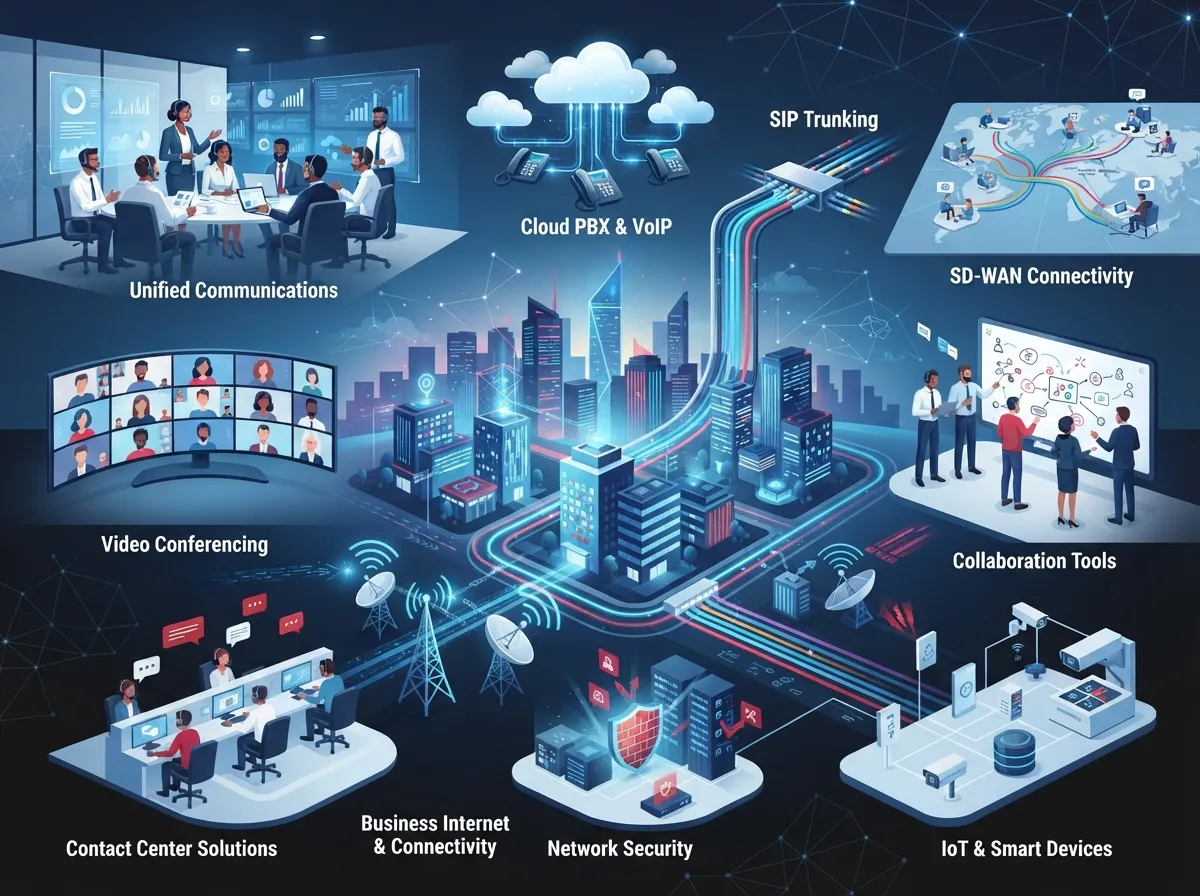
Internet is the foundation. Almost every other service on this list depends on it. Business options include fiber, cable, dedicated internet access, Ethernet, fixed wireless, and cellular. Availability and performance change from one address to the next.
When you compare plans, look past the advertised speed. Check upload and download capacity, latency, installation timelines, service-level commitments, and backup options. Not sure where to start? Our guide on what to look for in a business internet provider breaks it down step by step. You can also explore business high speed internet services to see what is possible.
2. Cloud-Based Phone Systems and VoIP
VoIP sends your calls over the internet instead of old copper phone lines. A cloud phone system can bundle calling, voicemail, texting, video meetings, and app integrations in one service. Your team can take calls from a desk phone, laptop, or mobile app.
Before you switch, check device compatibility, number porting, emergency calling, admin tools, and support. Curious how it differs from the old way? Read about the 6 key differences between VoIP and traditional phone systems. Ready to explore? Take a look at cloud based phone systems for a closer view.
3. Unified Communications and Collaboration
Unified communications pulls voice, chat, video, and file sharing into one place. Instead of jumping between five apps, your team uses one connected experience. This is especially handy for hybrid and remote teams who need to stay in sync.
Look for tools that connect with your CRM, calendar, and other daily apps. A good setup saves clicks, and clicks add up to hours.
4. Mobile and Fixed Wireless Connectivity
Wireless is not just for cell phones anymore. Mobile plans keep field teams connected, while fixed wireless can bring internet to spots where cable or fiber is hard to reach. Wireless demand keeps climbing: CTIA reports 579 million U.S. wireless connections in 2024, including 259 million 5G-enabled devices (consumer and business combined).
Wireless also makes a smart backup connection. If your main line goes down, a cellular or fixed wireless link can keep you running.
5. Managed Networking Services
Think of managed networking as having a pro team watch over your network. They monitor performance, apply updates, fix problems, and plan upgrades. This frees your staff to focus on the real work.
It is a great fit for small teams without a full IT department and for IT managers who want extra hands. Learn more in our post on 8 managed network services every business should know, or browse business network solutions.
6. SD-WAN for Multi-Location Businesses
SD-WAN (software-defined wide area network) manages traffic across multiple connections from one central view. It can prioritize important apps like voice and video, which helps calls stay clear. Franchise operators and multi-site companies often love it.
One honest note: SD-WAN does not magically guarantee security or quality. Those depend on good design, setup, and provider commitments. Our post on 6 SD-WAN benefits every business owner should know shares more.
7. Structured Cabling
Cabling is the unsung hero. It is the organized system of cables, jacks, and panels that carries data and voice through your building. Structured cabling follows set standards, which makes it easier to expand, troubleshoot, and upgrade.
Poor wiring can cause slow speeds and mysterious dropouts, even with great internet. If you are building out or refreshing an office, check out structured cabling services and our guide on 12 structured cabling mistakes that hurt your business.
8. Cloud Video Security
Security cameras are now part of the telecom conversation because they ride on your network. Cloud video security lets you view footage from anywhere, store video off-site, and get alerts on your phone. It is easier to manage than old recorder boxes.
Since cameras rely on bandwidth, plan your network with them in mind. Explore cloud video security and read what security cameras really do for your business.
9. Cloud Access Control
Access control manages who can enter your doors and when. With a cloud system, you can add or remove credentials in seconds, use mobile keys, and see activity in real time. No more chasing lost keys or re-keying locks.
It is a favorite for offices, clinics, and multi-site businesses. Learn more about cloud based access control.
10. Resilience, Backup, and Security Services
This last one ties everything together. Resilience means your communications keep working when something goes wrong. Security means they stay protected.
Physical infrastructure can be hit by surprises. NCTA reports 18,327 communications-infrastructure theft and vandalism incidents in 2025, affecting 11.8 million customers. These are provider-reported figures and do not predict outages for any one business, but they remind us to plan ahead. Meanwhile, Uptime Institute’s 2025 analysis found that 54% of respondents said their most recent serious outage cost more than $100,000. That survey covers outages in general, not only telecom.
Smart resilience includes:
- Diverse access paths: a backup connection that does not share the same weak points as your main one.
- Automatic failover: service that switches over without you lifting a finger.
- Backup power: batteries or generators for key equipment.
- Incident response: clear provider restoration targets and documented continuity steps.
Quick Comparison: Which Service Does What?
| Service | Main Job | Best For |
|---|---|---|
| Business Internet | Connects everything to the web | Every business |
| Cloud Phones/VoIP | Calls, texts, voicemail | Teams that want flexibility |
| Unified Communications | Voice, chat, video in one app | Hybrid and remote teams |
| Wireless Connectivity | Mobile and backup links | Field teams, backup needs |
| Managed Networking | Monitoring and support | Small IT teams |
| SD-WAN | Smart traffic across sites | Multi-location companies |
| Structured Cabling | Organized wiring backbone | New or growing offices |
| Cloud Video Security | Remote camera viewing | Retail, offices, warehouses |
| Cloud Access Control | Door and building entry | Offices and multi-site firms |
| Resilience and Security | Backup and protection | Anyone who cannot afford downtime |
How to Choose the Right Mix
With 10 options on the table, it is easy to feel overwhelmed. Here is a simple path to follow.
- List your must-haves. Count your users, locations, and the apps you rely on daily.
- Check what is available at your address. Fiber, cable, and wireless options vary by location.
- Set a realistic budget. Include equipment, installation, taxes, fees, support, and possible early-termination charges.
- Compare service-level agreements. Look at availability, repair commitments, exclusions, escalation paths, and how performance is measured.
- Plan for growth. Pick scalable tools so you do not have to start over in two years.
- Ask about support. Know who you call when something breaks at 4:55 on a Friday.
Security Is a Team Sport
Protecting your communications is shared between your business, your telecom provider, and any cloud vendors. Helpful habits include strong authentication, role-based access, encryption where supported, regular patching, network segmentation, and fraud monitoring. Also set clear steps for account changes and incident reporting.
A little discipline here goes a long way. Even small teams can adopt simple rules, like unique passwords and limited admin access.
Tips for Different Types of Businesses
Small Business Owners
Keep it simple and affordable. A cloud phone system plus reliable business internet covers most needs. Our post on how to choose the right phone system for small business is a handy starting point.
Mid-Sized Enterprises and IT Managers
Look at managed networking, SD-WAN, and security together. Working with a single point of contact can cut down on finger-pointing between vendors.
Office Managers
Focus on easy setup, reliable support, and clear maintenance. You want a system that just works so you can focus on your day.
Franchise Operators
Standardize. Cloud tools and consistent cabling let you copy a proven setup from site to site, whether you are in Tampa Bay or across the country.
Why Work With One Telecom Partner?
Juggling many vendors means many bills, many contracts, and many support lines. A single partner can compare options for you and handle the details from consultation to installation to ongoing help. At Ideal Solutions Provider, we have spent over 24 years helping businesses do exactly that, drawing on 35+ vetted suppliers so the recommendation fits your needs, not a sales quota. If you are curious about the single-partner approach, see 11 reasons to use one telecom partner in Tampa FL.
Want to trim costs, too? Check out 15 ways to reduce business telecom costs in Tampa (2026).
Conclusion
Business telecommunications services may sound complicated, but they boil down to one goal: helping your people connect with each other and your customers, without drama. From internet and cloud phones to cabling, cameras, and access control, each piece plays a part. The best setups are built around your real needs, with a plan for backup and security baked in.
You do not have to figure it out alone. Our friendly team offers free consultations to review your current setup and spot ways to save. Contact us today, or call us to get started. We would love to help your business stay connected.
FAQs
Q: What telecommunications services does a business need?
A: Most businesses need reliable internet and a phone system as the basics. Depending on your size, you may also want unified communications, managed networking, structured cabling, cloud security cameras, and backup connectivity. The right mix depends on your locations, team, and budget.
Q: What is the difference between business VoIP and a traditional phone system?
A: Traditional phone systems use copper lines and on-site equipment, while VoIP sends calls over the internet. VoIP often adds features like mobile apps, video meetings, and easy user changes. Just make sure your internet is strong enough and check number porting and emergency calling before you switch.
Q: How can a business keep phone and internet service running during an outage?
A: Plan for backup before trouble hits. Use a second connection that does not share the same weak points as your main line, set up automatic failover, and protect key equipment with backup power. It also helps to have a documented continuity plan and a provider with clear restoration targets.
Q: What should a business telecom service-level agreement include?
A: Look for measurable availability, repair or latency commitments where they apply, clear exclusions, escalation paths, and service credits. Also ask how performance is measured. Review total cost too, including equipment, installation, fees, and any early-termination charges.
Q: How much do business telecommunications services cost?
A: Costs vary widely based on the services you choose, your location, and your contract terms. Count equipment, installation, taxes, support, and potential termination fees, not just the monthly price. A free audit from a telecom partner is a friendly way to see if you are overpaying.





