
Key Takeaways
-
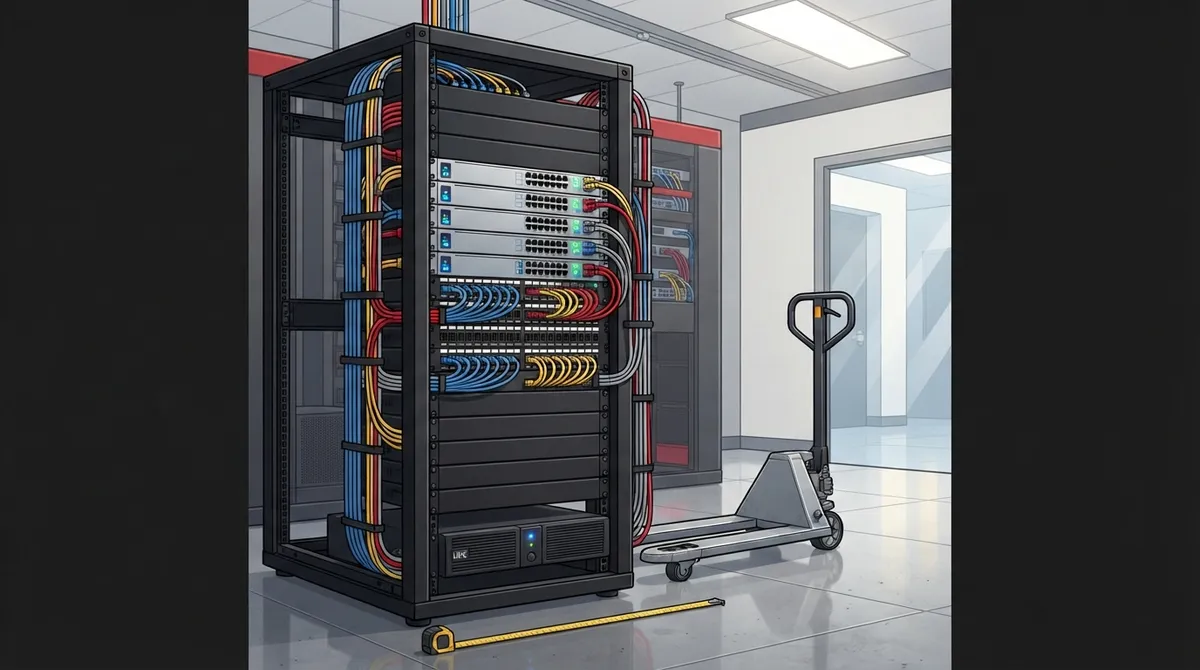
Size your rack for today's gear plus growth: add up all planned equipment including patch panels, PDUs, UPS units, and cable managers, remembering that 1U equals 1.75 inches.
-
Choose open-frame racks for locked telecom rooms with easy access and airflow, and enclosed cabinets for shared or busy spaces needing security and dust/noise control.
-
Plan power and cooling before mounting: confirm circuit capacity, size PDUs and UPS for your load, and fill empty rack space with blanking panels to direct airflow.
-
Label everything consistently, including rack units, patch panel ports, cable endpoints on both ends, and power feeds, then test links and keep a rack elevation diagram on file.
-
Verify floor loading, access routes, and clearances before delivery, since a fully loaded rack is heavy and must fit through doors, hallways, and elevators.
-
Have qualified personnel handle grounding and bonding per electrical codes, since mistakes in this electrical work can cause downtime and safety risks.
If you have ever opened a closet at the office and found a tangle of cables, blinking lights, and a router balanced on a paper tray, you are not alone. It happens in more businesses than you would think. The good news? A clean, well-planned setup is very doable, and it starts with proper network rack installation.
Think of your network rack as the home base for your business communications. Your switches, patch panels, phone gear, and internet equipment all live there. When it is set up right, everything runs smoothly and fixes are fast. When it is not, small problems turn into long outages.
In this friendly guide, we will walk through what network rack installation really means, how to pick the right rack, how to plan power and cooling, and how to keep cables neat. Whether you run a small Tampa shop, manage IT for a growing company, or oversee several franchise locations, you will find practical tips you can use today.

What Is Network Rack Installation in a Business Setting?
In a business telecom setting, network rack installation is the process of choosing a rack or cabinet, securing it, mounting your equipment, and then connecting everything in an organized way. It also includes labeling, testing, and writing down what you built.
A typical installation covers these pieces:
- Switches, routers, and firewalls
- Patch panels for your cabling
- VoIP and telecom equipment
- Power distribution units (PDUs) and battery backup (UPS)
- Cable management hardware
- Labels, test results, and documentation
The goal is simple. You want a setup that is reliable, easy to service, and ready to grow. A good rack lets a technician find the right port in seconds instead of hunting through a cable jungle.
Why Does a Proper Rack Setup Matter?
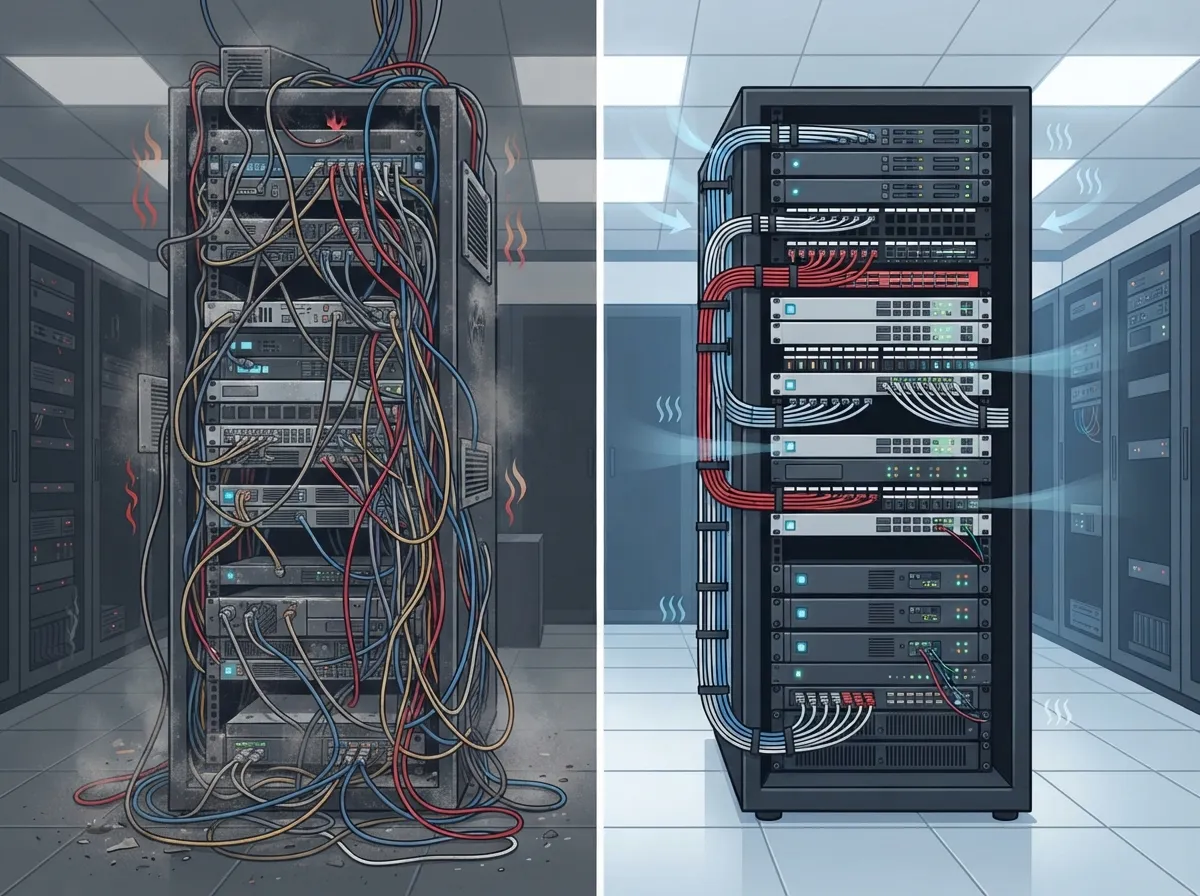
A tidy rack is not just about looks. It affects how well your business runs every day.
Here is what you gain from doing it right:
- Fewer outages: Secure cables and steady power cut down on random drops.
- Faster repairs: Clear labels and clean paths mean quick troubleshooting.
- Better airflow: Equipment stays cooler and lasts longer.
- Room to grow: Spare space lets you add gear without a rebuild.
- Safer access: Technicians can work without squeezing past hazards.
Many offices discover these benefits only after a messy setup causes trouble. If your wiring already feels chaotic, our post on 9 signs your Tampa business needs structured cabling can help you spot the warning signs early.
Open-Frame Rack or Enclosed Cabinet: Which Is Right for You?
This is one of the first choices you will make. Both options hold standard equipment, but they suit different spaces and needs.
An open-frame rack has no sides or doors. It offers easy access and great airflow. An enclosed cabinet has doors and side panels, which add security and help control dust and noise.
| Feature | Open-Frame Rack | Enclosed Cabinet |
|---|---|---|
| Access | Easy, open on all sides | Through doors only |
| Airflow | Excellent | Needs planning and sometimes fans |
| Security | Low, best in locked rooms | Higher, lockable doors |
| Dust and noise | Exposed | Better protection |
| Best for | Dedicated telecom rooms | Shared or open office areas |
If your equipment lives in a locked closet, an open-frame rack often works well. If it sits in a busy hallway or shared space, an enclosed cabinet is usually the smarter pick.
Wall-Mount vs. Floor-Standing
Wall-mount cabinets suit small telecom rooms with a few devices. Floor-standing racks are generally better for heavier or deeper equipment. Always check the rack’s rated load and usable depth against your equipment specifications before you buy.
How Do You Size a Rack Correctly?
Most rack-mount gear follows the 19-inch EIA-310 standard. Rack height is measured in rack units, or U. One U equals 1.75 inches (44.45 mm). So a 42U rack gives you roughly 73.5 inches of mounting space.
Do not size your rack for today’s gear only. Add up everything you plan to mount, including:
- Switches and routers
- Patch panels
- Cable managers
- PDUs and UPS units
- Telecom and VoIP equipment
- Blanking panels and shelves
Then add reserved space for growth. There is no single percentage that fits every business, so talk through your plans for the next few years. Adding staff, cameras, or a second phone system will eat up space faster than you expect.
Depth matters too. Some servers and storage devices are deeper than basic network gear. Confirm the usable depth of your rack so nothing sticks out or blocks the door.
How Should You Plan the Room Before Mounting Anything?
Planning the space first saves headaches later. A great rack in a poor location is still a poor setup.
Use this simple checklist:
- Check access. Make sure doors, hallways, and elevators can handle the rack and its weight.
- Confirm floor loading. A fully loaded rack is heavy, so verify the floor can support it.
- Leave working space. Provide safe front and rear access for technicians. Exact clearances depend on local codes, site conditions, and the standards adopted for your project.
- Coordinate with other systems. Think about electrical panels, cooling, cable trays, and building pathways.
- Plan cable routes. Decide how cables will enter the room and reach the rack.
This is where a seasoned partner pays off. If you are building out a new space, our guide on whether you need structured cabling for a new office buildout in Tampa shows how rack planning fits into the bigger picture.
What About Power, Grounding, and Cooling?
Power is the part you do not want to guess on. Your rack depends on it every second of the day.
Power and Backup
Start by confirming circuit capacity and whether you need redundancy. Then choose PDUs and UPS equipment that are rated for your load. A UPS gives your gear a short runway during a power blip, which is handy for keeping phones and internet alive.
Grounding and Bonding
Racks should be bonded in line with applicable electrical codes and telecom grounding and bonding standards. This protects people and equipment. Because it involves electrical work, have qualified personnel handle it.
Airflow and Cooling
Heat is the quiet enemy of network gear. Keep equipment intakes and exhausts clear. In enclosed cabinets, use blanking panels to fill empty spaces so air moves where it should. Avoid stuffing cable bundles in front of vents.
Here is a quick comparison of common power and cooling choices:
| Component | What It Does | Planning Tip |
|---|---|---|
| PDU | Distributes power to devices | Match rating to total load |
| UPS | Provides battery backup | Size for needed runtime |
| Blanking panels | Direct airflow in cabinets | Fill every empty U space |
| Ventilation or fans | Remove heat | Keep intakes unblocked |
How Do You Keep Cabling Neat and Serviceable?
Cable management is where a good install shines. A neat rack is easier to trust, easier to fix, and easier to expand.
Follow these habits:
- Separate power and data pathways where practical.
- Respect bend radius. Follow the cable maker’s limits so you do not damage signal quality.
- Do not overtighten cable ties. Hook-and-loop straps are gentler and easier to adjust.
- Use patch panels. They protect your permanent wiring and make changes simple.
- Keep cables clear of vents so airflow stays strong.
Good cabling choices also set your network’s speed ceiling. If you are weighing options, our comparison of Cat5e vs. Cat6 office cabling breaks down what each can do. For a deeper look at tidy runs, read about cable management services every business needs.
If you want a quick refresher on the basics behind all of this, structured cabling is the standardized approach that ties your rack, patch panels, and wall jacks into one organized system.
Why Do Labeling and Documentation Matter So Much?
Here is a friendly truth: nobody remembers which cable goes where six months later. Labels do the remembering for you.
Label these items consistently:
- Rack units and devices
- Patch panel ports
- Cable endpoints on both ends
- Power feeds
- Pathways and conduits
Then test your installed copper and fiber links to the specifications your project requires, and record the results. Keep a rack elevation diagram and a connection schedule on file. When something breaks, or when you add a new phone line, you will be glad you did. We cover this in more detail in our tips on network cable labeling and building structured cabling documentation that works.
A Step-by-Step Look at the Installation Process
Every site is different, but most professional installs follow a similar flow:
- Site survey and planning. Review the room, power, cooling, and pathways.
- Rack selection. Pick open-frame or enclosed, plus the right size and depth.
- Placement and securing. Position and anchor the rack safely.
- Grounding and power setup. Install bonding, PDUs, and UPS gear.
- Equipment mounting. Rack the switches, routers, patch panels, and telecom devices.
- Cabling and cable management. Connect, route, and secure everything neatly.
- Testing and certification. Verify copper and fiber links.
- Labeling and handoff. Document everything and train your team.
Timing varies a lot based on site readiness, rack size, cabling scope, and electrical work. Because of that, it is smart to get a clear plan and schedule before work begins.
Should You Hire a Professional for Network Rack Installation?
Small jobs can sometimes be handled in-house. But a rack touches power, grounding, heavy equipment, and the cabling that keeps your phones and internet alive. A mistake can mean downtime for your whole team.
A professional helps you:
- Choose the right rack and layout from the start
- Meet electrical and building code requirements
- Avoid costly rework
- Get tested, documented results
- Plan for upcoming growth
If you are weighing your options, DIY vs. professional cabling lays out the tradeoffs in plain language. And for a big-picture look at how racks fit into the rest of your setup, see our guide to server rack installation for your business.
Ideal Solutions Provider has spent over 24 years helping businesses build clean, dependable telecom environments. As a Tampa-based partner working with 35+ vetted suppliers, we act as one point of contact, so you do not have to juggle several vendors for the rack, the cabling, the phones, and the internet.
Tips for Multi-Location and Growing Businesses
If you run several sites, consistency is your best friend. Using the same rack layout, labeling style, and documentation format at every location makes support faster and training easier.
Franchise operators and growing teams can also benefit from planning for tomorrow:
- Reserve extra rack space for new devices
- Standardize on one cabling type across sites
- Keep copies of rack elevations for every location
- Plan power and cooling with growth in mind
Even your internet connection plays into rack planning, since your equipment needs to match the service coming in. Learn more about what to look for in a business internet provider so your new rack and your connection work well together. For general background, an Internet Service Provider is the company that delivers the connection your rack will ultimately manage.
Wrapping It Up
A great network rack does not happen by accident. It comes from smart choices about the rack type, size, power, cooling, cabling, and documentation. Do those things well, and your network becomes easier to run, easier to fix, and ready for whatever your business adds next.
You do not have to figure it all out alone. If you are planning a new rack, cleaning up an old one, or building out a new office, we would love to help. Contact our team for a friendly consultation, or call us to talk through your project. Let’s build a setup you can count on.
FAQs
Q: What is included in a business network rack installation?
A: A full installation usually covers the rack or cabinet, mounted switches, routers, and patch panels, plus power distribution, grounding, and cable management. It also includes labeling, link testing, and documentation. That way, your team has a clear map of everything for future changes.
Q: How do I choose the right rack size and depth for a telecom room?
A: Add up all your rack-mounted gear, including patch panels, cable managers, PDUs, and UPS units, then leave room to grow. Remember that 1U equals 1.75 inches. Also check the rack’s usable depth and load rating against your equipment specifications so everything fits comfortably.
Q: How should a network rack be grounded and bonded?
A: Racks should be bonded following applicable electrical codes and telecom grounding and bonding standards. Since this is electrical work, it is best handled by qualified personnel. Proper bonding helps protect both your people and your equipment.
Q: What is the difference between an open-frame rack and an enclosed cabinet?
A: An open-frame rack offers easy access and great airflow, making it a good fit for locked telecom rooms. An enclosed cabinet adds doors and panels for security, dust control, and noise reduction, which suits shared or busy spaces. Your choice depends on security, airflow, and access needs.
Q: Should a business hire a professional to install a network rack?
A: In most cases, yes. A rack involves heavy equipment, power, grounding, and critical cabling, so mistakes can cause downtime. A professional helps you meet code requirements, avoid rework, and get tested, well-documented results.





