

Key Takeaways
-
Proactive network monitoring means continuously watching connections, devices, traffic, and service quality to catch warning signs early, rather than waiting for users to report outages.
-
Device being 'up' does not mean calls and cloud apps work well; monitor latency, jitter, and packet loss across the full service path, since voice and video are highly sensitive to them.
-
Establish baselines over about two weeks of normal data before setting alert thresholds, so alerts reflect your real traffic and service goals instead of generic numbers.
-
Keep alerts few and meaningful, starting with circuit down, high packet loss, and sustained bandwidth saturation, and assign a clear owner and escalation path for every alert.
-
Watch the physical layer too: rising interface errors and repeated link flaps often trace back to bad cabling, which monitoring software alone cannot fix.
-
Review recurring alerts and capacity trends monthly or quarterly, and use them to plan upgrades before users feel the impact.
Picture this: it’s Monday morning, your team is logging in, and suddenly the phones sound choppy and video calls keep freezing. Everyone looks at IT, and IT looks at the internet provider. Sound familiar? Many of us have been there, and it is no fun.
The good news is that you can often spot trouble before your team feels it. That is what proactive network monitoring is all about. Instead of waiting for something to break, you keep a friendly eye on your network all day, every day, and fix small problems while they are still small.
This guide walks you through the process in plain English. Whether you run a single Tampa office, manage IT for a growing company, or oversee a handful of franchise locations, you will learn what to watch, how to set it up, and how to make sure someone actually acts on the alerts. Let’s get started!

What Proactive Network Monitoring Means for a Business
In business telecom, proactive network monitoring means continuously watching your connections, devices, traffic, and service quality. The goal is to catch warning signs early and address them before they turn into a big disruption.
Think of it like the dashboard in your car. You do not wait for the engine to stall. You glance at the temperature gauge and fuel light, and you act when something looks off.
It is important to be honest about what monitoring can and cannot do. It complements reactive troubleshooting rather than replacing it. Some problems, like a fiber cut down the street, will still happen. Monitoring simply helps you see them faster, understand them better, and respond with a plan.
It also matters because outages are costly and common. The Uptime Institute’s 2025 Global Data Center Survey found that 50% of respondents had experienced at least one impactful outage in the previous three years. That figure comes from data centers, not business telecom networks in general. Still, it shows why operational resilience deserves attention.
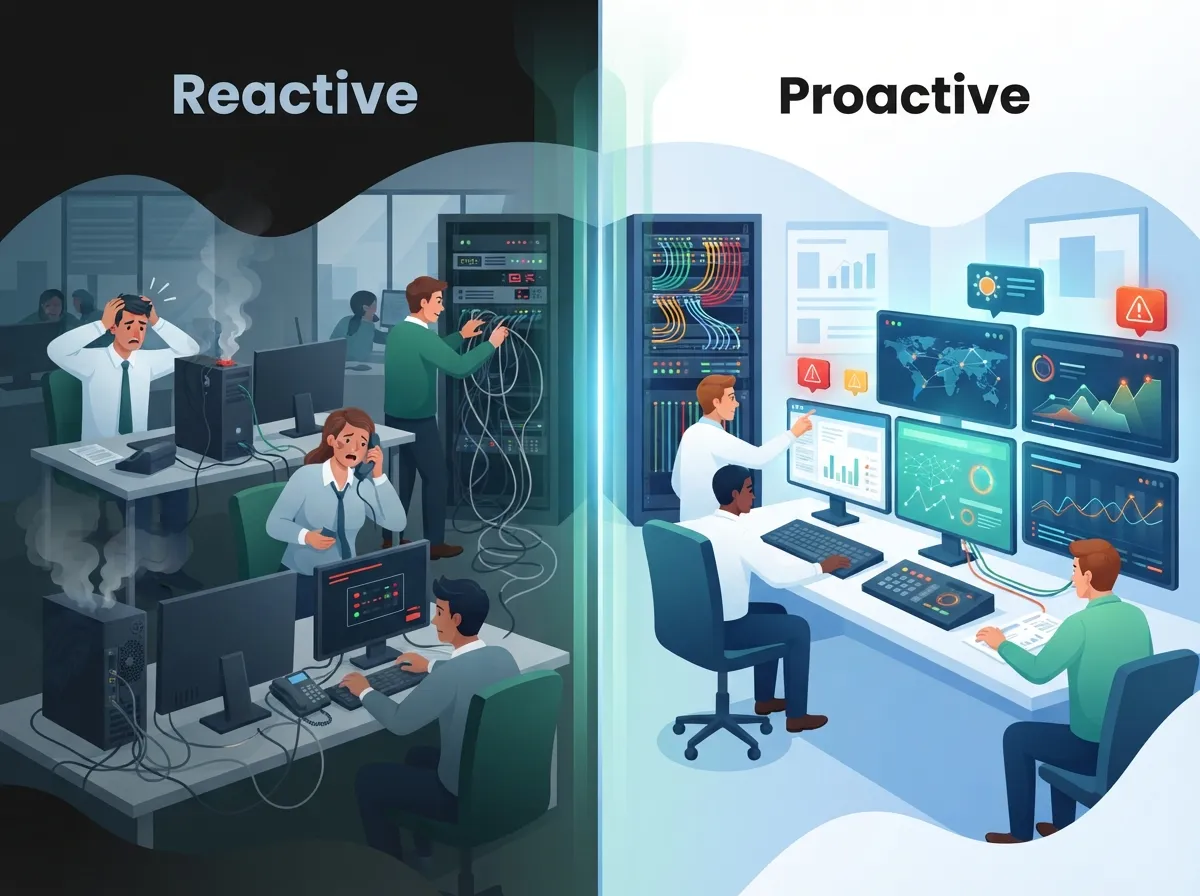
Reactive vs. Proactive: What Is the Difference?
Many offices still run in “wait and see” mode. Something breaks, someone complains, and then the scramble begins. Here is how the two approaches compare.
| Approach | How It Works | Typical Result |
|---|---|---|
| Reactive | Wait for users to report problems, then investigate | Longer disruptions, guesswork, frustrated staff |
| Proactive | Watch metrics continuously and alert on early warning signs | Faster detection, clearer root cause, fewer surprises |
Proactive monitoring does not guarantee zero downtime. It gives you visibility and a head start, which is often the difference between a five-minute fix and a lost afternoon.
What to Monitor Across Your Network
A device being “up” does not mean your phones, video calls, or cloud apps are working well. Good monitoring looks at the whole service path, not just one piece.
Here are the areas worth watching:
- Routers and switches: Check health, interface status, and error counts.
- Firewalls: Watch CPU load, session counts, and unusual blocked traffic.
- Wireless access points: Track coverage, client health, and signal problems.
- WAN links and internet circuits: Monitor uptime, speed, and carrier performance.
- Voice and video quality: Measure latency, jitter, and packet loss.
- Application experience: Where available, see how cloud tools perform for real users.
If your phones run over your data network, this matters even more. Voice traffic is sensitive to delay. Our guide on whether VoIP is reliable for business explains why network quality shapes call quality.
The Warning Signs Worth Alerting On
You do not need to track everything. You need to track the signals that tell you trouble is coming. Common early warnings include:
- Rising latency, jitter, or packet loss: These often show up before users complain about bad calls.
- Bandwidth saturation: A circuit running near its limit can slow everything down.
- Interface errors: Bad cables or ports often leave a trail of errors first.
- Device CPU or memory pressure: Overloaded gear may crash or slow without warning.
- Repeated link flaps: A connection that keeps dropping and returning points to a failing component.
- Wireless client issues: Poor coverage or crowded access points hurt the user experience.
- Unusual traffic patterns: Sudden spikes can signal misconfiguration or a security concern.
The right thresholds depend on your business. A busy call center and a quiet two-person office have very different needs. That brings us to the practical steps.
How to Set Up Proactive Network Monitoring Step by Step
You do not need a giant project to begin. Follow this simple path and build from there.
Step 1: Map What You Have
Start by listing every circuit, router, switch, firewall, access point, and phone system component. Note which locations they serve and which carriers provide your internet. You cannot watch what you do not know exists.
Clean documentation helps a lot here. If your wiring is a mystery, see how to build structured cabling documentation that works.
Step 2: Set Your Baselines
Before you can spot “abnormal,” you need to know what normal looks like. Collect data for a couple of weeks to learn your typical traffic, busy hours, and response times.
Baselines let you set smart alert thresholds based on your real applications and service goals, instead of generic numbers that may not fit you.
Step 3: Choose Your Data Sources
Monitoring tools gather information in several ways. Cisco’s telemetry guidance lists common sources such as SNMP, NetFlow, IPFIX, NETCONF, and syslog. Here is what each one does in simple terms.
| Data Source | What It Provides |
|---|---|
| SNMP polling and traps | Device health, interface status, and event notifications |
| Syslog | Log messages from devices about events and errors |
| NetFlow / IPFIX | Records of who is talking to whom and how much traffic flows |
| Streaming telemetry | Frequent, detailed data pushed from supported devices |
Modern streaming telemetry can give you more frequent and detailed visibility than periodic polling alone. Just choose methods your devices support and your team can manage.
Step 4: Pick Your Alert Thresholds
Alerts should be useful, not noisy. If your phone buzzes all day for harmless blips, people start ignoring it, and then the real alert gets missed.
Use your baselines and service goals to set levels. Start with a few important alerts, such as circuit down, high packet loss, and sustained bandwidth saturation. Then tune them over time.
Step 5: Decide Who Responds and How
An alert with no owner is just a noisy message. Decide who gets notified, who owns the incident, and when to escalate. Write the steps down.
Your alerts might go to an internal IT team, a carrier’s network operations center, or a managed partner. Monitoring alone does not guarantee fast resolution. Clear escalation paths and documented procedures make the difference.
Step 6: Review and Improve
Set a regular check-in, monthly or quarterly. Look at recurring alerts, slow trends, and capacity growth. Use what you learn to plan upgrades before users feel the pain.
Monitoring Multiple Sites and Carriers
If you run several offices or franchise locations, centralized monitoring is a huge help. A single view lets you compare sites and spot patterns across branches, circuits, and cloud connections.
It also helps you answer a classic question: is this a local LAN problem or a carrier issue? When one site slows down while others look fine, the cause is likely local. When many sites slow at once, you may be looking at an upstream provider problem.
Keep in mind that visibility depends on what data you can access. Some carrier-managed equipment may not share full details, so ask about reporting and portals up front.
For connected locations, solutions like SD-WAN can add helpful visibility and path control. Learn more in our post on what SD-WAN services are and whether your business needs them, or explore multi-location telecom solutions Florida firms need.
Do Not Forget the Physical Layer
Monitoring software can only report what it sees. Many “mystery” problems start with tired cables, loose connections, or poor installation. Rising interface errors and link flaps often trace back to the physical layer.
That is why solid structured cabling is the quiet hero of a healthy network. If you keep chasing the same errors, it may be time to look at your wiring. Our article on signs your Tampa business needs structured cabling is a good place to start.
Network speed matters too, so check that your cabling supports your goals. See what gigabit cabling capabilities mean for your business for a simple breakdown.
Keep Monitoring Secure
Monitoring tools see a lot about your network, so protect them. A few sensible habits go a long way:
- Restrict management access: Only trusted staff should reach monitoring and device settings.
- Protect credentials: Use strong, unique passwords and store them safely.
- Encrypt data in transit: Protect telemetry as it travels across the network.
- Use least privilege: Give each person only the access they truly need.
- Set retention rules: Decide how long to keep traffic or user-related data and who can view it.
Also pick polling or streaming rates that fit your devices. Pushing too hard can strain older equipment. For a wider look at protecting your setup, read how to choose network security services for your business.
In-House Team or Managed Provider?
This is one of the most common questions we hear. The honest answer is that it depends on your size, skills, and appetite for after-hours alerts.
| Option | Best For | Things to Consider |
|---|---|---|
| In-house IT team | Larger teams with network skills and on-call coverage | Tool costs, training, after-hours staffing |
| Managed provider | Small and mid-sized businesses without a dedicated network team | Reporting access, response times, clear escalation |
| Hybrid | Companies wanting control plus extra coverage | Clear division of who owns what |
If you lean toward outside help, check out what a managed network provider actually does and what to look for in network monitoring services. You can also compare options in our guide to in-house IT vs. a telecom consultant.
What to Look for in a Monitoring Service
If you decide to bring in a partner, keep this checklist handy:
- End-to-end visibility: Can they see your circuits, devices, and service quality, not just uptime?
- Meaningful alerts: Do they tune thresholds to your business, or send generic noise?
- Clear escalation: Who gets called, and how fast?
- Useful reporting: Will you get trends and capacity insights you can act on?
- Security practices: How do they protect your monitoring data and access?
- Carrier coordination: Will they work with your internet and phone providers when issues arise?
That last point is a big one. When you juggle many vendors, finger-pointing is common. Working with a single point of contact can save time and stress, which is why many businesses prefer an all-in-one telecom solutions provider.
At Ideal Solutions Provider, our Tampa-based team has more than 24 years of experience helping businesses sort through this. With 35+ vetted suppliers, we help you compare options, handle installation, and support you afterward, so you are not left chasing multiple vendors.
A Quick Note on Voice, Video, and Security Devices
Today’s networks carry far more than email. VoIP phones, video meetings, cloud security cameras, and cloud access control all depend on a healthy connection. When the network stumbles, those systems feel it fast.
For example, cloud cameras need enough bandwidth to upload video smoothly. Our post on why cloud-based security systems fail without fast internet shows what can go wrong, and internet speeds your cloud cameras actually need offers helpful targets.
Monitoring gives you the early heads-up that keeps all of these systems running the way your team expects.
Common Mistakes to Avoid
Even well-meaning teams stumble. Watch out for these traps:
- Monitoring only “up or down”: A reachable device can still deliver poor service.
- Too many alerts: Noise leads to ignored warnings.
- No owner for incidents: Alerts without responsibility go nowhere.
- Skipping baselines: Without them, thresholds are guesses.
- Ignoring the physical layer: Bad cabling can fool you for months.
- Neglecting security: Open management access creates new risk.
One more reality check from the Uptime Institute: in its 2025 survey, 87% of respondents who had an impactful outage said it could have been avoided with better management, processes, or configuration. That is their assessment, and it does not prove monitoring alone would have prevented those outages. But it points to a helpful lesson. Good processes matter just as much as good tools.
Your Next Step
Proactive network monitoring is not about building a perfect system overnight. It is about gaining visibility, setting smart alerts, and making sure someone knows what to do when they fire. Start small, learn from your data, and improve a little each month.
If you would like a friendly hand mapping your network, comparing options, or setting up monitoring that fits your business, we would love to help. Contact us for a free consultation, or call us to talk it through. You can also follow along with tips and updates on YouTube, and learn the basics of how an Internet Service Provider fits into your network. Here is to fewer surprises and smoother Mondays!
FAQs
Q: What is proactive network monitoring for a business?
A: It is the ongoing watching of your connections, devices, traffic, and service quality so you can spot early warning signs and fix them before they cause major disruption. Think of it as a dashboard for your network that helps you act early instead of scrambling after something breaks.
Q: What network metrics should a business monitor?
A: Good starting points include latency, jitter, packet loss, bandwidth use, interface errors, and device CPU and memory. It also helps to watch link stability, wireless client health, and unusual traffic patterns. The best thresholds depend on your applications and service goals.
Q: What is the difference between SNMP monitoring and network telemetry?
A: SNMP usually works by polling devices at set intervals and listening for event traps. Streaming telemetry lets supported devices push detailed data more often, giving you finer visibility. Many businesses use a mix of both, plus syslog and flow data.
Q: Should a business use an in-house IT team or a managed provider for network monitoring?
A: It depends on your size and skills. Larger companies with network expertise and on-call coverage may do well in-house, while small and mid-sized businesses often prefer a managed partner. A hybrid approach can also work well if you divide responsibilities clearly.
Q: How does network monitoring support VoIP and video-call quality?
A: Voice and video are sensitive to delay, jitter, and packet loss. Monitoring these signals lets you catch quality problems early, often before staff notice choppy calls. It also helps you tell whether the cause is your local network or a carrier issue.





