

Key Takeaways
-
Hybrid WAN lets you keep MPLS for sensitive, latency-critical apps while using broadband or cellular for other traffic and backup, so you can migrate gradually without a big-bang switch.
-
SD-WAN does not supply internet circuits; you still buy links from carriers, and SD-WAN acts as the software layer that steers traffic across them.
-
SD-WAN enables direct cloud and SaaS access from branches instead of backhauling everything through a central hub, which can improve responsiveness and trim transport costs.
-
SD-WAN is not automatically a full security solution; verify encryption, segmentation, and firewall integration before deploying it.
-
Template-based SD-WAN rollouts make adding new sites faster, which is especially valuable for franchises needing consistent configurations.
-
Before choosing, audit your sites, apps, and current circuit contracts, and weigh managed SD-WAN against in-house management based on your IT team's capacity.
Picture this: you run a business with a few locations, and your network feels like a tangled pile of holiday lights. Some sites crawl. Some cost too much. And every time someone adds a cloud app, you hold your breath. Sound familiar? You are not alone, and there is good news.
Many businesses today are weighing SD-WAN solutions against traditional MPLS circuits. Both connect your sites. Both can work well. But they work in very different ways, and the right pick depends on your apps, your budget, and your locations.
In this friendly guide, we will walk through what each option does, where each one shines, and how to choose. We will keep the jargon light and the advice practical. Whether you own a small office in Tampa or run a franchise across several states, you will leave with a clear next step.
What Are SD-WAN Solutions, Really?
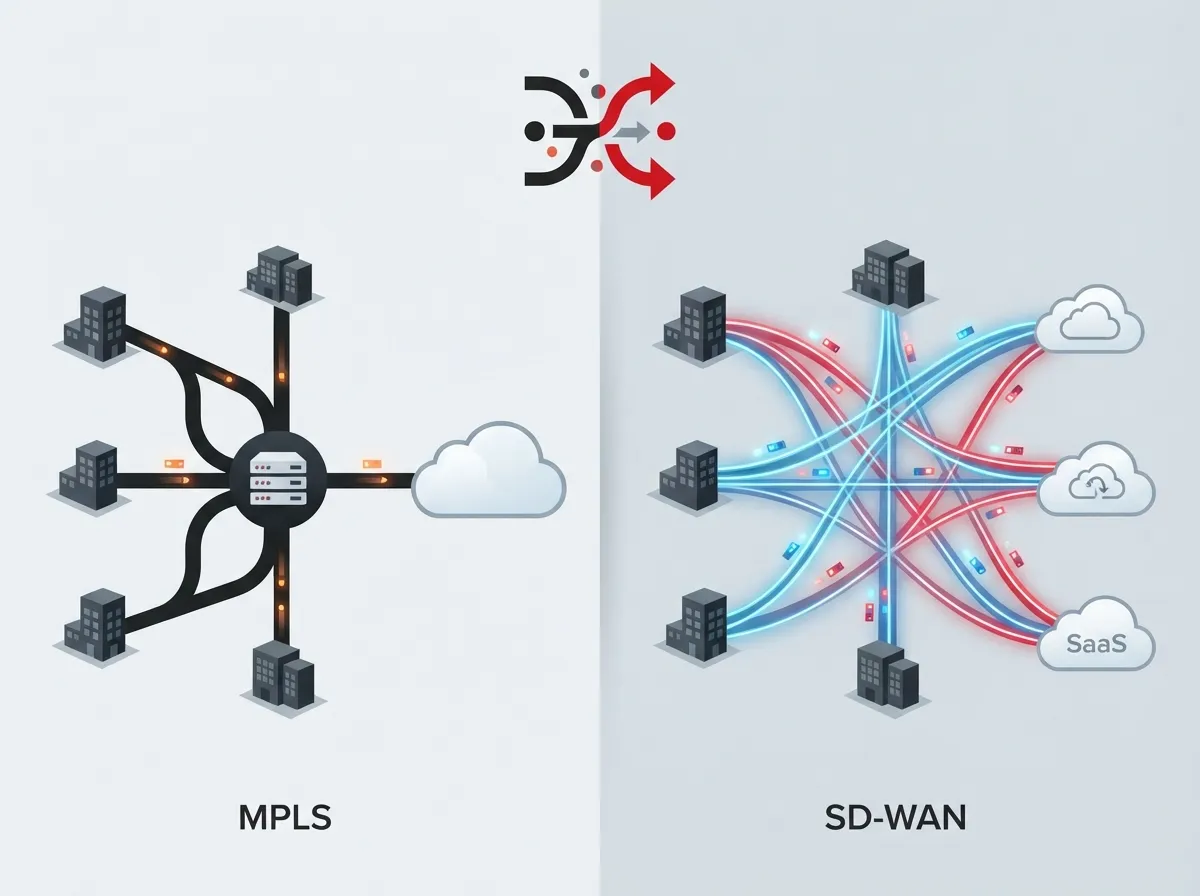
SD-WAN stands for software-defined wide area network. It is a smart way to manage the links between your offices, data centers, cloud apps, and remote workers. Software, not hardware, makes the routing decisions.
Here is the key idea. SD-WAN separates the control and policy from the actual internet lines. You set the rules once in a central dashboard. The system then decides which link is best for each type of traffic.
One thing trips people up, so let us clear it up. SD-WAN does not give you internet circuits. You still get those from an Internet Service Provider or telecom carrier. SD-WAN is the brain that manages them.
An SD-WAN setup can manage many link types, including:
- Broadband internet
- Dedicated internet access
- MPLS circuits
- LTE and 5G cellular links
- Satellite links, in some deployments
If you want a deeper starting point, our post on what SD-WAN services are and whether your business needs them covers the basics in plain English.
What Is MPLS and Why Do Businesses Still Use It?
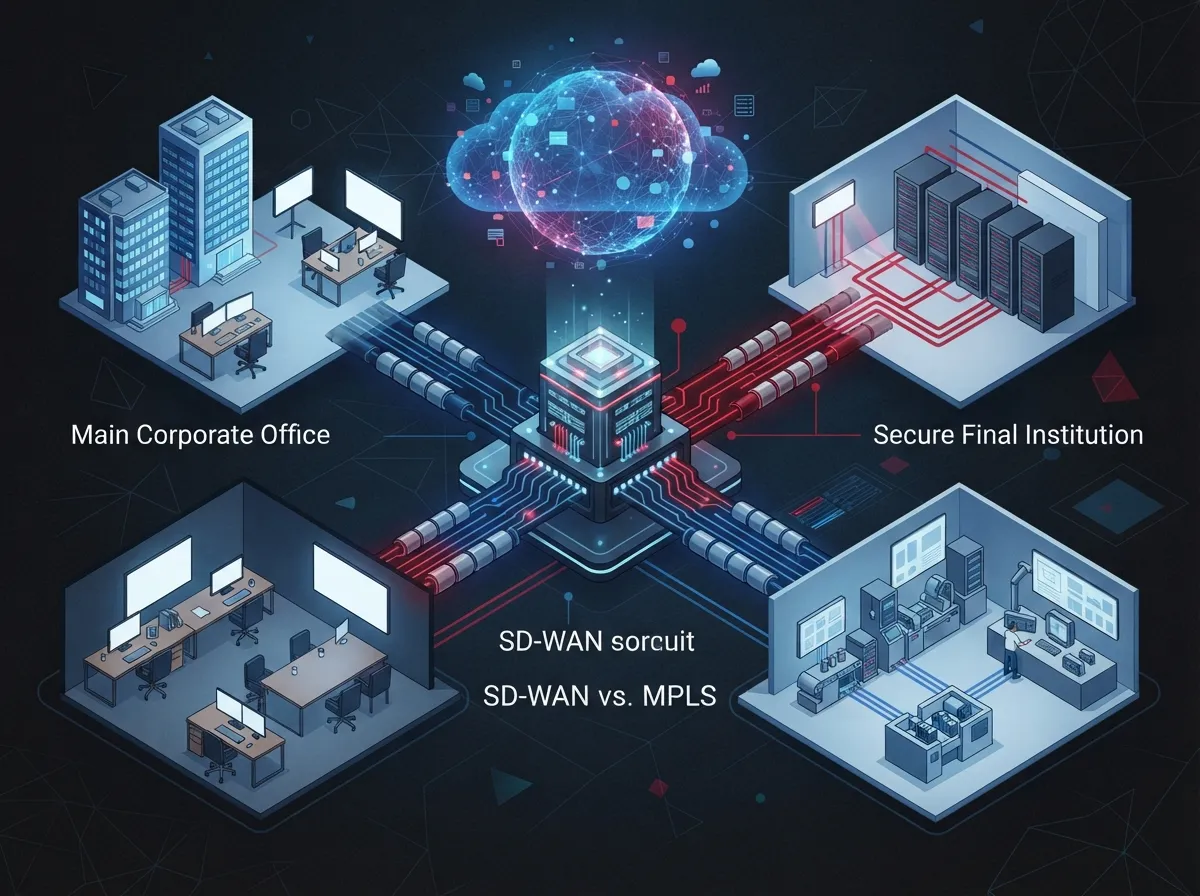
MPLS stands for multiprotocol label switching. It is a private network service sold by carriers. Your traffic travels on the carrier’s own network instead of the open internet. Think of it like a reserved express lane on the highway.
MPLS has earned its reputation for steady, predictable performance. Carriers can back it with strict service level agreements. That matters for voice calls, real-time systems, and apps that hate delay.
The tradeoff is cost and flexibility. Private circuits are usually pricier than broadband. New sites can take a while to install. And sending all branch traffic back to a central data center can slow down cloud apps.
Want a closer look? Check out what MPLS is and how it works for business.
SD-WAN vs. MPLS: Side-by-Side Comparison
Let us put the two next to each other. This table shows how they differ in the areas business owners care about most. Keep in mind that real results depend on your design, your providers, and your service levels.
| Factor | SD-WAN | MPLS |
|---|---|---|
| How it works | Software manages traffic across many link types | Private carrier network with labeled paths |
| Connection types | Broadband, fiber, LTE/5G, MPLS | Private carrier circuits only |
| Cost profile | Can reduce reliance on pricey private circuits | Often higher per-site cost |
| Cloud app access | Direct internet breakout is possible | Often backhauled through a central site |
| Setup speed | Template-based, often faster to roll out | Can take longer for new sites |
| Visibility | Central dashboard and monitoring | Varies by carrier |
| Performance guarantees | Depends on underlying links and provider | Often backed by carrier SLAs |
| Built-in security | Varies by product and setup | Private path, but not a full security solution |
For another angle, you can read SD-WAN vs MPLS: key differences for business in 2026.
Where SD-WAN Solutions Shine
SD-WAN tends to feel like a breath of fresh air for multi-site businesses. Here is where it often delivers the most value.
Smarter traffic steering
SD-WAN uses application-aware routing. That means it can send your video calls over the cleanest link and push a big file backup over a cheaper one. Admins set the rules, and the system follows them based on live network conditions.
Direct cloud access
Old-school designs send every branch’s traffic to a central hub first. That detour can slow down your cloud tools. With SD-WAN, branches can reach cloud and SaaS apps directly. This can improve responsiveness and trim transport costs, though results vary by design and pricing.
Easier rollouts
Template-based setup helps a lot here. You build a standard configuration once. Then you apply it to each new site with less hands-on work. Franchise owners love this, since every location can match the same playbook.
Built-in backup
Because SD-WAN can use more than one link, it can switch if one goes down. Add a cellular backup, and a cut cable does not have to mean a dark office. If failover interests you, see our tips on automatic internet failover for business.
Where MPLS Still Holds Its Own
We would not be doing our job if we said SD-WAN wins every time. MPLS still has real strengths.
- Predictable quality. Carrier-backed SLAs can give you firm promises on delay and loss.
- Stable for sensitive apps. Some real-time or legacy systems do best on a private path.
- Simple for a few sites. A small, steady network may not need extra tools.
- Existing contracts. If you are mid-term on a circuit, ripping it out may not make sense yet.
If you already use MPLS, our guide on how to use MPLS connectivity to boost your business network has handy ideas.
The Best of Both: Hybrid WAN
Here is a secret many people miss. You do not have to pick just one. SD-WAN can support a hybrid design. You keep MPLS for your most sensitive workloads. Then you use broadband or cellular links for everything else, or as backup.
This approach lets you move at your own pace. You can start with a few sites, test the results, and expand. No big-bang switch required. It also lets you shrink private circuit spend over time as you gain confidence.
Hybrid is a favorite for mid-sized companies. It lowers risk while opening the door to savings and better cloud performance.
Security: Do Not Skip This Part
Let us be honest about something important. SD-WAN is not automatically a full security solution. Encryption, segmentation, firewalls, and threat protection depend on the product and how it is set up.
So ask the right questions. Does the platform encrypt traffic between sites? Can it segment guest Wi-Fi from your payment systems? How does it work with your existing firewall? Some businesses pair SD-WAN with cloud security services in a SASE or SSE design.
Our posts on choosing network security services and firewall management models can help you plan this layer.
How to Choose Between SD-WAN and MPLS: 5 Steps
Ready to decide? Follow these steps. They work for owners, office managers, and IT managers alike.
- Map your sites and apps. List every location and the tools each one uses. Note which apps are cloud-based and which are sensitive to delay.
- Review your current circuits. Write down what you pay, when contracts end, and how each link performs. This is often where surprise savings hide.
- Check your internet options. SD-WAN works best when you have good local links. Look at fiber, cable, and fixed wireless choices for each address.
- Decide on security needs. Spell out your must-haves, like segmentation, firewalling, and compliance rules.
- Pick your management model. Choose whether you will run it yourself or use a managed service with monitoring and support.
Managed SD-WAN or DIY?
This question comes up a lot. The answer depends on your team.
If you have a sharp in-house IT crew, you may enjoy running the dashboard yourself. If your team is small or already stretched, managed SD-WAN can be a real relief. A managed service may include monitoring, support, and circuit coordination, depending on your contract.
Read the scope carefully, though. Ask who handles outages, who talks to the carriers, and who updates policies. Our article on managed SD-WAN services mistakes shows the traps to dodge, and the list of SD-WAN provider questions to ask before you sign is a great checklist.
What the Market Tells Us
SD-WAN is growing fast. MarketsandMarkets estimates the global market at about USD 23.23 billion in 2025. They forecast USD 27.34 billion in 2026, climbing to USD 71.42 billion by 2032, with a forecast growth rate of 17.4% for 2026 to 2032.
These are analyst estimates, not audited totals. Still, they show that many businesses are moving this way. We will also be upfront about one more thing. There is no single verified number for typical SD-WAN savings or speed gains. Results change with your design, your providers, and your needs. Beware of any vendor who promises a fixed percentage without looking at your network first.
Do Not Forget the Foundation
Here is a tip that saves headaches. Even the smartest SD-WAN cannot fix weak basics. If your office wiring is old or messy, you may still see slowdowns inside the building. Good structured cabling and solid circuits make everything above them work better.
That is why we like to look at the whole picture. Internet circuits, cabling, phones, and security all rely on the same network. If you are planning a refresh, our guide on network infrastructure audit steps is a smart place to start. Voice quality matters too, so see what internet speed is needed for VoIP if you run cloud phones.
Which One Fits Your Business?
Let us bring it home with a few quick snapshots.
- Small business with one or two sites: You may not need SD-WAN yet. Strong business internet with a backup link might be enough.
- Growing company with many cloud apps: SD-WAN solutions often make sense. Direct cloud access and central control can ease growing pains.
- Franchise operator with many locations: Template-based rollout is a big win. A hybrid or managed design can keep every site consistent.
- Business with strict, sensitive workloads: Keep MPLS for those apps and use SD-WAN for the rest.
Local options matter too. If you are in the Tampa Bay area, take a look at how to choose SD-WAN solutions for Tampa Bay businesses. Running sites across Florida? Our guide to multi-location telecom solutions for Florida firms may help.
Why Work With a Single Telecom Partner
Comparing carriers, circuits, and SD-WAN platforms can feel like a second job. That is where Ideal Solutions Provider comes in. We are a Tampa-based telecom and IT partner with over 24 years of experience and 35+ vetted suppliers. We audit your current setup, compare options side by side, and recommend what fits, not what hits a sales quota.
Since we also handle cabling, cloud phones, security cameras, and access control, your whole network can come together under one roof. You get one point of contact, from the first chat to installation and ongoing support. Learn more about our business network solutions.
Your Next Step
SD-WAN and MPLS are not enemies. They are tools. SD-WAN solutions bring flexibility, central control, and smarter cloud access. MPLS brings steady, carrier-backed performance. Many businesses land on a hybrid that blends both.
The best answer starts with a clear look at your sites, apps, and budget. If you would like a friendly, no-pressure review, contact us for a free consultation, or call us and talk it through with a real person. We would love to help you untangle those holiday lights.
FAQs
Q: What is SD-WAN and how does it work for businesses?
A: SD-WAN is software that manages the connections between your offices, cloud apps, and remote workers. You set rules in one dashboard, and it picks the best link for each type of traffic. You still buy the actual internet circuits from a carrier or provider.
Q: Can SD-WAN use broadband, fiber, and 5G connections together?
A: Yes, and that is one of its best perks. SD-WAN can manage broadband, dedicated internet, MPLS, and LTE or 5G links at the same time. It can steer traffic across them and switch if one link has trouble.
Q: Is SD-WAN secure on its own?
A: Not always. SD-WAN is not automatically a complete security solution. Encryption, segmentation, and firewalling depend on the product and setup, so check how it works with your current security tools or a SASE-style service.
Q: Should I choose managed SD-WAN or run it in-house?
A: It depends on your team. If you have strong IT staff, in-house can work nicely. If your team is small, managed SD-WAN can add monitoring, support, and carrier coordination, so read the contract scope closely.
Q: Do I have to replace MPLS to use SD-WAN?
A: No. SD-WAN supports hybrid designs, so you can keep MPLS for sensitive workloads and use broadband or cellular for other traffic or backup. Many businesses shift slowly and shrink private circuit spend over time.





