
Key Takeaways
-
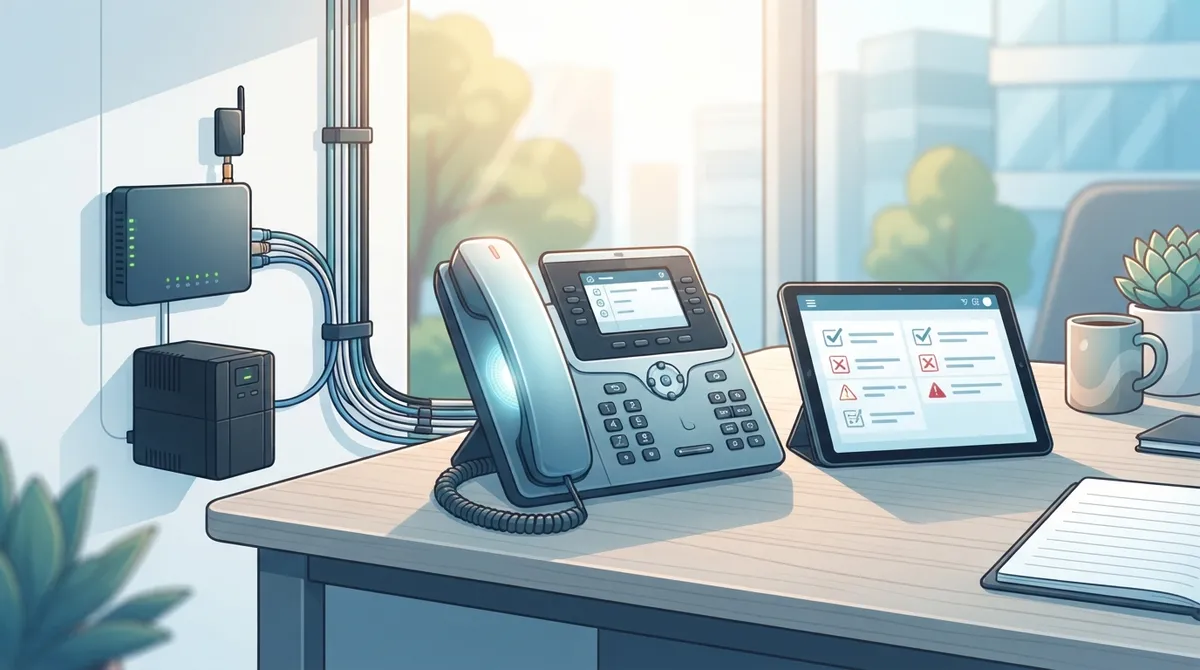
Test your network before switching: check bandwidth, latency, jitter, and Wi-Fi coverage, since weak connections make even the best VoIP plan sound choppy.
-
Plan for outages with backup internet, battery backup for network gear, mobile or cellular failover, and a written call-forwarding checklist, because VoIP can fail during power or internet outages.
-
Register every physical business address for 911 and update it whenever staff move or work remotely, since VoIP emergency location data may be wrong if left outdated.
-
Choose features based on how your team actually works, such as auto-attendants for a main line or CRM integration for sales, rather than paying for long feature lists you won't use.
-
Compare total cost of ownership, including setup fees, hardware, porting, network upgrades, and support, instead of judging the plan by its low monthly price.
-
Plan number porting with a staged cutover: list every number, confirm dates, test the new system, train staff, and keep the old service active until the new one is proven.
Switching to an internet phone system for business feels like a big win. Lower costs, mobile apps, and fancy features all sound great. But here is the thing: plenty of smart owners trip over the same few mistakes after they sign. The good news? Every one of these slip-ups is easy to dodge once you know about them.
Think of a new phone system like moving into a new office. You would not skip the walk-through, forget the fire exits, or hang pictures before checking the wiring. The same common sense applies here. A great system on paper can still sound choppy, drop calls, or leave you stranded during an outage if the setup is rushed.
This friendly guide walks through nine mistakes we see most often. Whether you run a small shop in Tampa, manage an office, oversee IT, or operate several franchise sites, you will find simple fixes you can use today. Let’s dive in.

What an Internet Phone System for Business Actually Is
An internet phone system for business is usually a VoIP service. VoIP stands for voice over internet protocol. Instead of sending calls only over old copper phone lines, your voice travels over your internet connection.
Most business versions use a hosted cloud PBX. That means a provider runs the phone “brain” for you. Your team can then use desk phones, computer apps, or mobile apps to make and take calls. Some companies prefer an on-premises PBX instead. That gives more direct control, but you must manage the hardware, maintenance, and upgrades yourself.
Common features include auto-attendants, call queues, voicemail-to-email, call forwarding, conferencing, and CRM integrations. Features vary by provider and plan, so always check the details. For a deeper side-by-side look, see hosted vs. on-premises business phone systems.
Industry interest is strong. One 2026 vendor article cites a global VoIP market estimate of $176.16 billion for 2025, with growth forecast beyond that. Market figures differ by source, so treat them as rough estimates rather than hard facts.

Mistake 1: Skipping the Network Check Before You Switch
This is the big one. Call quality depends on your internet connection, your local network, and your provider. If any of those are weak, even the best phone plan will sound rough.
Before you sign anything, review these basics:
- Bandwidth: Do you have enough speed for calls plus everything else your team does online?
- Latency: This is the delay between speaking and being heard.
- Jitter: Uneven timing that makes voices sound choppy.
- Wi-Fi coverage: Dead spots cause dropped calls on mobile apps.
- Network prioritization: Voice traffic should get first dibs on your bandwidth.
Not sure how much speed you need? Our guide on what internet speed is needed for VoIP breaks it down in plain language.
Mistake 2: Ignoring the Cabling Behind the Phones
Many owners focus on the phone plan and forget the wires. Old or messy cabling can cause slow speeds, interference, and random drops. If you plan to use desk phones, they need a solid wired connection too.
Good structured cabling gives your whole office a clean, organized backbone. It supports phones, computers, cameras, and access control all at once. Planning ahead saves money later. Our VoIP phone cabling planning guide shows how to get it right the first time.
Mistake 3: Having No Backup Plan for Outages
Here is a truth that is easy to forget: if your internet goes down, your internet phone system can go down too. The same goes for power failures that shut off your network gear. The FCC warns that VoIP service may not work during a power outage or when the internet connection fails or becomes overloaded.
The fix is simple planning. Consider these options:
- Backup internet: A second connection that takes over automatically.
- Battery backup: Uninterruptible power supplies for routers, switches, and phone adapters.
- Mobile app or cellular failover: Staff can keep taking calls from their phones.
- Written call-forwarding steps: A short checklist anyone on your team can follow.
Want to go deeper on the internet side? Read about automatic internet failover tips for business.
Mistake 4: Forgetting About 911 and Emergency Locations
This mistake matters more than any other on the list. In the United States, interconnected VoIP providers must follow FCC 911 rules. The FCC says providers must collect a registered physical location, offer a way to update it, and send 911 calls with callback and location information as required.
That sounds tidy, but it only works if your information stays current. Remote workers and moving devices can cause trouble. A phone used at home may still be registered to the office address. The FCC also cautions that VoIP 911 service may be limited during power or internet outages, and location data may not transmit correctly every time.
Here is what to do:
- Confirm your provider’s emergency-calling steps in writing.
- Register every physical address, including each branch.
- Update locations when staff move or work remotely.
- Tell every employee how 911 works on your system.
A short training moment now can matter a great deal later.
Mistake 5: Choosing Features You Do Not Need (or Missing Ones You Do)
It is easy to get dazzled by long feature lists. Some businesses pay for advanced analytics they never open. Others skip basics like call queues and then wish they had them during a busy week.
Start with how your team really works. Do customers call one main number? You may need an auto-attendant and call routing. Does your team travel? Mobile apps and voicemail-to-email become a must. Do you use a CRM? Check for integrations before you commit.
This comparison can help you sort needs from nice-to-haves:
| Feature | Best For | Ask Before Buying |
|---|---|---|
| Auto-attendant | Businesses with one main line | Can greetings change by time of day? |
| Call queues and routing | Busy front desks and support teams | How many callers can wait at once? |
| Mobile and desktop apps | Hybrid and field teams | Does the app work on all your devices? |
| Voicemail-to-email | Small teams and owners on the go | Are transcripts included? |
| CRM integration | Sales and service teams | Is it built in or an add-on? |
| Call analytics | Managers tracking performance | What reports come standard? |
Need more ideas? Our list of VoIP phone system features every business needs is a handy checklist.
Mistake 6: Treating Security as an Afterthought
Phone systems hold real business data, from call logs to voicemails. Security should be something you check, not something you assume. Ask your provider direct questions before you sign.
Good questions include:
- Is call traffic encrypted?
- What login protections protect admin accounts?
- Are access logs available?
- How long is data kept?
- What is the process if something goes wrong?
On your side, use strong authentication and limit who can change call-management settings. Fewer admins means fewer chances for mistakes. If you want help vetting a partner, see how to choose a data security service for business telecom.
Mistake 7: Comparing Only the Monthly Price
A low monthly number looks lovely. But total cost tells the real story. Add up setup fees, phone hardware, number porting, extra features, taxes, and support. Then add the cost of network upgrades if your current setup needs help.
Here is a simple way to think about it:
| Cost Area | What to Check |
|---|---|
| Per-user fees | Does the price change with plan tier? |
| Hardware | Desk phones, headsets, adapters |
| Setup and porting | One-time fees and timeline |
| Network readiness | Switches, cabling, backup internet |
| Support | Is help included or billed separately? |
For a closer look at budgeting, check out how to budget for business VoIP pricing. And if you are worried about hidden fees, common business VoIP mistakes that cost money covers more of them.
Mistake 8: Rushing Number Porting and Rollout
Your business number is part of your brand. Losing it, even for a day, can cost calls and trust. Many owners worry about this, and that worry is fair. The solution is a planned cutover instead of a rushed one.
A smooth rollout usually follows these steps:
- List every number you want to keep, including fax and toll-free lines.
- Confirm porting dates with your provider.
- Test the new system before the switch.
- Train staff on apps, voicemail, and transfers.
- Keep the old service active until the new one is proven.
We explain the process in how to keep your phone number when switching to VoIP. For the full picture, see how VoIP implementation works.
Mistake 9: Managing Every Vendor on Your Own
Phones, internet, cabling, and networking often come from different companies. When something breaks, each vendor points at the other. That finger-pointing eats hours and patience, especially for office managers and IT teams.
A single point of contact changes the game. Ideal Solutions Provider is a Tampa-based telecom and IT partner with more than 24 years of experience. The team compares options across 35+ vetted suppliers and handles consultation, installation, and ongoing support. That means your phones, internet, and cabling work together instead of competing for blame.
This approach also helps franchise operators who need the same setup across many sites. A consistent, scalable plan beats a patchwork of one-off deals. Learn more in why Tampa Bay businesses need one telecom partner.
A Quick Readiness Checklist
Before you pick a provider, run through this short list:
- My internet speed and Wi-Fi have been tested for voice.
- My cabling is clean, labeled, and up to date.
- I have a backup plan for internet and power failures.
- My 911 locations are registered and easy to update.
- My features match how my team really works.
- I asked about encryption, logins, and data handling.
- I compared total cost, not just the monthly price.
- My number porting plan has dates and a fallback.
If you can check every box, you are in great shape. If a few are still open, that is okay. That is what planning is for.
Where to Go From Here
An internet phone system for business can make daily work smoother, support remote teams, and make it easier to add users or locations. It just works best when you plan around the real-world parts: your network, your cabling, your backup options, and your emergency-calling setup.
If you are weighing options, our guide on whether VoIP is reliable for business and our guide to choosing a cloud-based phone system are great next reads. You can also explore our cloud based phone systems page to see what is available.
Ready for friendly, no-pressure help? Contact us for a free review of your current setup, or call us to talk it through with a real person. We would love to help you build a phone system your team can count on. You can also follow along on YouTube for helpful tips.
FAQs
Q: What is an internet phone system for a business?
A: It is a VoIP phone service that sends calls over your internet connection instead of only old copper lines. Most business versions use a hosted cloud PBX, so your team can call from desk phones, computers, or mobile apps.
Q: How can a business keep its VoIP phones working during an outage?
A: Plan ahead with backup internet, battery backup for network gear, and mobile-app or cellular failover. It also helps to keep a short, written call-forwarding checklist so anyone on your team knows what to do.
Q: Does VoIP support 911, and how do I update emergency locations?
A: Yes, interconnected VoIP providers in the U.S. must offer 911 under FCC rules, including a registered physical location. Ask your provider how to update that address, and do it whenever staff move or work from home.
Q: What internet speed does a business VoIP system need?
A: It depends on how many people call at once and what else uses your network. Beyond raw speed, check latency, jitter, and Wi-Fi coverage, and ask your provider or a telecom partner to test your connection before you switch.
Q: What is the difference between VoIP, hosted PBX, and UCaaS?
A: VoIP is the technology that carries calls over the internet. A hosted PBX is a provider-run phone system built on it, while UCaaS adds extras like messaging and video meetings in one package. Features vary by provider, so compare plans carefully.





