

Key Takeaways
-
Most businesses now mix on-site and cloud environments: IDC's 1Q25 survey found 90% of cloud buyers deploying or operating hybrid cloud, with 84% using multiple cloud providers.
-
A private or dedicated cloud link does not automatically encrypt your data; plan encryption in transit on purpose, such as an IPsec VPN overlay, and confirm details with your provider.
-
Don't rely on a single link: add redundant connections and devices, clear failover rules, and active monitoring so one cable cut or device failure doesn't take you offline.
-
Match the connection to the workload: site-to-site VPN suits smaller sites and backup, dedicated cloud interconnects suit steady or sensitive high-volume traffic, and SD-WAN steers traffic across links by app.
-
Check in-building cabling before upgrading your circuit, since outdated wiring can bottleneck a new connection.
-
Compare total cost beyond monthly circuit price, including installation fees, provisioning lead times, cloud data-transfer charges, and what SLAs actually cover.
Picture this. Your team works in the office, at home, and at a second location across town. Some apps live on a server in your back room. Others run in the cloud. Everything has to talk to everything else, and it all has to feel fast. That is the job of hybrid cloud connectivity.
Here is the friendly truth: you do not have to be a network engineer to get this right. You just need to understand a few simple choices. Do you use the regular internet, a private link, or a smart mix of both? How do you keep data safe along the way? What happens when one link goes down?
In this guide, we will walk through each piece in plain language. We will compare your main options, share a simple planning checklist, and point out common traps. Whether you run a small shop, manage an office, or oversee many franchise sites, you will leave with a clear picture of what to ask for and what to skip.
What Is Hybrid Cloud Connectivity?
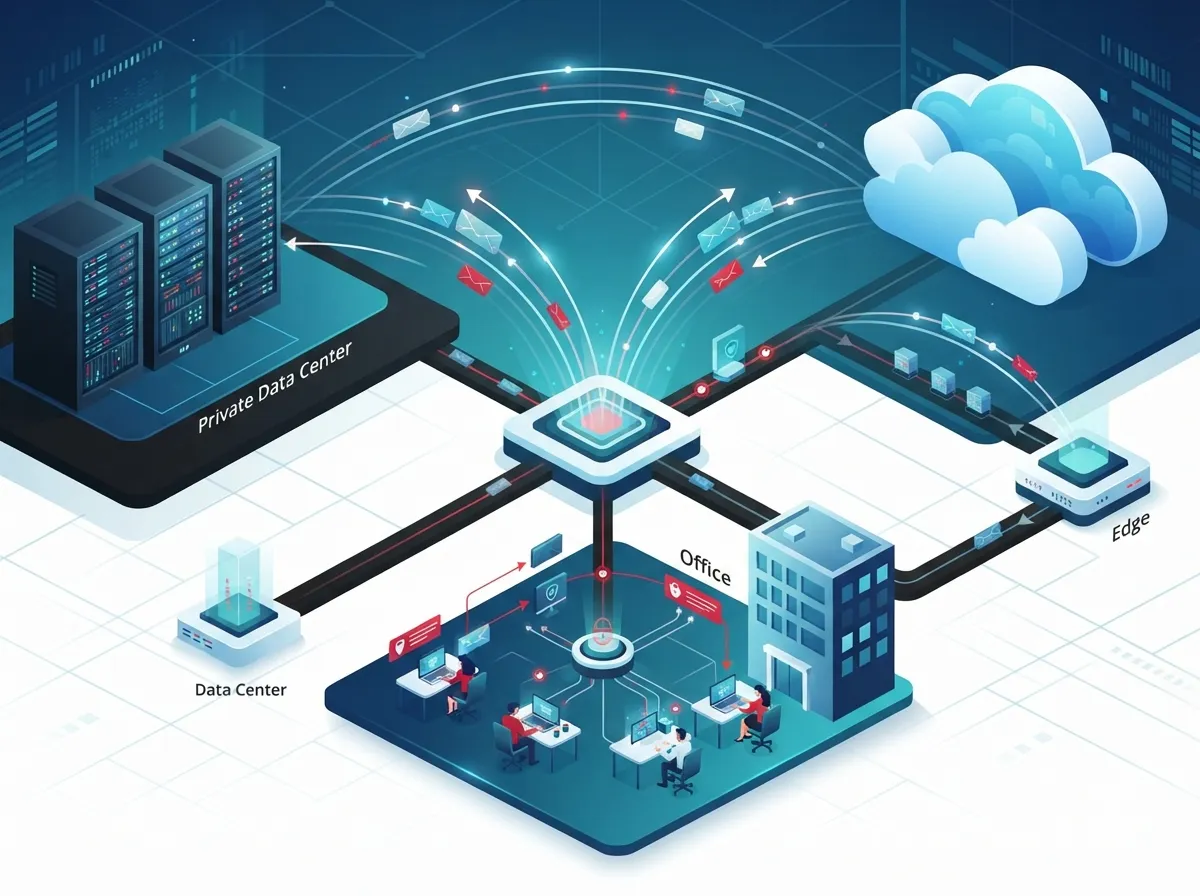
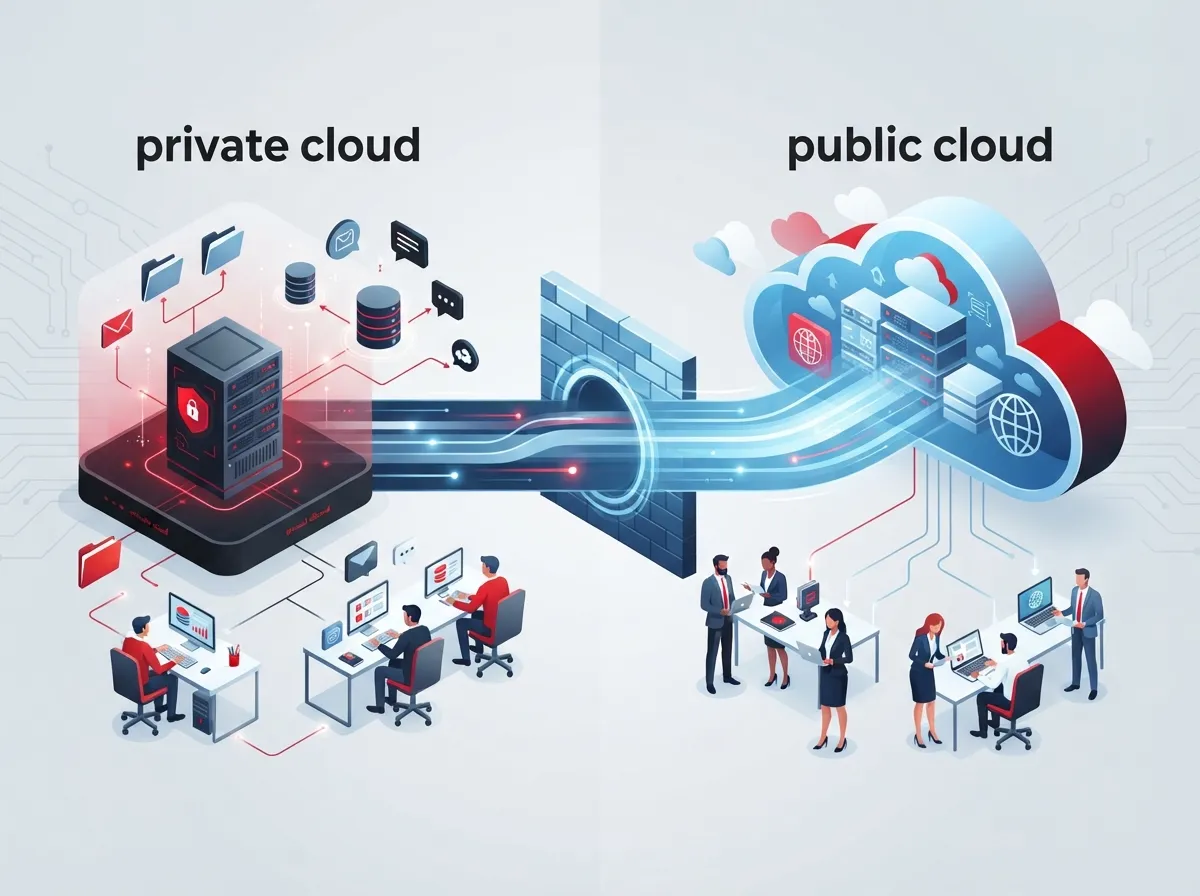
Hybrid cloud connectivity is the network that links your own sites and equipment to public cloud services. Your own sites can include offices, branch locations, a private data center, or a private cloud. The public cloud is where you might run apps, store files, or host a phone system.
In the telecom world, this link is delivered through services like business internet, private circuits, SD-WAN, and managed VPNs. Think of it as the road system between your buildings and the cloud. A good road gets people where they need to go quickly and safely. A bad one leads to traffic jams and detours.
This matters because most businesses now mix environments. IDC’s 1Q25 Cloud Pulse Survey, reported in a December 2025 IDC white paper, found that 90% of cloud buyers were deploying or operating hybrid cloud, and 84% were using multiple cloud providers. These are survey results, not a rule for every company. Still, the trend is clear: connecting different environments is now a normal part of running a business.
Why Hybrid Cloud Connectivity Matters for Everyday Business
You may not think about your network until something breaks. Then it is all you think about. Here are a few real-world moments where hybrid cloud connectivity makes or breaks the day:
- Phone calls: A cloud phone system needs steady, low-delay connections or calls sound choppy.
- Security cameras: Cloud video needs enough steady bandwidth to upload footage without gaps.
- Shared files: Teams at different sites need quick access to the same data.
- Line-of-business apps: Billing, scheduling, and inventory tools often split between local servers and the cloud.
If you want to see how fragile cloud tools can be without a solid network, our article on why cloud-based security systems fail without fast internet is a helpful read. The lesson applies to every cloud service you use.
The Main Ways to Connect: VPN, Dedicated Link, and SD-WAN
There are three common building blocks. Most real-world designs use one or a blend of them.
Encrypted VPN Over the Internet
A site-to-site VPN builds a secure tunnel across the public internet. It is often the fastest to set up and costs less. It works well for smaller sites, backup paths, and lighter workloads. The tradeoff is that internet paths can vary from minute to minute, so performance is less predictable.
Dedicated Cloud Interconnects
Major cloud providers offer private connection services. Examples include AWS Direct Connect, Microsoft Azure ExpressRoute, and Google Cloud Interconnect. These link your network, or your carrier’s network, to the cloud provider’s network. They are usually reached through a carrier, a colocation facility, or a connectivity partner.
The big draw is a more consistent path. For scale, Google Cloud documentation describes Dedicated Interconnect physical connections at 10 or 100 Gbps, though what you can actually get depends on the service, location, and design. Microsoft’s guidance lists a 99.9% availability SLA for ExpressRoute in its described service context. Always check the current terms before you buy, since coverage depends on your setup.
SD-WAN Overlays
SD-WAN adds smart software on top of your existing links. It can steer traffic across several connections based on the app and your rules. For example, voice calls can take the cleanest path while a big file backup uses the cheaper one. If you are curious, our guide on what SD-WAN services are and whether your business needs them goes deeper.
Side-by-Side: Which Connection Fits Which Need?
| Option | Best For | Strengths | Watch Out For |
|---|---|---|---|
| Site-to-site VPN | Small sites, backup paths, lighter workloads | Quick to deploy, lower cost | Performance depends on internet conditions |
| Dedicated cloud interconnect | Steady, high-volume, or sensitive workloads | More predictable path, strong capacity options | Longer lead times, higher cost, needs its own encryption plan |
| SD-WAN overlay | Multi-site businesses with mixed traffic | Smart traffic steering across links, central control | Needs good underlying links and clear policies |
| Cloud exchange | Reaching several clouds from one point | One shared point for many cloud providers | Design and terms vary by provider |
Notice there is no single winner. The best answer depends on what you run and how much downtime you can stand.
Is a Private Connection Automatically Encrypted?
This one surprises many people. A private or dedicated link does not automatically mean your data is encrypted. “Private” describes the path, not the privacy of the content.
If your data needs protection in transit, plan for it on purpose. Common approaches include an IPsec VPN layered on top of the private link, or link-layer encryption where the service supports it. Pair that with solid routing rules and access controls. If you handle sensitive records, such as health or financial data, ask your provider to spell out exactly how encryption works end to end.
For a broader look at protecting your network, see our tips on how to choose network security services for your business.
How to Plan Your Hybrid Cloud Connectivity: A 6-Step Checklist
You do not need a giant project plan. A clear checklist keeps things simple. Here is a friendly way to start:
- List your workloads. Write down which apps and data live on-site, which live in the cloud, and which move between them.
- Note what each one needs. Think bandwidth, delay (latency), jitter, and how much downtime is acceptable.
- Map your locations. Count your sites and note where your cloud providers have connection points near you.
- Pick the connection mix. Match VPN, dedicated links, and SD-WAN to the needs you listed.
- Plan for security. Decide how data is encrypted and who can reach what.
- Build in backup. Choose a failover path and decide how you will monitor it.
If you have never mapped your network before, an audit is a smart first move. Our article on network infrastructure audit steps that work in 2026 shows how to do it without the headache.
Building in Resilience: One Good Link Is Not Enough
Here is a lesson learned the hard way by many business owners. Buying a fancy private circuit does not make you safe from outages. One cable cut, one failed device, or one provider problem can still take you offline.
Real resilience takes a few layers:
- Redundant links: Use a second connection, ideally on a different path or provider where possible.
- Redundant devices: A spare router or firewall prevents one broken box from stopping everything.
- Clear failover rules: Decide in advance what happens when the main link drops.
- Active monitoring: You want an alert before your staff or customers notice a problem.
Cloud connections commonly use a routing method called BGP. That means your route settings, network segments, and failover rules need careful design. A small mistake can send traffic the wrong way. For a deeper dive on backup connections, check out our tips on automatic internet failover for business.
The Role of Your Cabling and Local Network
Here is something that gets forgotten. Your connection to the cloud is only as strong as the network inside your building. A great circuit feeding a messy, outdated wiring job is like a fire hose attached to a garden sprinkler.
Good structured cabling gives your switches, access points, phones, and cameras a clean path. If your office is growing or being remodeled, it pays to plan the wiring with cloud traffic in mind. Our guide on what structured cabling is for your business network explains the basics, and gigabit cabling capabilities shows what speeds your wiring can really support.
What Does Hybrid Cloud Connectivity Cost?
Honest answer: it varies a lot. Cost depends on your locations, the speeds you need, the connection type, and the lead time. A simple VPN can be quite affordable. A dedicated interconnect usually costs more and takes longer to provision.
When you compare quotes, look beyond the monthly circuit price. Here are the items worth asking about:
- Installation and setup fees
- Provisioning lead times, since dedicated circuits can take a while
- Cloud data-transfer charges, which can add up
- Service level agreements and what they actually cover
- Whether one provider handles support from end to end
Our piece on dedicated internet access pricing in 2026 can help you set realistic expectations before you start shopping.
Connecting to More Than One Cloud
Many businesses use more than one cloud provider. One may host your email, another your database, and another your phone system. That is normal, and the numbers back it up. A 2025 Parallels survey of more than 600 IT professionals found 32% using a hybrid model and 50% using multiple clouds. Those categories and samples differ from IDC’s, so the figures are not directly comparable, but both point to the same idea: mixing environments is common.
A telecom provider can help here. Some combine cloud connectivity with managed WAN services such as SD-WAN, MPLS, dedicated internet access, and cloud exchanges. A cloud exchange offers a shared connection point that can reach several cloud providers, depending on the provider’s design and terms. This can simplify things if you would otherwise juggle several separate circuits.
Who Needs This Most? A Quick Look by Business Type
Every business is different, so here is a friendly rule of thumb:
- Small businesses: Often do great with a reliable business internet plan, a cloud phone system, and a VPN or SD-WAN for backup. You rarely need a dedicated interconnect on day one.
- Mid-sized companies: May need SD-WAN across sites and private links for heavier or sensitive workloads.
- IT managers: Will want clear SLAs, strong monitoring, and one accountable partner instead of five finger-pointing vendors.
- Office managers: Mostly care that phones and internet just work, with fast support when they do not.
- Franchise operators: Need repeatable, scalable setups so every new location looks and runs the same way.
If you run several sites, you will find our article on multi-location telecom solutions for Florida firms especially useful.
Common Mistakes to Avoid
Over the years, the same few missteps show up again and again. Steer clear of these and you will be ahead of the game:
- Assuming private means encrypted. Always confirm and plan encryption on purpose.
- Skipping the backup link. A single path is a single point of failure.
- Ignoring in-building wiring. Old cabling can bottleneck a brand-new circuit.
- Forgetting lead times. Dedicated links may take weeks or longer to install.
- Overlooking data-transfer charges. Cloud egress fees can surprise you.
- Buying from too many vendors. More vendors usually means more blame games during an outage.
How a Single Telecom Partner Makes It Easier
This is where having one guide can feel like a breath of fresh air. Hybrid cloud connectivity touches internet service, phones, cabling, networking, and security all at once. Managing each piece with a different company gets messy fast.
That is the idea behind Ideal Solutions Provider’s business network solutions. As a Tampa-based partner with more than 24 years of experience, the team works with 35+ vetted suppliers. That means they can compare options across providers and recommend what fits your needs, instead of pushing a single carrier’s products. They handle the process from consultation and installation to ongoing support, and they serve businesses nationwide.
If you want to understand why this approach saves time and money, read our article on why Tampa Bay businesses need one telecom partner. And when you are ready to size up your options, our guide to 9 ways to compare telecom providers in Tampa is a handy companion.
A Quick Word on Carriers and Service Terms
When you talk to any Internet Service Provider or carrier, ask the same simple questions every time. What is the real installed speed? Is the connection symmetrical? What is the repair time commitment? Who do I call when something breaks? Clear answers up front save a lot of stress later. And remember that service terms for cloud interconnects change, so confirm current details in each provider’s official documentation before you commit.
Ready to Connect the Dots?
Hybrid cloud connectivity does not have to feel scary. At its heart, it is about giving your sites and your cloud tools a safe, steady road to travel. Start with your workloads, match them to the right mix of VPN, dedicated links, and SD-WAN, plan for encryption and backup, and keep your in-building network healthy.
You do not have to figure it all out alone. If you would like a friendly second set of eyes on your setup, contact us for a free consultation, or call us at 813-388-4935. We will review what you have, point out where you may be overpaying or underperforming, and help you build a connection plan that fits your business today and grows with you tomorrow.
FAQs
Q: What is hybrid cloud connectivity?
A: It is the network that links your offices, private servers, and branch sites to public cloud services. In business telecom, it is delivered through things like business internet, private circuits, SD-WAN, and managed VPNs. Think of it as the safe, steady road between your buildings and the cloud.
Q: What is the difference between a VPN and a dedicated cloud connection?
A: A VPN builds an encrypted tunnel across the regular internet, so it is quick to set up and budget-friendly, but performance can vary. A dedicated connection, like AWS Direct Connect, Azure ExpressRoute, or Google Cloud Interconnect, gives you a more predictable private path, though it costs more and takes longer to install.
Q: Is traffic over a dedicated cloud connection encrypted?
A: Not automatically! A private link describes the path, not the encryption. If you need your data protected in transit, add an IPsec VPN overlay or supported link-layer encryption, and confirm the details with your provider.
Q: How can a business make hybrid cloud connectivity more resilient?
A: Plan for backup instead of relying on one great link. Use redundant connections and devices, diverse routes or providers where you can, clear failover rules, and active monitoring so you hear about problems before your team does.
Q: How much does hybrid cloud connectivity cost?
A: It depends on your locations, speeds, connection type, and lead times. A VPN is usually the most affordable, while dedicated links cost more, so be sure to ask about install fees, data-transfer charges, and SLA coverage when comparing quotes.





