
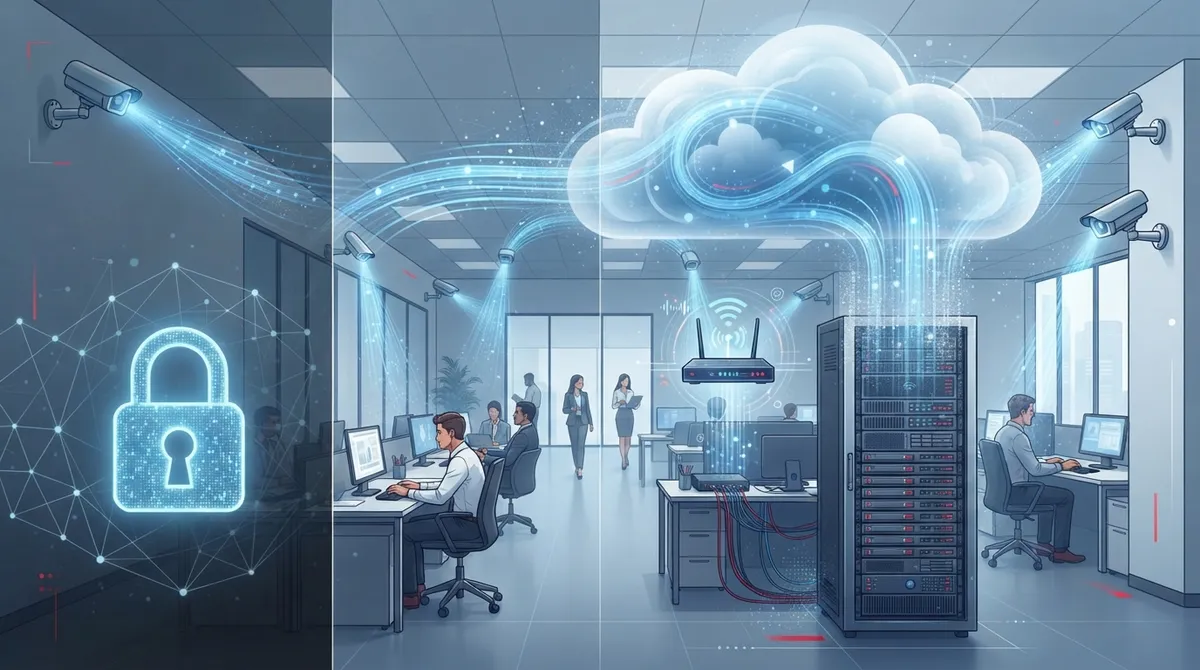
Key Takeaways
-
Cloud video security requires adequate bandwidth and reliable internet connection—a single 1080p camera uses 2-4 Mbps, so upgrading your business internet may be necessary before adding cameras to avoid laggy video and missed alerts.
-
Not all cloud camera systems are equal: cloud-managed systems backup footage locally to cloud, while true cloud-native systems handle all storage and analytics in the cloud—ask vendors specifically what 'cloud-based' means before committing.
-
Security relies on shared responsibility: providers protect cloud infrastructure with encryption and multifactor authentication, but your business must secure network access, user permissions, and camera endpoints to prevent unauthorized access.
-
Cloud video security eliminates expensive on-site server maintenance, scales easily across multiple locations, and enables remote monitoring from anywhere—but factor in ongoing subscription costs versus traditional one-time hardware investments.
-
Edge processing and motion-triggered recording can reduce bandwidth usage by up to 50-75% compared to continuous 4K streaming, making cloud cameras more affordable and practical for businesses with limited internet capacity.
-
Integrate camera planning with your broader telecom strategy including structured cabling, VoIP, and network upgrades—treating security, internet, and communications as one connected system reduces conflicts and saves time versus managing multiple vendors separately.
Ever wonder how you can watch your Tampa store from your phone while sitting at the beach? That’s the magic of cloud video security. If you’re a business owner, office manager, or IT pro trying to figure out how this technology actually works, you’re in the right place. Let’s break it down together, in plain English, with no confusing tech-speak.
Cloud video security has become one of the fastest-growing tools for businesses that want peace of mind. In fact, the global cloud video surveillance market was valued at $12.8 billion in 2025 and is expected to reach $57.3 billion by 2034, according to a MarketIntelo industry forecast. That’s huge growth, and it tells you something important: businesses everywhere are switching from old-school DVR boxes to smarter, cloud-based systems. Let’s talk about how it all works, what you need, and how to make the right choice for your business.

What Is Cloud Video Security, Really?
Cloud video security uses internet-connected cameras to capture video and send it to a secure, cloud-hosted platform. Instead of storing footage on a bulky box in a back closet, your video lives safely online. You can access it anytime, from anywhere, using your phone or computer.
Think of it like the difference between saving photos on an old computer versus using cloud photo storage. With the cloud version, you don’t worry about losing files if your hard drive dies. Your business cameras work the same way now.

How Does Cloud Video Security Actually Work?
Let’s walk through the process step by step. This is where the technology really comes together.
The Basic Flow of Cloud Video Security
- Cameras capture footage. IP cameras record video at your business location, whether that’s one office or twenty franchise sites.
- Video travels over your network. Footage moves through your business internet connection, sometimes with help from an edge device, on its way to the cloud.
- The cloud platform processes the video. A cloud-hosted video management system (VMS) stores, indexes, and organizes the footage.
- Analytics kick in. The system can flag motion, people, vehicles, or unusual activity automatically.
- You view and manage everything remotely. Authorized users log into a web or mobile app to watch live feeds, search recordings, or set alerts.
That’s the short version. But there are some important details business owners should understand before choosing a system.
The Key Pieces of the Puzzle
A typical cloud video security setup includes several parts working together:
- IP cameras placed around your building or property
- An edge gateway or camera-side client that can buffer footage during brief outages
- Your business internet connection (the WAN)
- Cloud servers for storage and processing
- A web or mobile app for viewing and managing footage
Each piece matters. If your internet connection is weak, or your network isn’t set up correctly, your whole system can struggle. This is exactly why reliable high-speed internet for business is so important for cloud-based camera systems.
Why Your Telecom Setup Matters More Than You Think
Here’s something a lot of business owners don’t realize. Cloud video security is only as good as the network behind it. Camera resolution, number of cameras, and how many people watch feeds at once all affect how much bandwidth you need.
If your Tampa office already struggles with slow internet, adding cameras without upgrading your connection can cause laggy video or missed alerts. That’s why it helps to work with a partner who understands both telecom and security. Ideal Solutions Provider often finds that businesses trying to add cameras to outdated networks run into avoidable headaches.
Steps to Prepare Your Network for Cloud Cameras
- Check your current internet speed and reliability
- Estimate bandwidth needs based on camera count and resolution
- Consider a backup internet connection for critical sites
- Ask about Quality of Service (QoS) settings to prioritize video traffic
- Look into SD-WAN if you manage multiple locations
If you’re running several store locations, you might want to review SD-WAN solutions for multi-location businesses to keep everything connected smoothly.
Cloud-Managed vs. Cloud-Native vs. Hybrid Systems
Not all “cloud” camera systems are the same. This trips up a lot of business owners, so let’s clear it up.
| System Type | How It Works | Best For |
|---|---|---|
| Cloud Storage Only | Cameras record locally but back up footage to the cloud | Businesses wanting a safety net for existing systems |
| Cloud-Managed | Local recording device manages cameras, cloud handles remote access | Businesses wanting some cloud convenience without full migration |
| True Cloud-Native VMS | All video management and analytics happen in the cloud | Businesses wanting full remote control, scalability, and no on-site servers |
Understanding this difference helps you avoid surprises later. If a vendor says their system is “cloud-based,” ask exactly what that means. Is it just backup, or is it a full cloud video management platform?
What Equipment Do You Actually Need?
Setting up cloud video security doesn’t have to be complicated, especially with the right partner handling installation. Here’s what’s typically involved:
- IP cameras suited to your space (indoor, outdoor, wide-angle, or zoom)
- Proper structured cabling to connect cameras to your network
- A reliable internet connection with enough bandwidth
- Network switches with Power over Ethernet (PoE) support
- A cloud subscription plan from your camera or VMS provider
Businesses often overlook the cabling piece. Good structured cabling services make sure every camera has a stable connection, which reduces dropped footage and connectivity issues down the road.
How Secure Is Cloud Video Footage?
This is probably the biggest question on everyone’s mind. After all, you’re trusting sensitive footage to an outside platform.
Cloud video security works on a shared responsibility model. The provider protects the cloud platform, servers, and software. Your business is responsible for securing cameras, network access, and user permissions. Here’s what good security typically includes:
- Encryption for video in transit and while stored
- Multifactor authentication for user logins
- Role-based access so only the right people see certain footage
- Audit logs that track who viewed or changed settings
- Automatic firmware updates that are digitally signed
- Independent certifications like SOC 2 or ISO/IEC 27001
Not every provider offers all of these features, so it pays to ask questions before signing up. A trustworthy cloud video security provider should be transparent about their security practices.
How Much Bandwidth Do Cloud Cameras Really Need?
Good question, and the answer depends on a few factors. Higher resolution cameras use more data. More cameras mean more total bandwidth. And if several people are watching live feeds at once, that adds up too.
Here’s a simple breakdown to help you estimate:
| Camera Resolution | Approximate Bandwidth per Camera | Notes |
|---|---|---|
| 720p (HD) | 1-2 Mbps | Good for basic monitoring |
| 1080p (Full HD) | 2-4 Mbps | Common choice for most businesses |
| 4K (Ultra HD) | 8-16 Mbps | Best for detailed identification needs |
Edge processing can reduce how much data you send to the cloud. Some cameras compress footage or only send clips when motion is detected, which saves bandwidth and storage costs.
Benefits of Switching to Cloud Video Security
So why are so many businesses making the switch? Here are the top reasons:
- No bulky on-site servers to maintain or replace
- Automatic software updates without IT headaches
- Easy scaling as your business grows or adds locations
- Remote access from anywhere with internet
- Smart analytics that alert you to real issues, not just motion
- Lower upfront hardware costs compared to traditional systems
Franchise operators especially appreciate being able to check on multiple locations from one dashboard. No more driving across town just to check if the cameras are working.
Things to Watch Out For
Cloud video security isn’t perfect for everyone, and it’s smart to go in with clear eyes. Consider these factors before you commit:
- Ongoing subscription costs versus one-time hardware purchases
- What happens to recording if your internet goes down
- Where your data is stored and any privacy or compliance rules that apply
- How easy it is to switch providers later (avoiding vendor lock-in)
- The provider’s track record for security incidents and response times
A good provider will walk you through these questions honestly instead of glossing over them. If you’re unsure whether your current setup fits your needs, it might be worth having a telecom expert review your network before you invest in new cameras.
Cloud Video Security and Your Broader Telecom Network
Here’s something people often miss. Cloud cameras don’t exist in a vacuum. They share your network with VoIP phones, computers, point-of-sale systems, and more. If your network isn’t built to handle it all, something’s going to suffer.
This is why many businesses bundle their camera systems with their broader network upgrades. It just makes sense to plan cabling, internet, and security together rather than patching things together piece by piece. You can learn more about how structured cabling supports both phones and cameras on one unified network.
Businesses that treat telecom, internet, and security as one connected system tend to have fewer headaches. That’s part of why having a single point of contact for all these services, rather than juggling five different vendors, saves so much time and money.
Real-World Growth of Cloud Video Security
The numbers back up what we’re seeing on the ground. Global Market Insights estimated the cloud-deployment segment of video surveillance at about $22.6 billion in 2025, with growth expected to reach roughly $63.7 billion by 2035. Meanwhile, IP-based systems already make up over 64% of the broader video surveillance market, according to another MarketIntelo estimate.
What does this mean for you? Cloud video security isn’t a passing trend. It’s becoming the standard way businesses protect their people, property, and assets. Waiting too long to upgrade could mean falling behind on both security and convenience.
Getting Started the Right Way
If you’re ready to explore cloud video security for your business, here’s a simple path forward:
- Assess your current camera setup and identify gaps
- Evaluate your internet connection and network capacity
- Decide which features matter most (analytics, remote access, retention length)
- Compare cloud-managed versus true cloud-native options
- Choose a provider who explains security clearly and answers your questions
- Plan installation, including any needed cabling upgrades
You don’t have to figure this out alone. Ideal Solutions Provider has spent over 24 years helping Tampa businesses and companies nationwide build telecom systems that actually work together, cameras included. Follow their Facebook page or check out their YouTube channel for helpful tips, and see real examples of installations on Instagram.
Wrapping It All Up
Cloud video security might sound complicated at first, but once you break it down, it’s really just cameras, a network, and smart software working together. The technology gives business owners something priceless: peace of mind, no matter where they are.
Whether you’re a small business owner in Tampa or managing multiple franchise locations across the country, understanding how this system works helps you make smarter decisions. And when your Internet Service Provider and camera system are both reliable, you get the full benefit of remote monitoring without the stress.
Ready to see how cloud video security could work for your business? Reach out to our team today for a free consultation, or simply give us a call to talk through your options. We’re here to help you build a system that actually fits your business, not the other way around.
FAQs
Q: How does cloud video surveillance work for a business?
A: It’s simpler than it sounds! Your cameras capture footage and send it over your internet connection to a secure cloud platform. From there, you can log in from your phone or computer to watch live feeds or search past recordings anytime, anywhere.
Q: Does cloud video surveillance require an Internet connection?
A: Yes, you’ll need a steady internet connection for footage to reach the cloud. The good news is many systems include local buffering, so your cameras keep recording even if your connection briefly drops, then upload once you’re back online.
Q: How much bandwidth do cloud security cameras use?
A: It really depends on your camera resolution and how many you have. A single 1080p camera typically uses 2 to 4 Mbps, so a handful of cameras can add up. We’re happy to help you calculate exactly what your setup needs.
Q: Is cloud video surveillance more secure than an on-premises NVR?
A: It can be, especially when the provider follows strong security practices like encryption and multifactor authentication. That said, security is a team effort. Your business still needs to manage network access and user permissions carefully.
Q: What is the difference between cloud-managed, hybrid, and cloud-native video surveillance?
A: Great question! Cloud-managed systems mostly back up footage to the cloud while recording locally. Hybrid setups blend local and cloud features. True cloud-native systems handle everything, storage, management, and analytics, entirely in the cloud.





