

Key Takeaways
-
Request a written scope of work that specifies cable types, pathways, telecom room plans, and project timeline before any installation begins to avoid misunderstandings.
-
Verify that your provider follows ANSI/TIA-568 standards (confirm the specific edition) and can explain how local building codes fit into their design and installation approach.
-
Demand complete testing and documentation including per-link test results for every cable run, as-built drawings, labeled ports, and warranty details in writing to prevent costly troubleshooting later.
-
Confirm the provider holds current, relevant credentials like BICSI's RCDD certification and ask exactly what each credential qualifies them to do rather than treating certifications as guarantees.
-
Compare bids on apples-to-apples terms by confirming each quote covers identical cable types, testing, documentation, and warranty coverage; avoid focusing solely on price per drop.
-
Choose Cat6A or fiber-optic cabling for security cameras and multi-building setups, while Cat6 suffices for standard office networks; get specific recommendations based on your actual bandwidth needs.
Picking a network cabling provider can feel a little like picking a contractor to fix your roof. You want someone who shows up, does the job right, and doesn’t leave you with a mess to clean up later. If your Tampa business is growing, adding phones, cameras, or new workstations, your cable setup needs to keep up. And trust me, the wrong choice here can cost you way more than money down the road.
This guide walks you through exactly what to look for. We’ll cover credentials, standards, testing, paperwork, and the questions you should ask before signing anything. Whether you’re a small business owner juggling ten hats or an IT manager overseeing a multi-site rollout, you’ll walk away knowing how to tell a great provider from a shaky one.

What Does a Network Cabling Provider Actually Do?
In the world of business telecom, “network cabling provider” doesn’t just mean someone who sells you a box of cables. It means a contractor who designs, installs, tests, documents, and supports the wiring that connects your phones, computers, cameras, and access control systems. Think of it as the nervous system of your office. Everything else, your VoIP phones, your security cameras, your Wi-Fi, runs through it.
A good provider starts by walking your site and asking questions. How many desks? Where will the server room go? Do you need fiber between buildings? From there, they’ll create a written plan before anyone touches a wall. This is different from just calling an internet company or an equipment reseller. Structured cabling contractors focus on the physical backbone, not the internet connection itself. If you’re comparing a cabling company to an Internet Service Provider, you’re really comparing two different jobs that often need to work together.
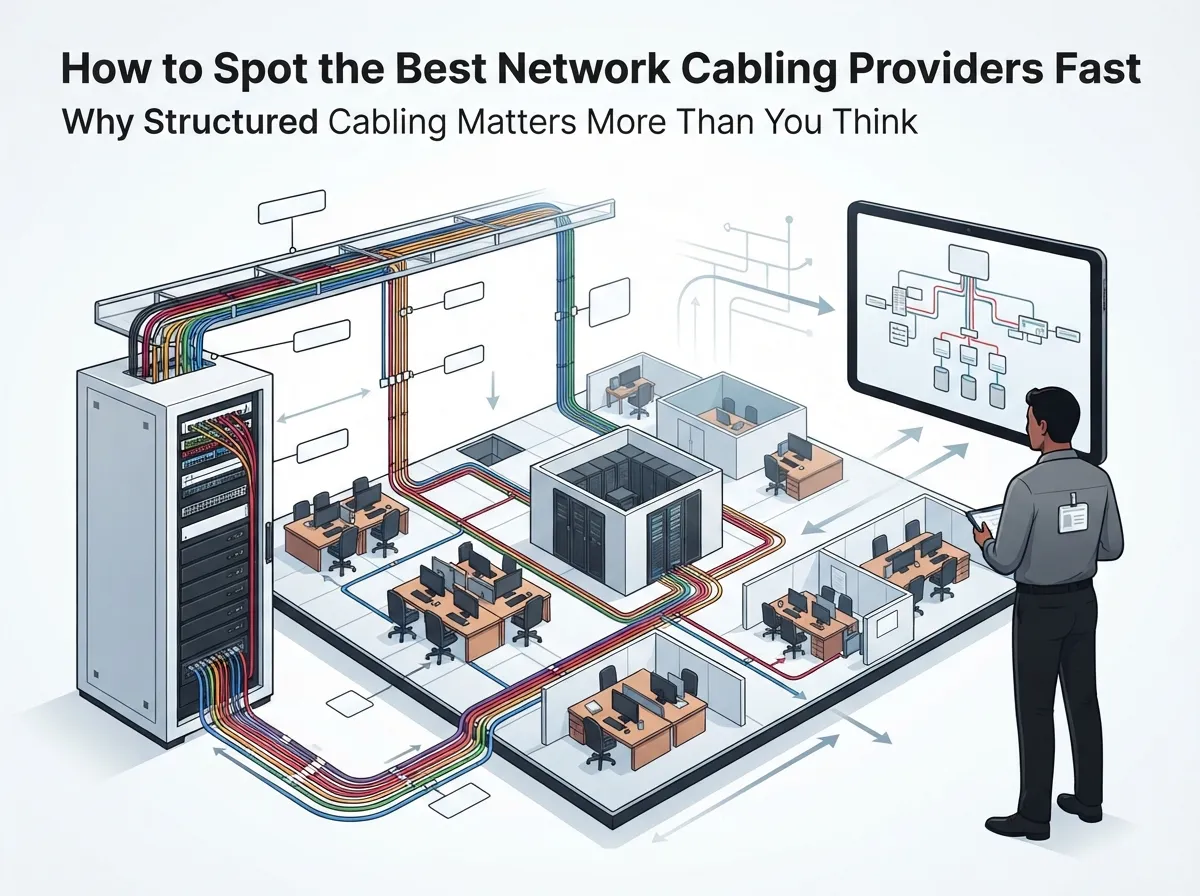
Why Structured Cabling Matters More Than You Think
Structured cabling might not be the flashiest topic, but it’s the foundation everything else sits on. A messy, undocumented cabling job leads to slow networks, dropped calls, and headaches every time you need to add a new device. On the flip side, a clean structured cabling system makes future changes simple and keeps your team productive.
Here’s why it matters for different types of businesses:
- Small business owners need affordable cabling that supports VoIP phones and Wi-Fi without constant troubleshooting.
- Mid-sized enterprises need cabling that can handle security cameras, access control, and growing staff counts.
- IT managers need documentation and testing so they can manage the network without guessing where cables lead.
- Office managers need a system that just works, so daily operations don’t grind to a halt.
- Franchise operators need consistent cabling standards across every location, so setup is predictable and scalable.
7 Steps to Choosing the Best Network Cabling Provider
Ready to start vetting providers? Follow these steps in order, and you’ll avoid most of the common pitfalls businesses run into.
- Check their relevant experience. Ask if they’ve worked on buildings similar to yours, whether that’s a medical office, a warehouse, or a multi-floor corporate space.
- Ask about staff credentials. Look for certifications tied to cabling design and installation, and confirm they’re current, not expired.
- Request a written scope of work. This should spell out cable types, pathways, telecom room plans, and a project timeline before any work begins.
- Confirm the standards they follow. A solid provider will name the exact standard editions they’re using and explain how local codes fit in.
- Ask about testing procedures. Every cable run should get tested, not just glanced at, with results handed over to you.
- Review their documentation process. You should receive labeled diagrams, port maps, and test reports at project close.
- Compare warranty and support terms. Find out how long the warranty lasts and what kind of support you get after installation.
Following these steps helps you separate providers who talk a good game from ones who actually deliver. If you want a deeper dive into planning your project from the ground up, check out this guide on how to plan network cabling installation in Tampa Bay.
What Standards Should a Business Cabling Installation Meet?
Standards might sound boring, but they’re your safety net. They make sure the cabling actually performs the way it should, and they give you something to point to if something goes wrong.
The most common standard is ANSI/TIA-568, which covers structured cabling performance and installation rules. A newer edition, ANSI/TIA-568.2-E, was reported as published in October 2024, so it’s worth confirming which edition your provider is using. There’s also ISO/IEC 11801, an international standard some providers reference for global consistency. Ask your provider directly: “Which standard and edition are you following, and how does that match our local building codes?” A confident, specific answer is a good sign.
Copper vs. Fiber: What’s Right for Your Business?
One common question is whether to use Cat6, Cat6A, or fiber-optic cabling. Here’s a simple breakdown:
| Cable Type | Best For | Max Distance | Typical Use Case |
|---|---|---|---|
| Cat6 | Standard office networking | Up to 100 meters | Desktops, VoIP phones, basic Wi-Fi access points |
| Cat6A | Higher bandwidth needs | Up to 100 meters | Security cameras, high-density Wi-Fi, growing offices |
| Fiber-Optic | Long distances, high speed | Varies by type, often much longer than copper | Building-to-building links, data centers, backbone runs |
According to a widely cited fact about TIA-568, a copper channel can run up to 100 meters, but actual speed depends on the cable category and how well it’s installed. If you’re still unsure which fits your setup, this comparison of CAT5e and CAT6 cabling for Tampa businesses breaks it down further.
Credentials That Actually Mean Something
Not all certifications are created equal, so it helps to know what you’re looking at. BICSI’s RCDD credential is tied to communications-distribution design, and it’s a solid indicator that someone understands how to plan a cabling system correctly. Installer-level certifications and manufacturer authorizations can also matter, especially if you want a specific warranty backed by that manufacturer.
That said, don’t treat any single credential as a magic guarantee. Ask what the credential actually qualifies the provider to do, and always verify it’s current. A provider who’s proud of their credentials will happily walk you through them.
Testing and Documentation: What You Should Receive
This is the part that trips up a lot of businesses. It’s tempting to assume the job is done once the cables are run and things seem to work. But without proper testing and documentation, you’re setting yourself up for confusion later.
Here’s what a complete closeout package should include:
- Per-link test results for every cable run, not just a visual check
- As-built drawings showing where everything actually goes
- Cable and port labels that match your documentation
- Warranty details in writing, including what’s covered and for how long
This documentation becomes priceless when you need to troubleshoot an issue or add new equipment down the line. Skipping it might save a few dollars upfront, but it almost always costs more later in wasted time and confusion. Learn more about avoiding these pitfalls in this article on structured cabling mistakes that hurt your business.
How to Compare Bids Without Getting Confused
Comparing quotes from different providers can feel like comparing apples to oranges, especially if the scopes don’t match. Here’s how to level the playing field:
- Confirm each bid covers the same cable types, quantities, and pathways.
- Ask whether testing and documentation are included, or billed separately.
- Find out who actually performs the work, staff or subcontractors.
- Compare warranty length and what triggers a service call.
- Ask about response times for future support requests.
Price per drop is tempting to focus on, but it rarely tells the whole story. A cheaper bid that skips testing or documentation can end up costing you far more once problems show up. This is exactly the kind of situation where working with a trusted single point of contact makes life easier. Ideal Solutions Provider, based in Tampa, has spent over 24 years helping businesses compare options across 35+ vetted suppliers so they don’t have to guess.
What Does Commercial Cabling Installation Typically Cost?
Costs vary quite a bit depending on building size, cable type, and how much labor is involved. Market research gives us a sense of scale here. Fortune Business Insights estimated the global structured cabling market at USD 15.13 billion in 2025, while Global Market Insights put it closer to USD 20 billion for the same year. These numbers come from different methodologies, so treat them as general context rather than a direct price comparison.
For your own project, the best move is to get a detailed, itemized quote rather than a single lump number. Ask your provider to break down materials, labor, testing, and documentation separately. That way, you can see exactly where your money is going and catch any missing pieces before work begins.
Signs You’ve Found a Trustworthy Provider
Sometimes it helps to just know what “good” looks like in practice. Here are some green flags worth watching for:
- They ask detailed questions about your current and future needs before quoting a price.
- They explain their testing process without you having to ask twice.
- They provide references or examples from similar projects.
- They’re upfront about timelines and any potential delays.
- They offer clear warranty terms in writing, not just a verbal promise.
If a provider hesitates to answer these questions clearly, that’s worth noting. A confident, experienced team will welcome your curiosity, not dodge it. You can see more examples of what this looks like in practice in this piece on signs you found the best structured cabling contractor in Tampa.
Bringing It All Together for Your Business
Choosing the best network cabling provider isn’t about finding the cheapest quote or the flashiest sales pitch. It’s about finding a team that plans carefully, follows real standards, tests everything, and hands you documentation you can actually use. Whether you’re setting up a single office or rolling out cabling across multiple franchise locations, these fundamentals stay the same.
If you’d rather not sort through 35+ suppliers on your own, Ideal Solutions Provider has been doing exactly that for Tampa businesses and companies nationwide for over 24 years. From structured cabling to VoIP phones and cloud security, they act as your single point of contact from consultation through ongoing support. You can also follow their work and see real project examples on Facebook, Instagram, and YouTube.
Ready to get your cabling project moving in the right direction? Contact us for a free consultation, or give us a call to talk through your specific setup today.
FAQs
Q: How do I choose a network cabling provider for my business?
A: Start by checking their experience with businesses like yours, then ask about credentials, testing procedures, and documentation practices. A great provider will walk your site, give you a written scope, and explain exactly which standards they follow before any work begins. Don’t be afraid to ask lots of questions, a confident provider will welcome them.
Q: What certifications should a commercial cabling contractor have?
A: Look for BICSI’s RCDD credential, which relates to communications-distribution design, along with relevant installer certifications. Manufacturer-specific authorizations can also matter if you want certain warranty coverage. Always verify the credential is current and ask exactly what it qualifies them to do.
Q: What is the difference between a network cabling provider and an internet service provider?
A: A network cabling provider installs the physical wiring inside your building that connects phones, computers, and cameras. An internet service provider delivers your actual internet connection from outside your building. You often need both working together for a smooth, reliable setup.
Q: Should my business use Cat6, Cat6A, or fiber-optic cabling?
A: Cat6 works well for standard office needs like desktops and VoIP phones. Cat6A handles higher bandwidth demands, like security cameras or dense Wi-Fi setups. Fiber-optic is best for long distances or building-to-building connections where speed and distance both matter.
Q: What testing and documentation should I receive after installation?
A: You should get per-link test results for every single cable run, not just a quick visual check. Your provider should also hand over as-built drawings, labeled ports, and clear warranty details in writing. This paperwork makes future troubleshooting and upgrades so much easier.





