
Key Takeaways
-
Cloud surveillance cuts monitoring costs by 30-60% compared to legacy hardware systems and eliminates single points of failure where local recorders can be stolen, damaged, or destroyed.
-
Centralized cloud platforms enable one-login access to all locations' footage, allowing managers to instantly share video for insurance claims without mailing hard drives between sites.
-
Most cloud platforms support existing cameras through ONVIF compatibility or adapters, so you can often integrate current equipment instead of replacing everything upfront.
-
Bandwidth stability is critical—weak internet causes choppy video and missed alerts, so test each location's connection and consider dedicated fiber before deploying multi-site systems.
-
Role-based access controls and encrypted storage protect sensitive footage from liability; verify providers offer SOC 2, ISO 27001, or GDPR compliance relevant to your industry.
-
Bundle surveillance with phone, internet, and networking services through one vendor to simplify billing, support, and ensure your whole system works together without performance conflicts.
Running one business location is hard enough. Running five, ten, or fifty locations while trying to keep everyone safe? That can feel like a full-time job all by itself. If you have ever logged into five different security systems just to check one broken camera, you already know the pain. Good news: there is a better way, and it is called multi location cloud surveillance.
This approach lets you watch every store, warehouse, or office from one simple screen. No more juggling passwords for ten different systems. No more driving to a site just to check a hard drive. In this guide, we will walk through what multi location cloud surveillance really means, why it matters for growing businesses, and how to pick the right setup. We will also share real numbers, simple comparisons, and answers to common questions Tampa business owners ask us every week.
What Is Multi Location Cloud Surveillance?
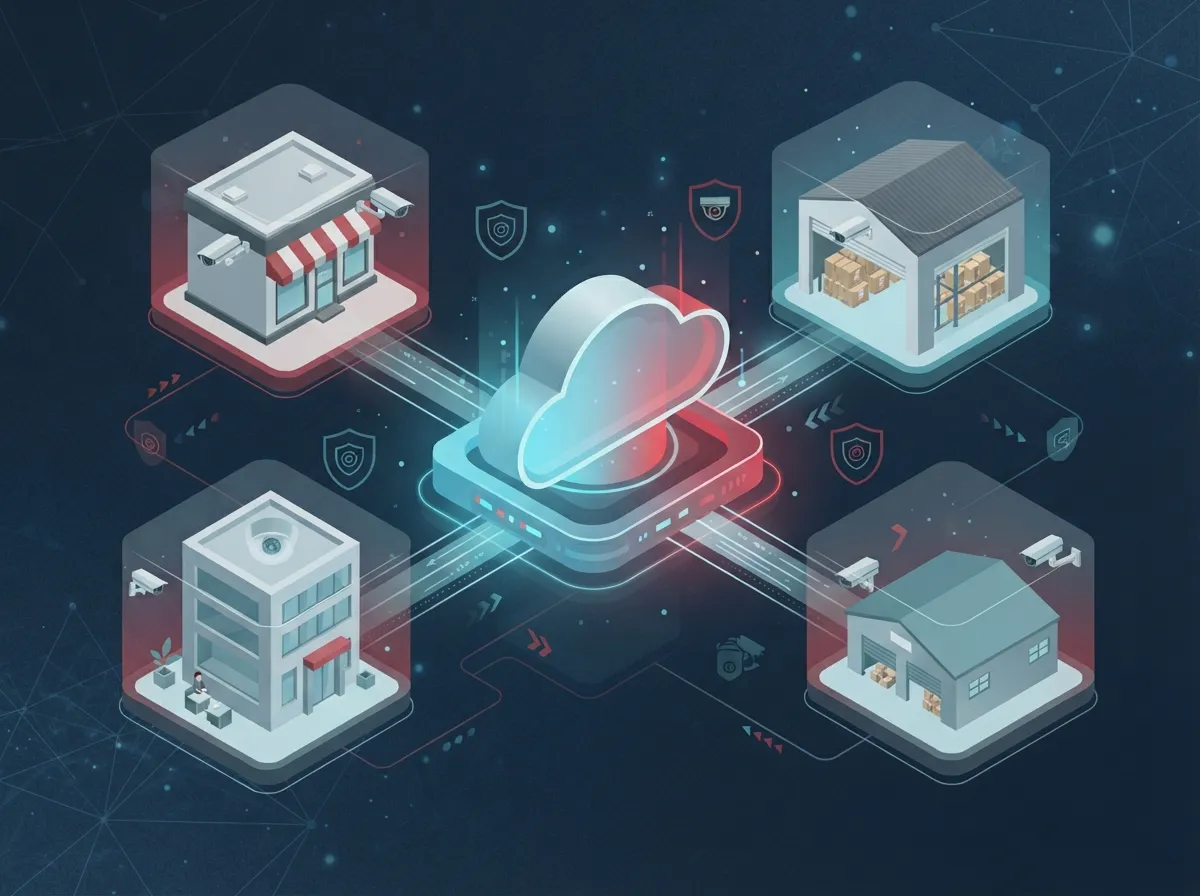
Multi location cloud surveillance is a video security system built for businesses with more than one address. Instead of storing footage on a box at each site, your cameras send video to the cloud. You then view every location from one dashboard, on your phone, tablet, or computer.
This model is often called VSaaS, short for Video Surveillance as a Service. Think of it like streaming a movie instead of renting a DVD. You do not need a physical box at home. You just log in and watch. The same idea applies here, but instead of movies, you are watching your business.
How It Differs From Traditional CCTV
Old-school CCTV systems store footage on a local recorder, often called an NVR or DVR. If that box breaks, gets stolen, or floods, your footage is gone. You also need someone on-site to manage updates and fix issues.
Cloud surveillance removes that single point of failure. Footage lives safely off-site. You can pull up video from a branch across the state without ever leaving your desk. For companies with multiple branches, this difference is huge.

Why Multi-Site Businesses Are Making the Switch
More and more retail chains, medical offices, and franchise groups are moving away from separate camera systems at each site. Here is why this shift keeps growing:
- One login gives you eyes on every location, day or night
- Less hardware means fewer things that can break or need repair
- New sites can be added quickly without a big IT project
- Managers can share footage instantly instead of mailing hard drives
- Alerts can be set up for motion, after-hours activity, or specific events
- Storage happens off-site, so a break-in cannot destroy your evidence
According to industry data from ArcadianAI, businesses that move to intelligent cloud surveillance can cut guard monitoring costs by up to 60% compared to older setups. Even if your savings look different, the potential is worth exploring.
Real Numbers Worth Knowing
A few facts help paint the picture of where this technology stands today:
- ArcadianAI reports savings of 30 to 60% compared to legacy hardware-heavy systems
- Synology’s Surveillance365 platform, announced in July 2026, says each camera can be deployed in as little as two minutes
- Camcloud advertises support for unlimited cameras and locations under one cloud account
- Videoloft says its platform connects with hundreds of camera brands through ONVIF standards
These numbers show that cloud surveillance is not just a trend. It is becoming the standard way multi-site businesses handle security.
Key Benefits for Different Types of Businesses
Not every business uses cloud surveillance the same way. Here is how it helps different teams:
1. Retail Chains and Franchise Owners
Franchise operators managing several stores can check on inventory rooms, checkout counters, and back entrances from one app. If a franchise brand needs footage for insurance or theft claims, it is only a few clicks away.
2. Warehouses and Logistics Companies
Loading docks, storage yards, and shipping areas benefit from wide coverage and instant alerts. Managers can review footage of a damaged shipment without waiting for someone to pull a hard drive.
3. Healthcare and Professional Offices
Clinics and offices with several branches need strong privacy protections along with reliable video. Cloud systems with role-based access help control who can view sensitive footage.
4. Financial and Service Businesses
Banks, credit unions, and service centers often need footage kept for months at a time. Cloud storage makes long-term retention simpler than managing racks of physical drives.
Core Features to Look For
Before choosing a provider, make sure the system checks these boxes:
- Remote viewing from phones, tablets, and desktops
- Centralized user management across every site
- AI-based motion and event detection
- Compatibility with your existing cameras through ONVIF or adapters
- Encrypted storage and secure login options
- Role-based access so staff only see what they need
- Scalable plans that grow as you open new locations
These features matter because they decide how easy your day-to-day management will be. A system that checks every box saves your team time and stress.
Cloud Surveillance vs. Traditional On-Site Systems
| Feature | Traditional On-Site CCTV | Multi Location Cloud Surveillance |
|---|---|---|
| Storage Location | Local NVR/DVR at each site | Secure cloud servers |
| Management | Separate login per location | One dashboard for all sites |
| Hardware Needs | Recorder and cables at each site | Cameras only, minimal on-site gear |
| Scalability | Manual setup at each new site | Add locations in minutes |
| Remote Access | Limited or complex VPN setup | Built-in app and web access |
| Data Risk | Vulnerable to theft or damage | Protected off-site with encryption |
What Security and Compliance Features Matter Most
Security is not just about cameras catching bad actors. It is also about protecting the footage itself. When comparing providers, ask about:
- End-to-end encryption for video in transit and storage
- Role-based permissions so managers only access their own branch
- Audit logs showing who viewed or downloaded footage
- Support for standards like SOC 2, ISO 27001, or GDPR where applicable
- Backup and redundancy in case of outages
These features protect your business from liability and help you stay compliant if your industry has strict rules around data handling.
Bandwidth and Network Considerations
Cloud cameras need a stable internet connection to work well. Poor bandwidth can cause choppy video or missed alerts. Before installing a multi-site system, it helps to review your current setup with a provider who understands both networking and video security.
This is one reason many businesses turn to a telecom partner instead of buying cameras alone. A good business network solutions setup ensures your cameras, phones, and internet all work together without slowing each other down. If you are curious about network readiness, check out this guide on how to improve business network performance in Tampa FL.
Simple Steps to Prepare Your Network
- Test your current internet speed at each location
- Ask your provider how much bandwidth each camera needs
- Consider dedicated fiber if you plan to add many cameras
- Set up backup internet in case your main connection drops
- Work with a partner who can manage cabling and networking together
Businesses that pair strong internet with cloud cameras avoid the frustration of lag or downtime. Learn more in this piece on why Tampa businesses need dedicated fiber internet.
Can You Reuse Your Existing Cameras?
Many business owners worry they will need to toss out everything and start over. The truth is more flexible than that. Many cloud platforms connect with existing cameras using ONVIF compatibility or simple adapters. Videoloft, for example, says it can connect with hundreds of camera brands this way.
Before assuming you need new hardware, ask your provider to review what you already own. Sometimes a small upgrade is all it takes to bring your current cameras into a cloud system.
How Much Does Multi Location Cloud Surveillance Cost?
Pricing depends on a few factors:
- Number of cameras per site
- Number of total locations
- How long you need to store footage
- Whether you reuse existing cameras or buy new ones
- Add-ons like AI detection or access control integration
Some providers claim savings of 30 to 60% compared to legacy hardware setups, but real savings vary. The best way to know your numbers is a direct audit of your current setup. If you want a clear breakdown, this article on how to budget for commercial video surveillance walks through common costs step by step.
Why Bundle Surveillance With Your Other Telecom Services
Here is something many business owners miss: video security does not have to be a separate bill from a separate vendor. Bundling your cloud cameras with your phone system, internet, and networking can simplify billing and support.
At Ideal Solutions Provider, we work with over 35 vetted suppliers to build one clean solution for phones, internet, cabling, networking, cameras, and access control. Instead of juggling five vendors, you get one point of contact. That means fewer headaches when something needs fixing, and one team who understands your whole setup.
This approach works well for franchise operators managing several stores, IT managers overseeing corporate branches, and office managers who just want things to work without extra stress. It also pairs nicely with cloud based access control systems, so you can manage who enters your buildings alongside who is watching them.
Industries That Benefit Most
Some industries see faster returns from switching to cloud surveillance. These include:
- Retail and convenience store chains
- Logistics and warehouse operations
- Financial institutions and credit unions
- Healthcare networks with multiple clinics
- Fuel stations and self-storage facilities
- Franchise restaurants and service businesses
If your business fits any of these categories, chances are strong that a centralized cloud system will save time and reduce stress across your team.
Steps to Roll Out Cloud Surveillance Across Your Locations
Switching systems can feel overwhelming, but breaking it into steps makes it manageable:
- Audit your current cameras, storage, and contracts at every site
- Check network bandwidth and connection quality at each location
- Choose a platform that supports your camera count and growth plans
- Set user roles so the right people see the right footage
- Test the system at one site before rolling out everywhere
- Train staff on basic features like alerts and remote viewing
- Schedule regular check-ins with your provider for support
Taking it one step at a time helps avoid mistakes and keeps your team comfortable with the new system.
Common Mistakes to Avoid
We have seen a few missteps trip up business owners during this switch:
- Skipping a network audit before installing new cameras
- Choosing a system that cannot grow with new locations
- Ignoring who has access to sensitive footage
- Forgetting to check compatibility with existing cameras
- Not asking about long-term storage costs upfront
Avoiding these mistakes early saves money and frustration down the road. For more on avoiding installation pitfalls, take a look at this resource on cloud video security mistakes to avoid in 2026.
Our team also shares regular tips and behind-the-scenes looks at installs on Facebook and Instagram, plus walkthrough videos on YouTube if you like to see systems in action before making a decision.
Bringing It All Together
Multi location cloud surveillance is not just a fancy upgrade. It is a practical way to protect every branch, warehouse, and office without drowning in separate logins and hardware headaches. Whether you run two stores or twenty, centralized video gives you peace of mind and real control over your business, wherever you are.
Pairing surveillance with solid structured cabling and a reliable Internet Service Provider connection makes the whole system run smoothly. That is where working with one trusted telecom partner really pays off.
Ready to see what a smarter, centralized camera setup could look like for your business? Contact us today for a free consultation, or call us to talk through your locations and goals. We are happy to walk you through options built around your business, not a sales quota.
FAQs
Q: What is multi location cloud surveillance in business telecom solutions?
A: It is a video security system that lets businesses with several sites watch every camera from one online dashboard. Instead of storing footage on a local box at each address, everything lives safely in the cloud. This makes it easy to check on any location, anytime, from your phone or computer.
Q: How does VSaaS differ from traditional on-premise CCTV for multi-site businesses?
A: Traditional CCTV stores footage on a local recorder at each site, which can be stolen, damaged, or hard to access remotely. VSaaS, or video surveillance as a service, stores footage in the cloud instead. That means you get remote access, easier scaling, and less hardware to maintain at every branch.
Q: Can existing cameras be used with a multi-site cloud surveillance platform?
A: In many cases, yes! Several cloud platforms support ONVIF-compatible cameras or use simple adapters to bring older equipment online. It is always worth asking your provider to review your current cameras before assuming you need a full replacement.
Q: How much does multi-location cloud surveillance cost for enterprises?
A: Costs depend on your camera count, number of locations, and how long you need to store footage. Some vendors report savings of 30 to 60% over legacy systems, but the real number depends on your setup. A quick audit is the best way to get an honest estimate.
Q: What network bandwidth is needed for cloud surveillance across multiple locations?
A: Bandwidth needs depend on your camera count and video quality settings, but a stable, fast connection at each site is a must. Weak internet can cause lag or missed alerts, so it helps to test your network before installing new cameras. Pairing your cameras with strong business internet keeps everything running smoothly.