

Key Takeaways
-
Always verify availability, speeds, and pricing at your exact business address with each provider before committing, as options vary significantly by location within Tampa.
-
Upload speed is as important as download speed for businesses using video calls, cloud backups, and file transfers; prioritize symmetrical speeds or strong upload capacity.
-
Compare the complete package beyond speed: uptime commitments, static IP options, data caps, installation timelines, contract length, post-promo pricing, and backup connectivity options.
-
Fiber internet offers symmetrical speeds ideal for heavy file transfers and cloud apps, while cable-based service is widely available and cost-effective for smaller offices with basic needs.
-
Dedicated internet costs more but provides guaranteed bandwidth and service-level commitments; it's worth considering only if your business relies on cloud servers or cannot afford slowdowns.
-
Prepare for internet outages by adding a backup connection from a different provider, using cloud-based phones with mobile forwarding, and keeping equipment on battery backup.
Picking business internet in Tampa sounds simple until you start shopping. One provider promises 5 Gbps. Another shows a low price for the first year. A third says “fiber-powered.” Meanwhile, your team just wants video calls that do not freeze and files that upload before lunch.
Here is the good news: you do not need to be a network engineer to choose well. You just need to know what to compare, what to ask, and what to double-check. This guide walks you through the main connection types, the providers that advertise in Tampa, and the details that matter most. Whether you run a ten-person office, manage IT for a growing company, or oversee several franchise locations, you will leave with a clear plan.
A quick note up front. Availability, speeds, and pricing change by address. Always verify with each provider using your exact service address before you commit.
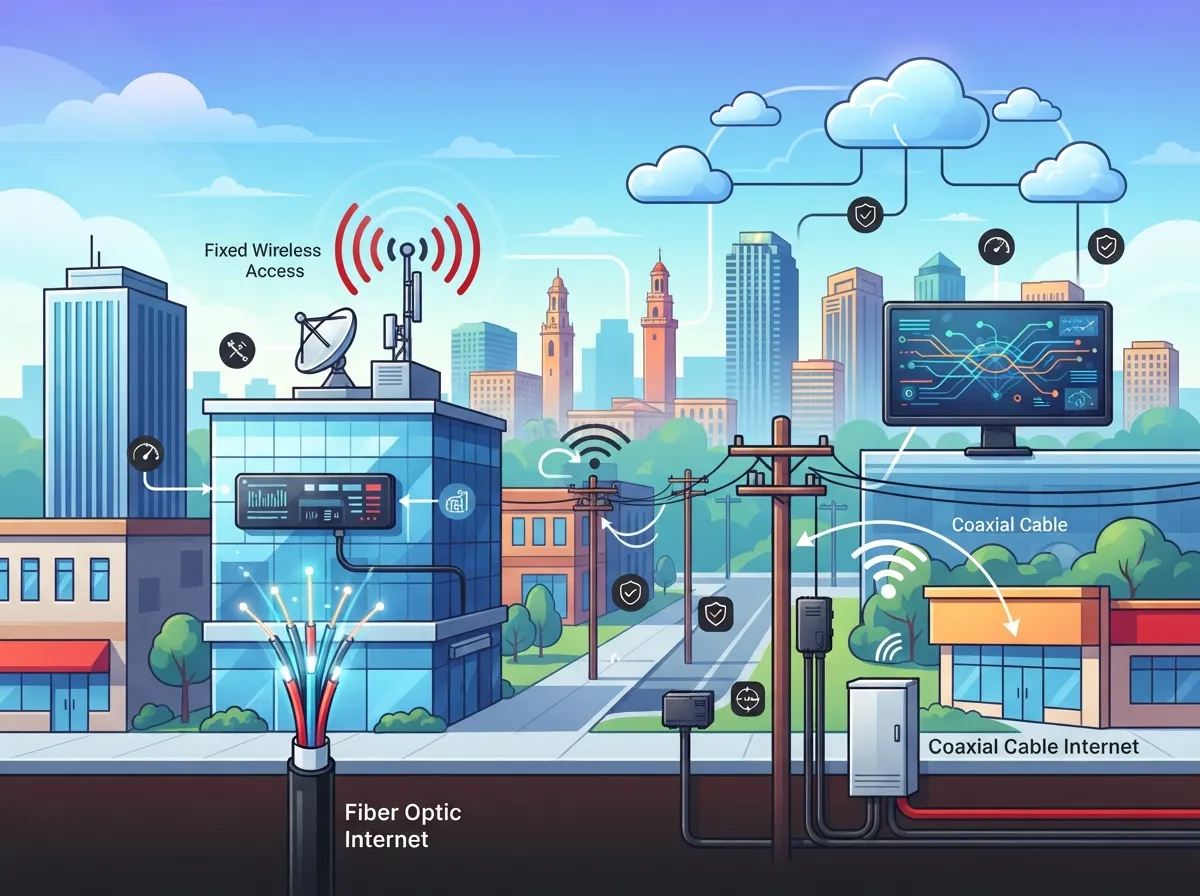
What Types of Business Internet Are Available in Tampa?
Most Tampa businesses can choose from a few main connection types. The best one depends on your building, your budget, and how you use the internet all day.
Fiber Internet
Fiber sends data as light through glass strands. It can offer very high bandwidth, and some plans give you symmetrical speeds. That means upload and download speeds match. If your team uses cloud apps, hosted voice, video meetings, or big file transfers, this matters a lot.
Hybrid Fiber-Coaxial Cable
Cable-based service often uses fiber in the neighborhood and coaxial cable into your building. Spectrum Business, for example, advertises fiber-powered service delivered to the premises over coaxial cable. It is widely available and can be a strong value for many small offices.
Dedicated Internet
Dedicated internet is a private connection with committed bandwidth. Providers like AT&T list it among their Tampa business services and describe it as having guaranteed speeds. It usually costs more and often requires a custom quote. In return, you may get service-level commitments and more predictable performance.
Want to go deeper on this choice? Read our guide on fiber vs. cable business internet in Tampa or compare dedicated vs. shared fiber.

Which Providers Advertise Business Internet in Tampa?
Several well-known names advertise business service in the Tampa area. Here is what each says on its public pages, based on research from 2026.
- Spectrum Business: Advertises fiber-powered service over coaxial cable. Tiers include speeds up to 500 Mbps, 750 Mbps, and 1 Gbps, with 2 Gbps in select markets. Its Tampa page has listed a 500 Mbps plan at $50 per month for one year as an online-exclusive offer.
- Frontier Business: Advertises business fiber in select Tampa areas and says you must check availability by business address. Its provider page notes unlimited data.
- AT&T Business: Lists Business Fiber and Dedicated Internet in Tampa. It advertises Business Fiber speeds up to 5 Gbps, with pricing that starts at $40 per month. Availability depends on address.
Those numbers are headlines, not promises. Promotional prices often last one year, and they come with eligibility rules. Speeds shown are usually maximums, and real-world performance can vary.
A Quick Comparison
| Provider | Connection Type | Advertised Top Speed | Key Note |
|---|---|---|---|
| Spectrum Business | Fiber-powered, coaxial to premises | Up to 1 Gbps (2 Gbps in select markets) | Promo pricing is for one year; check eligibility |
| Frontier Business | Fiber in select areas | Varies by address | Must verify by business address |
| AT&T Business | Fiber and Dedicated Internet | Up to 5 Gbps (Business Fiber) | Dedicated option needs a custom quote |
Third-party comparison sites also publish coverage estimates. One 2026 comparison reports Spectrum Business availability at 99.1% and Frontier Business at 32.1%. Treat those as rough guides only. They are site estimates, and some may reflect residential coverage rather than your business building.
How Much Internet Speed Does a Tampa Business Really Need?
Speed is the first thing people ask about. It is also the easiest thing to overbuy.
Think about what your team does at the same time. A small office with a dozen people on email, web apps, and a few video calls has very different needs than a firm moving large design files all day. If you plan to run phones over the internet, plan for that traffic too. Our guide on choosing the right internet speed for your Tampa business breaks it down by team size and use case. You can also check what internet speed you need for VoIP.
Here is a friendly way to estimate your needs:
- Count how many people and devices use the connection at the same time.
- List your heaviest daily tasks, such as video calls, cloud backups, or file sharing.
- Note any cloud phone or cloud camera systems that share the same line.
- Add some room to grow over the next two to three years.
- Ask each provider to confirm both download and upload speeds for your address.
Upload speed deserves extra attention. Many offices focus only on download, then wonder why video meetings and cloud backups feel slow. A plan with strong upload capacity can make a real difference in daily work.
What Should You Compare Besides Speed?
A big number on an ad is just a starting point. Smart buyers look at the whole package. Before you sign anything, compare these items side by side:
- Upload and download speeds: Ask whether they are symmetrical.
- Uptime and repair commitments: How fast will they fix an outage?
- Static IP options: Useful for remote access, servers, and some security systems.
- Data policies: Check for caps or limits.
- Installation lead time: Fiber builds can take longer than a simple cable install.
- Contract length and promo pricing: Know the price after the intro period ends.
- Equipment costs: Modem, router, and any extra fees.
- Backup connectivity: A second connection can protect you during an outage.
Cost surprises are very common. If you want to avoid them, take a look at 12 business internet cost mistakes Tampa owners make in 2026 and 12 ways to find the best business internet deal in Tampa.
Why Does Dedicated Internet Cost More?
Shared broadband splits capacity among many customers in an area. Dedicated internet gives your business its own committed lane. That is why it often comes with service-level commitments and more predictable performance.
It is not for everyone. A small office that mostly browses and sends email may do fine on standard business fiber or cable. But if your company relies on cloud servers, hosts public-facing systems, or cannot afford slowdowns, dedicated service may be worth the extra cost. Our post on why Tampa businesses need dedicated fiber internet explains who benefits most. If you run a smaller shop, see whether you can get dedicated fiber for a small business in Tampa.
Keep in mind that dedicated circuits generally require a provider quote. Pricing and lead times depend on your building and the route the provider must build.
How Do You Check What Is Available at Your Address?
This step trips up many businesses. Two offices on the same street can have different options. A building owner may also limit which carriers can enter the property.
Follow this simple process:
- Gather your exact business address, including suite number.
- Check each provider’s business availability page or call their sales line.
- Ask for a written quote that lists speeds, term length, fees, and post-promo pricing.
- Ask your landlord or property manager which carriers already serve the building.
- Compare quotes using the same checklist so you are judging fairly.
That can feel like a lot of phone calls. That is exactly why many Tampa businesses use a telecom partner. A single point of contact can run the comparisons for you and flag hidden costs. We explain how this works in how to compare business internet providers in Tampa, Florida, and in our look at telecom broker vs. direct provider.
What Happens When Your Internet Goes Down?
Every connection fails sometimes. A construction crew cuts a line. A storm rolls through Tampa Bay. A router dies at the worst moment. The question is not if, but how ready you are.
A few smart steps can keep your business running:
- Add a backup connection from a different provider or technology.
- Use cloud-based phones that can forward calls to mobile devices during an outage.
- Choose a plan with clear repair commitments.
- Keep your router and switches on a battery backup.
Your phones and cameras may share the same line, so an outage can hit several systems at once. If you use cloud cameras, read about keeping security cameras working during internet outages. And if your connection feels slow day to day, our guide on why your business internet is so slow in Tampa and how to fix it may help you find the cause.
Does Your Cabling Matter as Much as Your Plan?
It really does. You can buy a fast fiber plan and still get poor results if the wiring inside your office is old or messy. The internet that arrives at your door has to travel through your building to reach every desk.
That is where structured cabling comes in. A clean, well-labeled cabling system supports faster speeds, easier troubleshooting, and simpler upgrades. If you are planning a move or buildout, read about whether you need structured cabling for a new office buildout in Tampa. Our structured cabling services cover CAT5, CAT6, and fiber for new and existing spaces.
Who Benefits Most From Each Option?
Every business is a little different. Here is a quick way to think about it.
Small Business Owners
If you want to keep costs down and avoid extra vendors, a business cable or fiber plan with solid upload speeds may be plenty. Ask about promo expiration dates so your bill does not jump unexpectedly.
Mid-Sized Companies and IT Managers
You likely need clear uptime commitments, static IPs, and a backup path. A quote for dedicated or business fiber, paired with a failover connection, often makes sense. See our look at the fastest business internet services in Tampa, FL for ideas.
Office Managers
You want fewer headaches. Look for strong support, quick repair times, and one place to call. A partner who handles internet, phones, and cabling together can save you hours of back-and-forth.
Franchise Operators
Multiple sites mean you need consistency. Standardize on plans that can be repeated at each location, and plan for networking tools that tie them together. Our post on reliable network solutions for multi-location Tampa businesses is a helpful next read.
How Can a Telecom Partner Make Business Internet in Tampa Easier?
Shopping alone means calling each provider, decoding quotes, and hoping you did not miss a fee. Ideal Solutions Provider takes a different path. With more than 24 years of experience and partnerships with 35+ vetted suppliers, we compare options across carriers, audit your current setup, and recommend what fits your needs. Our business high speed internet services cover fiber, broadband, SD-WAN, and dedicated circuits.
We also handle the pieces that go with your connection, such as phones, networking, cameras, and access control. You can learn more about our approach in what you should look for in a business internet provider, or see how an independent telecom broker works.
Want to see how a team operates? Follow us on Facebook, Instagram, or YouTube. And if you want a quick refresher on the basics, here is a plain overview of what an Internet Service Provider does.
Your Next Steps for Business Internet in Tampa
Choosing business internet in Tampa does not have to feel like a guessing game. Start with your real needs, check what is available at your exact address, and compare more than just download speed. Look at upload capacity, repair commitments, contract terms, and backup options. Then make a decision you can feel good about for years.
If you would like a friendly second set of eyes, we are happy to help. Contact us for a free review of your current setup, or call us to talk through your options with a Tampa-based team that has been doing this for over two decades.
FAQs
Q: Is fiber internet available for businesses in Tampa?
A: Yes, fiber is available in parts of Tampa, but it depends on your exact address. Providers like Frontier and AT&T advertise business fiber in select areas, so always verify with each one using your business address before you plan around it.
Q: What is the difference between business fiber, cable, and dedicated internet?
A: Fiber uses glass lines and can offer symmetrical speeds, while cable-based service often runs fiber to the neighborhood and coaxial cable into your building. Dedicated internet is a private connection with committed bandwidth and, often, service-level commitments, and it usually needs a custom quote.
Q: How do I compare business internet pricing in Tampa?
A: Ask each provider for a written quote that includes speeds, contract length, installation fees, equipment costs, and the price after any promo ends. Comparing quotes with the same checklist helps you spot the true total cost, not just the headline number.
Q: What should my Tampa business do if its internet goes down?
A: The best plan is to prepare ahead with a backup connection from a different provider or technology. Pairing that with cloud phones that can forward calls to mobile devices keeps your team reachable while the main line is repaired.
Q: Does business internet in Tampa include static IPs or service guarantees?
A: It depends on the plan. Static IP options and service-level commitments are more common with business fiber and dedicated internet, so ask each provider to list exactly what is included before you sign.





