
Key Takeaways
-
Modern Tampa business video security uses IP cameras, cloud storage, and smart software instead of outdated tape systems, requiring proper network infrastructure and internet reliability to function effectively.
-
Florida law prohibits recording in private areas like restrooms and dressing rooms, and treats audio recording as all-party-consent, so most business cameras should have microphones disabled unless legally cleared.
-
Choosing between cloud, on-premises, or hybrid storage depends on your business type: cloud suits multi-location businesses, on-premises works for single locations with local IT, and hybrid offers flexibility for growing companies.
-
Your camera system is only as reliable as your underlying network—working with a single telecom partner for cameras, internet, cabling, and networking prevents vendor juggling and ensures seamless integration.
-
Tampa's hurricane season and salt-air environment require weatherproof housings, backup power systems, and resilient internet to protect video security infrastructure from storms and corrosion.
-
AI features like person detection and license plate recognition save time but need proper tuning by experienced installers to avoid false alarms that trigger unnecessary notifications.
If you own or manage a business in Tampa, you already know the city keeps growing fast. More growth means more foot traffic, more deliveries, more employees, and yes, more risk. That’s why so many local business owners are asking smarter questions about business video security Tampa companies actually trust. The good news? You don’t need to be a tech expert to get this right. You just need the right partner and a clear plan.
In this guide, we’ll walk through everything you need to know about setting up commercial video security in Tampa. We’ll cover how these systems work, what Florida law says about cameras and privacy, and how video security fits into your bigger telecom and network picture. Whether you run a small retail shop, manage IT for a growing company, or oversee multiple franchise locations, this article has something for you. Let’s dig in together.

What Is Business Video Security in Tampa, Really?
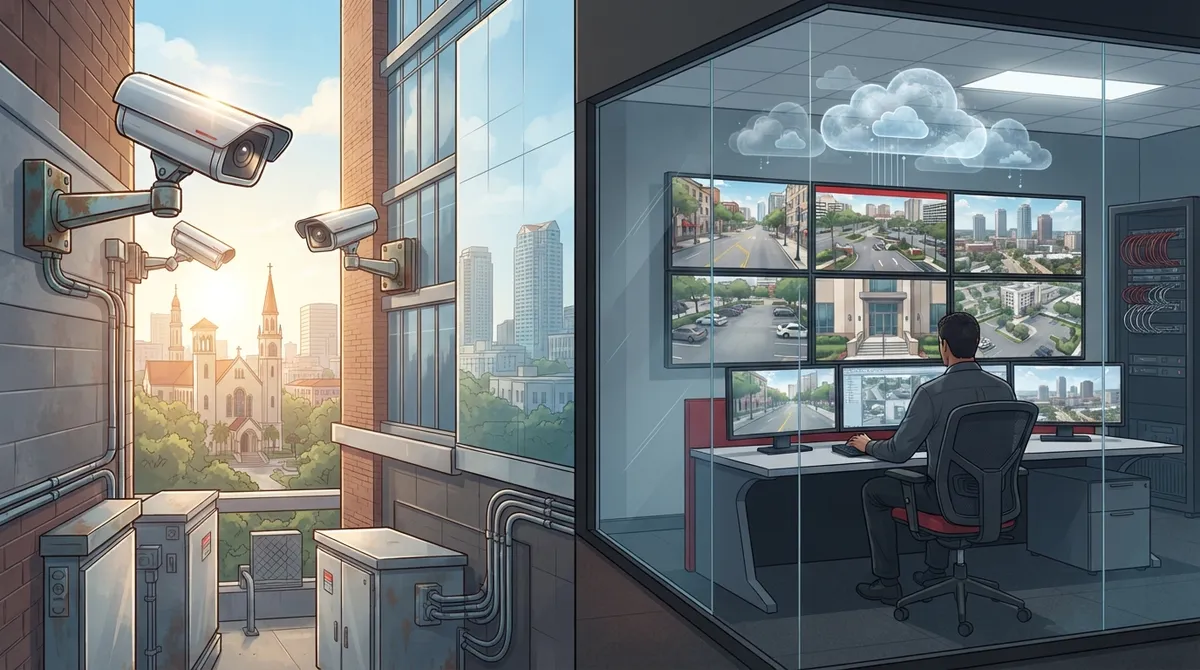
Business video security Tampa companies use today looks a lot different than the old bulky camera systems from years ago. Modern setups rely on IP cameras, smart software, and cloud storage instead of clunky tapes or hard drives sitting in a back closet.
Here’s what a typical modern system includes:
- IP cameras connected through Power over Ethernet (PoE), which sends power and data through one cable
- Video management software (VMS) that lets you view live and recorded footage
- Secure network infrastructure, including firewalls and segmented VLANs
- Cloud or on-site storage for saving footage
- Remote access so you can check cameras from your phone or laptop
- Optional 24/7 monitoring for extra peace of mind
This isn’t just about slapping a camera above your front door. It’s about building a system that works with your entire network, your internet connection, and even your phone system. That’s why many Tampa businesses choose a telecom partner instead of a standalone camera company. When your cameras, internet, and cabling all come from one place, everything works together smoothly.

Why Video Security Matters More Than Ever for Tampa Businesses
Tampa is a growing hub for offices, retail centers, warehouses, and hospitality businesses. With that growth comes more responsibility to protect your people, property, and data.
Common reasons Tampa businesses invest in video security include:
- Reducing theft and vandalism at retail stores and warehouses
- Monitoring construction sites for equipment theft
- Keeping apartment communities and shared spaces safer
- Protecting employees and customers in healthcare settings
- Watching parking lots and building entrances after hours
- Supporting multi-site enterprises that need consistent oversight
If you want to understand the bigger picture of what cameras actually do for your bottom line, check out this helpful piece on what security cameras really do for your business. It breaks down the real value beyond just “catching bad guys.”
Cloud vs. On-Premises vs. Hybrid: Which Fits Your Business?
One of the biggest decisions you’ll make is choosing how your footage gets stored and managed. Each option has its own strengths, and the right choice depends on your business size, budget, and internet reliability.
| Storage Type | Best For | Key Benefit | Watch Out For |
|---|---|---|---|
| Cloud-Based | Multi-location businesses, remote managers | Easy remote access, simple updates | Needs steady internet connection |
| On-Premises (NVR) | Single-location businesses with local IT | Works even if internet drops | Requires local storage hardware |
| Hybrid | Growing businesses wanting flexibility | Local backup plus cloud access | Slightly more complex setup |
Many franchise operators and mid-sized enterprises lean toward cloud systems because they simplify management across multiple Tampa Bay locations. If you want to dig deeper into this comparison, take a look at 6 key differences between cloud video security and DVR systems.
How Video Security Connects to Your Network and Telecom Setup
Here’s something a lot of business owners don’t realize until it’s too late. Your camera system is only as good as the network behind it. If your internet is slow, your cabling is outdated, or your Wi-Fi keeps dropping, your cameras will suffer too.
This is why working with a telecom-focused provider makes so much sense. A good partner will look at:
- Your current internet speed and whether it can handle camera traffic
- Whether your structured cabling supports PoE cameras
- Firewall and VLAN setup to keep camera traffic separate and secure
- Backup power options in case of an outage
- How cameras integrate with access control and VoIP phones
Ideal Solutions Provider handles this kind of integration every day. With over 24 years of experience and partnerships with 35+ vetted suppliers, they act as a single point of contact for cameras, internet, cabling, and networking. That means you’re not stuck juggling five different vendors when something goes wrong. If you’re curious how structured cabling supports your camera and phone systems together, this article on how structured cabling supports VoIP and cameras explains it well.
Tampa-Specific Challenges: Storms, Power, and Salt Air
Living in Tampa means dealing with hurricane season every year. Your video security system needs to handle more than just everyday wear and tear.
Here are some local factors to plan for:
- Backup power or battery systems in case storms knock out electricity
- Weatherproof camera housings for outdoor units
- Salt-air corrosion protection for cameras near waterfront properties
- Sufficient bandwidth so cameras don’t slow down your other business systems
- Reliable internet service that can bounce back quickly after outages
If your business internet keeps struggling during storms, it might be time to look at more resilient options. This guide on why Tampa businesses need dedicated fiber internet explains how a stronger connection protects your whole operation, cameras included.
Florida Law: What You Need to Know Before Installing Cameras
This part is important, so let’s slow down and go through it carefully. Florida has specific rules about video and audio recording that every business owner should understand.
Video Recording Rules
Florida Statute §877.26 says merchants cannot record customers in areas where they expect privacy. This includes:
- Dressing rooms and fitting rooms
- Changing rooms
- Restrooms
Cameras should never point into these spaces. It’s also smart to post clear signs letting customers and employees know cameras are in use. This builds trust and keeps you on the right side of the law.
Audio Recording Is Riskier
Here’s something many business owners miss. Florida Statute §934.03 treats Florida as an all-party-consent state. That means you generally need permission from everyone involved before recording audio conversations. Because of this, most cameras should have microphones turned off unless you’ve gotten proper legal guidance first.
Local Government Limits
Florida Statute §163.31802 also limits how much local governments can force private businesses to spend on camera standards meant to boost government services. This mostly protects business owners from unnecessary costs tied to local rules, though public facilities still have their own standards.
Before finalizing any camera placement or audio settings, it’s smart to talk with a legal advisor familiar with Florida privacy law. Getting this right protects your business and your customers.
AI Features: Helpful Tools, Used the Right Way
Today’s cameras aren’t just recording devices. Many include smart features powered by artificial intelligence. These tools can save you time and help you spot problems faster.
Popular AI features include:
- Person and vehicle detection
- Line-crossing alerts for restricted areas
- Loitering detection near entrances
- License plate recognition for parking areas
- Searchable video, so you can find footage by keyword instead of scrubbing through hours of tape
These features are great, but they need proper setup to avoid false alarms. A good installer will fine-tune these settings so you’re not getting notifications every time a bird flies past the lens. To see more about how footage gets stored and how long you should keep it, check out this resource on how long footage is stored in cloud video security systems.
Choosing the Right Camera System for Your Business Type
Not every business needs the same setup. A small office has very different needs than a busy warehouse or a multi-location franchise.
- Small offices: A handful of cameras covering entrances and common areas, paired with cloud storage for easy access
- Retail stores: Cameras near registers, entrances, and stockrooms, often with AI-based theft detection
- Warehouses: Wide-coverage cameras for loading docks and storage areas, built to handle dust and temperature swings
- Hospitality properties: Cameras covering lobbies, parking areas, and hallways, balanced carefully with guest privacy
- Multi-site franchises: Centralized cloud systems that let managers check every location from one dashboard
If you’re managing several locations across Tampa Bay, a scalable cloud system saves you time and headaches. You can learn more in this piece about scalable access control systems for multi-location Tampa businesses, which pairs well with video security planning.
Questions to Ask Before Hiring a Tampa Video Security Installer
Not all installers are created equal. Before signing any contract, ask these questions:
- Are you licensed and insured to work in Florida?
- What monitoring credentials do you carry?
- How do you handle cybersecurity for camera networks?
- What warranties come with your equipment and installation?
- Can you integrate cameras with our existing phones, internet, and access control?
- What does your service-level agreement include?
Buyers should verify these details rather than relying only on advertised features. A trustworthy provider will answer these questions clearly and confidently.
Bringing It All Together: One Partner, One Solution
Managing separate vendors for internet, phones, cabling, and cameras can feel exhausting. Many Tampa business owners find themselves juggling five different companies just to keep their office running smoothly. That’s a lot of phone calls, invoices, and confusion.
This is exactly the kind of headache Ideal Solutions Provider was built to solve. As a single point of contact, they handle consultation, installation, and ongoing support for VoIP phones, high-speed internet, structured cabling, networking, cloud video security, and access control systems. Instead of managing multiple vendors, you get one team that understands your whole setup. You can also follow their work and updates on Facebook or check out helpful videos on their YouTube channel.
Good structured cabling forms the backbone of any reliable camera system, and a solid Internet Service Provider connection keeps everything running without hiccups. When these pieces work together, your video security system becomes one part of a larger, smarter business setup.
FAQs
Q: How much does commercial video security cost for a business in Tampa?
A: Costs vary quite a bit depending on how many cameras you need, whether you choose cloud or on-premises storage, and how much network upgrading is needed. Small offices might spend less than larger warehouses or multi-location franchises. The best way to get an accurate number is through a free consultation where a provider looks at your actual space and goals.
Q: Should my Tampa business choose cloud, on-premises, or hybrid video surveillance?
A: It really depends on your business setup. Cloud systems are great for businesses with multiple locations or managers who need remote access. On-premises systems work well if you want local storage that keeps running even during internet outages. Many growing businesses land on hybrid systems for the best of both worlds.
Q: Is it legal to record employees and customers with security cameras in Florida?
A: Yes, in most public and work areas, video recording is legal in Florida. However, you cannot record in places like restrooms, dressing rooms, or fitting rooms under Florida Statute 877.26. Posting clear signage about cameras is also a smart, transparent practice.
Q: Do Florida businesses need consent to record audio from security cameras?
A: Generally, yes. Florida is treated as an all-party-consent state under Florida Statute 934.03, which means everyone involved usually needs to agree before audio gets recorded. Because of this, most businesses keep camera microphones turned off unless they’ve confirmed proper legal grounds first.
Q: What network bandwidth and internet service are required for IP security cameras?
A: It depends on how many cameras you’re running and their resolution, but higher-quality cameras need more bandwidth to stream and store smoothly. A stronger, more reliable internet connection helps prevent lag or dropped footage. A telecom partner can review your current setup and recommend the right speed for your camera count.





