
Key Takeaways
-
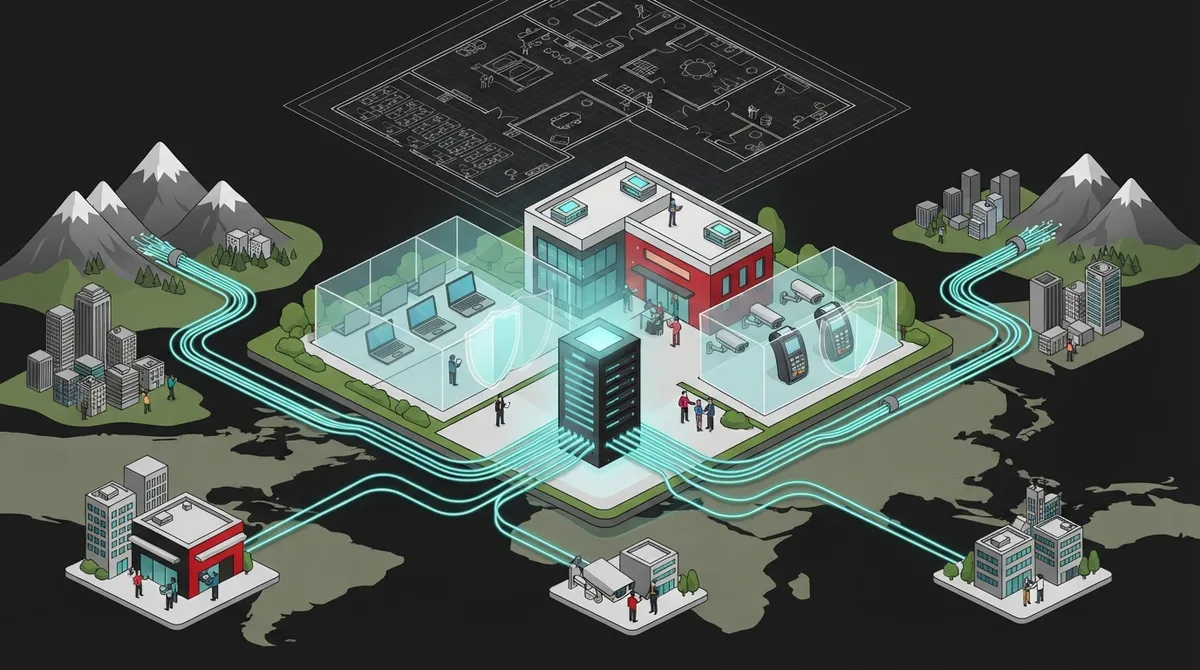
Start with business goals, not hardware: define how many users work on-site versus remotely, which apps are critical, acceptable downtime, and planned expansion before choosing any equipment.
-
Document every site, user, device, and application, including sensitive voice and video traffic, to reveal true bandwidth needs and unused circuits you may be paying for.
-
Set performance and uptime targets in plain terms, such as clear calls during peak hours, and require providers to commit to service levels that match them.
-
Verify redundancy by checking physical routes and carriers: two internet circuits sharing one path or provider can both fail from a single cut or outage.
-
Use zero-trust principles, network segmentation, and SASE/SSE tools so guest Wi-Fi, cameras, and payment systems are isolated and no user or device is trusted automatically.
-
Roll out in stages with a pilot site first, then monitor performance against your targets, and assign clear responsibility for who handles outages.
Here’s a little secret: most business networks don’t fail because of bad equipment. They fail because nobody sat down and planned them. Offices get added, cloud apps pile up, and suddenly your video calls freeze every afternoon. Sound familiar?
That’s where enterprise network design comes in. In business telecom, it means planning how your offices, remote workers, cloud apps, phones, and devices all connect, and doing it on purpose instead of by accident. A good design links your LAN, Wi-Fi, WAN, internet, and security into one plan that fits your budget and goals.
Whether you run a single Tampa office or a franchise with sites across the country, the steps below will help you build a network that stays fast, safe, and ready to grow. We’ll keep it simple and friendly. No jargon overload, promise!

1. Start With Business Goals, Not Gear
The best enterprise network design begins with a simple question: what does your business need to do? Not which router to buy. Not which brand is popular.
Sit down with your team and write out your goals. Maybe you want crystal-clear voice calls, faster cloud access, or safer customer data. Each goal shapes the design.
Here are a few questions to ask first:
- How many people work on-site, and how many work remotely?
- Which apps can your team not live without?
- How much downtime can your business handle?
- Do you plan to open new locations in the next few years?
Think of it like building a house. You’d never pick the paint before the floor plan. The same goes for your network.

2. Take Inventory of Your Sites, Users, and Apps
Next, document what you already have. List every location, the number of users at each one, and the devices they use. Add phones, cameras, badge readers, printers, and any IoT gadgets.
Then list your applications. Which ones live in the cloud? Which run on a local server? Which ones are sensitive to delays, like voice and video?
This inventory tells you where your traffic goes and how much bandwidth you truly need. It also uncovers surprises, like that old circuit you’re still paying for but never use. Many businesses find savings right here.
3. Define Performance and Availability Targets
Now put numbers on your goals. How fast should the network be? How often can it go down? These targets guide every choice that follows.
Voice and video need steady, low-delay connections. A file backup can wait a few seconds. Customer-facing systems, like point-of-sale, may need near-constant uptime.
Write your targets in plain terms, such as “calls must stay clear during peak hours” or “the front desk cannot lose internet for more than a few minutes.” Then ask any provider to commit to service levels that match. If you want help sorting this out, our guide on how to calculate cabling bandwidth requirements is a great next read.
4. Build a Strong LAN and Wi-Fi Foundation
Your local network is where everyone connects every single day. If it’s shaky, nothing else matters. That’s why structured cabling is the backbone of a smart design.
Good cabling supports today’s speeds and tomorrow’s upgrades. It also keeps your closets neat and your troubleshooting easy. If you’re weighing options, see Cat5e vs. Cat6: which office cabling wins in 2026 for a quick comparison.
For Wi-Fi, plan coverage by walking the space and noting thick walls, open floors, and busy zones. Don’t just add access points until the complaints stop. A proper layout saves money and headaches.
5. Choose the Right WAN Transport Mix
The WAN is what connects your locations to each other and to the outside world. You have several choices, and the right mix depends on your sites, budget, and needs.
| Transport Option | Best For | Things to Consider |
|---|---|---|
| Business internet (cable/fiber) | Small to mid-sized sites, cloud access | Affordable; speeds and support vary by plan |
| Dedicated internet access | Sites that need steady, guaranteed performance | Higher cost; stronger service commitments |
| MPLS | Predictable private connectivity between sites | Often pricier; less flexible for cloud-heavy traffic |
| Cellular/5G backup | Failover and temporary or remote sites | Great backup; coverage depends on location |
There’s no single winner. A busy headquarters might use dedicated fiber, while a small branch runs business internet with a 5G backup. Our post on SD-WAN vs. MPLS breaks the tradeoffs down further.
6. Add SD-WAN for Smarter Traffic Control
SD-WAN is software that manages your WAN links and picks the best path for each type of traffic. It can send voice calls over your cleanest connection and push less urgent traffic elsewhere. It also supports direct cloud access and automatic failover.
The trend is real. TeleGeography’s 2025 WAN Manager Survey found that 63% of respondents had installed SD-WAN on at least part of their network, and another 15% had picked a vendor and were rolling it out.
Still, SD-WAN isn’t magic. Results depend on your design and the quality of the connections underneath. Want the basics first? Read what SD-WAN services are and whether your business needs them.
7. Bake Security Into the Design From Day One
Security works best when it’s part of the plan, not an add-on. Modern designs often follow zero-trust ideas. NIST’s guidance in SP 800-207 explains that zero trust means no one gets automatic trust just because of where they connect from. Every user and device must be verified.
You’ll also hear about SASE and SSE. Here’s the quick version:
- SASE blends WAN features, often SD-WAN, with cloud-delivered security.
- SSE is the security piece of that package, such as secure web gateways, cloud access controls, firewall services, and zero-trust access.
These are approaches, not guarantees. Different products include different features, so ask for specifics. TeleGeography reported that 53% of respondents had implemented some SASE elements in 2025. For a practical starting point, try how to choose a data security service for business telecom.
Also use segmentation. Separate guest Wi-Fi, office computers, cameras, and payment systems so a problem in one area doesn’t spread to the rest.
8. Plan Resilience So One Failure Doesn’t Stop You
Things break. Cables get cut, carriers have outages, and power flickers. A resilient design expects this and keeps working anyway.
Good resilience planning includes:
- Using more than one internet connection where the risk justifies it.
- Setting up automatic failover so traffic switches without anyone lifting a finger.
- Adding backup power for key equipment.
- Testing your recovery plan before you need it.
Here’s a common trap: two circuits aren’t truly diverse if they share the same physical route or the same carrier. If one backhoe can take out both, you don’t have real redundancy. Ask providers where each path actually runs.
9. Pilot, Migrate in Stages, and Monitor
Don’t flip the whole network over in one weekend. Start with a pilot at one site. Learn what works, fix what doesn’t, and then roll out in stages.
After launch, keep watching. Track performance against your targets from step three. Set alerts, review reports, and adjust as your business changes. The 10 steps to choose a telecom provider in Tampa can also help you set expectations for ongoing support.
It helps to spell out who is responsible for what. If something breaks at 4 p.m. on a Friday, you should know exactly who to call.
10. Work With One Partner Who Sees the Big Picture
A great network touches many pieces: internet, phones, cabling, security cameras, and access control. When each piece comes from a different vendor, finger-pointing is almost guaranteed.
That’s why many businesses prefer a single point of contact. Ideal Solutions Provider is a Tampa-based telecom and IT partner with over 24 years of experience and more than 35 vetted suppliers. They compare options side by side, audit your current setup, and handle everything from consultation and installation to ongoing support. You can learn how this works in why Tampa Bay businesses need one telecom partner.
You can also see their work in action on YouTube or follow along on Facebook for tips and updates.
Quick Planning Checklist
Use this simple checklist to keep your enterprise network design on track:
- Business goals written down and shared with your team
- Sites, users, devices, and apps fully documented
- Performance and uptime targets set in plain language
- Cabling and Wi-Fi planned for current and future needs
- WAN transport chosen for each location
- SD-WAN and security decisions made with clear feature lists
- Failover and backup power tested
- Rollout planned in stages with monitoring after launch
Different Needs for Different Businesses
Not every company needs the same design, and that’s okay. A small business may want a simple, affordable setup with business internet, cloud phones, and solid cabling. A franchise operator may need a repeatable template that’s easy to copy across many locations. An IT manager might care most about a single vendor handling cabling, cameras, and upgrades. An office manager just wants things to work without drama.
The point is to match the design to your real situation. If you manage several sites, take a look at 7 multi-location telecom solutions Florida firms need for ideas you can borrow.
Ready to Build a Network That Works?
A smart enterprise network design saves money, cuts downtime, and gives your team the tools they need to do great work. You don’t have to figure it all out alone. Start with your goals, map what you have, and build in layers.
Ready for a hand? Contact us for a free consultation, or call us to talk through your network with a friendly expert. We’d love to help you get connected the right way.
FAQs
Q: What is enterprise network design in business telecom?
A: It’s the planning of the connections, equipment, services, and security that link your offices, cloud apps, remote workers, and devices. A good plan starts with your business needs, not a specific brand or product.
Q: How do SD-WAN and MPLS differ for a multi-site business?
A: MPLS is a private, carrier-managed network that offers predictable performance but can cost more. SD-WAN uses software to manage several connections, like business internet and 5G, and pick the best path for each app, which often suits cloud-heavy teams.
Q: What is the difference between SASE and SSE?
A: SASE combines WAN features, usually SD-WAN, with cloud-delivered security. SSE is just the security part of that mix, such as secure web gateways, firewall services, and zero-trust access. Features vary by product, so always ask what’s included.
Q: How can my network stay online if one internet connection fails?
A: Use more than one connection, like fiber plus 5G, and set up automatic failover so traffic switches on its own. Just make sure the links don’t share the same physical route or carrier, or one outage could still take down both.
Q: What security features should be part of my network design?
A: Plan for zero-trust access, network segmentation, and cloud-delivered security tools like secure web gateways and firewall services. These help limit who can reach what and keep problems from spreading across your network.





