

Key Takeaways
-
Skip the site survey and you get guesses, not a design; insist on a walk-through before accepting any firm quote for telecom installation.
-
Plan cabling for future growth now, since adding extra runs during the original project costs far less than reopening ceilings later.
-
Confirm PoE power budgets for VoIP phones, cameras, and Wi-Fi access points, because underplanned PoE can cause random reboots or devices that fail to power on.
-
Don't choose on price alone: cheap bids often omit testing, labeling, documentation, or cleanup, so confirm exactly what is included before comparing numbers.
-
Require test results, labeled outlets and patch panels, as-built drawings, and written warranty details at handover to make future troubleshooting faster.
-
Ask installers which standards (such as BICSI and ANSI/TIA) and local codes they follow, and ask for a single point of contact to coordinate cabling, phones, and security.
Let’s be honest: nobody wakes up excited to think about cable pathways and patch panels. But if you’ve ever had a phone system crackle, a Wi-Fi access point drop out, or a new hire sit idle for a week because no jack worked, you know how much it matters. Good telecom installation services quietly keep your whole business running. Bad ones? They haunt you for years.
The good news is that most problems come from a short list of avoidable mistakes. Think of this article as a friendly heads-up from someone who has seen the same issues pop up again and again. Whether you run a small office, manage IT for a growing company, or oversee several franchise locations, these 12 mistakes can cost you money, time, and plenty of headaches in 2026.
We’ll walk through what telecom installation really covers, the mistakes to dodge, and how to pick a partner you can trust. Grab a coffee and let’s dive in.
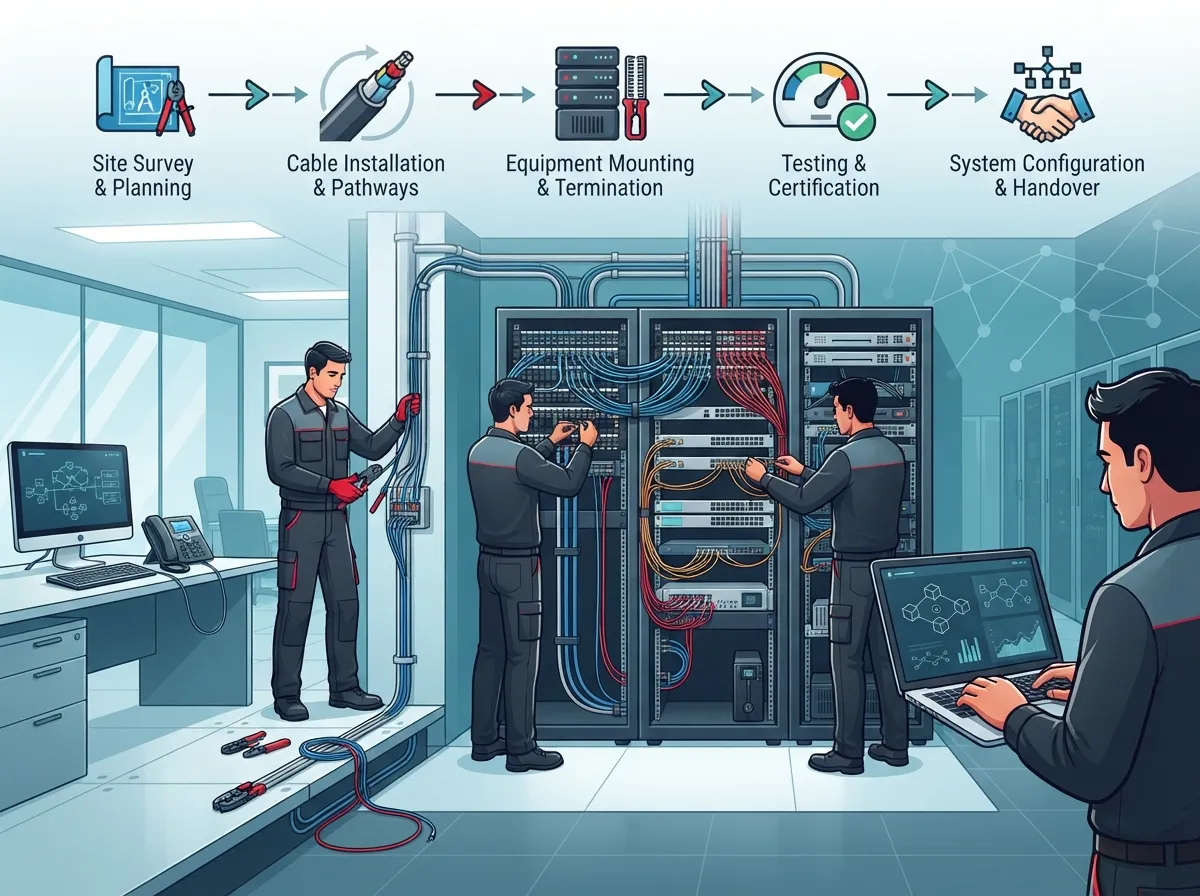
What Do Telecom Installation Services Actually Include?
Many people hear “telecom installation” and picture someone running a phone line to a desk. In reality, it covers the physical and technical deployment of your business communications infrastructure. That’s much bigger than telephone wiring.
A typical project can include:
- Structured cabling: copper and fiber runs, outlets, and patch panels, based on a planned and labeled system. You can read more about the structured cabling concept in general terms.
- Telecom rooms and racks: cabinets, power, cooling, and cable management.
- Network equipment connections: switches, routers, and Wi-Fi access points.
- Voice and VoIP endpoints: desk phones, conference phones, and headsets.
- Testing and documentation: test results, labels, and as-built drawings.
It’s also worth knowing what installation is not. It’s separate from your Internet Service Provider plan, your ongoing managed IT, and your cloud phone subscription. Keeping those pieces straight helps you compare quotes fairly. For a deeper look at what a similar scope involves locally, see What Does a Telecom Installation Service in Tampa Include?
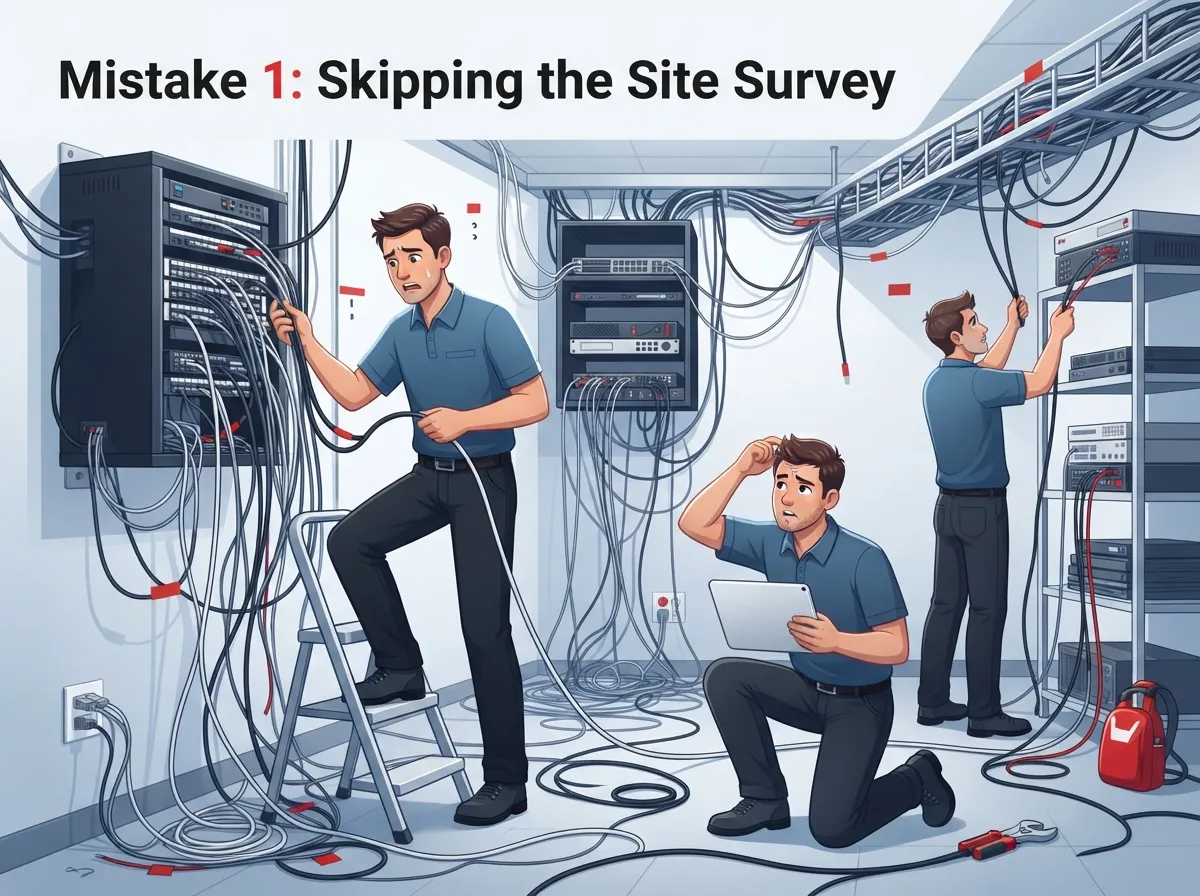
Mistake 1: Skipping the Site Survey
A solid project starts with a walk-through. The installer should review your building layout, user and device counts, existing pathways, bandwidth needs, power requirements, and growth plans.
Skip this step and you get guesses instead of a design. Guesses lead to change orders, surprise costs, and delays. If a provider quotes you a firm price without ever seeing your space, politely raise an eyebrow.
Mistake 2: Planning Only for Today’s Headcount
Your team is growing, and your device count is growing even faster. Phones, laptops, printers, cameras, access points, and badge readers all need connections.
Build in extra capacity now. It’s far cheaper to pull a few extra runs during the original project than to reopen ceilings later. A good starting point is How Do You Plan Cabling Now for Growth You’ll Need Later?
Mistake 3: Choosing the Wrong Cable Type
Not all cable is created equal. Copper is common for connections from the telecom room to desks and devices. Fiber is often the better fit for backbones between floors or buildings and for longer distances.
Here’s a quick comparison to help you talk with your installer:
| Cable Type | Best Use | Things to Consider |
|---|---|---|
| Cat5e | Basic office connections | May limit future upgrades |
| Cat6 | Most modern offices | Good balance of cost and performance |
| Cat6A | High-demand or longer runs | Thicker cable, higher cost |
| Fiber | Backbones and long distances | Needs proper termination and testing |
Need help deciding? These guides break it down: How to Choose Between Cat6 and Cat6A for Your Office and Copper vs. Fiber Structured Cabling: Which Fits Your Office?
Mistake 4: Forgetting Power Over Ethernet (PoE) Planning
Many modern devices, like VoIP phones, security cameras, and Wi-Fi access points, get power through the network cable. That’s handy, but it takes planning.
Your switches need enough power budget, and your cabling must support the load. Overlook this and devices may reboot randomly or fail to power on. Ask your installer how they calculate PoE needs, especially if you plan to add cameras or access control later.
Mistake 5: Ignoring Standards and Codes
Professional installers follow recognized industry guidance. BICSI, for example, publishes ICT installation standards, including ANSI/BICSI N1-19 for telecommunications cabling installation, N2-17 for cabling that supports remote power, and N3-20 for bonding and grounding. Applicable ANSI/TIA, electrical, fire, and local requirements vary by project and location.
You don’t need to memorize these. You just need to ask: “Which standards do you follow, and how do you confirm local code requirements?” A confident answer is a great sign. A vague one is a red flag.
Mistake 6: Hiring Based on Price Alone
The lowest bid can feel like a win until you see what’s missing. Cheap quotes sometimes leave out testing, labeling, documentation, or cleanup.
Before you compare numbers, confirm what’s included. A fair comparison looks at experience, process, insurance, warranty, and support. For tips on spotting trouble early, check out 5 Mistakes to Avoid When Hiring Cabling Installers.
Mistake 7: Skipping Testing and Certification
Testing is not optional. Without it, you’re trusting that every cable run works as intended. Depending on the system, installers should verify copper or fiber links and give you the results.
Why does this matter? A cable that “mostly works” can cause slow speeds, dropped calls, and long troubleshooting sessions. Learn what good testing looks like in 4 Cable Testing and Certification Mistakes to Avoid in 2026.
Mistake 8: Accepting Poor Labeling and No Documentation
Picture this: six months from now, a jack stops working. Nobody knows which port it connects to. Someone spends two hours tracing cables.
Clear labeling and documentation prevent this. At handover, you should receive:
- Labeled outlets, patch panels, and cables
- Test results for each run
- As-built drawings showing where everything ended up
- An equipment list for racks and telecom rooms
- Warranty details in writing
Your future self (and your IT manager) will thank you. More tips here: 10 Network Cable Labeling Tips That Save Time in 2026.
Mistake 9: Overlooking Your Telecom Room
The telecom room is the heart of your network. Yet it’s often an afterthought, squeezed into a closet with poor airflow and a tangle of cables.
Plan for proper racks, grounding and bonding, power, cooling, and tidy cable management. A well-built room is easier to maintain and safer for your equipment. Related reading: How Does Network Rack Installation Work for Businesses?
Mistake 10: Not Coordinating With Your Other Systems
Telecom projects rarely stand alone. Your cabling may also support security cameras, access control readers, and Wi-Fi. If these teams don’t coordinate, you can end up with missing runs or conflicting schedules.
This is where a single point of contact shines. One partner handling cabling, phones, networking, and security keeps everyone on the same page. Learn more in Why Do Tampa Bay Businesses Need One Telecom Partner?
Mistake 11: Disrupting Your Business During Installation
Installation shouldn’t mean a week of chaos. Good providers plan around your operations, sometimes working after hours or in phases so your team stays productive.
Ask about scheduling up front. For multi-location franchise operators, ask how work will be sequenced across sites so each opening or upgrade stays on track.
Mistake 12: Not Asking About Support After the Install
The job isn’t done when the installers pack up. Things change: you add staff, move desks, or upgrade equipment.
Ask what happens after handover. Is there a warranty? Who do you call when something breaks? Can the same team help with moves, adds, and changes? Ongoing support turns a one-time project into a lasting relationship.
How Long Does Telecom Installation Take?
The honest answer is: it depends. Timelines vary based on building size, cable run count, pathway conditions, and how many systems are involved. A small office may move quickly, while a multi-floor build-out takes longer.
A site survey is the best way to get a realistic schedule. For a Tampa-specific look at timing, see How long does structured cabling installation take for a commercial building in Tampa?
What About Cost?
Pricing depends on scope, building conditions, cable types, and the number of drops. Instead of chasing a single number, focus on what drives cost and what’s included. Our guide 10 Factors That Shape Network Cabling Installation Cost walks through the details so you can budget with confidence.
Quick Checklist: Questions to Ask Any Installer
Keep this handy when you start comparing providers:
- Do you perform a site survey before quoting?
- Which standards and local codes do you follow?
- What testing and documentation will I receive?
- Are you licensed and insured where required?
- How will you work around our business hours?
- What warranty and support do you offer?
- Can you coordinate phones, networking, cameras, and access control?
Why Work With a Single Partner?
Juggling separate vendors for cabling, internet, phones, and security can be exhausting. Ideal Solutions Provider is a Tampa-based telecom and IT partner with over 24 years of experience and relationships with 35+ vetted suppliers. We handle everything from consultation and installation to ongoing support, so you deal with one team instead of many.
Curious how a full-service approach compares to piecing it together? Take a look at Single Vendor vs. Multi-Vendor Telecom in Tampa: Which Wins? And if you want to see our work in action, you can follow us on YouTube or say hello on Facebook.
Wrapping Up
Telecom installation doesn’t have to be stressful. Most of the pain comes from skipped surveys, thin planning, missing tests, and unclear paperwork. Avoid the 12 mistakes above and you’ll end up with a clean, reliable foundation for voice, data, and everything that connects to them.
Ready to get it right the first time? Contact us for a free consultation, or call us to talk through your project. We’d love to help you build a network that just works.
FAQs
Q: What do business telecom installation services include?
A: They cover the physical and technical setup of your communications infrastructure. That can mean structured copper and fiber cabling, telecom rooms and racks, network and Wi-Fi connections, VoIP phones, plus testing, labeling, and handover documentation. The exact scope depends on your building and goals, so confirm deliverables before work begins.
Q: What is the difference between structured cabling and telecom installation?
A: Structured cabling is the planned, labeled cabling system that carries voice and data. Telecom installation is the bigger picture. It includes that cabling plus racks, network equipment connections, phone endpoints, and testing. Think of cabling as one important piece of the whole project.
Q: Should my business use fiber or Cat6/Cat6A cabling?
A: Copper like Cat6 or Cat6A is common for connections to desks and devices, while fiber often works best for backbones between floors or buildings and for longer distances. Many offices use a mix of both. A site survey will show which fits your space and growth plans.
Q: What testing and documentation should I receive after installation?
A: You should get test results for the installed links, clearly labeled outlets and patch panels, and as-built drawings showing where cable runs end up. Ask for warranty details in writing too. This paperwork makes future changes and troubleshooting so much easier.
Q: Do telecom installers also install VoIP phones, Wi-Fi, and network equipment?
A: Many do, but it varies by provider. Some handle cabling only, while others connect phones, access points, and switches as well. Ask up front, or work with a single partner like Ideal Solutions Provider that can coordinate everything for you.





