
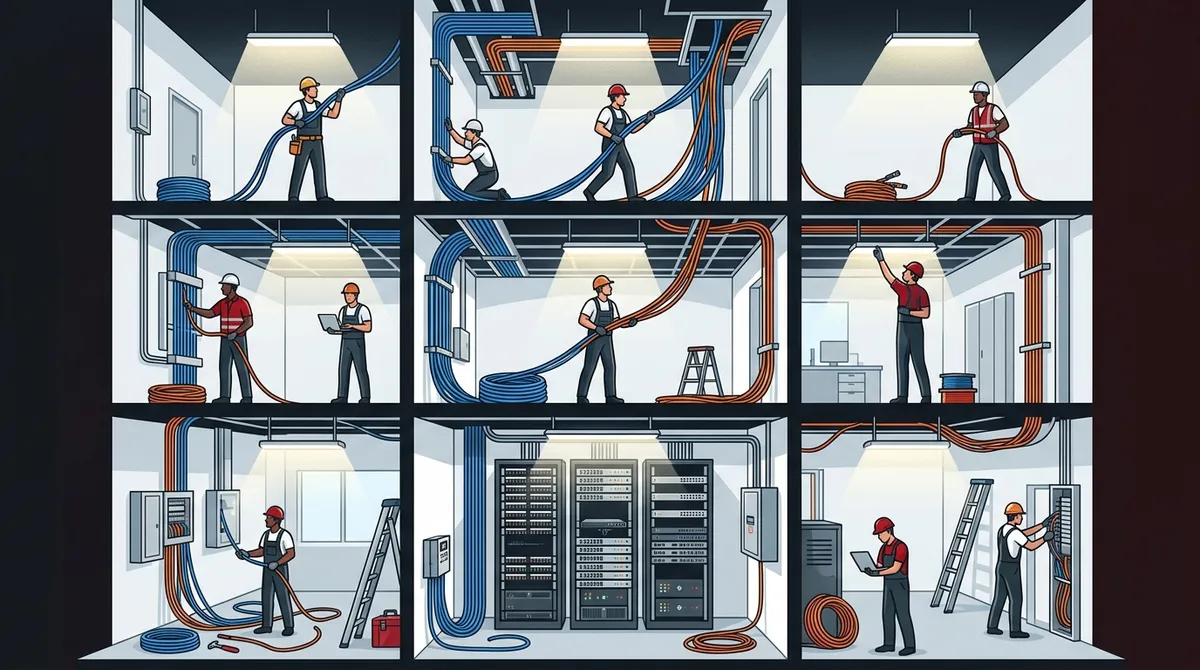
Key Takeaways
-
Small offices typically take 1-3 days, medium offices 3-7 days, and large multi-floor buildings 3-6+ weeks, with most Tampa businesses completing projects within one week.
-
Occupied buildings take significantly longer than empty spaces due to scheduling around business hours, building access restrictions, and coordination requirements—a 3-day project can stretch to a week or more.
-
Professional installations must include testing, certification to TIA/EIA standards, and detailed labeling; skipping these steps creates future reliability and troubleshooting problems.
-
Cat6 copper cabling is the best choice for most Tampa businesses in 2026, balancing fast installation speed, gigabit network support, and cost-effectiveness compared to fiber or Cat6A options.
-
Building a telecommunications room with proper racks and patch panels, plus pathway preparation through conduit or cable trays, is critical infrastructure that adds installation time but ensures long-term performance.
-
Planning ahead with detailed site surveys, phased work schedules, and experienced local contractors minimizes downtime and prevents costly mid-project surprises and delays.
If you’re planning a cabling project for your Tampa business, one of the first questions you probably have is: how long is this actually going to take? That’s a fair and important question. Whether you’re moving into a new office, expanding your network, or upgrading old wiring, knowing the timeline helps you plan around your operations and avoid unexpected downtime.
The honest answer is that structured cabling installation timelines vary quite a bit. A small office can be done in a few days. A large multi-floor commercial building might take several weeks. The good news is that most projects are faster than people expect — especially when you work with an experienced commercial cabling team from the start.
In this article, we’ll walk you through everything that affects your installation timeline, what to expect at each stage, and how to keep your project on track. Let’s dig in!
What Is Structured Cabling and Why Does It Matter?
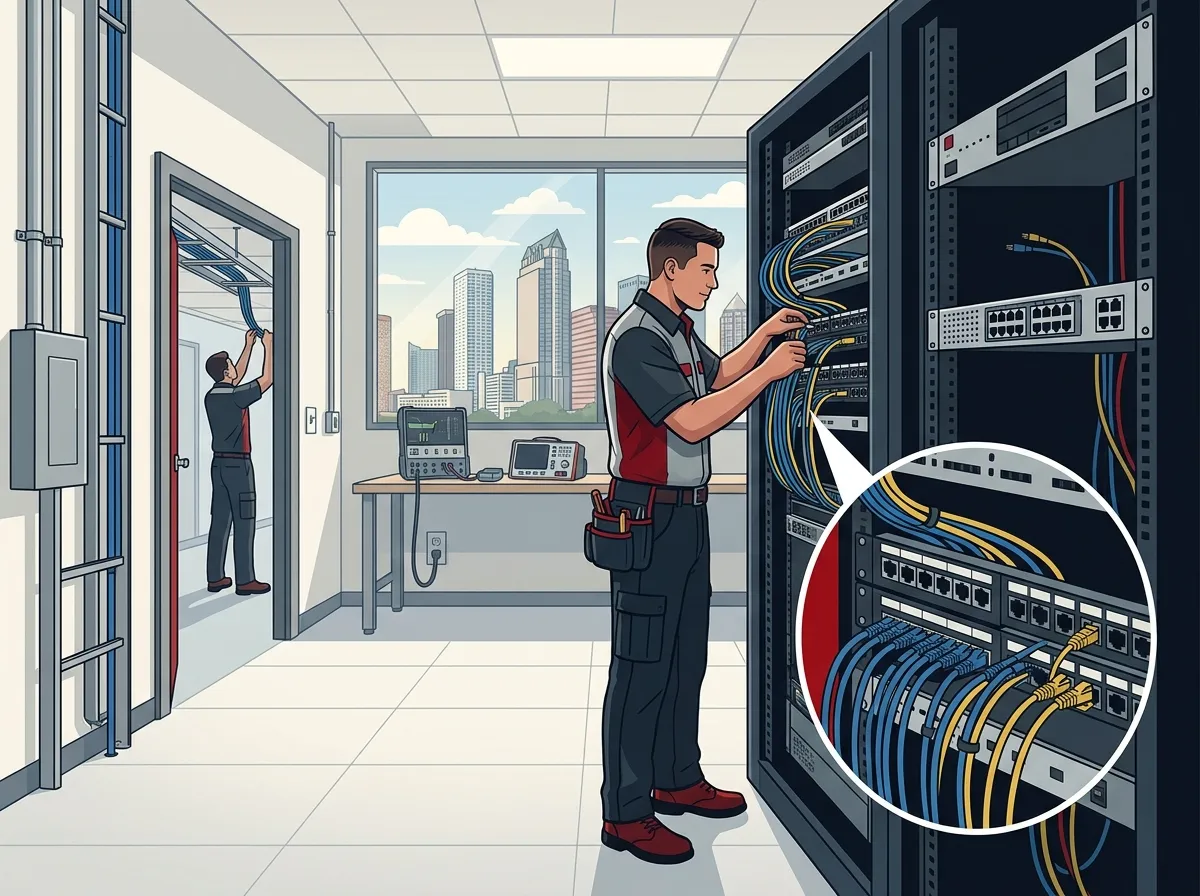
Before we talk timelines, let’s quickly cover what we mean by structured cabling. It’s the organized system of cables and hardware that forms the backbone of your building’s communications network. This includes data, voice, fiber optic, and other low-voltage systems that keep your business running.
A properly installed structured cabling system supports your cloud-based phone systems, internet connections, security cameras, and more. Think of it as the highway your data travels on. If the highway is poorly built, everything slows down or breaks. If it’s built right, everything flows smoothly for years to come.
In Tampa’s competitive business environment, a reliable cabling infrastructure isn’t optional — it’s essential. And because Tampa’s humid climate can affect poorly installed cables over time, professional installation with quality materials is especially important here.

Key Factors That Affect Installation Time
No two commercial cabling projects are exactly alike. Here are the main things that determine how long your project will take.
1. Building Size and Number of Cable Drops
This is the biggest factor. The more square footage and the more cable drops (individual connection points) you need, the longer the job takes. A 2,000-square-foot suite with 20 drops is very different from a 30,000-square-foot office floor with 200 drops.
2. New Construction vs. Occupied Building
Working in a new, empty building is much faster. Walls and ceilings are open, and there are no tenants to work around. In an occupied downtown Tampa office, installers must schedule around business hours, work in sections, and be careful not to disrupt daily operations. This can add days or even weeks to a project.
3. Cable Type: Copper vs. Fiber
Cat6 and Cat6A copper cabling installations are generally faster to complete than fiber optic runs. Fiber requires more careful handling, specialized splicing or termination equipment, and additional testing. However, fiber is increasingly common in Tampa commercial projects, especially for backbone runs between floors or buildings. You can learn more about this in our article on fiber optic cabling services for commercial buildings in Tampa.
4. Telecommunications Room and Rack Buildout
Every structured cabling system needs a proper telecom room or server closet with racks, patch panels, and cable management. Building this out — especially if it doesn’t already exist — adds time to the project but is absolutely worth it for long-term performance.
5. Testing, Certification, and Labeling
Professional installers don’t just pull cable and call it done. Every run needs to be tested, certified to TIA/EIA performance standards, and labeled clearly. This step is critical for reliability and future troubleshooting. It adds time, but skipping it creates headaches down the road.
Typical Installation Timelines by Project Size
Here’s a helpful reference guide to give you a general sense of timelines based on project scope. Keep in mind these are estimates — your specific project may vary based on the factors above.
| Project Size | Approximate Square Footage | Number of Drops | Estimated Timeline |
|---|---|---|---|
| Small Office | Up to 2,500 sq ft | 10–30 drops | 1–3 days |
| Medium Office | 2,500–10,000 sq ft | 30–100 drops | 3–7 days |
| Large Office/Floor | 10,000–30,000 sq ft | 100–300 drops | 1–3 weeks |
| Multi-Floor Building | 30,000+ sq ft | 300+ drops | 3–6+ weeks |
For most small and medium Tampa businesses, the good news is that the bulk of cabling work can be completed within a week. Larger enterprises or buildings with complex infrastructure should plan for a more extended timeline.
The Structured Cabling Installation Process: Step by Step
Understanding the steps involved helps you see where time is spent and how to keep things moving efficiently. Here’s a typical sequence for a commercial cabling project in Tampa.
- Site Survey and Planning: A technician visits your building to assess pathways, measure cable runs, identify the telecom room location, and document everything needed for the job. This usually takes a few hours to a full day.
- Material Procurement: Once the plan is finalized, materials — cable reels, patch panels, racks, faceplates, connectors — are ordered and delivered. This can take a few days depending on availability.
- Pathway Preparation: Conduit, cable trays, or J-hooks are installed to give cables a safe, organized route through walls, ceilings, and floor penetrations.
- Cable Pulling: This is the main installation phase where cable is pulled from each work area location back to the telecom room. This is usually the most labor-intensive step.
- Termination: Each cable end is terminated at patch panels in the telecom room and at wall plates or surface boxes at the workstation end.
- Testing and Certification: Every cable run is tested with professional equipment to verify it meets performance standards. Any issues are fixed at this stage.
- Labeling and Documentation: Every port, patch panel jack, and cable is clearly labeled. A full as-built document is provided for your records.
If you want to dive deeper into planning your project, check out our guide on how to plan network cabling installation in Tampa Bay.
Copper vs. Fiber: How Cable Type Affects Your Timeline
One of the most common questions we hear is whether fiber optic cabling takes significantly longer than copper. Here’s a simple breakdown.
| Cable Type | Common Use Cases | Relative Installation Speed | Notes |
|---|---|---|---|
| Cat5e | Basic data/voice | Fastest | Older standard, still used in budget projects |
| Cat6 | Gigabit networks | Fast | Most popular choice for Tampa offices today |
| Cat6A | 10Gbps applications | Moderate | Thicker cable, requires more careful routing |
| Fiber Optic | Backbone, long runs, high speed | Slower per run | Requires specialized tools and testing |
Cat6 is the sweet spot for most Tampa businesses in 2026. It’s fast to install, supports gigabit speeds easily, and is cost-effective. If you’re curious about the differences between cable categories, read our post on key differences between Cat5e and Cat6 cabling for Tampa businesses. And if you want to understand why Cat6 is such a popular choice, we’ve got a dedicated article on why Cat6 cabling is the smart choice for Tampa businesses.
How Occupied Buildings Change Everything
This is a big one that many business owners don’t fully anticipate. If your Tampa office is already occupied and operating, here’s what typically happens:
- Installers may need to work after hours or on weekends to avoid disrupting your team.
- Access to certain areas (server rooms, conference rooms, private offices) may be restricted during business hours.
- Existing furniture, equipment, and systems need to be worked around carefully.
- Building management may have rules about when and how work can be done in common areas.
- Fire stopping and ceiling access often requires coordination with building maintenance.
All of these factors can stretch a project that might take three days in an empty building into a week or more in an active one. That’s not a bad thing — it just needs to be factored into your planning. A good cabling contractor will discuss this with you upfront and build a realistic schedule.
How to Minimize Downtime During Your Cabling Project
Nobody wants their business operations disrupted. Here are practical tips to keep downtime to a minimum during your structured cabling installation.
- Plan ahead with your contractor: Get a detailed project plan before work begins. Know which areas will be affected and when.
- Schedule work in phases: In large offices, cabling can often be done one section at a time so the rest of your team keeps working normally.
- Use temporary connectivity: For critical systems like phones and internet, ask your contractor about temporary solutions to keep you running during the transition.
- Communicate with your team: Let employees know what to expect and when. A little advance notice goes a long way toward keeping morale high.
- Choose experienced local installers: Tampa contractors who regularly work in occupied commercial buildings know how to minimize disruption. Experience matters here.
Speaking of experience — this is exactly where working with a trusted local partner like Ideal Solutions Provider makes a real difference. With over 24 years of experience and a deep understanding of Tampa’s commercial building landscape, they know how to get your cabling done efficiently without turning your office upside down.
What’s Included in a Professional Cabling Installation
It’s worth knowing exactly what you should expect from a professional structured cabling services provider. Here’s a checklist of what a complete installation typically includes.
- Pre-installation site survey and design
- Supply and installation of all cabling materials
- Telecom room rack and patch panel buildout
- Cable pathways (conduit, trays, or J-hooks)
- Full termination at both ends of every run
- Performance testing and certification to TIA standards
- Clear labeling of all ports and panels
- As-built documentation for your records
- Cleanup of work areas upon completion
Make sure any contractor you hire includes all of these elements. Skipping testing or documentation is a red flag. For more guidance on evaluating contractors, read our article on signs you found the best structured cabling contractor in Tampa.
How Structured Cabling Supports Your Broader Telecom Infrastructure
Your cabling system doesn’t exist in isolation. It’s the foundation for everything else your business relies on. A well-installed cabling network directly supports your business network solutions, your high-speed internet service, your cloud video security cameras, and your cloud-based access control systems.
Getting your cabling right the first time means all of these systems will perform reliably for years. It also means future upgrades — like adding more workstations or deploying new technology — are much easier and cheaper. That’s why so many Tampa business owners say structured cabling is one of the best investments they’ve made in their infrastructure.
You can follow along with real installation projects and tips by checking out the videos on the Ideal Solutions Provider website or connecting on Facebook and Instagram for helpful updates.
Common Timeline Mistakes Tampa Businesses Make
A few avoidable mistakes can cause delays. Here’s what to watch out for.
- Starting without a site survey: Skipping the survey leads to surprises mid-project, which always cause delays.
- Underestimating the number of drops needed: Plan for growth. Adding drops later costs more and creates extra disruption.
- Waiting until the last minute: Scheduling your cabling install too close to a move-in date leaves no buffer for unexpected issues.
- Choosing the lowest bidder without checking experience: A cheap job done slowly (or poorly) costs more in the long run.
If you’d like a deeper look at common cabling mistakes, our post on professional structured cabling services for Tampa businesses covers this in detail.
Wrapping It All Up
So, how long does structured cabling installation take for a commercial building in Tampa? For most small businesses, you’re looking at one to three days. Medium-sized offices typically take three to seven days. Larger commercial buildings can take one to six weeks or more depending on complexity, occupancy, and cable type.
The key takeaway is this: plan early, work with experienced professionals, and don’t cut corners on testing and documentation. A well-installed cabling system is an investment that pays off for years.
Ready to get started? The team at Ideal Solutions Provider is here to help you plan and execute your commercial cabling project with minimal disruption to your business. Reach out to our team today for a free consultation, or give us a call at 813-388-4935 to talk through your project. We’d love to help you build a network infrastructure that supports your business for the long haul!
You can also browse our YouTube channel for helpful videos on structured cabling, business telecom solutions, and more.
FAQs
Q: How long does structured cabling installation take for a 10,000-square-foot office in Tampa?
A: Great question! A 10,000-square-foot office typically falls into the medium project range and usually takes about three to seven business days to complete. The exact time depends on the number of cable drops, whether the space is occupied, and the type of cabling used — but most businesses in this size range are up and running within a week.
Q: Does working in an occupied office slow down the cabling installation?
A: It definitely can, yes! When installers work around active employees, limited access windows, and building management rules, it usually adds time compared to working in an empty space. The good news is that experienced Tampa cabling contractors know how to phase the work and schedule around your business hours to keep disruption to a minimum.
Q: How long does fiber optic cabling installation take compared to Cat6 copper cabling?
A: Fiber optic runs generally take longer per connection than Cat6 copper because they require specialized termination tools, splicing techniques, and more precise testing. That said, fiber is often used for backbone runs between floors rather than every single workstation drop, so the overall impact on your project timeline depends on how much fiber is involved in your specific design.
Q: What is included in a professional structured cabling installation for a Tampa business?
A: A complete professional installation includes a site survey, all cabling materials, pathway installation (conduit or cable trays), termination at both ends, telecom room rack buildout, performance testing and TIA certification, labeling, and as-built documentation. If a contractor isn’t offering testing and documentation, that’s a red flag worth paying attention to!
Q: How much downtime should my Tampa business expect during a cabling installation?
A: Most businesses experience very little actual downtime, especially when the project is well-planned. Experienced installers can often phase the work so different parts of your office stay operational throughout the project. Critical systems like your internet and phones can usually be maintained on temporary connections if needed — just discuss this with your contractor upfront.





