
Key Takeaways
-
Test alarm signals monthly with your monitoring provider to verify the complete transmission path reaches the monitoring center, as network issues, DNS failures, or cloud outages can silently break this critical chain without triggering alerts.
-
Implement a documented maintenance schedule with monthly remote health checks, quarterly physical inspections, and annual full reviews for cameras, access control, and alarms to catch equipment failures before they create security gaps.
-
Apply firmware updates regularly and enforce strong unique passwords on all connected security devices, as cameras and access panels are essentially small computers vulnerable to cyberattacks if left unpatched.
-
Review and remove inactive user accounts and expired credentials quarterly, since former employees or vendors with active access cards represent a direct security breach waiting to happen.
-
Maintain detailed inspection records including test results, firmware versions, and battery replacement dates for at least five years to protect against insurance disputes and ensure compliance with NFPA 72 fire code requirements.
-
Evaluate your underlying network infrastructure—switches, cabling, and internet bandwidth—as part of security maintenance, since weak telecom foundations cause cameras to drop frames, access panels to lag, and alarms to lose connectivity.
Picture this: your cameras go dark, your front door reader stops reading badges, or your alarm silently fails to reach the monitoring center. No alerts. No warning. Just a gap in protection you didn’t know existed. That’s the sneaky thing about security systems that seem fine on the surface but are quietly falling apart underneath. The good news? A little planning goes a long way. Preventive maintenance for security systems means catching small problems before they become big, expensive, or downright dangerous headaches.
If you run a small business, manage IT for a growing company, or oversee facilities across multiple franchise locations, this guide is for you. We’ll walk through five practical steps that keep your cameras, access control, alarms, and the network behind them running smoothly. We’ll also cover how connected security depends on more than just the device itself. At Ideal Solutions Provider, we’ve spent over 24 years helping Tampa businesses and companies nationwide keep their telecom and security infrastructure healthy. Let’s dig in.
Why Preventive Maintenance Matters More Than You Think
Security systems today aren’t standalone gadgets. They’re part of a connected web that includes your network switches, structured cabling, internet connection, and cloud services. A camera might look perfectly fine sitting on the wall, but if the network switch feeding it loses power, or the cloud storage plan runs out of space, you won’t have any usable footage when you need it most.
Preventive maintenance is simply a planned program of checks, tests, cleaning, updates, and part replacements. The goal is to catch trouble early, before it turns into a system failure or, worse, a security gap nobody notices until it’s too late.
- It protects your investment by extending equipment life
- It keeps your video footage and access logs usable when you need them for an incident
- It reduces surprise repair costs
- It helps you stay ahead of cybersecurity risks tied to connected devices
- It supports compliance with insurance and, for fire systems, legal requirements
1. Schedule Regular Health Checks for Cameras and Video Storage
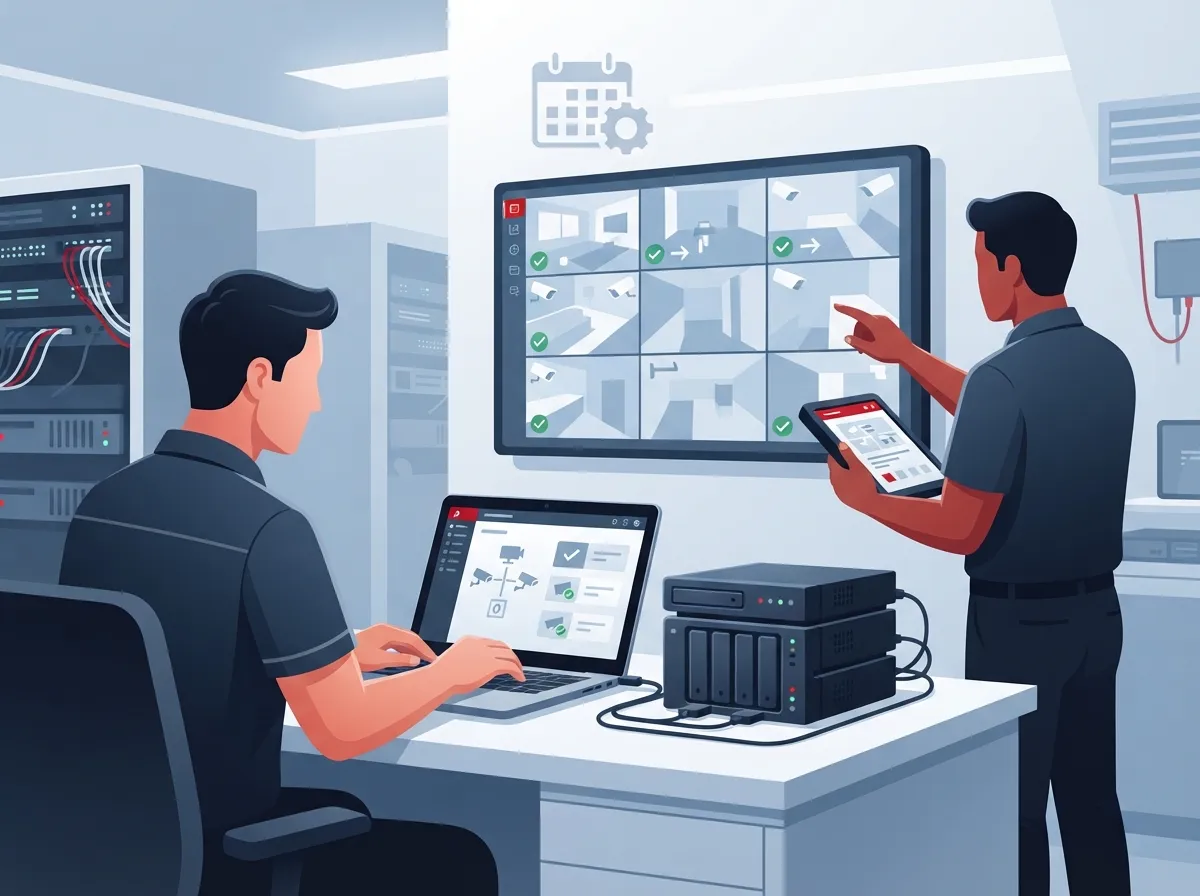
Video surveillance is often the backbone of a business security plan. But cameras rely on a lot of moving parts behind the scenes: network switches, cabling, cloud platforms, and local storage devices like NVRs.
What a Solid Camera Maintenance Routine Looks Like
A practical baseline many businesses follow includes monthly remote health checks, quarterly physical inspections, and a full annual review. Here’s a simple breakdown:
- Monthly: Check device status remotely, confirm cameras are online, and review storage capacity
- Quarterly: Clean lenses and housings, inspect mounting hardware and cabling, and verify each camera’s field of view hasn’t shifted
- Annually: Test recorded footage recovery, review firmware versions, and evaluate hardware age against manufacturer recommendations
Don’t forget to test playback, not just live view. A camera that streams fine but fails to save footage properly gives you a false sense of security. If your business is still weighing camera options, our guide on what security cameras really do for your business is a good starting point.
Don’t Overlook the Network Behind the Camera
Cameras depend on Power over Ethernet (PoE) switches, proper VLAN setup, and a stable internet connection. If your Internet Service Provider connection drops or your bandwidth is maxed out, cloud-based cameras may stop recording entirely. That’s why maintenance plans should always include a network health check, not just a device check. Learn more about keeping cameras online during outages in our post on how to keep security cameras working during internet outages.
2. Test Access Control Hardware and Clean Up User Permissions
Access control systems protect your doors, but they need regular attention too. Readers, locks, and controllers are mechanical and electronic parts that wear down over time.
A Simple Access Control Maintenance Checklist
| Component | Recommended Check | Frequency |
|---|---|---|
| Card readers and mobile credentials | Test response time and read accuracy | Quarterly |
| Electric locks and strikes | Verify locking and unlocking function | Semiannual |
| Door position switches | Confirm door status is reported correctly | Semiannual |
| Emergency egress function | Test fail-safe or fail-secure operation | Semiannual |
| User permissions and audit logs | Remove inactive users, review access levels | Quarterly |
| Backup power | Test battery backup during outage simulation | Annually |
One thing many businesses forget: cleaning up old user accounts. Former employees or vendors who still have active credentials are a real risk. Make it a habit to review who has access and remove anyone who shouldn’t. If you’re curious how cloud-based systems simplify this process, check out our article on cloud access control for Tampa businesses.
3. Verify Alarm Signals Actually Reach the Monitoring Center
Here’s a scenario nobody wants: an alarm triggers, but the signal never makes it to the monitoring station. Testing this connection regularly is one of the most overlooked parts of preventive maintenance.
Steps to Test Your Alarm Transmission Path
- Schedule a test with your monitoring provider before triggering any alarm
- Trigger a sensor or zone and confirm the signal arrives at the monitoring center
- Test both primary and backup communication paths (cellular and IP, for example)
- Check entry and exit delay timing to make sure it matches your intended settings
- Verify notification procedures reach the right people, not just the monitoring company
- Test battery backup capacity on the control panel
Cellular and IP communication paths can fail independently of the alarm panel itself. That’s why testing the full path, not just the sensor, matters so much. A network hiccup, a DNS issue, or a cloud service outage can all silently break this chain.
4. Build Cybersecurity Checks Into Every Maintenance Visit
Connected security devices are basically small computers. Cameras, access panels, and intercoms all run software that needs updates just like your laptop or phone.
Cybersecurity Tasks Every Business Should Include
- Apply supported firmware updates on a regular schedule
- Use strong, unique passwords for every device, not shared defaults
- Set up network segmentation so security devices sit apart from general office traffic
- Limit remote access to only what’s necessary, with secure login methods
- Review administrative accounts and remove any that are no longer needed
- Check device logs periodically for unusual activity
Skipping these steps leaves the door open, literally and figuratively, for bad actors. A well-designed business network setup with proper segmentation makes a huge difference in reducing risk. If you’re not sure where your network stands, it might be worth a professional review.
5. Keep Detailed Records and Understand Fire Code Requirements
Documentation might not sound exciting, but it’s one of the most valuable habits a business can build. Every inspection, test result, firmware update, and repair should be written down.
What Good Documentation Includes
- Date and type of inspection performed
- Test results for each device or zone
- Firmware versions and update history
- Battery replacement dates
- Communication path test outcomes
- Customer sign-off or approval
This paperwork protects you if there’s ever a dispute with an insurance provider or a question about compliance. Speaking of compliance, fire alarm and emergency communication systems are treated differently than general security equipment. These systems fall under NFPA 72, the National Fire Alarm and Signaling Code. The 2025 edition was issued in August 2024 and became effective in September 2024. It expanded protections against cyberattacks on fire alarm and signaling systems, something worth knowing if your building has integrated fire and security technology.
Under NFPA 72 guidance, fire alarm control panels commonly need weekly or monthly visual checks and annual testing. Smoke detectors typically get semiannual visual checks and annual functional tests. Inspection records are commonly kept for at least five years, though you should always confirm exact requirements with your local authority and insurance provider, since rules vary by location.
Putting It All Together: A Sample Maintenance Schedule
Not sure how often to check what? Here’s a simple table to help you plan a baseline schedule. Remember, your exact intervals should reflect manufacturer guidance, your risk level, and any local requirements.
| System Type | Remote Check | Physical Inspection | Full Review |
|---|---|---|---|
| Video surveillance | Monthly | Quarterly | Annually |
| Access control | Monthly | Semiannually | Annually |
| Intrusion alarms | Monthly | Quarterly | Annually |
| Fire alarm systems | N/A (code-driven) | Weekly or monthly | Annually (per NFPA 72) |
What to Look for in a Maintenance Contract
Not every service agreement is created equal. When comparing providers, make sure the contract clearly spells out these details:
- Response times for service calls, especially after hours
- Who owns firmware update responsibilities
- Spare parts availability for common failures
- Advance notice before testing that might disable alarms or cameras
- Procedures for temporary system downtime that avoid leaving areas unprotected
- Documentation and compliance reporting included with service
A vague contract can leave you guessing when something breaks. A clear one gives you peace of mind and a plan of action. If your business operates across several sites, our article on scalable access control for multi-location businesses covers how to keep things consistent everywhere.
How Telecom Infrastructure Ties Into Security System Health
Here’s something a lot of business owners don’t realize until it’s too late: your security system is only as reliable as the network underneath it. Weak high-speed internet, outdated cabling, or an overloaded switch can cause cameras to drop frames, access panels to lag, or alarms to lose connection at the worst possible moment.
This is exactly why a single point of contact for telecom and security makes life easier. Instead of calling three different vendors to troubleshoot one problem, you have one team that understands the whole picture, from the cabling in your walls to the cloud platform storing your footage. We’ve seen firsthand, working with businesses across Tampa Bay and nationwide, that 9 out of 10 companies we audit are either overpaying, underperforming, or dealing with both issues at once.
Ready to Build a Stronger Maintenance Plan?
Preventive maintenance for security systems isn’t just a nice-to-have. It’s what keeps your cameras recording, your doors locking properly, and your alarms actually reaching help when you need it. Waiting for something to break costs more time, money, and stress than staying ahead of it ever will.
If you want a team that treats your security and telecom systems as one connected system instead of separate headaches, we’d love to help. Contact us today for a free consultation, or call us to talk through your current setup. You can also follow our updates and see real project examples on Facebook, Instagram, and YouTube. Your business deserves security systems that actually work when it matters most, and we’re here to make that happen.
FAQs
Q: How often should a business security system receive preventive maintenance?
A: A good rule of thumb is monthly remote health checks, quarterly physical inspections, and a full annual review. That said, your exact schedule should reflect your risk level, equipment age, and manufacturer recommendations, so don’t be afraid to adjust as needed.
Q: What should be included in a commercial security system maintenance checklist?
A: Your checklist should cover camera cleaning and field-of-view checks, access control hardware testing, alarm signal verification, firmware updates, battery checks, and documentation of every test result. Think of it as a full-system health check, not just a quick glance at each device.
Q: How do telecom networks affect IP cameras and access control systems?
A: Cameras and access panels rely on your network switches, cabling, and internet connection to function properly. If your network has weak spots, like limited bandwidth or outdated cabling, your security devices can lag, drop connection, or stop recording entirely.
Q: Does NFPA 72 require maintenance for a business fire alarm system?
A: Yes, fire alarm and emergency communication systems follow the NFPA 72 code, which sets inspection and testing schedules based on the edition adopted by your local authority. It’s a good idea to work with qualified technicians who understand your specific local requirements.
Q: What is the difference between preventive maintenance and security system monitoring?
A: Monitoring watches for alarms and events in real time, while preventive maintenance keeps the equipment itself healthy through inspections, testing, and updates. Think of monitoring as the watchful eye and maintenance as the regular checkup that keeps everything working.





