

Key Takeaways
-
Use a hybrid approach: fiber optic cabling for building backbones and long-distance links, copper (CAT6A) for horizontal runs to individual desks and devices—this balances cost, performance, and future scalability.
-
Choose OM4 multimode fiber for shorter in-building connections and OS2 single-mode fiber for long risers, campus links, or runs over 400 meters; actual bandwidth and distance depend on transceivers and connectors, not just cable type.
-
Professional installation following TIA standards (ANSI/TIA-568 series) and proper testing with optical-loss measurements or OTDR are critical; small mistakes like dust on connectors or improper bend radius significantly degrade performance.
-
Plan fiber infrastructure with future growth in mind—review capacity needs every few years as your business adds cameras, cloud systems, or expands locations to avoid costly retrofitting.
Ever wonder why your office internet crawls to a stop when everyone joins a video call at once? Or why that new security camera system keeps buffering? The answer often comes down to what’s hiding inside your walls. Fiber optic cabling for offices is quietly becoming the backbone that makes fast, reliable business technology possible.
Here at Ideal Solutions Provider, we’ve spent over 24 years helping Tampa businesses (and companies nationwide) figure out their cabling needs. We’ve seen it all: offices running on outdated wiring, buildings with mismatched fiber types, and growing companies that outran their infrastructure. The good news? Once you understand the basics, choosing the right fiber setup gets a lot less scary.
This article breaks down six essential facts about fiber optic cabling for offices. We’ll cover the types of fiber, how they’re used, what standards matter, and how to plan for growth. Whether you’re a small business owner or an IT manager juggling a nationwide rollout, you’ll walk away with a clearer picture. Let’s dig in.
1. Fiber Handles the Backbone, Not Every Desk Connection
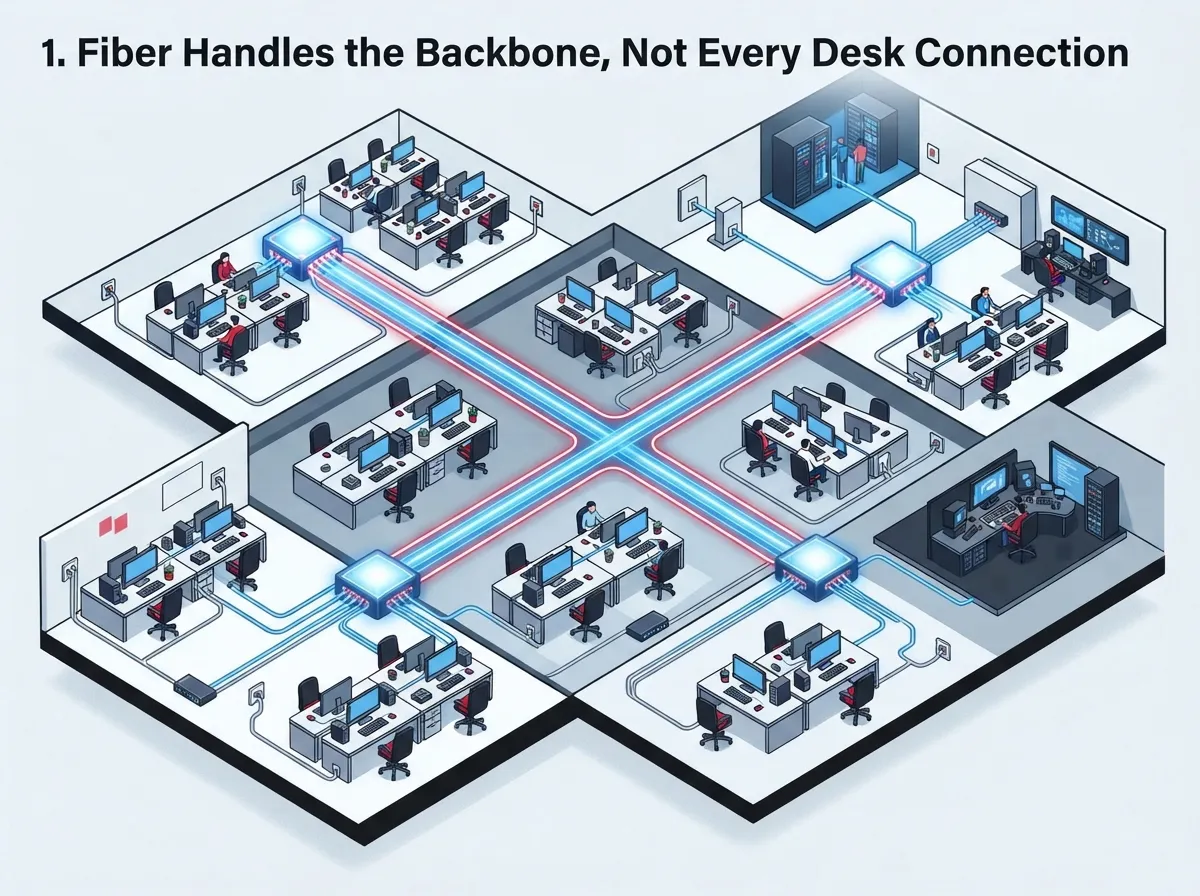
Here’s something that surprises a lot of office managers: fiber optic cabling usually isn’t running to every desk, phone, or printer. Instead, fiber typically connects the big stuff, like building backbones, data-center links, and connections between your telecom room and your Internet Service Provider.
For the shorter runs from your equipment room out to individual workstations, copper cabling like CAT6A usually does the job just fine. This combo of fiber for the heavy lifting and copper for the last stretch is standard practice in modern structured cabling design.
- Fiber connects telecommunications rooms, data centers, and separate buildings on a campus.
- Copper (CAT6A or similar) handles horizontal runs to desks, VoIP phones, and wireless access points.
- This layered approach balances cost, performance, and ease of maintenance.
- It also makes future upgrades simpler since fiber backbones rarely need replacing as often as copper.
If you’re not sure which parts of your office need fiber versus copper, our team can walk through your floor plan and map it out. Check out our guide on how to plan network cabling installation in Tampa Bay for more detail.
2. Multimode and Single-Mode Fiber Serve Different Jobs
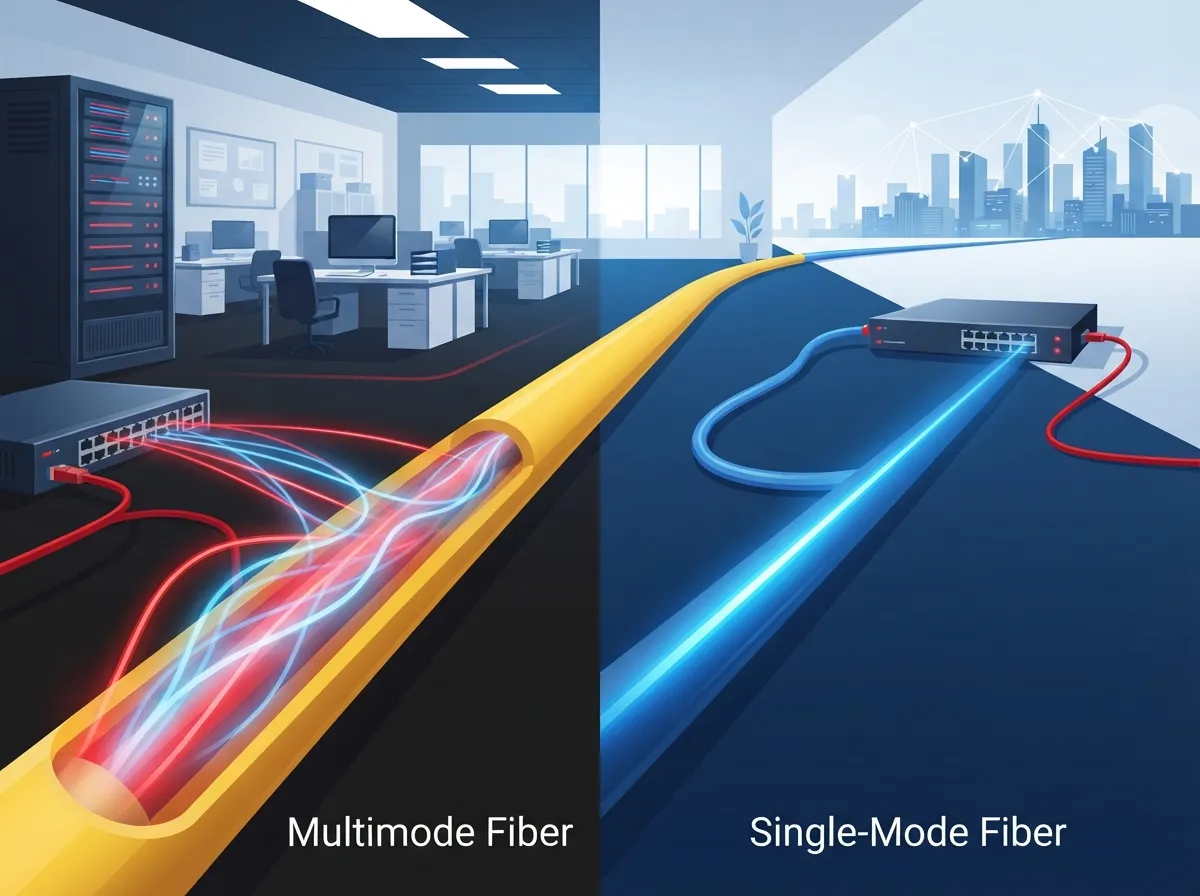
Not all fiber cable is the same. There are two main families: multimode fiber (MMF) and single-mode fiber (SMF). Picking the wrong one can mean paying for capability you don’t need, or worse, running out of bandwidth too soon.
Multimode Fiber (OM3, OM4, OM5)
Multimode fiber works great for shorter, high-bandwidth connections inside a single building or data center. OM4 has become the go-to choice for new installations because it offers a nice balance of performance and cost.
Single-Mode Fiber (OS2)
Single-mode fiber, especially OS2, is built for the long haul. Think risers that run up a ten-story building, connections between separate buildings on a campus, or outside-plant links stretching well beyond what multimode can handle.
| Fiber Type | Best Use Case | Typical Bandwidth |
|---|---|---|
| OM3 | Short in-building links, older data centers | ~2,000 MHz·km at 850nm |
| OM4 | New multimode installs, high-density buildings | ~3,500 MHz·km at 850nm |
| OS2 | Risers, campus links, long backbone runs | Low loss, long distance (0.4 dB/km) |
According to reference data from the Fiber Optics Tech Consortium, these bandwidth figures hold steady across most premises installations. If you’re weighing dedicated fiber options for your business internet as well, our article on dedicated vs. shared fiber covers that decision in more depth.
3. Distance and Speed Depend on More Than Just the Cable
Here’s a fact that trips up a lot of people: the cable itself is only part of the story. How fast your network runs, and how far that speed can travel, depends on the fiber type, the transceivers, and the switches on each end.
- OM3 at 10 Gb/s: Reaches roughly 300 meters using 10GBASE-SR optics.
- OM4 at 10 Gb/s: Stretches to about 400 meters with the same standard.
- OM4 at 40 Gb/s: Typically reaches around 150 meters.
- OM4 at 100 Gb/s: Commonly supports about 100 to 150 meters, depending on the specific application.
- OS2 at 10, 40, or 100 Gb/s: With the right transceivers, links can reach 10 kilometers or more.
These numbers come from published IEEE application-distance tables, but real-world results depend on your connectors, splices, and overall link budget. A cable rated for 100 Gb/s doesn’t automatically give you a 100 Gb/s internet connection. Your network hardware and your service provider both play a role too. For a deeper look at how internet speed connects to your infrastructure, see our post on how to choose the right internet speed for your Tampa business.
4. Standards and Documentation Keep Your Network Reliable
Nobody gets excited about paperwork, but proper standards and documentation save you major headaches later. Office fiber installations should follow recognized guidelines, including:
- ANSI/TIA-568.0-E for generic telecommunications cabling
- ANSI/TIA-568.1-E for commercial building requirements
- ANSI/TIA-568.3-E for optical-fiber cabling components
- TIA-569-E for pathways and equipment spaces
- TIA-606-D for labeling and administration
These standards exist so that any qualified technician, not just the person who installed your system, can understand and maintain your network years down the road. Good labeling and as-built documentation matter just as much as the cable quality itself.
Our team follows these standards on every project, whether it’s a small Tampa office or a multi-location franchise rollout. You can learn more about our approach in our piece on professional structured cabling services for Tampa businesses.
5. Installation Quality Makes or Breaks Performance
You could buy the best fiber cable on the market and still end up with a sluggish, unreliable network if the installation is sloppy. Fiber is more sensitive than copper in some ways, and small mistakes add up fast.
What Careful Installers Watch For
Professional installers respect the cable’s minimum bend radius and pulling tension. They also keep connectors clean and free from contamination, since even a speck of dust can throw off a connection. Mixing incompatible connector types or fiber categories is another common mistake that causes headaches later.
- Bend radius and pulling tension limits must be respected during installation.
- Connectors need to stay clean and protected from dust and debris.
- Fire-rated or low-smoke cable materials should match the building’s requirements.
- Fiber types and connector polish styles shouldn’t be mixed within the same link.
Because fiber doesn’t conduct electricity and resists electromagnetic interference, it’s also a smart choice near electrical equipment or in crowded telecom rooms. This makes it valuable for businesses running sensitive equipment alongside their network gear. If you’re deciding between DIY and hiring a pro, our comparison on DIY vs. professional cabling for Tampa offices lays out the tradeoffs clearly.
6. Testing and Future Planning Protect Your Investment
Once the cable is installed, the job isn’t quite done. Every fiber link should be inspected, cleaned, and tested before anyone calls it complete. Typical testing includes optical-loss measurements using a light source and power meter. For longer or more complex runs, technicians may also use OTDR testing to check splices and troubleshoot issues.
Here’s a simple checklist for confirming your installation is solid:
- Inspect every connector for cleanliness before connecting.
- Run optical-loss tests on each completed link.
- Use OTDR testing for longer runs or when troubleshooting is needed.
- Keep all test results alongside your as-built documentation.
- Review your capacity needs every few years as your business grows.
Planning ahead matters just as much as testing. If your office is expanding, adding more cameras, or moving to a cloud-based phone system, your fiber backbone needs room to grow too. We’ve helped plenty of franchise operators and mid-sized companies plan cabling that scales smoothly. Our article on 9 signs your Tampa business needs structured cabling now can help you spot the warning signs early.
A complete fiber solution also includes more than just cable. You’ll need patch panels, splice trays, adapters, transceivers, and proper pathways. Skipping any of these pieces can leave gaps in performance. For a broader view of how cabling supports your other systems, take a look at our post on 13 ways structured cabling supports VoIP and cameras.
Bringing It All Together for Your Office
Fiber optic cabling for offices isn’t just a technical upgrade. It’s an investment in reliability, speed, and room to grow. From choosing between OM4 and OS2 to making sure your installer follows TIA standards, every decision affects how well your network performs for years to come.
We get it. Cabling decisions can feel overwhelming when you’re also running a business. That’s exactly why Ideal Solutions Provider exists. We’ve spent over two decades helping Tampa businesses and companies nationwide navigate structured cabling, high-speed internet, VoIP, and security systems, all with one point of contact instead of a dozen vendors. You can follow our latest projects and tips on Facebook, Instagram, or YouTube.
Ready to see what a properly planned fiber network could do for your office? Contact us for a free consultation, or call us today and let’s talk through your options together.
FAQs
Q: What type of fiber optic cable is best for an office network?
A: It really depends on your building layout! For most in-building, shorter connections, OM4 multimode fiber is a great fit because it balances performance and cost nicely. If you’re connecting separate buildings or running long risers, OS2 single-mode fiber is the better friend to have on your side.
Q: Should an office use OM4 multimode or OS2 single-mode fiber?
A: Think of it this way: OM4 is perfect for shorter sprints within a building or data center, while OS2 is built for the marathon, handling long campus links and outside-plant runs. Many offices actually use both, depending on the distance each connection needs to cover.
Q: Can fiber optic cabling replace Ethernet copper throughout an office?
A: Technically yes, but it’s usually not the most practical choice for every desk. Fiber shines for backbones and long runs, while copper cabling like CAT6A is typically more cost-effective for connecting phones, computers, and access points on your office floor.
Q: How far can OM3, OM4, and OS2 fiber run at 10 Gb/s or 100 Gb/s?
A: At 10 Gb/s, OM3 typically reaches about 300 meters and OM4 stretches to around 400 meters. At 100 Gb/s, OM4 commonly supports 100 to 150 meters, while OS2 with the right optics can travel 10 kilometers or more. The exact distance always depends on your specific transceivers and network design.
Q: How much does commercial office fiber optic cabling cost?
A: Costs vary quite a bit based on building size, fiber type, and how much existing infrastructure you already have. The friendliest way to get an accurate number is through a site walkthrough, and our team is always happy to provide that kind of personalized assessment at no cost to you.





