

Key Takeaways
-
Video surveillance is a network project: poor bandwidth planning causes blurry clips, laggy remote viewing, and lost footage, so check your upload speed, not just download speed, before installing.
-
Edge recording with event-based uploads sends only important clips to the cloud, significantly reducing the bandwidth load on your internet connection.
-
Choose your recording model based on your setup: on-premises suits single sites with tight data control, cloud (VSaaS) suits multi-site businesses, and hybrid combines local recording with cloud access.
-
Use PoE switches and quality structured cabling so each camera gets power and data from one cable, and prefer wired connections over cellular when possible.
-
Secure cameras by changing default passwords, enabling multifactor authentication, updating firmware regularly, and isolating the camera network from payment and file servers.
-
Set written privacy rules before recording: define who can view footage, how long it is kept, where notice signs go, and avoid audio recording unless you have a lawful basis.
Let’s be honest: nobody wakes up excited to shop for cameras. But when something goes wrong at your shop, office, or warehouse, you want clear footage, and you want it fast. That is the whole point of business video surveillance.
Here is the catch. A camera system is not just a few cameras on a wall. It is a network project. Cameras send video over your internet and cabling, and that video can be heavy. If the system is planned poorly, you may end up with blurry clips, slow remote viewing, or footage that is gone when you need it most.
The good news? Most problems are easy to avoid once you know what to watch for. In this friendly guide, we will walk through six common mistakes small business owners, office managers, IT managers, and franchise operators make. We will also share simple fixes, so you can protect your people, property, and budget with confidence in 2026.
What Business Video Surveillance Really Includes
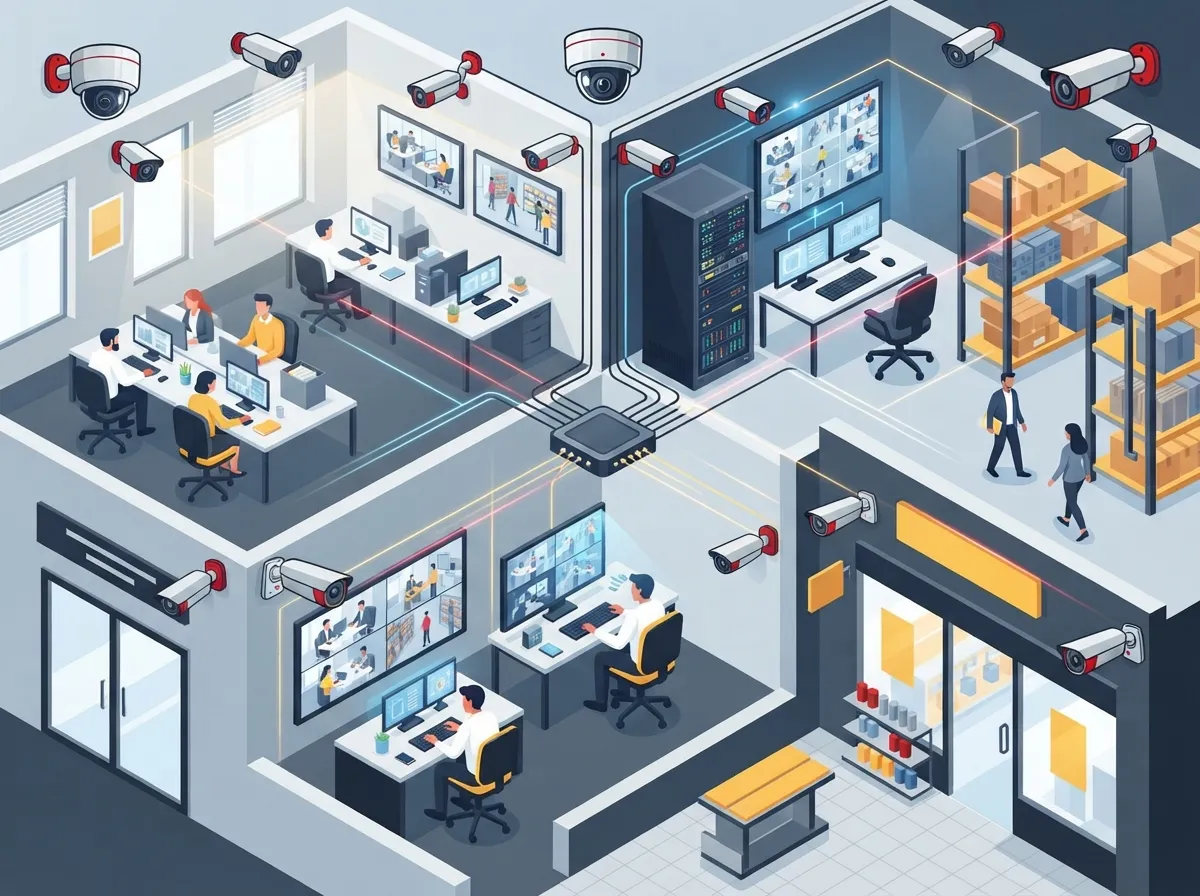
Think of business video surveillance as a small team working together. IP cameras capture video. A network carries it. Video management software lets you watch and search it. Storage keeps the footage safe for later.
From a telecom point of view, the network is the star of the show. Internet speed, cabling quality, and power delivery all shape how well your cameras perform. A telecom partner can help plan the connection, install the equipment, set up remote access, and support the system after launch. The exact service bundle varies by provider.
Market research shows how popular these systems have become. Grand View Research estimates the global video surveillance market at USD 83.5 billion in 2025, with IP systems holding more than 55.7% of revenue. Estimates differ by research firm, so treat any single number as a rough guide, not a promise.
Quick Look at the Main Parts
- IP cameras: Send digital video over Ethernet or wireless networks.
- Power over Ethernet (PoE): Carries power and data over one cable, which keeps installs tidy.
- Video management software: Lets you view live feeds, search clips, and set alerts.
- Storage: Keeps footage on-site, in the cloud, or both.
- Connectivity: Wired internet, fiber, or cellular for hard-to-wire spots.

Mistake #1: Ignoring Your Network Bandwidth
This is the big one. Video is hungry. A handful of high-resolution cameras recording nonstop can eat a surprising amount of your internet connection. If your network is already busy with phone calls, cloud apps, and guest Wi-Fi, cameras may slow everything down.
Many owners only notice the problem after install day. Calls get choppy. Remote viewing lags. Nobody is happy. A little planning up front prevents all of it.
What Affects Bandwidth Use
- Number of cameras
- Resolution and frame rate
- Compression type
- Recording schedule (nonstop or motion-based)
- Retention period
- How many people watch at the same time
- Your upload capacity, which matters for cloud and remote viewing
Here is a helpful trick. Edge recording and event-based uploads can cut the load on your connection. The camera records locally, then sends only the important clips. If you are unsure about your speed, our guide on how to choose the right internet speed for your Tampa business is a great place to start.
Mistake #2: Picking the Wrong Recording Model
Should you record on-site, in the cloud, or both? There is no single right answer. The best pick depends on your sites, your internet, and how much control you want over your data.
| Model | How It Works | Best For | Watch Out For |
|---|---|---|---|
| On-premises | Footage is stored on a local recorder or server | Single sites, tight data control, limited upload speed | Hardware upkeep and local backups |
| Cloud (VSaaS) | Footage is stored and managed online as a service | Multi-site businesses, easy remote access | Upload bandwidth and ongoing fees |
| Hybrid | Local recording plus cloud backup or access | Businesses needing both control and convenience | More moving parts to plan |
VSaaS stands for Video Surveillance as a Service. It means a provider handles much of the software, updates, and storage for a recurring fee. For franchise operators with many locations, that can make life much simpler. Cloud and managed models can simplify multi-site administration, while local or hybrid recording can help with latency, bandwidth, and data-control needs.
Curious how the two stack up in real life? Read our breakdown of the 6 key differences between cloud video security and DVR systems.
Mistake #3: Skimping on Cabling and Power
Cameras are only as reliable as the cables behind them. Cheap or messy wiring causes dropped feeds, flickering video, and mystery outages. It is the kind of problem that makes an office manager’s day much harder.
Quality structured cabling gives your cameras a clean, organized path to your network. Pair it with PoE switches, and each camera gets power and data from a single cable. That means fewer outlets, fewer headaches, and cleaner installs.
If a spot is truly hard to wire, cellular connectivity can help. It works well for temporary sites, remote lots, or places where running cable is not practical. Still, wired connections are usually the steadier choice when you can get them.
Want to see how cabling supports your whole setup? Check out our post on 13 ways structured cabling supports VoIP and cameras.
Mistake #4: Forgetting About Cybersecurity
Here is something many owners never think about: a camera is a computer on your network. If it is left with a default password, it can become an open door for hackers. That is the opposite of what you wanted.
The fix is not complicated. It just takes a few good habits.
Simple Steps to Lock Down Your Cameras
- Change default logins. Use unique, strong passwords for every device.
- Turn on multifactor authentication wherever it is offered.
- Update firmware on a regular schedule.
- Separate your camera network from business-critical systems, such as payment or file servers.
- Encrypt connections and stored footage.
- Limit access by role. Not everyone needs to see every camera.
- Keep logs and backups so you can see who viewed what.
Security should be built in from day one, not patched on later. If you want to dig deeper into protecting your wider setup, see how to choose a data security service for business telecom.
Mistake #5: Skipping Privacy and Retention Rules
Cameras can help with incident review, deterrence, safety, and day-to-day visibility. But they do not guarantee that a crime will be prevented or that anyone will respond in time. Setting honest expectations keeps everyone happy.
You also need clear rules. Before you press record, decide a few things:
- Who can view footage, and why?
- How long will you keep it, and when will it be deleted?
- Where will signs or notices be posted?
- How will you handle requests from law enforcement or employees?
Privacy, employment, audio-recording, and data-protection rules depend on where you are and how you use video. Be extra careful in sensitive areas such as restrooms or break rooms. Avoid recording audio unless you have a clear lawful basis. When in doubt, talk to a qualified attorney before you finalize your policy.
As for retention, there is no magic number for every business. Many owners choose a period that fits their risk, storage space, and legal needs. Our guide on cloud video security footage storage explains the basics in plain language.
Mistake #6: Planning for Today Instead of Tomorrow
Your business is growing, and your camera system should be able to grow with you. Many owners buy just enough cameras for today. Then a new location opens, or a new entrance needs coverage, and the whole setup needs a redo.
Ask a few future-minded questions before you buy:
- Can I add cameras without replacing the recorder?
- Will my network handle ten more cameras next year?
- Can I manage every site from one dashboard?
- What happens to my video if the internet goes down?
That last one matters a lot. Local or hybrid recording can keep capturing footage during an outage, then sync later. Learn more in our post on how to keep security cameras working during internet outages.
Planning ahead also saves money. Buying a scalable setup once is almost always cheaper than rebuilding it later. If you are wondering what a system might run, our guide on how to budget for commercial video surveillance in Tampa FL can help you get started.
A Quick Planning Checklist
Before you sign anything, run through this short list. It keeps the project on track and gives your provider the details they need.
- Map your sites. Note entrances, parking areas, cash counters, and storage rooms.
- Count your cameras. Think about coverage, not just numbers.
- Check your internet. Measure upload speed, not only download speed.
- Choose a recording model. On-premises, cloud, or hybrid.
- Plan cabling and power. Decide where PoE switches and cable runs will go.
- Set security rules. Passwords, access roles, and update schedules.
- Write your policy. Retention, viewing rights, and notice signs.
Not sure how many cameras you need? Our post on the 10 factors that decide how many security cameras you need walks you through it.
Why a Telecom Partner Makes It Easier
Here is where telecom experience really shines. Video surveillance touches your internet, your cabling, your network, and sometimes your access control. When one company understands all of those pieces, there is less finger-pointing and more problem-solving.
Ideal Solutions Provider is a Tampa-based telecom and IT partner with over 24 years of experience. The team works with 35+ vetted suppliers and acts as a single point of contact, so you do not have to juggle several vendors. That includes cloud video security, along with the internet and cabling that support it. For IT managers and franchise operators, that one-call approach can save a lot of time.
It also helps to see how remote viewing works in practice. If you want to check cameras from your phone or laptop, our guide on how to set up remote business video monitoring in Tampa shows the steps. You can also compare options in remote vs. on-site video surveillance.
A Peek at What’s Next: AI and Smarter Video
Cameras are getting smarter. AI features can spot motion, count people, or flag unusual activity so you do not have to scrub through hours of video. Grand View Research estimates the AI video surveillance market at USD 7.2 billion in 2025, with a projected 22.3% annual growth rate through 2033. Those are analyst forecasts, not guarantees, but they show where the industry is heading.
Smarter video is a nice bonus. Just remember that AI needs a strong network and good privacy rules to work well. Start with the basics, then add features as your needs grow.
Ready to Get Your Cameras Right?
Good business video surveillance comes down to smart planning. Check your bandwidth, choose the right recording model, invest in solid cabling, lock down security, set clear privacy rules, and plan for growth. Avoid these six mistakes, and your system will work for you, not against you.
You do not have to figure it all out alone. We would love to help you design a setup that fits your space and budget. Contact us for a friendly, no-pressure conversation, or call us to talk it through. You can also follow along on YouTube for helpful tech tips.
FAQs
Q: What is business video surveillance and how does it work?
A: It is a system of network-connected IP cameras, video management software, storage, and secure connectivity. Cameras send video over your network so you can watch live or review footage later, either on-site or from anywhere with remote access.
Q: How much internet bandwidth do business security cameras need?
A: It depends on how many cameras you have, their resolution and frame rate, how you record, and how many people view at once. Upload speed matters most for cloud and remote viewing, and event-based recording can reduce the load on your connection.
Q: Is cloud video surveillance or on-premises recording better for a business?
A: Neither is always better. Cloud (VSaaS) makes multi-site management easier, while on-premises or hybrid setups can help with bandwidth and data control. The best choice depends on your locations, internet speed, and how you want to manage your footage.
Q: How can a business secure IP cameras against hacking?
A: Change default passwords, use strong unique logins with multifactor authentication, update firmware often, and keep cameras on a separate network from your critical systems. Encrypt your connections and footage, and limit who can view each camera.
Q: What privacy rules apply to workplace video surveillance?
A: Rules vary by location and use, so check your local privacy, employment, and audio-recording laws before you record. Avoid sensitive areas, skip audio unless you have a clear lawful basis, and set written policies for access and retention.





