Key Takeaways
-
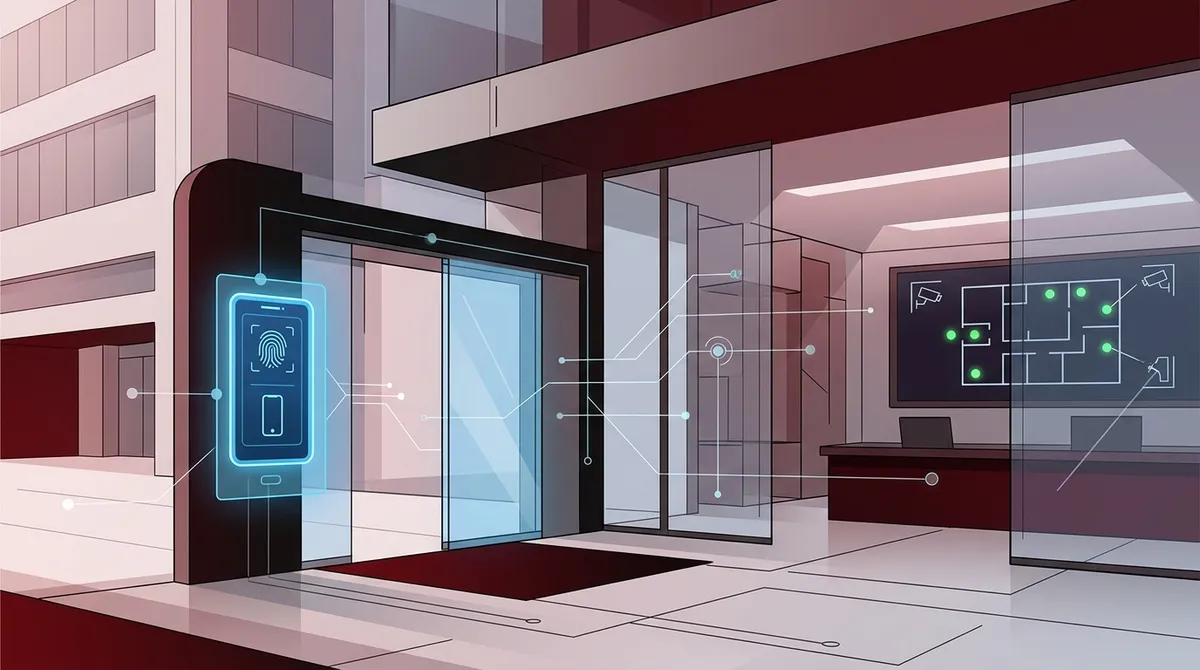
Access control systems let you manage who enters your building, when, and where they can go with real-time visibility from a centralized platform, eliminating lost keys and after-hours guessing.
-
Cloud-based access control systems are increasingly popular in Tampa because they enable remote management, instant alerts, and easy scalability across multiple locations from a single dashboard.
-
Modern access control credentials are shifting toward mobile credentials and biometrics, which reduce security risks from lost badges and provide better user experience compared to traditional proximity cards.
-
Integrate your access control system with video surveillance, intercoms, visitor management, and intrusion detection to create a unified security stack that automatically links access events to camera footage.
-
Choose a Tampa provider offering end-to-end service including design, installation, programming, and 24/7 support with experience across multiple vendors rather than relying on a single brand.
-
For multi-location businesses, select a scalable platform from day one that supports growth without replacing your entire system, using centralized management and standardized credentials across all sites.
If you run a business in Tampa, you already know that keeping your space secure is a top priority. But have you thought about who can walk into your building, your server room, or your supply closet? That’s exactly what access control systems are designed to handle. And in 2026, they’ve become one of the smartest investments a Tampa business can make.
Access control systems let you decide who gets in, when they get in, and where they can go. No more chasing down lost keys. No more guessing who entered the building after hours. You get real-time visibility and full control, all from a centralized platform. Whether you run a small office or a multi-location enterprise, the right system scales to fit your needs perfectly.
This guide walks you through everything you need to know about choosing access control systems in Tampa. We’ll cover the types of systems available, key features to look for, how to integrate them with your existing tech, and how to find the right partner to get it all done right.
What Are Business Access Control Systems?
Access control systems are commercial security platforms that manage entry to your building or specific areas within it. Instead of traditional lock-and-key setups, they use electronic credentials to verify identity and grant or deny access. Think of it as a smarter, more trackable version of a key.
Modern access control systems work across your entire network. They can be configured over LAN, WAN, the internet, or your company’s intranet. That means you can manage access for one door or hundreds of doors across multiple locations, all from one dashboard. For businesses in Tampa managing growing teams or multiple sites, this centralized control is a game-changer.
These systems are used across many industries in the Tampa area, including office buildings, healthcare facilities, schools, government offices, and multi-building campuses. No matter your industry, there’s a system that fits your specific security needs. You can also learn more about how Tampa businesses benefit from commercial access control to get a broader picture.
Types of Access Control Systems Available in Tampa
Not all access control systems work the same way. The right choice depends on your business size, security requirements, and budget. Here’s a quick breakdown of the most common types used by Tampa businesses today.
| System Type | Best For | Key Benefit | Scalability |
|---|---|---|---|
| Cloud-Based | Multi-location businesses | Remote management, real-time alerts | High |
| On-Premise | High-security environments | Full local control, no internet dependency | Moderate |
| Hybrid | Mid-sized enterprises | Combines local and cloud features | High |
| Single-Door Systems | Small businesses or startups | Affordable, easy to install | Low |
Cloud-based access control systems are especially popular in Tampa right now. They let you manage credentials, view entry logs, and receive instant alerts from your phone or computer. If you’re curious about the advantages, check out these 7 reasons Tampa businesses love cloud access control in 2026.
Common Credential Technologies Explained
One of the first decisions you’ll make is how employees and visitors will prove their identity. The credential technology you choose affects both security strength and user convenience. Here’s what’s commonly used in Tampa’s commercial market today.
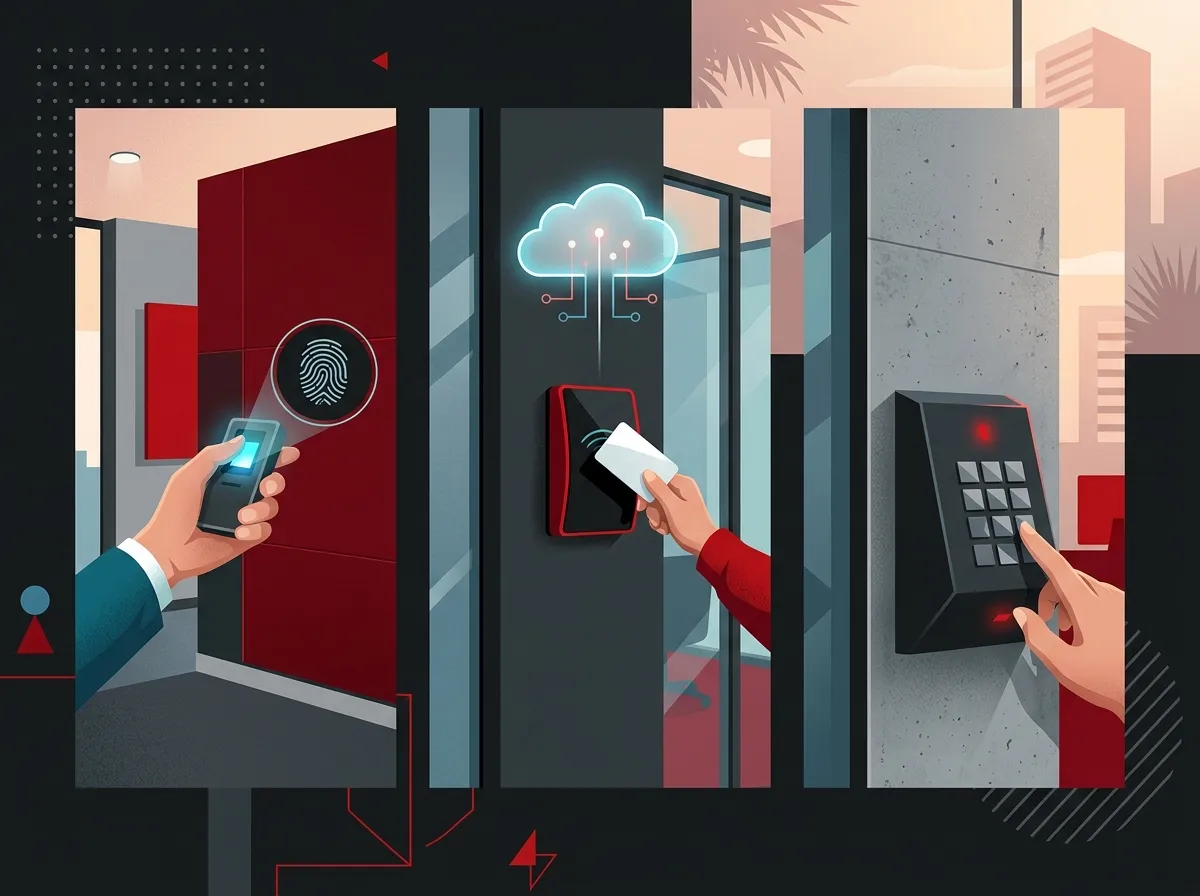
- Proximity Cards: Employees tap or wave a card near a reader to gain entry. These are affordable and widely used.
- Keypads: Users enter a PIN code. Simple and cost-effective, but less secure if codes are shared.
- Mobile Credentials: Employees use their smartphone as their access badge. Highly convenient and modern.
- Biometric Readers: Thumb, hand, or retinal scanners verify identity. Ideal for high-security areas.
- Key Fobs: Similar to proximity cards but in a compact form factor. Easy to carry and use.
Many businesses in Tampa are now moving toward mobile credentials and biometrics. These options reduce the risk of lost or stolen badges and offer a smoother user experience. To explore how mobile credentials stack up against traditional options, read this comparison of mobile vs. traditional access control for Tampa businesses.
Step-by-Step: How to Choose the Right System for Your Tampa Business
Choosing access control systems in Tampa doesn’t have to feel overwhelming. Follow these steps to make a confident, informed decision that fits your business perfectly.
- Assess your security needs. Walk through your building and identify every entry point that needs to be controlled. Include doors, server rooms, storage areas, and parking garages.
- Determine your user count. Systems in Tampa can scale from a handful of users to thousands. Know roughly how many employees and visitors need credentials.
- Choose your credential type. Decide whether proximity cards, mobile credentials, biometrics, or a combination best fits your team’s workflow and security goals.
- Decide between cloud and on-premise. Cloud systems offer remote management and easier scalability. On-premise systems offer full local control. A hybrid option works well for many mid-sized businesses.
- Plan for integrations. Think about how your access control system will connect with your video surveillance, intercoms, and visitor management tools.
- Find a local partner. Choose a Tampa-area provider that offers design, installation, programming, and ongoing support as a complete package.
Key Features to Look For in Access Control Systems
Not every access control system is built the same. When evaluating your options, keep an eye out for the features that will deliver the most value for your Tampa business. The right features make day-to-day management much easier.
| Feature | Why It Matters | Ideal For |
|---|---|---|
| Real-Time Alerts | Instant notification of unauthorized access attempts | All business sizes |
| Audit Trails | Full log of who entered where and when | Healthcare, finance, government |
| Remote Management | Grant or revoke access from anywhere | Multi-location businesses |
| Video Integration | Link access events with camera footage | Offices, schools, warehouses |
| Visitor Management | Track and control guest access easily | Corporate offices, healthcare |
| Scalable User Capacity | Add users and doors as your business grows | Growing enterprises, franchises |
Audit trails are especially valuable for businesses in regulated industries like healthcare or finance. They create a clear record of who accessed sensitive areas, helping you meet compliance requirements. Real-time alerts are equally important for catching potential security issues before they escalate.
How Access Control Integrates With Your Broader Security Stack
Here’s where things get really exciting. Modern access control systems don’t operate in isolation. They work best when integrated with your other business security tools. This creates a unified security stack that gives you full situational awareness at all times.
In Tampa’s commercial market, the most common integrations include video surveillance, intercoms, intrusion detection, and visitor management systems. When an access event occurs, your system can automatically pull up the corresponding camera footage. This makes investigating incidents fast and easy. You can learn more about what security cameras really do for your business to see how they complement access control perfectly.
- Video Surveillance: Link access events directly to camera footage for instant visual verification.
- Intercoms: Allow remote audio or video confirmation before granting entry to visitors.
- Intrusion Alarms: Trigger alerts or lockdowns if access credentials are misused or a breach occurs.
- Visitor Management Software: Pre-register guests, issue temporary credentials, and track their movement throughout your facility.
- Cloud Phone Systems: Some advanced setups allow remote door release directly from a VoIP phone or app.
A fully integrated security stack is especially powerful for multi-location businesses. You can monitor all your Tampa-area sites and beyond from one centralized platform. This level of visibility was once only available to large enterprises, but today it’s accessible to businesses of all sizes.
Cloud vs. On-Premise: Which Is Right for You?
This is one of the most common questions Tampa business owners ask. Both options have real advantages, and the right choice depends entirely on your specific situation. Let’s break it down simply.
Cloud-based systems store your data and software in secure online servers. This means you can manage everything remotely, updates happen automatically, and scaling up is straightforward. They’re ideal for growing businesses or those with multiple locations. For a deeper dive, explore the 5 best cloud-based access control companies in Tampa FL to compare your options.
On-premise systems store everything locally. This gives you complete control without relying on internet connectivity. It’s a great choice for high-security environments or businesses with strict data privacy requirements. However, it typically requires more upfront investment and ongoing IT maintenance.
Many Tampa businesses are choosing hybrid solutions that combine the best of both worlds. You get local control for critical operations plus cloud flexibility for remote management and scalability. A good telecom and security partner can help you figure out which approach fits your goals and budget.
Scaling Access Control Across Multiple Locations
If you manage a franchise, a multi-site enterprise, or a growing business with multiple Tampa-area offices, scalability becomes your number one concern. The good news? Modern access control systems are built for exactly this scenario.
Providers in the Tampa market offer solutions that scale from a single door to enterprise systems managing hundreds of access points and thousands of users. You can add new locations, users, and credential types without replacing your entire setup. This makes your initial investment go much further over time. Check out scalable access control systems for multi-location Tampa businesses to see how this works in practice.
- Start with a scalable platform. Choose a system that supports growth from day one, even if you only need a few doors right now.
- Use centralized management software. One dashboard should cover all your locations, making administration simple and consistent.
- Standardize credential types. Using the same credential technology across all sites simplifies management and reduces costs.
- Work with a partner who supports multi-site deployments. Not all providers have the experience to handle complex, multi-location rollouts smoothly.
Franchise operators especially benefit from scalable access control. You can enforce consistent security policies across all locations while still giving local managers the access they need. It’s a level of control that traditional lock-and-key setups simply can’t match.
What to Look for in a Tampa Access Control Provider
Choosing the right provider is just as important as choosing the right system. A great system installed poorly or left without support is a liability, not an asset. Here’s what to look for when evaluating Tampa-area access control providers.
- End-to-End Service: Look for providers who handle design, engineering, installation, programming, and ongoing support under one roof.
- Industry Experience: Providers with 20+ years of experience bring valuable knowledge about what works for different business types.
- Multiple Vendor Relationships: A partner who works with multiple suppliers can recommend the best fit for your needs rather than pushing a single brand.
- Local Presence: A Tampa-based provider understands local building codes, business environments, and can offer faster on-site support.
- 24/7 Support: Access control issues don’t follow business hours. Make sure your provider offers around-the-clock monitoring and service.
- Proven Track Record: Ask for references or case studies from businesses similar to yours in the Tampa area.
At Ideal Solutions Provider, we bring over 24 years of experience and partnerships with 35+ vetted suppliers to every access control project. We serve as your single point of contact, handling everything from consultation to installation to ongoing support. That means no juggling multiple vendors and no gaps in service. You can also explore what makes a trusted telecommunications provider for Tampa businesses stand out from the crowd.
Access Control Costs: What Tampa Businesses Should Expect
Cost is always a consideration, and it’s important to understand what drives pricing for access control systems in Tampa. A single-door system will obviously cost much less than an enterprise-wide deployment covering dozens of access points.
| Deployment Size | Estimated Access Points | Typical Use Case | Relative Cost |
|---|---|---|---|
| Entry-Level | 1–5 doors | Small office or startup | $ |
| Mid-Range | 6–30 doors | Mid-sized office or clinic | $$ |
| Enterprise | 30–100+ doors | Campus, multi-floor, or franchise | $$$ |
| Multi-Site | 100+ doors across locations | Large enterprise or national chain | $$$$ |
Beyond hardware costs, factor in software licensing, installation labor, ongoing support plans, and cloud subscription fees if applicable. Many Tampa businesses find that cloud-based systems reduce long-term costs because they eliminate expensive on-site servers and reduce IT maintenance needs. Getting a free consultation from a trusted local provider is the best way to get accurate pricing for your specific situation.
It’s also worth remembering that access control is an investment in risk reduction. Think about the cost of a security breach, a stolen laptop, or an after-hours incident compared to the cost of a well-designed access control system. The math usually favors investing in the right solution upfront. You can follow Ideal Solutions Provider on Instagram for tips and updates on business security solutions.
Connecting Access Control to Your Overall Telecom Strategy
Here’s something many Tampa business owners don’t think about right away. Access control systems work best when they’re part of a bigger, integrated telecom and IT strategy. Your internet connection, network infrastructure, and phone systems all play a role in how well your access control system performs.
A slow or unreliable internet connection can affect cloud-based access control systems. That’s why pairing your security investment with reliable business internet is so important. Check out why Tampa businesses need dedicated fiber internet to understand the connection between your network and your security tools. Strong network infrastructure, including quality professional structured cabling services for Tampa businesses, ensures your access control hardware communicates reliably at all times.
When you work with a single telecom partner who handles VoIP, internet, cabling, networking, cameras, and access control together, everything is designed to work seamlessly. There are no finger-pointing moments between vendors when something goes wrong. You have one team accountable for the full picture. To see how this single-partner model benefits Tampa businesses, explore the 11 reasons to use one telecom partner in Tampa FL. You can also subscribe to the Ideal Solutions Provider YouTube channel for helpful video guides on business telecom and security topics.
Making the Final Decision With Confidence
Choosing access control systems in Tampa comes down to understanding your needs, evaluating your options honestly, and partnering with a provider who has the experience to get it right. You don’t need to be a security expert to make a great decision. You just need the right team in your corner.
Start by assessing your current entry points and security gaps. Then explore whether a cloud-based or on-premise system fits your workflow better. Think about how it will integrate with your cameras, intercoms, and network. And always ask potential providers about their long-term support capabilities. A great install means nothing without solid ongoing service.
The Tampa market has plenty of options, and businesses of all sizes are embracing modern access control in 2026. From single-door setups for small offices to enterprise systems managing hundreds of access points and thousands of users, there’s a solution that fits your budget and your goals. You can also check out keyless entry vs. traditional keys for Tampa offices to understand how far commercial security has evolved in recent years.
Ready to take the next step? Reach out to our team at Ideal Solutions Provider for a free consultation. We’ll review your current setup, identify any security gaps, and recommend the best access control solution for your Tampa business. Or if you’d prefer to chat right now, give us a call at 813-388-4935 and we’ll be happy to help you get started.
FAQs
Q: What are the best access control systems for small Tampa businesses?
A: Great news — you don’t need a big budget to get started! For small Tampa businesses, cloud-based single-door or multi-door systems with proximity cards or mobile credentials are often the most practical and affordable choice. They’re easy to manage, scale as you grow, and don’t require expensive on-site servers.
Q: Can access control systems integrate with video surveillance in Tampa?
A: Absolutely, and it’s one of the best combinations you can invest in! Modern access control systems in Tampa are designed to link directly with cloud video surveillance, so whenever an access event occurs, you can instantly pull up the corresponding camera footage. This makes investigating incidents fast and gives you a much clearer picture of what’s happening at your facility.
Q: What is the difference between cloud-based and on-premise access control?
A: Cloud-based systems store your data online, letting you manage access from anywhere via an app or web dashboard — perfect for remote or multi-location management. On-premise systems keep everything stored locally on your own hardware, which works well for high-security environments that don’t want to rely on internet connectivity. Many Tampa businesses are finding that a hybrid approach gives them the best of both worlds!
Q: How much does commercial access control installation cost in Tampa?
A: Costs vary quite a bit depending on your building size, number of access points, credential technology, and whether you go cloud or on-premise. Entry-level single-door setups are very affordable, while large enterprise deployments with hundreds of access points represent a more significant investment. The best way to get accurate pricing is to request a free consultation with a Tampa-area provider who can assess your specific needs.
Q: How do mobile credentials work in business access control systems?
A: Mobile credentials are a super convenient modern alternative to physical key cards! Employees use a secure app on their smartphone to authenticate at a reader, typically via Bluetooth or NFC technology. It means no more lost badges, easier credential management for admins, and a smoother experience for your team — all managed from a central cloud dashboard.