
Key Takeaways
-
Hybrid cloud video security systems are the best choice for Tampa businesses because they continue recording locally during internet outages and storm-related disruptions, then sync footage to the cloud when connectivity is restored.
-
Cloud camera systems must be paired with adequate network infrastructure—upload speeds of 10-100+ Mbps and CAT6 or better cabling—or video quality, alerts, and recordings will be unreliable regardless of system quality.
-
Combining cloud video security with cloud-based access control creates a powerful solution that lets businesses instantly verify who accessed sensitive areas and pull up corresponding video footage from anywhere within seconds.
-
AI-powered features like video verification, intelligent search, anomaly detection, and license plate recognition are now standard expectations in commercial-grade systems and significantly reduce false alarms and investigation time.
-
Tampa’s crowded security market with 88+ providers makes partnering with a local IT and telecom provider who understands your network infrastructure critical, as they can ensure proper integration and avoid common installation mistakes.
-
Cybersecurity for cloud cameras requires changing default passwords, isolating cameras on a separate network (VLAN), using end-to-end encryption, and selecting SOC 2-compliant providers to prevent hacking and unauthorized access.
Running a business in Tampa means you already know how competitive things are out here. Between managing staff, serving customers, and keeping operations running smoothly, the last thing you need is to worry about whether your building is safe. That’s where a solid cloud video security system comes in — and in 2026, Tampa businesses have more great options than ever before.
But with so many systems out there, how do you know which one is actually the best fit for your business? This guide breaks it all down in plain English. Whether you own a small retail shop, manage a multi-location franchise, or oversee IT for a growing company, you’ll find exactly what you need to make a smart decision.
For a quick look at cloud video security systems Tampa FL businesses love, you’ll want to bookmark that resource too. Now let’s dig in.

What Is a Cloud Video Security System?
A cloud video security system uses internet-connected cameras that store footage in the cloud instead of on a local hard drive or recorder. This means you can watch live video, review recorded footage, and get alerts — all from your phone or computer, no matter where you are.
Traditional systems required a physical DVR or NVR box on-site. If it got damaged, stolen, or failed, your footage was gone. Cloud systems solve that problem by saving video off-site automatically. This is a huge win for business owners who travel or manage multiple locations.
Want to understand more about what these systems can do for your organization? Check out this helpful post on what security cameras really do for your business.

The Best Type of Cloud Video Security System for Tampa Businesses
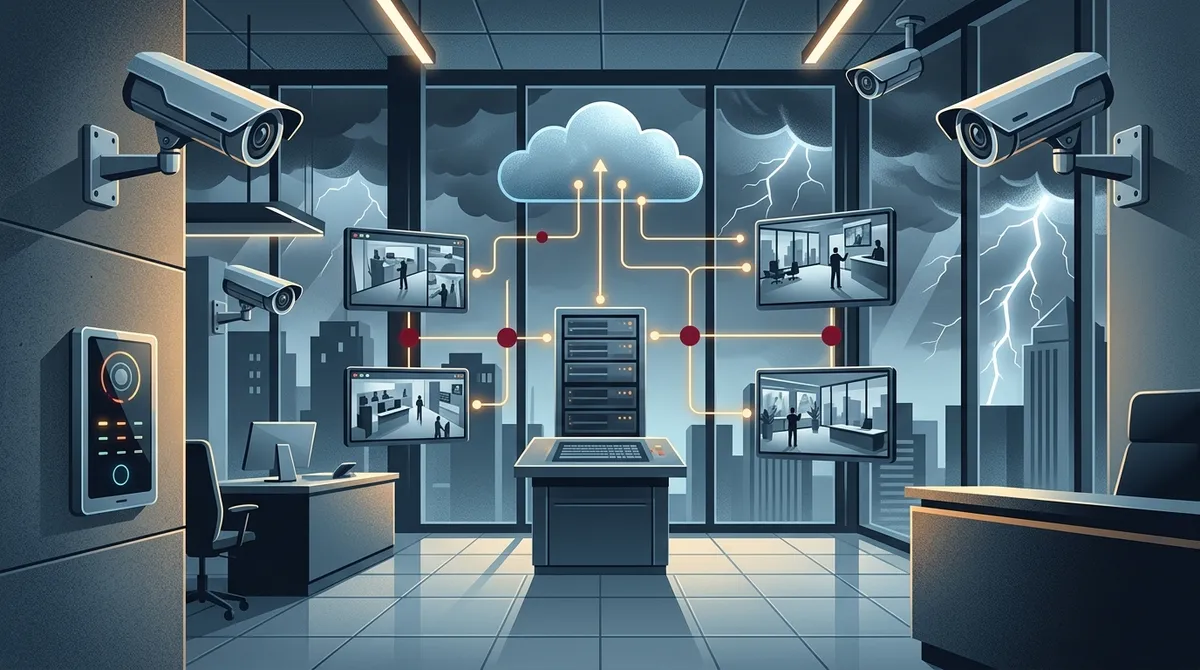
Here’s the honest answer: for most Tampa businesses, a hybrid cloud video security system is the best option available. Why? Because Tampa’s weather and occasional internet disruptions can knock your connection offline. A hybrid system keeps recording locally even when the internet goes down, then syncs everything to the cloud once you’re back online.
This gives you the best of both worlds — reliable local recording plus the convenience of remote cloud access. It’s especially smart here in Tampa Bay, where storm season is a real consideration for any business owner.
Hybrid Cloud vs. Pure Cloud: A Quick Comparison
| Feature | Hybrid Cloud System | Pure Cloud System |
|---|---|---|
| Continues recording during outages | ✅ Yes | ❌ No |
| Remote access from anywhere | ✅ Yes | ✅ Yes |
| Cloud storage backup | ✅ Yes | ✅ Yes |
| Lower bandwidth usage | ✅ Yes | ❌ Higher usage |
| Ideal for multi-location businesses | ✅ Yes | ⚠️ Depends on connectivity |
Key Features to Look for in a Tampa Business Cloud Camera System
Not all cloud security systems are created equal. Here are the most important features your Tampa business should look for when shopping around.
Top 5 Must-Have Features
- Hybrid edge-plus-cloud recording — Local processing keeps your system running during outages and reduces lag.
- AI-powered video search — Lets you search footage by object, person, or event instead of scrubbing through hours of video.
- Mobile app access — Check your cameras anytime from your smartphone or tablet.
- 24/7 professional monitoring — A monitoring center that responds to alerts and can contact authorities when needed.
- Scalability — Easy to add cameras as your business grows or expands to new locations.
You’ll also want to confirm the system integrates well with your existing business telecom infrastructure. A good business network solution is the backbone that keeps everything connected and running fast.
Indoor vs. Outdoor Camera Coverage
Commercial deployments in Tampa typically need both indoor and outdoor coverage. Outdoor cameras face heat, humidity, and UV exposure — all very real challenges here in Florida. Make sure any system you choose uses commercial-grade cameras rated for outdoor use.
Indoor cameras protect your lobby, server rooms, stockrooms, and employee areas. The combination of perimeter and interior coverage gives you a complete security picture.
What Makes Tampa’s Market Unique for Business Security
Tampa has over 88 security providers listed in the local market, according to SafeHome.org data from 2026. That’s a crowded space, which is great for competition but can make choosing the right provider overwhelming.
Tampa’s business environment also includes a high concentration of franchise operators, healthcare facilities, warehouses, and professional services firms — all with different security needs. A single-location restaurant has very different requirements from a multi-site logistics company.
That’s exactly why working with a local telecom and IT partner — someone who knows the Tampa market — makes such a big difference. Ideal Solutions Provider has been serving Tampa businesses for over 24 years, helping owners find the right cloud video security setup without the guesswork.
How Cloud Video Security Integrates with Your Business Telecom Network
Here’s something a lot of business owners miss: your security cameras are only as good as the network they run on. A weak or overloaded network will cause choppy video, delayed alerts, and missed recordings. That’s not a security system — that’s a false sense of security.
Before you install any cloud camera system, it’s worth reviewing your current network setup. This includes your internet bandwidth, Wi-Fi coverage, and cabling infrastructure. Check out these high-speed internet tips for businesses to make sure your connection can handle the load.
Network Requirements for Cloud Video Security
| Number of Cameras | Recommended Upload Speed | Cabling Recommendation |
|---|---|---|
| 1–4 cameras | 10–25 Mbps | CAT6 or better |
| 5–10 cameras | 25–50 Mbps | CAT6 with managed switch |
| 11–20 cameras | 50–100 Mbps | CAT6A or fiber runs |
| 20+ cameras | 100+ Mbps dedicated | Fiber backbone recommended |
For larger deployments, structured cabling services are essential. Properly run cabling keeps your cameras reliable and makes future upgrades much easier. You can also explore business high-speed internet services to make sure your bandwidth matches your camera count.
Cloud Video Security and Access Control: A Powerful Combo
Smart Tampa businesses are pairing cloud video security with cloud-based access control. Together, these two systems create a complete physical security solution. You can see who entered a door and pull up the video clip in seconds.
This is especially valuable for businesses with multiple entry points, sensitive areas, or after-hours concerns. Imagine getting an alert that someone used a keycard to enter your server room at 11 PM and being able to pull up the camera footage instantly from your phone. That’s powerful peace of mind.
Benefits of Combining Cloud Video with Access Control
- Instant video verification of access events
- Unified dashboard for managing both systems
- Faster incident investigation with linked footage
- Remote lock/unlock capabilities with visual confirmation
- Reduced reliance on physical keys and outdated badge systems
AI-Powered Features Changing the Game in 2026
Artificial intelligence has transformed business security cameras in a big way. In 2026, AI features are no longer a luxury — they’re expected in commercial-grade systems. Here’s what these features actually do for your Tampa business.
Top AI Features in Modern Cloud Security Systems
- Video verification — AI reviews alerts before notifying you, filtering out false alarms like passing cars or swaying trees.
- Intelligent search — Search your footage by describing what you’re looking for (e.g., “person in red shirt at back entrance”).
- Anomaly detection — The system learns your normal patterns and flags unusual activity automatically.
- License plate recognition — Useful for parking lots, dealerships, warehouses, and any business with vehicle traffic.
- People counting and heat mapping — Helps retail and hospitality businesses understand traffic flow and improve layouts.
SafeTouch, one of the active Tampa-area providers, highlights advanced video verification and AI deterrence as key offerings — which confirms just how much demand there is for these features in the local market.
How Much Does a Cloud Video Security System Cost in Tampa?
Pricing varies based on the number of cameras, storage needs, monitoring level, and installation complexity. Here’s a general breakdown to give you a realistic starting point.
| Business Size | Estimated Camera Count | Typical Monthly Cost | Typical Installation Range |
|---|---|---|---|
| Small Business (1 location) | 4–8 cameras | $75–$200/month | $500–$2,000 |
| Mid-Size Business | 8–20 cameras | $200–$500/month | $2,000–$6,000 |
| Large or Multi-Site | 20+ cameras | $500+/month | $6,000+ |
Keep in mind that professional installation is almost always worth the investment for commercial deployments. Improperly placed cameras leave blind spots. Improperly configured systems miss events. A professional installer sets everything up right the first time.
You can explore more details on professional installation at affordable cloud security camera installation in Tampa FL and get a full picture of what to expect.
Choosing the Right Cloud Video Security Provider in Tampa
With 88+ providers in the Tampa market, how do you narrow it down? Here’s a simple checklist to help you evaluate your options.
7 Questions to Ask Any Cloud Security Provider
- Do you offer hybrid cloud recording that works during internet outages?
- How many days of cloud video storage are included in the plan?
- Is professional installation included, or is it extra?
- What cybersecurity protections are built into the system?
- Can the system integrate with my existing telecom and network infrastructure?
- Do you offer 24/7 live monitoring, or just cloud storage?
- How scalable is the system if I open additional locations?
These questions will quickly separate the right fit from the wrong one. For a deep dive, visit the best cloud video security provider for Tampa businesses to compare your options side by side.
Why a Single Point of Contact Matters
One of the biggest headaches business owners face is managing multiple vendors. Your internet provider, your phone system company, and your security installer all have different contracts, support lines, and billing cycles. It’s exhausting.
That’s why working with a single partner who handles it all — like cloud video security from Ideal Solutions Provider — makes so much sense. One call, one relationship, one point of accountability. Follow them on Facebook and Instagram to stay updated on their latest service offerings and business tips.
Cybersecurity Considerations for Cloud Camera Systems
This one often gets overlooked. Your cloud cameras are connected to your business network. If they’re not properly secured, they can become an entry point for hackers. This is a very real risk for businesses in 2026.
- Always change default camera passwords immediately after installation
- Use a separate VLAN for your security cameras to isolate them from your main network
- Ensure your provider uses end-to-end encryption for video streams
- Keep firmware updated regularly — outdated firmware has known vulnerabilities
- Choose providers with SOC 2 compliance or equivalent cybersecurity certifications
For more on how your network setup affects security, check out the best business network solutions for Tampa companies in 2026. You can also watch helpful explainer content on the Ideal Solutions Provider YouTube channel.
Remote Monitoring: Watch Your Business From Anywhere
One of the best things about cloud video security is the ability to check in on your business from anywhere. Whether you’re at a conference in Orlando or on vacation in the Keys, your cameras are always accessible from your phone.
This is especially useful for franchise operators managing locations across Tampa Bay and beyond. Learn how to set this up properly in our guide on remote business video monitoring in Tampa.
What Remote Monitoring Actually Looks Like
- Live camera feeds streamed to your smartphone app
- Push notifications when motion or anomalies are detected
- Ability to review and download clips remotely
- Two-way audio on select camera models to communicate on-site
- Shared access for managers, security teams, and authorized staff
The Bottom Line: What’s the Best Cloud Video Security System for Tampa?
The best cloud video security system for a business in Tampa is one that combines hybrid local-plus-cloud recording, AI-powered features, mobile access, and professional installation — all backed by a network infrastructure strong enough to support it.
There’s no one-size-fits-all answer, but the right partner will help you find the right system for your specific building, budget, and business goals. Whether you need four cameras or forty, the key is getting a system that works reliably, integrates with your existing setup, and grows with your business.
Ready to find the perfect cloud video security solution for your Tampa business? Get in touch with our team for a free consultation — we’ll review your current setup, identify any gaps, and recommend the best system without any pressure or sales fluff. You can also give us a call at 813-388-4935 and we’ll be happy to talk through your options right away.
FAQs
Q: What is the best cloud video security system for a small business in Tampa?
A: For most small Tampa businesses, a hybrid cloud system with 4–8 cameras is the sweet spot. You get reliable local recording that keeps working even during internet outages, plus the convenience of checking your cameras from anywhere on your phone. Look for a system with AI-powered alerts and professional installation to make sure everything is set up correctly from day one.
Q: Is cloud video surveillance better than DVR or NVR for business security?
A: In most cases, yes! Cloud and hybrid cloud systems are more flexible, scalable, and accessible than traditional DVR or NVR setups. With a cloud system, you can access footage remotely, receive instant alerts, and never lose recordings to a stolen or damaged recorder. For Tampa businesses dealing with storm season and potential power disruptions, a hybrid system that records locally and syncs to the cloud is often the best of both worlds.
Q: What features should a Tampa business look for in a cloud security camera system?
A: Great question! At the top of the list should be hybrid recording (so you keep footage during outages), AI-powered video search, mobile app access, 24/7 monitoring, and commercial-grade outdoor cameras. You’ll also want to make sure the system integrates smoothly with your existing business network and internet service so video quality stays sharp and reliable.
Q: Are there cloud security cameras that keep recording during internet outages?
A: Absolutely — that’s exactly what hybrid cloud video security systems are designed to do! They use edge storage (a local device on-site) to keep recording when your internet connection drops, then automatically sync everything to the cloud once you’re back online. This makes hybrid systems a smart choice for Tampa businesses that want zero gaps in their security coverage.
Q: Can cloud video security systems integrate with my business telecom network?
A: Yes, and this integration is actually really important to get right! Your cloud cameras rely on your business network for bandwidth, so a strong internet connection and properly structured cabling make a huge difference in video quality and reliability. Working with a telecom partner who handles both your network infrastructure and your security cameras means everything is optimized to work together seamlessly.





