
Key Takeaways
-
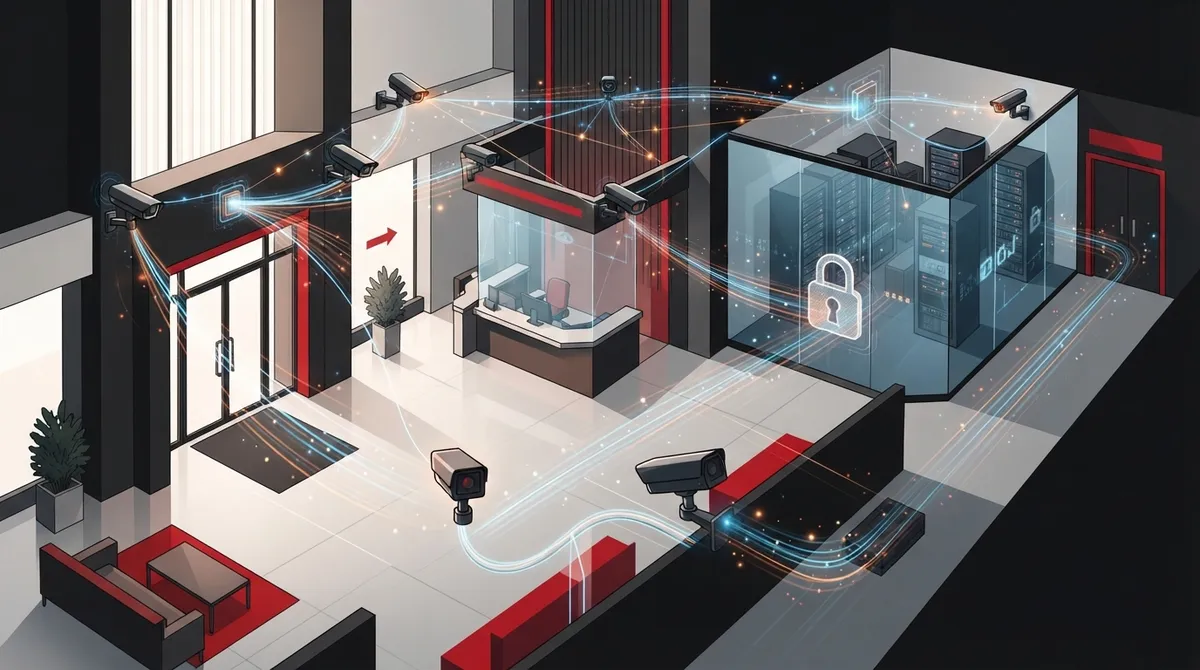
Bank camera systems require robust networking infrastructure (cabling, PoE capacity, bandwidth planning, backup connectivity) as much as the cameras themselves; treating it as a network project rather than just a camera installation is critical.
-
Implement mandatory cybersecurity controls including unique credentials, multi-factor authentication, firmware updates, network segmentation (separate VLAN for cameras), and encrypted storage/transmission to prevent cameras from becoming entry points for attackers.
-
Develop a documented footage retention policy with legal and compliance team input based on applicable laws, regulatory guidance, and risk assessment—not arbitrary numbers—since U.S. requirements vary by state unlike some international standards.
-
Plan camera placement strategically at branch entrances, teller lines, vault doors, employee areas, ATM vestibules, parking lots, and telecom equipment rooms while avoiding privacy-sensitive areas like restrooms.
-
For multi-branch operations, adopt a managed approach with one solution provider ensuring consistent security standards, unified monitoring dashboards, and proper cabling infrastructure across all locations to eliminate blind spots.
-
Prioritize camera specifications including high-definition resolution (at least 5MP per regulatory trends), low-light capability, tamper detection, accurate time synchronization, and role-based access controls with audit logs for investigations and compliance.
If you manage security for a bank branch, credit union, or financial office, you already know cameras alone don’t cut it. A camera is only as good as the network carrying its footage, the storage holding it, and the internet connection keeping it online. That’s where bank security camera systems get tricky, and it’s why so many financial institutions end up calling a telecom partner instead of just a camera installer.
Think about it this way: a bank branch isn’t just protecting cash. It’s protecting customer data, employee safety, and compliance records that regulators will ask about someday. That means your camera system needs solid cabling, enough bandwidth, backup power, and cybersecurity built in from day one. Whether you’re an IT manager overseeing multiple branches or an office manager handling your first camera upgrade, this guide breaks down what actually matters for bank security camera systems in 2026, and how the right connectivity partner makes the whole project easier.
What Makes Bank Security Camera Systems Different From Regular Business Cameras
Banks face higher stakes than most businesses. A retail store might use cameras to catch shoplifting. A bank needs footage that can hold up in court, satisfy regulators, and protect against fraud claims. That raises the bar for everything from camera resolution to how long footage gets stored.
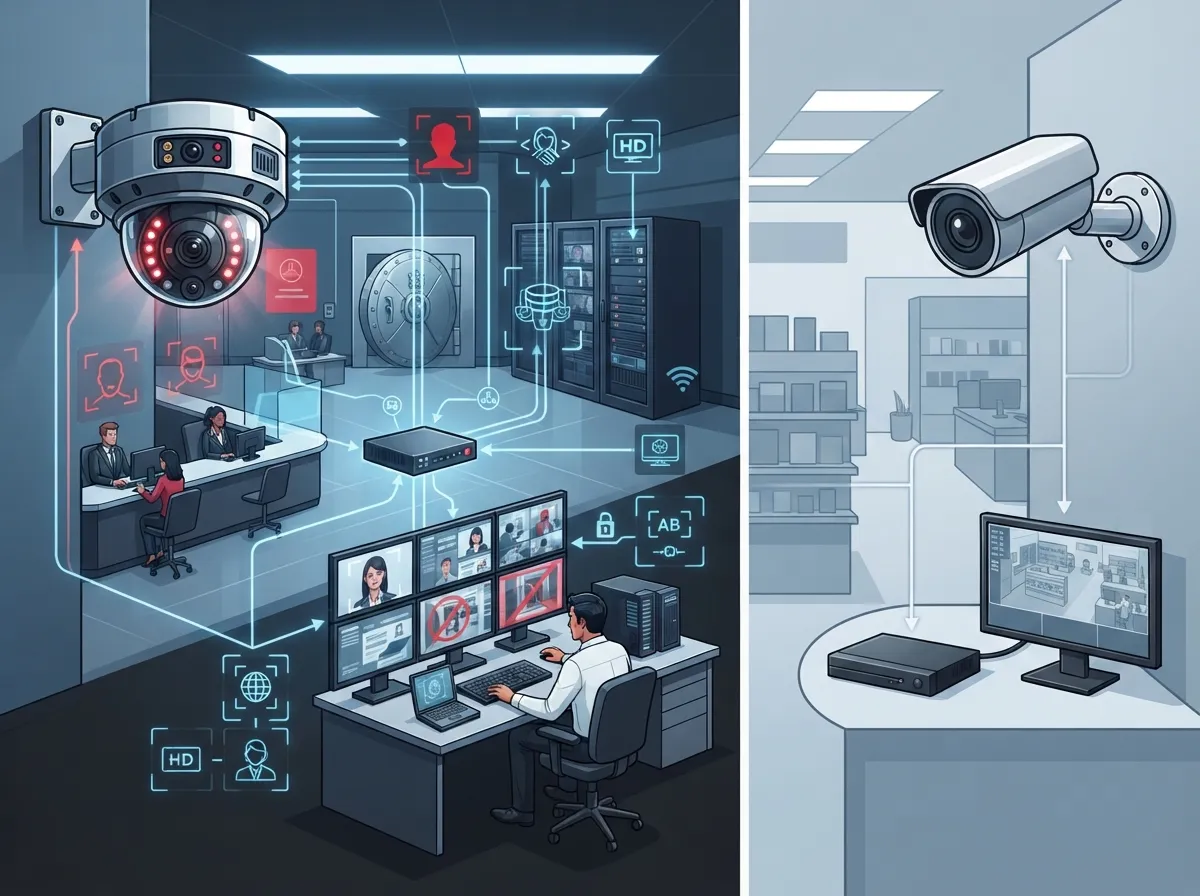
Bank security camera systems work best as a complete IP-video platform, not just a bunch of standalone cameras. A typical setup includes network cameras, Power over Ethernet (PoE) switches, cabling, video management software, storage (on-site or cloud), backup power, and secure remote access. Every piece needs to talk to the others reliably, which is really a networking challenge as much as a security one.
This is exactly the kind of project where structured cabling supports both VoIP phones and security cameras on the same reliable backbone. Get the cabling and network design right, and everything downstream works better.
Key Coverage Areas Every Bank Branch Should Plan For
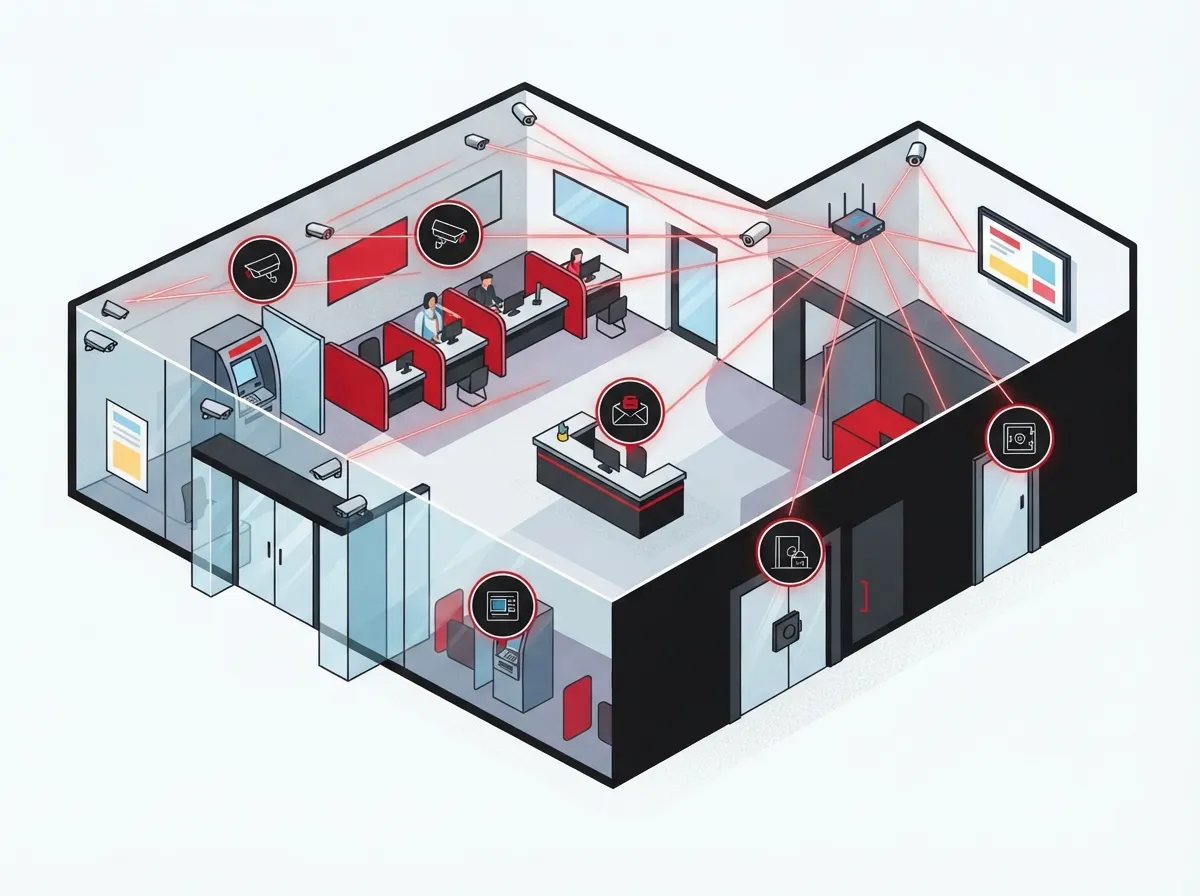
Camera placement isn’t guesswork. Banks generally need coverage at these critical points:
- Branch entrances, exits, and lobby areas
- Teller lines and customer-service counters
- Vault doors and cash-handling zones
- Employee-only doors and back-office areas
- ATM vestibules and drive-through lanes
- Exterior approaches and parking lots
- Telecommunications and network equipment rooms
That last one gets overlooked a lot. The FFIEC IT Handbook actually calls out the need to physically secure telecom equipment and restrict access with controls like cameras and access logs. Your network closet deserves the same attention as your vault.
One thing to avoid: don’t place cameras in restrooms or other areas where employees and customers have a reasonable expectation of privacy. Good design means covering the risk points without overreaching.
Building the Connectivity Layer: Where Telecom Expertise Comes In
Cameras generate a lot of data, and that data has to move somewhere fast and safely. This is the part banks often underestimate, and it’s where a telecom and IT partner adds real value.
Cabling and PoE Capacity
Every camera needs a reliable connection back to a switch, usually through Power over Ethernet so you’re not running separate power lines. Planning enough PoE ports and proper cable runs upfront avoids costly rework later. If your branch is due for an upgrade anyway, this is a good time to review your best cabling options for business networks.
Bandwidth Planning
High-definition cameras eat bandwidth, especially with multiple cameras streaming at once across a branch. If your internet connection is already stretched thin by phones, card processing, and everyday operations, adding cameras can slow everything down. That’s why bandwidth planning should happen before installation, not after.
Backup Connectivity
A camera system that goes dark during an internet outage isn’t much use during an actual incident. Cellular failover and battery backup keep footage flowing even when the primary connection drops. Many banks pair this with dedicated fiber internet for the primary link and a secondary connection as backup.
Network Segmentation
Cameras should live on their own VLAN, separate from point-of-sale systems, teller workstations, and guest Wi-Fi. This limits what an attacker could reach if one device gets compromised.
Camera Specifications That Actually Matter
Not all cameras are created equal, and resolution requirements can vary by regulator. For example, a 2024 State Bank of Pakistan directive required cameras with at least 5 megapixels for certain branch and critical-point installations, with deadlines pushing into early 2025. While U.S. requirements aren’t as uniform, this shows regulators are paying closer attention to camera quality.
Here’s a quick look at features worth prioritizing:
| Feature | Why It Matters for Banks |
|---|---|
| High-definition resolution | Clear facial and transaction details for investigations |
| Low-light / wide dynamic range | Reliable footage at entrances and parking areas after dark |
| Tamper detection | Alerts if a camera is blocked, moved, or disabled |
| Accurate time sync | Keeps timestamps consistent across all locations |
| Encrypted communications | Protects footage in transit from interception |
| Role-based access | Limits who can view or export footage |
| Audit logs | Tracks every login, view, and export for compliance |
These aren’t nice-to-haves. They’re the baseline features that separate a professional bank surveillance setup from a basic retail camera kit.
How Long Should Footage Be Stored?
This question comes up constantly, and the honest answer is: it depends. Retention isn’t universally fixed in the United States, so banks should build a documented policy based on applicable law, regulatory guidance, risk assessment, and insurance requirements.
For comparison, the Saudi Arabian Monetary Authority’s CCTV specifications set a minimum 90-day retention period for bank facilities, with footage related to certain customer complaints kept for a full year, and rejected complaints preserved for five years. Retention rules like these show why banks shouldn’t just pick a number out of thin air. Legal and compliance teams need to weigh in before any policy gets finalized.
On-Premises, Cloud, or Hybrid Storage: Which Fits Your Branch?
This is one of the most common questions bank security teams ask, and there’s no single right answer for every branch. Here’s how the three options generally compare:
- On-premises storage: Footage stays on local recorders. This can offer fast access but requires physical security for the equipment room and a solid backup plan if a recorder fails.
- Cloud video storage: Footage uploads to secure cloud servers. This makes remote access easier across multiple branches and reduces the need for on-site hardware maintenance. Learn more about how secure cloud video storage really is for your business.
- Hybrid model: Combines local storage for fast access with cloud backup for redundancy. Many multi-branch banks find this the most resilient option.
For franchise operators or banks with several branches, a cloud video security system often makes the most sense because it centralizes monitoring without requiring IT staff at every location.
Cybersecurity Controls Bank Cameras Cannot Skip
Cameras and recorders are network devices, which means they’re also potential entry points for attackers if left unsecured. A strong bank camera deployment includes:
- Unique credentials for every camera, recorder, and cloud account
- Multi-factor authentication wherever it’s available
- Regular firmware updates on a defined schedule
- Restricted administrative access limited to authorized staff
- Network segmentation separating cameras from other systems
- Encrypted storage and transmission of all footage
- Ongoing monitoring for unauthorized access attempts
These controls should be documented as part of the bank’s broader physical-security and incident-response program. Policies also need to define who can view footage, how exports get authenticated, and what happens if a camera goes offline or storage runs out.
Connecting Multiple Branches Without the Headache
If you’re managing security across several branch locations, keeping everything consistent is a real challenge. Different internet providers, inconsistent cabling standards, and mismatched camera brands can create blind spots in your coverage and your data.
A managed approach helps here. Working with one reliable network solution for multi-location businesses means every branch gets the same security standards, the same monitoring dashboard, and one point of contact for troubleshooting. This is especially helpful for franchise operators managing sites across different cities or states.
Ideal Solutions Provider has spent over 24 years helping businesses, including banks and financial offices, build this kind of connected infrastructure. As a single point of contact working with 35+ vetted suppliers, the team handles everything from structured cabling and network design to camera installation and ongoing support, so you’re not juggling five different vendors during an already stressful security upgrade.
What About AI Analytics and Facial Recognition?
AI-powered features like people-counting, loitering alerts, and object detection can genuinely help bank security teams catch problems faster. But these tools come with real considerations. Before enabling facial recognition or other sensitive analytics, banks should:
- Validate the accuracy of the AI tool in real branch conditions
- Set thresholds to limit false alarms that waste staff time
- Document exactly how and why each feature is being used
- Review privacy, data-protection, and anti-discrimination implications
- Consult legal counsel on biometric-surveillance rules in your state
Rushing into facial recognition without this groundwork can create more legal risk than security benefit. Take it slow and document everything.
Market Growth Shows Banks Are Investing More in Video Security
The numbers back up what security teams already feel: video surveillance investment is climbing fast. One estimate placed the global video-surveillance market at roughly $57.01 billion in 2024, growing to $61.70 billion in 2025, and projected to reach $112.13 billion by 2032. Another estimate put the 2025 market at $83.48 billion, projecting growth to $204.68 billion by 2033 at an 11.7% annual growth rate.
These figures vary because research firms count different combinations of hardware, software, and services. Still, one consistent finding stands out: IP video-surveillance systems made up more than 55.7% of market revenue by system type in 2025, and hardware accounted for more than 71% of spending. Banks are clearly leaning into IP-based systems over older analog setups, and for good reason. IP cameras integrate more easily with modern networks and cloud storage.
Getting Started: A Simple Planning Checklist
If your bank or credit union is ready to upgrade its camera system, here’s a practical starting point:
- Walk each branch and identify current blind spots and outdated cameras
- Review your existing internet bandwidth and cabling capacity
- Decide on storage strategy: on-premises, cloud, or hybrid
- Draft a retention policy with input from compliance and legal teams
- Choose cameras that meet resolution, low-light, and tamper-detection needs
- Plan network segmentation and backup connectivity before installation
- Select a telecom and security partner who can manage the whole project
Getting these steps in order before you buy a single camera will save time, money, and a lot of frustration during installation.
Ready to Strengthen Your Bank’s Security Infrastructure?
Bank security camera systems only work as well as the network behind them. Cabling, bandwidth, cybersecurity, and backup connectivity all matter just as much as the cameras themselves. Whether you’re upgrading one branch or coordinating security across a whole network of locations, getting the infrastructure right from the start saves headaches down the road.
Ideal Solutions Provider has helped businesses across Tampa Bay and nationwide design telecom and security systems that actually hold up under real-world demands. If you’re ready to talk through your branch’s camera and network needs, feel free to get in touch with our team for a free consultation, or give us a call to discuss your project today. You can also check out real client stories and setups on our YouTube channel or follow updates on Facebook and Instagram.
FAQs
Q: What cameras and network infrastructure does a bank branch need?
A: A bank branch really needs a full system, not just cameras sitting on the wall. That means IP cameras, PoE switches, solid cabling, video management software, storage, backup power, and secure remote access all working together. Think of it like a team, every piece needs to support the others to keep footage reliable and secure.
Q: How many days should bank security camera footage be retained?
A: There’s no single universal answer in the U.S., so it really comes down to your state laws, regulator guidance, and your bank’s own risk assessment. As a reference point, Saudi Arabia’s banking regulator requires a 90-day minimum for standard footage, with longer retention for certain complaints. Always loop in your compliance and legal team before locking in a retention policy.
Q: Should a bank use on-premises video storage, cloud video surveillance, or a hybrid model?
A: It honestly depends on how many branches you’re managing and how quickly you need remote access. Cloud storage tends to work great for multi-branch banks because it centralizes monitoring, while on-premises can offer faster local access. Many banks land on a hybrid model for the best of both worlds.
Q: What cybersecurity controls are required for bank IP cameras and video recorders?
A: At minimum, you’ll want unique credentials, multi-factor authentication, regular firmware updates, and network segmentation keeping cameras separate from other systems. Encrypted storage and transmission are also non-negotiable for financial institutions. These controls protect footage from becoming an easy target for attackers.
Q: How can a telecom provider securely connect cameras across multiple bank branches?
A: A good telecom partner designs a consistent network across every branch, using proper cabling, VLAN segmentation, and backup connectivity like cellular failover. This keeps every location on the same security standard instead of a patchwork of different setups. It also gives you one point of contact instead of juggling multiple vendors for each branch.





