

Key Takeaways
-
Disorganized cabling costs businesses real money through wasted troubleshooting time, delayed equipment installations, and increased security risks; a well-organized system enables technicians to fix problems in minutes instead of hours.
-
Professional labeling and documentation following TIA-606-C standards allow any qualified technician to understand your network setup immediately, eliminating dependency on single employees and reducing support costs across multiple locations.
-
A complete cabling management system includes physical hardware (racks, patch panels, cable managers), consistent labeling at both cable ends, detailed documentation, and change-control procedures that must be updated immediately after any modification.
-
Plan for future growth by accounting for cable fill capacity, power delivery needs, and thermal management in racks and pathways, allowing easier additions of new technology and high-speed upgrades without major infrastructure disruptions.
-
Proper installation following manufacturer specifications for bend-radius and tension limits, combined with separation from electrical interference sources, prevents performance issues and cable damage in your network infrastructure.
-
Smaller offices can manage with hardware and spreadsheets, but larger buildings, data centers, or businesses with frequent changes benefit from automated infrastructure management software that electronically tracks and updates cabling records.
Picture this: your Wi-Fi drops during a big client call, and nobody knows which cable to check first. Sound familiar? If your office has a tangled mess of wires behind the server rack, you’re not alone. Most growing businesses in Tampa and beyond deal with this same headache every day.
Cabling management systems are the answer. They’re the organized network of racks, patch panels, labels, and records that keep your business phones, internet, security cameras, and Wi-Fi all running smoothly. Think of it as the blueprint that lets your IT team (or your telecom partner) fix problems fast instead of guessing.
In this guide, we’ll break down what cabling management really means for your business, why it matters more than you might think, and how a smart setup today saves you time, money, and stress down the road. Whether you’re a small business owner juggling vendors or an IT manager planning a big office move, this one’s for you.
What Is a Cabling Management System, Really?
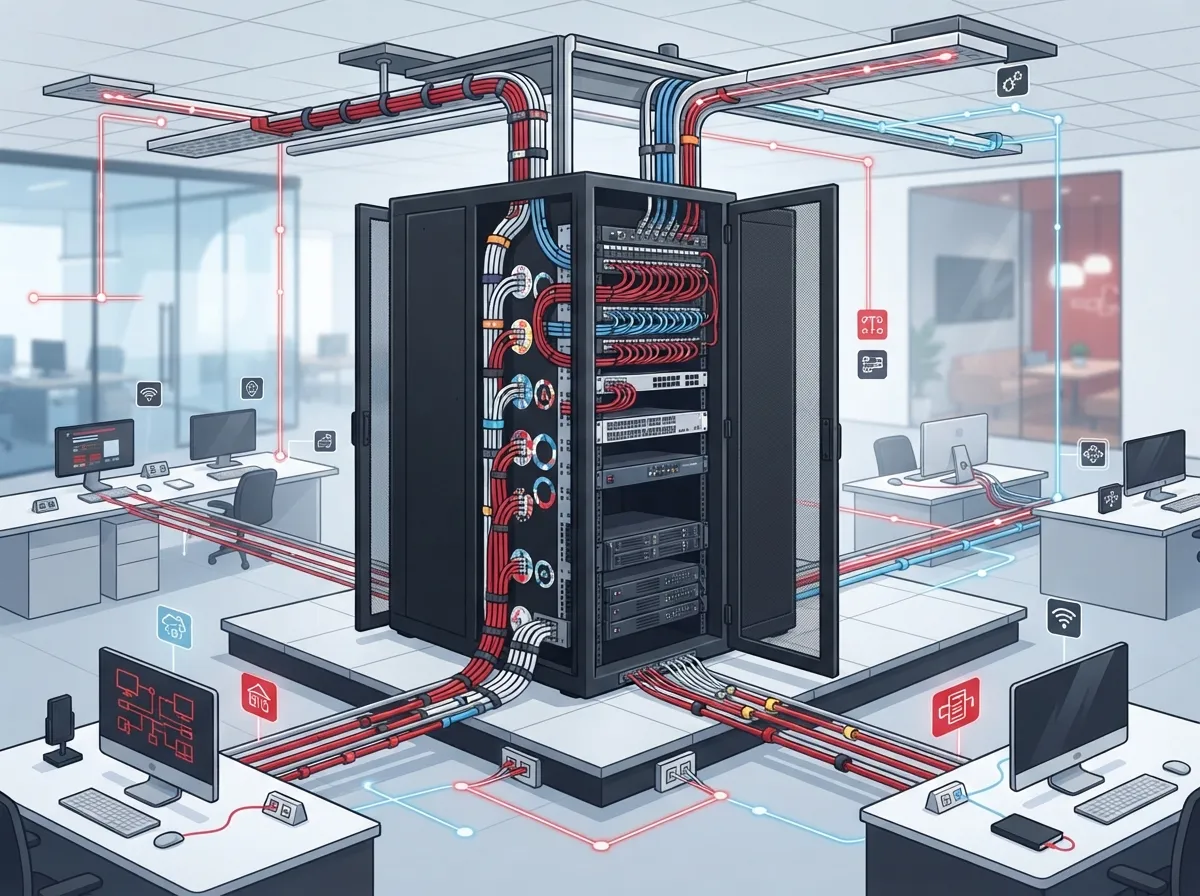
A cabling management system is more than a bundle of zip ties. It’s the full set of tools and habits your business uses to organize, label, and track every cable in your building.
This includes copper and fiber cables, patch panels, racks, pathways, wall outlets, and the telecom closet where it all connects. It also includes the paperwork — labels, port records, and drawings that show where everything goes.
When done right, this system supports everything your business relies on daily:
- VoIP phone systems and desk phones
- Wi-Fi access points throughout the office
- Security cameras and access control door readers
- Shared printers, servers, and workstations
- Any future tech you add down the line
Good cabling management doesn’t just look neat. It means your technician can trace a bad connection in minutes instead of hours. That’s a big deal when your cloud-based phone system goes down and customers are waiting.

Why Cabling Organization Matters for Growing Businesses
Here’s the truth: messy cabling costs money. Every minute your team spends troubleshooting an unlabeled wire is a minute they’re not serving customers.
The global market backs this up. According to a 2025 report from 360iResearch, the structured cabling market was valued at $13.67 billion in 2025 and is expected to reach nearly $20 billion by 2030. Market.us puts current global estimates around $14.6 billion in 2025, growing at a 6.7% yearly rate through 2035. These numbers differ because firms measure the market differently, but they all point the same direction — businesses are investing more in organized infrastructure.
Why? Because disorganized wiring creates real problems:
- Technicians waste hours tracing unlabeled cables during outages
- Moves, adds, and changes take longer and cost more
- Overheating and cable damage happen more often in crowded, unmanaged bundles
- New equipment installs get delayed because nobody knows what’s already connected
- Security risks increase when nobody can verify what’s plugged into what
A well-organized system fixes all of this. It’s one reason so many Tampa businesses now ask about professional structured cabling services instead of trying to patch things together themselves.
The Core Components of a Cabling Management System
Let’s break down what actually goes into a solid cabling management setup. These pieces work together, not alone.
Physical Hardware
This is the stuff you can touch: racks, horizontal and vertical cable managers, trays, and pathways. These keep cables organized, protected, and easy to access when you need to make a change.
Labeling and Identification
Every cable and port needs a clear, durable label. This isn’t optional — it’s the difference between a five-minute fix and a two-hour investigation.
Documentation and Records
Port-to-port records, as-built drawings, and test results tell the full story of your network. These records should get updated every single time something changes.
Change-Control Procedures
Bigger offices need a process for tracking every move, add, or change. This keeps your records accurate over time instead of going stale after the first year.
| Component | Purpose | Who Uses It |
|---|---|---|
| Racks and Pathways | Organize and protect cable runs | Installers, technicians |
| Patch Panels | Connect and terminate cable runs cleanly | IT staff, network techs |
| Labels | Identify cables and ports quickly | Anyone troubleshooting |
| As-Built Drawings | Show the full network layout | IT managers, contractors |
| Change Logs | Track updates over time | Facility and IT teams |
Understanding the TIA-606-C Standard
If you’ve talked to a cabling contractor, you may have heard the term TIA-606-C. It sounds technical, but the idea is simple.
ANSI/TIA-606-C is a national standard that tells businesses how to label and organize their telecom infrastructure consistently. It applies to cables, racks, panels, ports, pathways, and outlets — basically everything in your network closet.
Why does this matter to you? Because a standard-based system means any qualified technician can walk into your building and understand your setup right away. You’re not stuck depending on one person who “just knows” how everything is wired.
This is especially important for franchise operators and mid-sized companies with multiple locations. When every site follows the same labeling rules, support calls get faster and cheaper no matter which location has the issue.
Cable Management Hardware vs. Cabling Management Software
People often mix these up, so let’s clear it up.
Cable management hardware is the physical stuff — racks, panels, trays, and cable ties that keep wires organized and protected.
Cabling management software (sometimes called automated infrastructure management) is a digital tool that tracks your cabling records electronically. It shows you what’s connected where, without digging through paper binders.
Smaller offices often do fine with hardware plus a simple spreadsheet. Larger buildings, data centers, or businesses with frequent changes usually benefit from software that updates records automatically as things move.
Not sure which fits your business? That’s exactly the kind of question a good telecom partner should help you answer. Contact us for a straightforward assessment of what your office actually needs.
Best Practices for Labeling and Documentation
Good labeling isn’t complicated, but it does take consistency. Here’s how to get it right:
- Choose a naming scheme that links each cable to its exact location
- Use durable, legible labels placed at both ends of every cable
- Apply labels at accessible points — not buried behind equipment
- Update your records the moment anything changes, not “later”
- Use color coding as a helpful extra, never as a replacement for labels
- Store as-built drawings somewhere your whole team can access
Skipping these steps might save five minutes today. But it costs hours later when someone has to guess which cable goes where during an outage.
Installation and Maintenance Best Practices
Even the best-designed system fails if installation cuts corners. Here’s what proper installation looks like:
- Following manufacturer bend-radius and pulling-tension limits for every cable
- Avoiding tight cinching or crushing of cable bundles
- Keeping pathways accessible for future changes
- Separating cabling from sources of electrical interference
- Meeting local fire, electrical, and grounding codes
This matters even more for powered Ethernet setups running security cameras or access points. Thermal buildup in tightly packed bundles can cause real performance issues if it’s not managed. For guidance on getting this right the first time, check out this guide on planning network cabling installation.
Planning for Future Growth
Your business today isn’t your business in three years. Smart cabling management plans ahead for that.
This means thinking about cable fill in your racks and pathways, power delivery needs, and heat buildup as you add equipment. It also means leaving room — literally and figuratively — for new technology you haven’t even thought of yet.
Franchise operators expanding to new locations benefit hugely from this kind of planning. A consistent, scalable approach to structured cabling means every new site launches faster and performs the same way. If you’re weighing options for multiple locations, this resource on scalable systems for multi-location businesses is worth a look.
Organized infrastructure also makes it far easier to add high-speed internet upgrades down the road without tearing walls apart. You’ll thank yourself later for planning ahead now.
How Ideal Solutions Provider Approaches Cabling Management
At Ideal Solutions Provider, we’ve spent over 24 years helping Tampa businesses (and companies nationwide) build cabling systems that actually work. We’re not tied to one supplier — we work with 35+ vetted partners to find the right fit for your specific building and budget.
Here’s the honest truth: 9 out of 10 businesses we audit are overpaying, underperforming, or both when it comes to their telecom setup. A messy or outdated cabling system is often part of that problem. We handle the consultation, installation, and ongoing support so you don’t have to juggle five different vendors trying to fix one issue.
Whether you need fresh CAT6 cabling for a new office buildout or a full audit of your existing structured cabling, we’re your single point of contact from start to finish. You can learn more about our approach on our structured cabling services page, and see real client stories on our YouTube channel.
Signs Your Business Needs a Cabling Management Upgrade
Not sure if it’s time to invest? Watch for these warning signs:
- Nobody on staff can explain what each cable connects to
- Network troubleshooting regularly takes hours instead of minutes
- You’re avoiding office moves because of the cabling mess
- Your security cameras or access control system randomly drop connection
- You’ve added equipment faster than your infrastructure can handle
If any of these sound familiar, it’s a good time to talk to a professional. We break down more warning signs in our article on signs your business needs structured cabling now.
Bringing It All Together
Cabling management systems aren’t glamorous, but they’re the quiet backbone of every reliable business network. Good labeling, solid documentation, and standards-based organization mean fewer headaches and faster fixes when something goes wrong.
Whether you’re running a single Tampa office or managing telecom across a dozen franchise locations, an organized cabling system pays for itself in saved time and fewer disruptions. It’s the kind of investment that quietly protects your VoIP phones, your structured cabling infrastructure, and every connected device in between.
Ready to see how your current setup measures up? Our team offers free consultations to review your network and spot easy wins. Reach out to our team today or call us at 813-388-4935 to get started. You can also follow our latest projects and tips on Facebook and Instagram.
FAQs
Q: What is a cabling management system in a business network?
A: It’s the combination of physical parts (racks, panels, pathways) and records (labels, drawings, port logs) that keep your business cabling organized and easy to troubleshoot. Think of it as the roadmap for everything wired in your office. Without it, even simple fixes can turn into hours-long guessing games.
Q: What components are included in a structured cabling management system?
A: You’ll typically find racks, patch panels, horizontal and vertical cable managers, labels, and pathways as the physical pieces. On top of that sit documentation pieces like as-built drawings, port-to-port records, and test results. Larger sites sometimes add software to track it all automatically.
Q: How does TIA-606-C apply to cable labeling and administration?
A: TIA-606-C is a national standard that guides how businesses should label and document their cabling consistently. It covers everything from cables and racks to ports and pathways. Following it means any qualified technician can understand your setup fast, even if they’ve never seen it before.
Q: How often should a business update its cabling records and as-built drawings?
A: Ideally, right after every single change, no matter how small. Waiting until later almost always means something gets forgotten or mislabeled. A quick update in the moment saves major confusion months down the road.
Q: When should a business use automated infrastructure management for its cabling?
A: If you’re managing a large office, data center, or multiple locations with frequent changes, software-based tracking makes life much easier. Smaller offices with simple setups often do fine with good labeling and a basic spreadsheet. It really comes down to how often things change and how many people need access to the records.





