

Key Takeaways
-
Cat 5e and Cat 6 cables support gigabit speeds up to 100 meters when properly installed, but the entire link chain—network cards, switch ports, patch cords, connectors, and installation quality—must work together or speeds will drop to 100 Mbps.
-
The 100-meter copper limit is split into 90 meters of permanent cabling and 10 meters of patch cords combined; exceeding this or adding extra couplers degrades performance, so use switch closets or fiber for longer runs.
-
Cat 6A is worth upgrading to if you plan 10-gigabit links within several years, use heavy Power over Ethernet loads, or want future-proofing, since pulling better cable now costs far less than re-cabling later.
-
Installation quality is as critical as cable type; common failures include sharp bends, untwisted pairs at connectors, cheap jacks, and running cable near power lines, making professional structured cabling essential for business networks.
-
Certification testing by a qualified technician proves whether existing cabling truly supports gigabit by measuring the full link, detecting faults and crosstalk, and creating documented records for troubleshooting and warranty claims.
-
Fiber is the better choice for runs exceeding 100 meters, building-to-building connections, high-bandwidth backbones, or electrically noisy environments, since it avoids interference and distance limitations of copper.
Picture this: you upgrade to a fast business internet plan, and your team still complains about slow file transfers and choppy video calls. Sound familiar? Often, the problem is not the plan. It is the cable hiding inside your walls.
That is where gigabit cabling capabilities come in. In plain terms, this means whether your installed cabling can reliably carry 1 Gbps Ethernet between your switches, routers, phones, computers, and access points. It sounds simple, but a lot goes into it. The cable type, the way it was installed, the length of each run, and even your patch cords all play a part.
In this friendly guide, we will walk through what gigabit cabling really means, which cables can handle it, how far they can go, and when fiber makes more sense. Whether you run a small shop, manage an office, or oversee several franchise locations, you will leave with clear steps you can use in 2026.

What Does Gigabit Cabling Capability Actually Mean?
Gigabit cabling capability is the ability of a full installed link to carry 1 Gbps Ethernet without errors. Notice the word “link.” It is not just the cable. It is the whole path from one device to another.
Most copper gigabit networks use a standard called 1000BASE-T, defined by IEEE 802.3ab. It sends data over all four twisted pairs inside the cable. That is why damaged pairs or bad connectors can drag speed down so quickly.
Here is the big takeaway: your cabling category alone does not guarantee a gigabit connection. The following pieces must work together:
- The network card in the computer or device
- The switch port on the other end
- Patch cords and connectors
- The cable itself and its condition
- The quality of the installation
- The port settings and configuration
If any one of these falls short, the link may drop to 100 Mbps or fail to connect at all. Think of it like a chain. It is only as strong as its weakest link.
Which Cable Categories Support Gigabit Speeds?
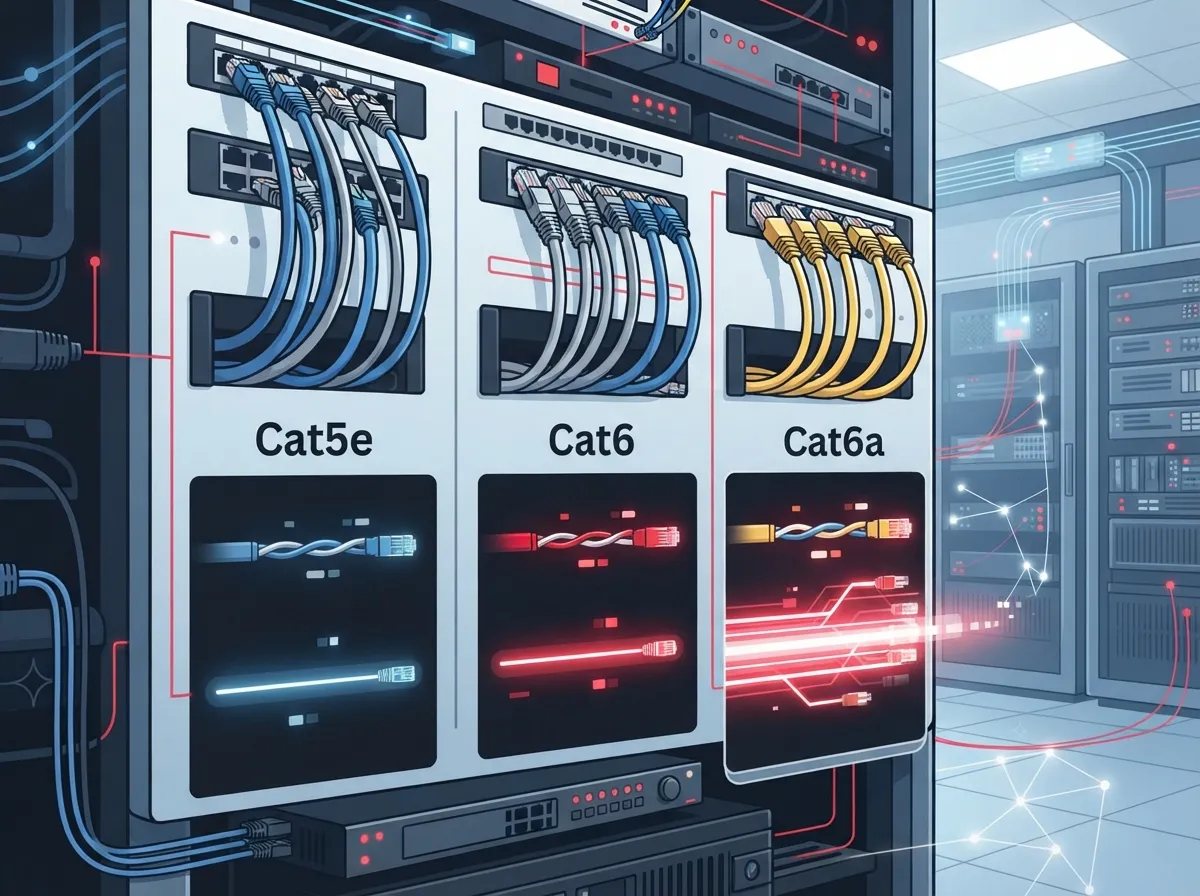
Good news: you have several solid choices. Category 5e and Category 6 both support 1 Gbps up to the standard 100-meter channel limit when properly installed and tested. Category 6A also supports gigabit and adds extra headroom for the future.
Older Category 5 cable was the historical minimum for gigabit. Today, though, Cat 5e or Cat 6 is the more practical pick for new or upgraded business installs.
| Cable Type | Supports 1 Gbps? | Typical Frequency Rating | 10 Gbps Copper Support |
|---|---|---|---|
| Cat 5e | Yes, up to 100 m | 100 MHz | Not intended for 10GBASE-T |
| Cat 6 | Yes, up to 100 m | 250 MHz | Commonly up to 55 m, depending on conditions |
| Cat 6A | Yes, up to 100 m | 500 MHz | Yes, up to 100 m |
One quick note: those frequency ratings are not the same as data speeds. A higher MHz rating simply means the cable can handle a wider range of signal, which gives it more room to perform well.
If you are weighing your options, our guide on the key differences between CAT5e and CAT6 cabling goes deeper, and you can also read about 14 Cat6 cabling facts every business owner should know.
How Far Can Gigabit Ethernet Travel on Copper?
The maximum standard copper channel length for 1000BASE-T is 100 meters, or about 328 feet. That is the number to remember.
But there is a small catch. That 100 meters is split into two parts:
- Permanent link: up to 90 meters of cable that runs inside walls, ceilings, and conduit
- Patch cords: up to 10 meters total, combined, at both ends of the run
Why does this matter? Because many offices add extra patch cords, couplers, or long desk cables without thinking about it. Those extras eat into your 10-meter allowance. Poor terminations, damaged cable, and too much patching can all keep a link from hitting its rated performance.
If a run needs to go farther than 90 meters, do not stretch the copper. Add a switch closet or move to fiber instead. Your network will thank you.
Is Cat 6A Worth It for a Business Network?
This is one of the most common questions we hear, and the honest answer is: it depends on your plans.
If your business only needs gigabit today and does not expect much change, Cat 5e or Cat 6 can be a perfectly good fit. But Cat 6A shines in a few situations:
- You expect to upgrade to 10-gigabit links in the next several years
- You plan to power many devices with Power over Ethernet (PoE), like phones, cameras, and wireless access points
- You want extra headroom so you do not have to re-cable later
- You are building out a new space and want to future-proof it
Cat 6A is the standard copper choice for a full 100-meter channel of 10GBASE-T. Cat 6 may support 10GBASE-T only over shorter distances, commonly up to 55 meters, and the real limit depends on crosstalk and installation conditions. So do not assume Cat 6 will give you 10 Gbps across a full-length run.
The cost of pulling cable is mostly labor. Pulling better cable the first time often costs far less than tearing open ceilings a few years later. If you would like help planning, see our tips on how to choose between Cat6 and Cat6A for your office.
When Should You Choose Fiber Instead of Copper?
Copper is great, but it is not always the best tool. Fiber is often the better option in these cases:
- Runs longer than 100 meters
- Building-to-building connections across a campus or parking lot
- High-bandwidth backbone links between network closets
- Electrically noisy places, like near heavy machinery or large motors
Gigabit fiber options include 1000BASE-SX and 1000BASE-LX. How far each one reaches depends on the optical standard, the fiber type, the transceivers, and the link budget. That means you should always check the specs for your exact equipment before ordering.
Fiber also does not carry electrical interference, which is a nice bonus in tricky environments. To learn more, take a look at our post on how to choose fiber cabling for your business network or explore copper vs. fiber cabling for your office.
Why Good Installation Matters as Much as the Cable
Here is something many people miss. You can buy the best cable in the world and still end up with a slow link. Why? Because installation quality makes or breaks performance.
Common problems include:
- Cable bent too sharply or pulled too tight
- Untwisted pairs at the connector, which creates crosstalk
- Cheap or mismatched jacks and patch cords
- Cable run too close to power lines
- Damaged cable from staples, cuts, or crushing
Professional structured cabling avoids these traps. A well-planned system uses labeled runs, tidy patch panels, and cable that follows the applicable TIA and ISO standards. You can read more about it in our post on 12 structured cabling mistakes that hurt your business, and the concept itself is nicely summarized in this overview of structured cabling.
If you are not sure whether to handle it yourself, check out DIY vs. professional cabling for Tampa offices. In most business settings, a trained team saves time, money, and headaches.
How to Test Whether Your Existing Cabling Supports Gigabit
Not sure what is hiding in your walls? You can find out. Here is a simple path to follow.
- Check the labels. Look at the printing on visible cable jackets and jacks. You may see Cat 5e, Cat 6, or Cat 6A marked right on them.
- Look at link speeds. On a switch or computer, check whether links connect at 1000 Mbps or fall back to 100 Mbps. A steady fallback often points to a wiring fault.
- Inspect patch cords. Swap old or suspicious cords for known good ones, and keep them short.
- Confirm your gear. Make sure every network card and switch port supports gigabit and is set to auto-negotiate.
- Run certification testing. A qualified technician uses a certifier tool to measure the whole link and flag faults, crosstalk, or length problems.
Certification testing gives you proof, not guesses. It also creates a paper record you can use later for troubleshooting or warranty claims. When you are ready for a hand with this, you can contact us and we will gladly take a look.
Gigabit Cabling and PoE for Phones, Cameras, and Access Points
Many modern business devices get both data and power over a single Ethernet cable. VoIP phones, security cameras, and wireless access points often use PoE. That is handy, but it adds a bit of heat to the cable.
Higher-power PoE loads can warm up bundles of cable, especially in tightly packed pathways. Better cable, like Cat 6A, gives you more headroom for these demanding setups. Still, always check the equipment maker’s specs and the applicable standards for each project.
If your business uses cloud phones or cameras, solid cabling is the quiet hero behind the scenes. Learn more about how structured cabling supports VoIP and cameras.
Planning for Today and Tomorrow
Smart planning means thinking about both current needs and where you are headed. Ask yourself a few friendly questions:
- How many devices will connect to the wired network in five years?
- Will we add cameras, access control, or more wireless access points?
- Are any links likely to need 10 Gbps someday?
- Do we plan to open more locations or expand our space?
If the answers point to growth, choose cable with room to spare. For franchise operators with several sites, using one consistent cabling standard also makes support and upgrades much easier. Our guide on how to plan network cabling installation in Tampa Bay is a great place to start.
Also keep in mind that cabling is only one piece. Your internet plan, your switches, and your router all need to keep pace. For the internet side, browse our tips on how to choose the right internet speed for your Tampa business and consider a review from your Internet Service Provider.
Working With a Single Partner
Juggling one vendor for cabling, another for internet, and a third for phones can get messy. When something goes wrong, everyone points fingers.
Ideal Solutions Provider is a Tampa-based telecom and IT partner with over 24 years of experience. We offer structured cabling services along with VoIP, business internet, networking, cloud security cameras, and access control. With 35+ vetted suppliers behind us, we act as your single point of contact from consultation to installation to ongoing support. You can also follow along with tips and updates on YouTube.
Final Thoughts on Gigabit Cabling Capabilities
Understanding your gigabit cabling capabilities does not have to be scary. Remember the key points: Cat 5e and Cat 6 both handle 1 Gbps up to 100 meters when installed well. Cat 6A gives you extra headroom for 10 Gbps and heavy PoE. Fiber shines for long runs and backbones. And above all, installation quality and certification testing matter just as much as the cable label.
If you would like a friendly expert to check your current setup or plan a new one, we would love to help. Call us today or request a free consultation, and let us help you build a network that keeps up with your business.
FAQs
Q: What cable category do I need for Gigabit Ethernet in a business?
A: Cat 5e or Cat 6 will handle 1 Gbps up to 100 meters when installed and tested properly. If you want extra headroom for future 10-gigabit links or heavy PoE use, Cat 6A is a smart step up.
Q: What is the maximum distance for a gigabit Ethernet cable?
A: For copper, the standard limit is 100 meters (about 328 feet). That includes up to 90 meters of permanent cabling plus up to 10 meters of patch cords, so keep those cords short.
Q: Can Cat 6 support 10 Gbps, and how far?
A: Cat 6 may support 10GBASE-T over shorter distances, commonly up to 55 meters, but it depends on crosstalk and installation conditions. For a full 100-meter 10 Gbps run, Cat 6A is the standard choice.
Q: How can I test whether my office cabling supports gigabit speeds?
A: Start by checking cable labels and link speeds on your switch, then swap in known good patch cords. For a firm answer, have a technician run certification testing, which checks the whole link and flags any faults.
Q: Does cabling category affect PoE for phones, cameras, and access points?
A: It can. Higher-power PoE can warm cable bundles, and better cable like Cat 6A offers more headroom. Always confirm the device maker’s specs and the project’s cabling requirements.





