
Key Takeaways
-
Hire a professional cabling contractor for new offices, multi-floor buildings, fiber runs, or projects with 3+ drops to ensure reliability, code compliance, and proper testing—poor installation causes hidden problems like slow speeds and dropped calls.
-
Professional contractors provide essential documentation including per-link test results, labeled as-built drawings, and cable schedules that become critical when adding systems, moving equipment, or troubleshooting issues later.
-
Commercial cabling costs typically range from $125-$400 per Cat6A drop installed, with labor comprising 50-65% of total cost; always get local itemized bids rather than relying on industry estimates.
-
Verify contractor credentials by checking BICSI certifications (RCDD for design, Installer 2 for installation), local licensing, insurance, and requiring a standards-based proposal that names specific cable types and termination methods.
-
DIY cabling only works for adding 1-2 simple drops in accessible areas with skilled IT staff who have proper testing equipment; attempting larger projects in-house risks costly rework and business downtime.
-
Request comprehensive testing and handover documentation including test results for every copper run, fiber certifications, labeled drawings, cable schedules, warranty information, and a process for correcting any failed links.
Picture this: you’ve just signed the lease on a new office. The desks are on the way, the team is excited, and then someone asks, “Wait, where do we plug everything in?” Suddenly, those tiny wall jacks feel a lot more important. If you’ve been wondering should I hire a cabling contractor, you’re asking the right question at the right time.
Network cabling is the hidden backbone of your business. It carries your phone calls, your internet, your Wi-Fi, your security cameras, and even your door locks. When it’s done well, nobody notices. When it’s done poorly, everybody notices, usually in the middle of a big client call.
The good news? You don’t have to guess. In this friendly guide, we’ll walk through when a pro is worth it, when you might get by without one, what it costs, and how to pick someone you can trust. Whether you run a small shop, manage an office, or oversee several locations, you’ll leave with a clear answer.

What Does a Cabling Contractor Actually Do?
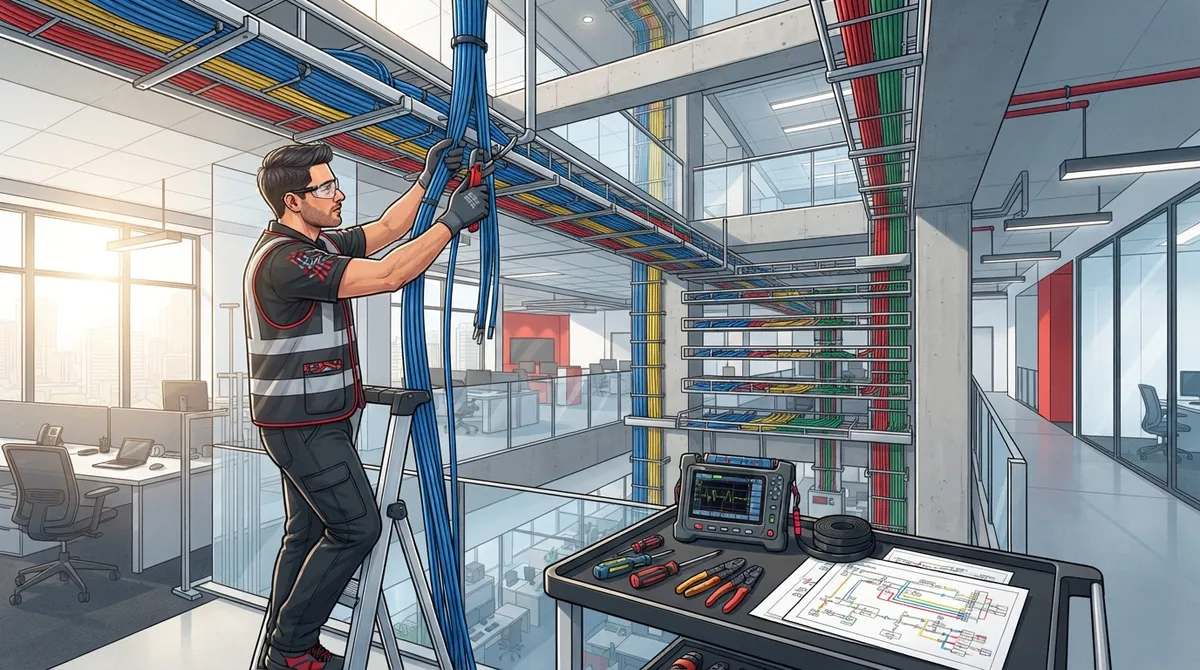
A cabling contractor designs and installs the physical layer of your network. That means the cables, jacks, patch panels, and pathways that connect every device in your building. Think of it like the plumbing in your office. You rarely think about it, but nothing works without it.
For business telecom projects, a good contractor typically handles:
- Site assessment: Reviewing where devices will go, how far cables must run, and what bandwidth you need now and later.
- Design: Choosing cable types, routes, and termination points that support Ethernet, Wi-Fi access points, VoIP phones, cameras, and access control.
- Installation: Pulling cable, mounting jacks, terminating patch panels, and securing everything neatly.
- Testing: Verifying that every single link performs the way it should.
- Labeling and documentation: Leaving you with clear records so future changes are easy.
If you want a deeper look at how this fits together, our guide on what structured cabling is for your business network breaks it down in plain English. You can also read the general overview of structured cabling for background.

So, Should I Hire a Cabling Contractor? The Short Answer
For most businesses, yes. Hiring a cabling contractor is worth it when reliability, code compliance, testing, and future growth matter. That covers new offices, renovations, multi-floor buildings, fiber runs, and larger deployments.
A small, simple job is a different story. If you only need to add one or two drops and you have a team with the right tools, code knowledge, and time to test and document, you may be able to handle it in-house. But “I can plug in a cable” and “I can build a network that lasts a decade” are two very different skills.
Quick Decision Checklist
You probably should hire a contractor if:
- You’re building out or moving into a new office space.
- Your site has more than a handful of drops to install.
- You need fiber, multi-floor runs, or work above ceilings and through walls.
- You want a documented, warrantied installation.
- Downtime would hurt your revenue or your customers.
- Your team lacks low-voltage experience or testing equipment.
If most of those sound familiar, bringing in a professional will likely save you time, stress, and money down the road.
5 Big Benefits of Hiring a Professional
1. Reliability You Can Count On
Cabling problems are sneaky. A poorly terminated jack can cause slow speeds, dropped calls, and random disconnects that are hard to trace. Professionals use proper tools and methods, so your network performs consistently.
2. Code and Standards Compliance
Your installation should follow current ANSI/TIA standards plus local building and fire codes. Those rules cover cabling performance, pathways, labeling, grounding, and bonding. A qualified contractor knows them and will specify them in your contract.
3. Real Testing and Documentation
A pro doesn’t just say “it works.” You should receive per-link test results, labeled as-built drawings, cable schedules, and warranty information. That paperwork becomes gold when you add a phone system, move desks, or troubleshoot later.
4. Room to Grow
Good design thinks ahead. A contractor will plan for extra Wi-Fi access points, more cameras, or a future move to faster speeds. Our article on network infrastructure upgrades every business needs shows why planning early pays off.
5. Less Downtime and Rework
Redoing bad cabling is expensive and disruptive. Getting it right the first time keeps your team working and your customers happy.
When DIY or In-House Cabling Might Be Fine
Let’s be fair. There are times when an internal team can handle the job. Your IT staff might be perfectly capable of adding a single drop in an open, accessible area. If they have the right tools, understand code requirements, and can test and label the work, you may not need outside help.
Where DIY goes wrong is scale and complexity. The more drops, the more pathways, and the more systems relying on that cabling, the more a professional earns their fee. For a closer comparison, check out DIY vs. professional cabling for Tampa offices.
| Situation | DIY / In-House | Hire a Contractor |
|---|---|---|
| Adding 1–2 simple drops | Often fine with skilled staff | Optional |
| New office buildout | Risky | Strongly recommended |
| Fiber backbone or multi-floor runs | Not advised | Recommended |
| Supporting cameras and access control | Risky | Recommended |
| Need warranty and documentation | Difficult | Yes |
| Multi-location rollout | Very difficult | Strongly recommended |
How Much Does a Cabling Contractor Cost?
Cost is usually the next question, and it’s a fair one. Commercial pricing varies by region, building conditions, cable type, and scope. One contractor-industry estimate puts a typical Cat6A installed drop at roughly $125 to $350, while another gives a wider range of $125 to $400. Treat these as rough guides, not guarantees.
Here are a few vendor-reported ranges to give you a feel for the scale:
- Small-office Cat6A projects of 10 to 30 drops: about $5,000 to $15,000.
- Larger offices with 50 to 150 drops: about $20,000 to $60,000.
- Labor often makes up roughly 50 to 65 percent of the total cost, depending on access and complexity.
Keep in mind that cable material alone, around $0.25 to $0.60 per foot for Cat6A, is only a small piece of the total. The real cost includes terminations, pathways, labor, testing, and documentation. Always get local, itemized bids. And if you’re comparing cable types, our post on Cat6 cabling facts business owners should know can help you choose.
How to Choose the Right Cabling Contractor
Not every contractor is created equal. Here’s a simple step-by-step process to find someone you can trust.
- Verify licensing and insurance. Rules vary by state and locality, so check with the licensing authority for your area. Ask for proof of insurance and workers’ compensation too.
- Check credentials and experience. BICSI credentials are a helpful signal. RCDD is a design credential, while Installer 2 credentials cover copper and fiber installation. Pair them with real project references.
- Ask for a standards-based design. The proposal should name the standards and revisions it follows, plus cable types, quantities, routes, and termination points.
- Demand an itemized scope. Look for clear exclusions, schedule, and any coordination needed with electricians, IT staff, or building management.
- Confirm testing and handover. You should get per-link test results, labeled as-builts, cable schedules, and a process for fixing failed links.
Want more guidance? We cover this in how to find a reliable structured cabling contractor in Tampa and 6 signs you found the best structured cabling contractor.
What Should a Good Quote Include?
When bids come in, compare them on equivalent scope, not just headline price. A lower number may leave out important items that show up later as change orders. Check that each quote addresses the following:
- Design and site survey
- Pathways, supports, and firestopping
- Patch panels, outlets, and jacks
- Testing, labeling, and cleanup
- After-hours work if needed
- Permits, where required
- Warranty details and registration
Manufacturer-backed system warranties may require approved products and an authorized installer. Confirm the terms directly with the manufacturer so there are no surprises.
What You Should Receive When the Job Is Done
Finishing the install is only half the story. A professional handover gives you proof that the work meets the standard. Ask for:
- Test results for every installed copper run and suitable test results for fiber
- Labeled as-built drawings and cable schedules
- Test files you can store for future reference
- Warranty information
- A clear plan for correcting any failed links
This documentation makes life easier for the next person who touches your network, whether that’s a new IT manager or a phone system installer. It also pairs nicely with other systems. See how cabling supports calls and cameras in 13 ways structured cabling supports VoIP and cameras.
Special Tips for Different Business Types
Small Business Owners and Office Managers
If you’re running a lean operation, you want one trusted partner, not five vendors pointing fingers at each other. A contractor who can coordinate with your phone and internet providers keeps things simple and your day running smoothly.
IT Managers
You know the pain of undocumented cabling. Insist on labeled drawings and test files so troubleshooting takes minutes instead of days. Planning ahead also helps; our guide on how to plan network cabling installation in Tampa Bay is a helpful starting point.
Franchise Operators and Multi-Location Businesses
Consistency is everything. A standardized design, repeatable documentation, and a contractor who can support multiple sites save time and keep every location performing the same way.
Common Mistakes to Avoid
- Choosing on price alone. The cheapest bid often skips testing or documentation.
- Skipping future planning. Installing only what you need today can mean costly rework later.
- Ignoring licensing. Unlicensed work can create code and insurance headaches.
- Accepting “it works” as proof. Always ask for test results.
For more cautionary tales, read 12 structured cabling mistakes that hurt your business.
The Ideal Solutions Provider Approach
At Ideal Solutions Provider, we’ve spent over 24 years helping businesses get their communications foundation right. As a Tampa-based telecom and IT partner, we serve as a single point of contact for cabling, VoIP phones, internet, networking, cloud security cameras, and access control. That means one team coordinates the whole picture, from consultation and installation to ongoing support. You can explore our structured cabling services to see how it works.
Ready to Make the Call?
So, should you hire a cabling contractor? If your project involves a new space, multiple drops, fiber, or systems like phones and cameras that depend on a solid network, the answer is almost always yes. A skilled professional protects your investment, keeps you compliant, and gives you the documentation to grow with confidence.
Not sure where to begin? Contact us for a friendly, no-pressure conversation about your cabling needs, or call us to talk it through with a real person. We’d love to help you build a network that just works.
FAQs
Q: Should I hire a cabling contractor or have my IT team install the network cabling?
A: For new offices, renovations, fiber, or larger jobs, a contractor is usually the smarter choice because of testing, code compliance, and documentation. For one or two simple drops, a skilled IT team with the right tools and testing equipment may handle it just fine.
Q: How much does commercial network cabling cost per drop?
A: Contractor-industry estimates put a typical Cat6A installed drop at roughly $125 to $400, depending on region, building conditions, and scope. These are rough guides, so get local, itemized bids to see your real number.
Q: What testing and documentation should I receive after a cabling installation?
A: You should get certification test results for each copper run, suitable test results for fiber, labeled as-built drawings, cable schedules, and warranty information. A good contractor also has a clear process for fixing any link that fails.
Q: What certifications or licenses should a cabling contractor have?
A: Licensing rules vary by state and locality, so check with your local licensing authority and ask for proof of insurance. BICSI credentials like RCDD for design and Installer 2 for copper and fiber installation are also helpful signs of skill.
Q: What should be included in a structured cabling quote?
A: A solid quote lists design, pathways and supports, firestopping, patch panels and outlets, testing, labeling, cleanup, permits, and warranty details. Compare bids on equal scope so a lower price isn’t hiding missing items.





