
Key Takeaways
-
Network services in Tampa go beyond basic internet and typically include fiber, dedicated internet access, managed networking, structured cabling, voice, and security, all varying by street address.
-
Business fiber offers symmetric upload and download speeds, which matter for video calls, cloud backups, and clear VoIP calls.
-
Dedicated internet access provides a private connection with committed bandwidth and stronger SLAs, making it better suited to larger or mission-critical sites.
-
Managed network services let a trusted partner monitor, patch, and support your routers, Wi-Fi, and firewalls, reducing the burden on small teams without full IT staff.
-
Poor or outdated cabling can cause slow speeds and dropped calls even with a fast internet plan, so check your structured cabling before upgrading service.
-
Compare providers on committed bandwidth, upload speed, SLA terms, static IPs, installation lead time, and contract fees, not just advertised 'up to' speeds.
If you run a business in Tampa, you already know the network is the backbone of your day. Phones ring through it. Cloud apps load through it. Even your security cameras depend on it. So when someone says “network services Tampa,” what do they really mean? The answer is bigger than a basic internet plan.
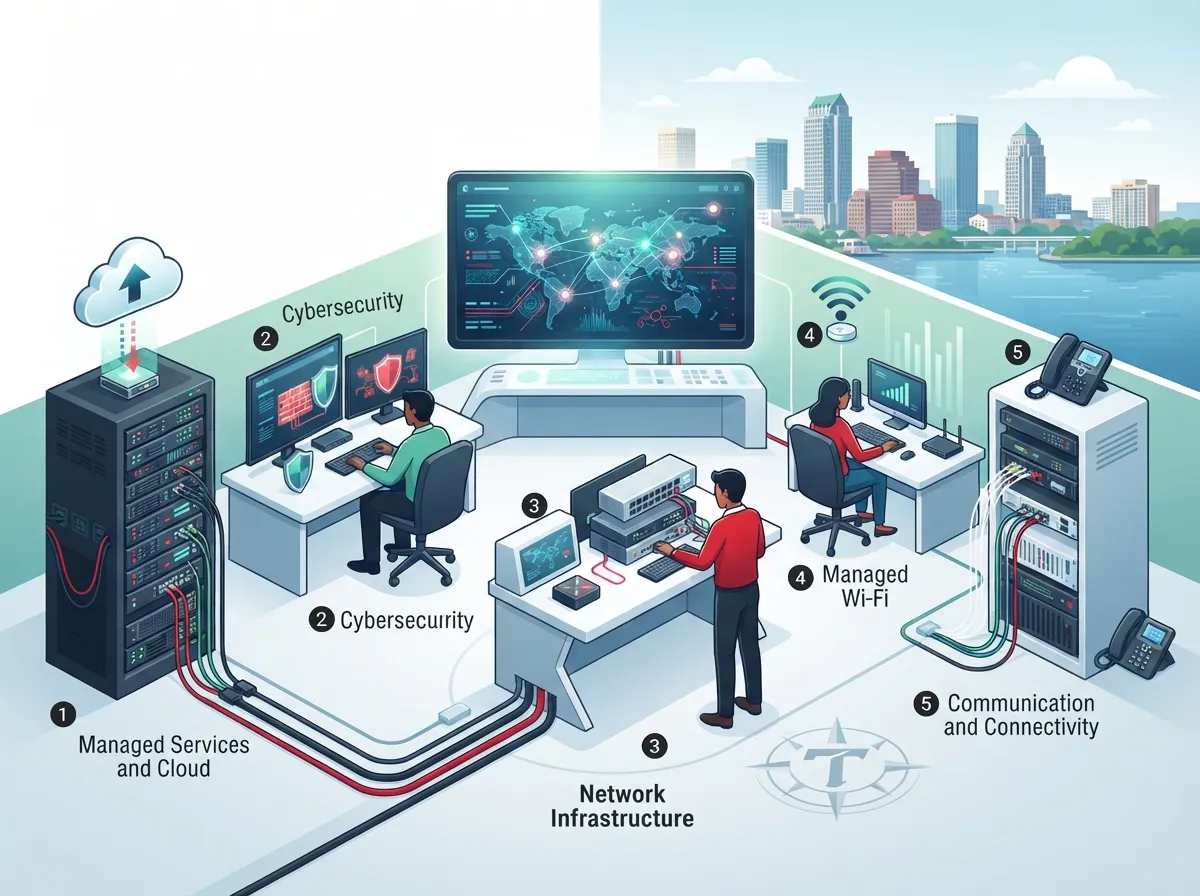
For most local companies, network services in Tampa cover internet access, dedicated fiber, managed networking, voice, and security. That is a lot to sort out, and every office address has its own set of options. The good news? You do not have to figure it all out alone. In this friendly guide, we will walk through five network services that matter most in 2026, explain them in plain English, and share tips to help you choose with confidence. Whether you run a small shop, manage IT for a growing firm, or oversee several franchise sites, you will find something useful here.
What Do Network Services in Tampa Actually Include?
Think of network services as everything that keeps your business connected. It is not just “the internet.” It is the full set of tools that move voice, data, and video safely from point A to point B.
In Tampa, business network services usually fall into these groups:
- Internet access: business broadband, fiber, and fixed wireless.
- Dedicated internet access (DIA): a private line with committed speeds.
- Managed networking: someone watches and maintains your gear for you.
- Voice and unified communications: VoIP and cloud phone systems.
- Network security: firewalls, monitoring, and safe remote access.
One thing to know early: service availability and speeds change by street address. A provider might offer fiber on one block and only cable on the next. So always check each office location before you compare offers.

1. Business Fiber Internet
Fiber is the star of modern business connectivity. It sends data as pulses of light, which means fast, steady performance. Many fiber plans also give you symmetric speeds, so uploads match downloads. That matters when your team joins video calls, backs up files to the cloud, or sends large documents all day.
Several major carriers advertise fiber in Tampa. For example, AT&T advertises business fiber with speeds up to 5 Gbps and symmetric upload and download. Frontier also lists business fiber in select Tampa areas. These are provider-advertised offerings, so they depend on your exact address.
Why Fiber Helps Tampa Businesses
- Faster, more consistent speeds for cloud tools and video meetings.
- Upload speeds that keep up with your download speeds.
- Lower delay, which helps VoIP calls sound clear.
- Room to grow as you add staff and devices.
Curious how fiber stacks up against cable? Our guide on fiber vs. cable business internet in Tampa breaks it down in simple terms. You can also explore 7 fiber internet business benefits you can’t ignore in 2026 for more detail.
2. Dedicated Internet Access (DIA)
Dedicated internet access is a step up from standard business fiber. Instead of sharing capacity with neighbors, you get a private connection with committed bandwidth. Think of it like a private lane on the highway. Traffic from other customers cannot slow you down.
Providers describe DIA with features like a private connection, round-the-clock monitoring, and service-level agreements. AT&T, for instance, advertises dedicated internet in Tampa with 24/7 monitoring and support. Spectrum Enterprise advertises private-fiber internet in Tampa with speeds up to 100 Gbps, symmetric performance, and proactive monitoring. Enterprise service like this usually needs a location-specific quote, so do not expect a simple price tag on a web page.
Fiber Internet vs. Dedicated Internet Access
People often mix these two up. Here is a quick side-by-side look:
| Feature | Business Fiber Internet | Dedicated Internet Access |
|---|---|---|
| Bandwidth | Often shared; “up to” speeds | Committed, private capacity |
| Upload/Download | Often symmetric on fiber plans | Symmetric by design |
| SLA | Basic or limited | Stronger uptime and repair terms |
| Pricing | More predictable, lower cost | Higher cost, custom quote |
| Best for | Small and mid-sized offices | Larger or mission-critical sites |
Want to dig deeper? Read dedicated vs. shared fiber: which is right for Tampa businesses and see whether a private line makes sense for you.
3. Managed Network Services
Here is a question worth asking: who keeps your network healthy when something breaks at 4:45 on a Friday? If your answer is “I do,” managed network services might be a breath of fresh air.
With managed networking, a trusted partner monitors, updates, and supports your network gear. That can include routers, switches, Wi-Fi, firewalls, and even SD-WAN. For busy office managers and small teams without a full IT department, this takes a huge weight off your shoulders.
What Managed Services Often Cover
- Monitoring: spotting problems before your staff notices them.
- Updates and patches: keeping devices current and safer.
- Wi-Fi management: steady coverage across the whole office.
- Firewall and security tools: blocking threats at the edge.
- Help desk support: a real person to call when things go wrong.
If you are weighing whether to handle this yourself, check out in-house IT vs. a network solutions provider. And for a closer look at what to expect, see 5 managed network services Tampa FL businesses need now.
Multi-location owners, this one is for you. Franchise operators often need the same setup repeated across many sites. SD-WAN solutions can tie those locations together with simple central control, and our piece on SD-WAN vs. MPLS helps you pick the right path.
4. Structured Cabling: The Hidden Foundation
Here is a secret many businesses learn the hard way. The fastest internet in the world will not help if the cabling inside your office is old, messy, or poorly planned. Structured cabling is the organized system of cables, panels, and outlets that carries your network traffic through the building.
Good cabling supports your phones, computers, Wi-Fi access points, and security cameras all at once. Poor cabling can cause slow speeds, dropped calls, and endless troubleshooting. If you are building out a new space or fixing an old one, this is the step you do not want to rush.
Signs Your Cabling Needs Attention
- Your wired connections are slower than your internet plan promises.
- Cables are tangled, unlabeled, or running through random spots.
- You are still using older CAT5 cable with newer equipment.
- You keep adding devices and running out of ports.
Not sure where to start? Our 9 signs your Tampa business needs structured cabling now is a handy checklist. You can also learn how to plan network cabling installation in Tampa Bay before you hire anyone.
5. Voice, Security, and Backup Connectivity
The last piece of the puzzle ties everything together. A strong network should support your phones, protect your building, and keep running when something goes wrong.
Cloud Phones and Unified Communications
VoIP and cloud phone systems send calls over your internet connection. That means your network quality directly affects call quality. A solid connection with enough upload speed keeps voices clear and calls steady. If you are curious about the switch, 6 key differences between VoIP and traditional phone systems explains it nicely, and what internet speed you need for VoIP in Tampa helps you size things right.
Cloud Security Cameras and Access Control
Cloud video security and access control also ride on your network. Cameras stream footage, and door systems need a steady link to update permissions and send alerts. Good network planning keeps both running smoothly. Take a look at cloud video security systems for Tampa businesses and cloud-based access control systems to see how they fit in.
A Backup Connection for Peace of Mind
Even great providers have outages. A secondary connection, such as a second wired carrier or fixed-wireless or cellular failover, can keep you online when your main line drops. Two tips matter here. First, make sure the backup uses a truly independent route, not the same cable under the same street. Second, test the failover so you know it works before you need it. Our guide on keeping security cameras working during internet outages shows why this planning pays off.
How to Compare Tampa Network Providers Fairly
Here is where many businesses trip up. Advertised maximum speeds do not tell the whole story. “Up to” speeds are not guarantees, and two plans with the same headline number can perform very differently. A fair comparison looks at more than speed.
A few third-party directories try to count the options. One Tampa comparison lists 12 business internet providers, while another directory estimates around 35 business-fiber providers. Those counts use their own methods and may include wholesale network operators that do not sell directly to every business. In other words, treat them as rough guides, not official numbers.
Your Provider Comparison Checklist
| What to Check | Why It Matters |
|---|---|
| Upload and download speed | Uploads matter for video calls and cloud backups |
| Committed bandwidth | Shows what you are guaranteed, not just “up to” |
| SLA, uptime, and repair times | Sets expectations when something breaks |
| Static IP addresses | Needed for some servers, cameras, and VPNs |
| Installation lead time | Fiber builds can take weeks or longer |
| Contract length and fees | Avoids surprise costs later |
| Backup options and support | Keeps you running and helps you fast |
Checking one address at a time can feel like a chore, especially when you have several locations. That is where an independent partner helps. Ideal Solutions Provider is a Tampa-based telecom and IT partner with over 24 years of experience and 35+ vetted suppliers. They compare options side by side for your specific address, so you do not have to juggle quotes from many carriers. Learn more about business network solutions or see how to compare business internet providers in Tampa, Florida.
Tips to Keep Costs and Headaches Low
A few simple habits can save you money and stress as you shop for network services in Tampa.
- Verify serviceability first. Check which carriers actually reach each address before you fall in love with a plan.
- Ask about the full price. Include installation, equipment, and taxes in your math.
- Plan for growth. Pick a plan that will still fit when you add staff or a second location.
- Review your current bills. Many companies overpay without realizing it. Our guide to 15 ways to reduce business telecom costs in Tampa is a great place to start.
- Bundle where it makes sense. One partner for internet, phones, and security can simplify billing and support.
You can also see how 12 ways to find the best business internet deal in Tampa can stretch your budget even further.
Ready to Build a Network That Just Works?
Network services in Tampa cover a lot of ground, from fiber and dedicated internet to managed networking, cabling, voice, security, and backup. The right mix depends on your size, your sites, and how much you rely on the cloud. The best part is that you do not have to sort through it alone. Want to stay connected with the team? Follow along on Facebook, Instagram, or YouTube.
Ready to take the next step? Contact us for a free consultation and we will review your current setup, point out possible savings, and help you choose network services that fit your Tampa business. Prefer to talk it through? You can also call us anytime.
FAQs
Q: What is the difference between business fiber internet and dedicated internet access in Tampa?
A: Business fiber is a fast connection that is often shared and advertised with “up to” speeds. Dedicated internet access gives you a private line with committed bandwidth and stronger service guarantees. DIA usually costs more and needs a custom quote.
Q: Which Tampa business internet providers offer symmetric upload and download speeds?
A: Several fiber providers advertise symmetric speeds in Tampa, including AT&T business fiber and Spectrum Enterprise private fiber. Availability depends on your exact address, so check each office location first.
Q: What should a Tampa business look for in an internet service SLA?
A: Look for clear uptime commitments, repair time targets, and how credits work if service falls short. Also check whether support is available around the clock. A strong SLA is a big part of what separates dedicated service from a basic plan.
Q: How can a Tampa business set up internet failover or a backup connection?
A: Add a secondary link, such as a second wired carrier or a fixed-wireless or cellular backup, alongside your main fiber or cable line. Make sure the backup uses a truly independent route, and test the failover so you know it works when you need it.
Q: How long does it take to install business fiber in Tampa?
A: Timelines vary by address and provider. Locations with fiber already nearby can go live faster, while new builds may take weeks or longer. Ask for an installation estimate in writing before you sign.