Key Takeaways
-
Auto attendants are typically bundled with cloud phone plans and priced per user; advertised Tampa-area starts run about $17 to $24.99 per user monthly, but setup fees and minimums change the total.
-
Before signing, confirm the quote covers the auto attendant itself, user licenses and minimums, number porting, desk phones, setup fees, taxes, and support response times.
-
Keep menus short with four or five options, use plain names like 'sales' or 'billing,' and always offer a path to a live person or voicemail.
-
Build a separate after-hours and holiday menu so callers still reach voicemail or an on-call line when the office is closed.
-
Test the menu by calling from an outside phone, then review call logs monthly to find abandoned calls and options nobody selects.
-
Plan for outages by setting backup destinations such as mobile forwarding and confirming how your provider handles internet or power failures; don't cancel your old number service until porting is confirmed.
Picture this: it’s Monday morning, the phones are ringing off the hook, and your front desk is already juggling a walk-in customer, a delivery driver, and a coffee that went cold two hours ago. Sound familiar? If you run a business in the Bay Area, you know how fast calls can pile up. That’s where an auto attendant system in Tampa can save the day.
An auto attendant is a friendly automated voice that greets callers and sends them to the right person or department. No more missed calls. No more callers stuck on hold wondering if anyone is out there. In this guide, we’ll walk through how these systems work, what they cost, and how to pick one that fits your team. We’ll keep it simple, practical, and maybe a little fun along the way.
What Is an Auto Attendant System?
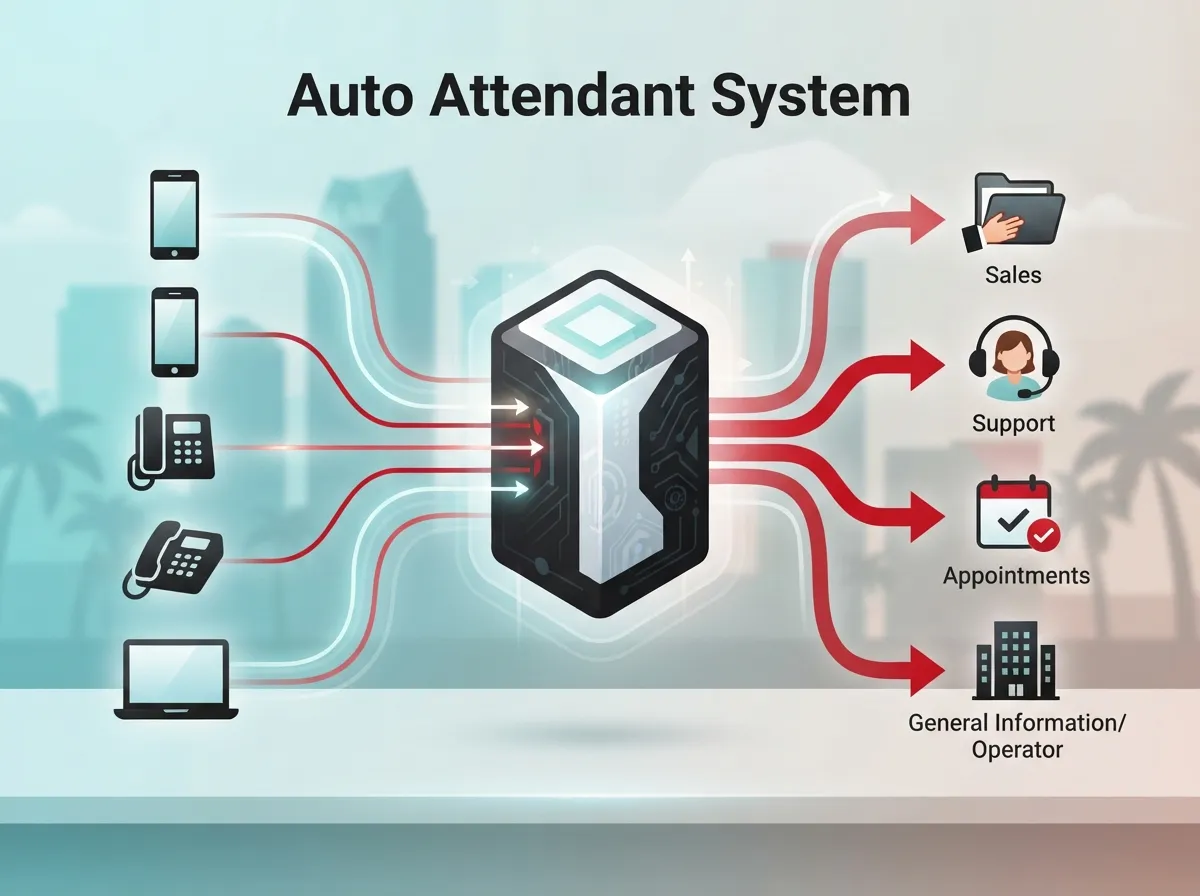
An auto attendant is an automated phone menu. Many people call it an IVR, short for interactive voice response. It answers the call, plays a greeting, and lets the caller choose where to go. They can press a key or say a word, like “sales” or “billing.”
The call can then go to a person, a department, a voicemail box, or another phone number. It handles routine routing without a live receptionist. Think of it as a polite digital front desk that never takes a lunch break.
Most Tampa businesses get this feature as part of a cloud VoIP or hosted PBX phone system. If you’re new to the idea, our guide on what a cloud-based phone system is is a great place to start.
How an Auto Attendant Works Behind the Scenes
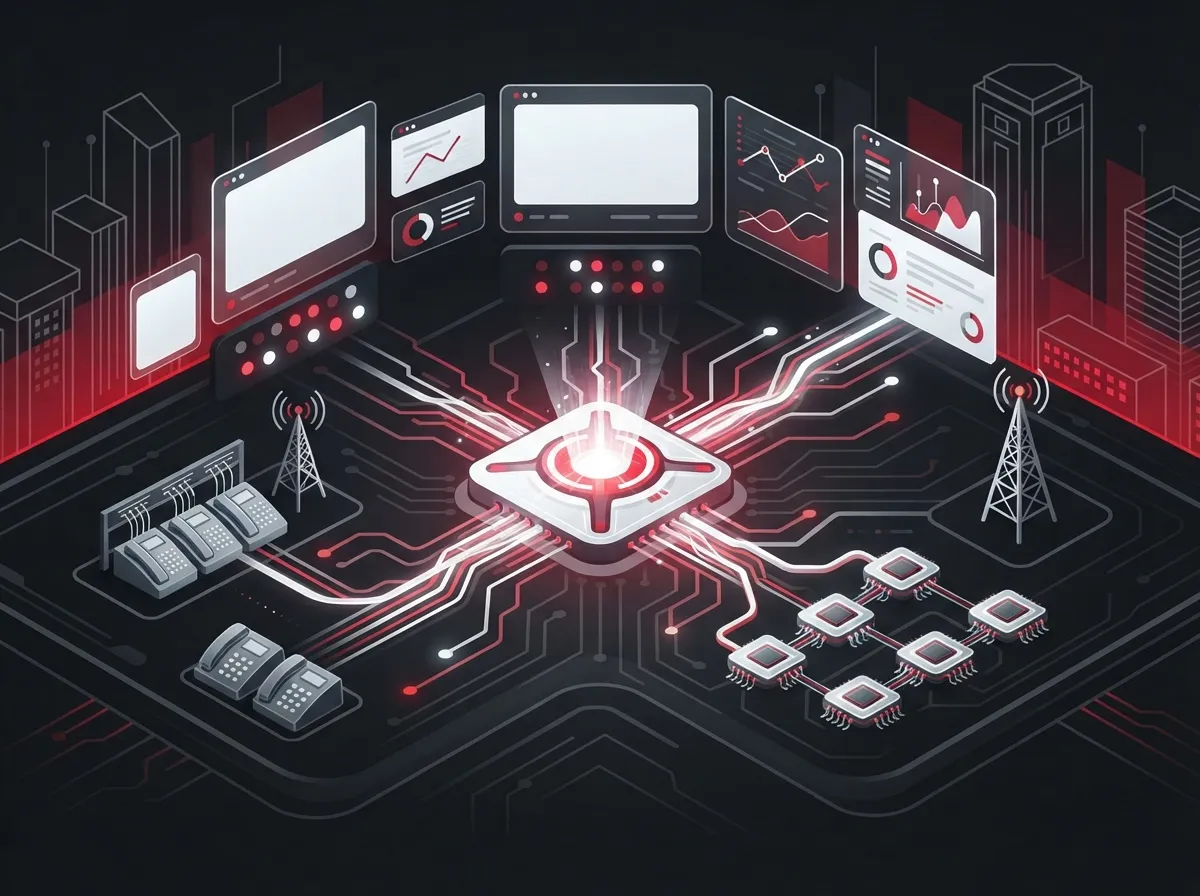
The process is easier than it sounds. Here is what happens when a customer calls your business:
- The call comes in. Your phone number routes to your cloud phone system.
- The greeting plays. The caller hears your recorded welcome and menu options.
- The caller chooses. They press a key or speak a short command.
- The system routes the call. It sends the call to a person, team, queue, or voicemail.
- A fallback kicks in. If no one answers, the call goes to voicemail or another backup spot.
The best part? You control the rules. You can set different menus for business hours, after hours, and holidays. That way, your callers always get a helpful path, even at 9 p.m. on a Sunday.
Auto Attendant vs. IVR vs. Call Queue vs. Ring Group
These terms get mixed up a lot. Let’s clear things up so you can talk to providers with confidence.
| Feature | What It Does | Best For |
|---|---|---|
| Auto attendant | Greets callers and offers a menu to route calls | Sending callers to the right department |
| IVR | A more advanced menu that may use voice input or data lookups | Larger teams with complex call flows |
| Call queue | Holds callers in line until an agent is free | Busy support or sales teams |
| Ring group | Rings several phones at once or in order | Small teams sharing incoming calls |
In real life, these tools work together. An auto attendant might send “press 2 for support” callers into a call queue, which then rings a group of agents. Your provider can help you map it all out.
Why Tampa Businesses Love Auto Attendants
Tampa Bay is full of busy small businesses, growing mid-sized companies, and multi-location franchises. Each one has its own phone puzzle. Here is why an auto attendant helps so many of them:
- You look professional. A clear greeting makes a small team sound polished and ready.
- You catch more calls. Callers get routed fast instead of hitting a busy signal.
- Your staff stays focused. Fewer interruptions mean more real work gets done.
- After-hours calls get handled. Callers can leave a message or reach an on-call number.
- Multi-location routing is easy. One main number can send callers to the right Tampa Bay office.
- Remote teams stay connected. Calls can ring desk phones, computers, and mobile apps.
If you’re weighing the move to the cloud, you may like our look at 14 reasons to switch to a cloud phone system in Tampa.
Who Benefits Most?
Small Business Owners
If you wear every hat in your company, an auto attendant is like hiring a helper without adding payroll. It answers every call, shares your hours, and routes sales calls to your cell phone. Many small teams find it a very affordable upgrade.
Office Managers and IT Managers
For office and IT leaders, the draw is control and calm. You can update menus yourself, add a holiday greeting in minutes, and check call logs to spot trouble. No more calling a vendor to change one recording.
Franchise Operators and Growing Companies
Running several Tampa Bay locations? A smart menu can send callers to the closest site by ZIP code or department. It keeps your brand sounding the same everywhere while each location stays easy to reach.
How Much Does an Auto Attendant System Cost in Tampa?
Here is the honest answer: it depends. Most auto attendants come bundled with a cloud phone plan, so you usually pay per user each month rather than buying the feature alone.
Local provider pages we reviewed advertise starting prices from about $17 to $24.99 per user or extension per month. One Florida provider lists $22.95 per licensed user monthly with a five-user minimum and a $149 implementation fee for 5 to 9 users. Another Tampa-area provider estimates about $220 per month for a 10-user office, plus roughly $1,200 one-time for phones and installation.
Please treat those numbers as examples, not a market average. Each is a provider-specific advertised price, and terms change. For a deeper look at budgeting, see how much a VoIP phone system costs for a Tampa business.
What to Confirm in Every Quote
Before you sign, ask whether the written quote includes each of these items:
- The auto attendant feature itself
- User licenses and minimum user counts
- Phone numbers and number porting
- Desk phones and headsets
- Setup and implementation fees
- Taxes and regulatory fees
- Support hours and response times
- Advanced features like call queues or call recording
Compare written quotes side by side. A low headline price can hide setup fees or extras later.
Features to Compare When Choosing a Provider
Not every system is built the same. Use this simple checklist as you shop:
| Feature | Why It Matters |
|---|---|
| Business-hours and holiday menus | Callers get the right message at the right time |
| Voicemail-to-email | Messages reach you even when you’re away |
| Mobile and desktop apps | Staff can answer calls from anywhere |
| Call queues and ring groups | Busy teams share the call load fairly |
| Multi-location routing | One number can serve many offices |
| Call logs and reports | You can spot confusing menu choices |
| Failover options | Calls still reach someone if something goes wrong |
Want a broader feature list? Check out 9 VoIP phone system features every business needs in 2026.
How to Design a Great Phone Menu
A great menu feels like a helpful friend, not a maze. A bad one makes callers mash the zero key in frustration. Follow these tips to keep your callers smiling:
- Keep it short. Aim for four or five options at most.
- Use clear names. Say “sales,” “support,” or “billing,” not insider jargon.
- Offer a human path. Let callers reach a person or leave a message.
- Plan the after-hours path. Share your hours and offer voicemail or an on-call line.
- Update seasonal greetings. Holidays and special events deserve a quick note.
Test It Like a Customer
Once your menu is live, call it from an outside phone. Listen like a first-time caller. Does anything feel confusing or too long? Then review your call logs after a few weeks. Look for abandoned calls and options nobody picks. Those clues show you exactly what to fix.
What Happens If the Internet or Power Goes Out?
This is a smart question, especially in a Florida city that sees its share of summer storms. Cloud systems rely on your internet connection, so continuity depends on how your provider designs failover and how you set up backups.
Good planning helps a lot. You can set alternate destinations, like forwarding calls to mobile phones if the office goes offline. You can also add a backup internet connection. One local provider advertises 99.999% uptime, which would equal roughly 5.3 minutes of downtime per year if achieved all year. That is a vendor claim, so ask how it is measured and what it covers.
Your internet quality matters too. Learn more in what internet speed you need for VoIP in Tampa.
Keeping Your Existing Phone Number
Good news: most businesses can keep their current number when they switch. This is called number porting. It lets customers keep dialing the same number they already know.
The timing and paperwork depend on your current carrier, so plan ahead. Never cancel your old service until the transfer is confirmed. For a walkthrough, read how to keep your phone number when switching to VoIP in Tampa.
Security and Recording Considerations
If your team handles sensitive calls or records conversations, take a moment to think about privacy. Ask providers about access controls, encryption, and how long recordings are kept. Recording laws and industry rules vary, so check what applies to your business.
Also remember that no phone feature makes you compliant all by itself. Compliance depends on your business and the information you handle, so loop in your legal or compliance advisor when needed.
Common Mistakes to Avoid
After all these years in telecom, we see the same few slip-ups again and again. Dodge them and you’ll be ahead of the game:
- Building a menu that’s too long. Callers give up after a few options.
- Skipping the after-hours plan. Silence after 5 p.m. costs real leads.
- Ignoring hidden fees. Always read the full quote.
- Forgetting to test. One outside test call catches many issues.
- Overlooking your network. Weak cabling or slow internet hurts call quality.
You can dig deeper into these pitfalls in 5 hosted PBX mistakes Tampa small businesses must avoid.
Getting the Network Ready
A clear auto attendant needs a healthy network behind it. Voice calls travel over your internet and your office wiring, so weak links can cause choppy audio. A solid structured cabling setup and a reliable connection from your Internet Service Provider make a big difference.
That’s one reason many Tampa businesses prefer a single partner. Ideal Solutions Provider is a Tampa-based telecom and IT partner with over 24 years of experience. Because they work with 35+ vetted suppliers, they can compare phone, internet, and cabling options in one conversation. They also handle consultation, installation, and ongoing support, so you’re not juggling several vendors. You can see their cloud based phone systems to learn more.
A Simple Step-by-Step Plan to Get Started
Ready to move forward? Here’s an easy path to follow:
- Map your calls. List who should get which calls and when.
- Count your users. Include desk phones, remote staff, and mobile users.
- Check your internet. Make sure your speed and backup plan fit your call volume.
- Request written quotes. Ask for complete pricing, including setup and fees.
- Plan your number transfer. Confirm porting dates before you cancel anything.
- Record and test. Write a warm greeting and test from an outside phone.
- Review and refine. Check call logs monthly and adjust your menu.
For a full rollout view, see 5 steps to switch your business phone to the cloud in Tampa.
Final Thoughts
An auto attendant won’t replace the human touch your customers love. It simply makes sure the right call reaches the right person faster. For Tampa businesses of every size, it’s one of the easiest ways to look polished, stay organized, and never miss an opportunity.
If you’d like friendly, honest help comparing options, we’d love to chat. Contact us for a free consultation, or call us to talk through your phone setup. We’ll review what you have now and help you find a plan that fits your team and your budget. You can also follow along on YouTube for helpful telecom tips.
FAQs
Q: What is an auto attendant system, and how does it work for a business?
A: An auto attendant is an automated phone menu that greets callers and routes them to a person, department, or voicemail. Callers press a key or speak a short command, and the system sends them to the right place. It’s a friendly way to handle routine calls without a live receptionist.
Q: How much does a business auto attendant system cost in Tampa?
A: Most auto attendants come bundled with a cloud phone plan, so you pay per user each month. Local providers advertise starting prices from about $17 to $24.99 per user, but setup fees, minimum users, and extras can change the total. Always compare written quotes to see the full cost.
Q: Can a Tampa auto attendant route calls to mobile phones or multiple locations?
A: Yes! Cloud-based systems can send calls to desk phones, computers, and mobile apps. They can also route callers across several Tampa Bay offices from one main number, which is great for remote teams and franchises.
Q: What happens to calls if the office internet or power goes down?
A: It depends on your provider’s failover design and how you set things up. You can configure backup destinations, like forwarding calls to mobile phones, and add a backup internet connection. Ask any provider exactly how they handle outages before you sign.
Q: Can I keep my existing business phone number when I switch?
A: In most cases, yes. The process is called number porting, and it lets you keep the number your customers already know. Just don’t cancel your old service until the transfer is confirmed.