
Key Takeaways
-
Never cancel your old phone service before the new provider begins the number port; canceling early can cause you to permanently lose your business numbers.
-
Build a full telecom inventory first, including fax, alarm, elevator, and credit card terminal lines, and confirm the new service supports each one before cutover.
-
A VoIP migration depends heavily on your local network: check bandwidth, latency, jitter, packet loss, Wi-Fi coverage, and power backup before going live.
-
Internet availability is address-specific in Tampa, so request an address-level quote and installation lead time rather than assuming fiber is available at your location.
-
Protect 911 service by confirming registered addresses for every user and device, asking how emergency calling works during porting, and keeping a backup plan for outages.
-
Test the new system while the old one still runs, cut over during a quiet window, keep call forwarding ready, and monitor closely with a named point person.
Switching your business phones and internet sounds simple until the first Monday morning when the main line goes quiet. If you have ever worried about dropped calls, lost numbers, or a week of confused staff, you are in good company. Most Tampa owners and office managers feel the same way before a big change.
The good news? A move to new phone or internet service does not have to be scary. With the right plan and the right telecom migration support Tampa businesses can count on, you can switch with very little downtime and a lot more confidence.
This friendly guide walks you through each step. You will learn what migration support includes, how to prepare your network, how to keep your phone numbers, and how to protect 911 service. Whether you run a small shop, manage an office, oversee IT, or operate several franchise locations, you will find clear, practical steps you can use right away.
What Telecom Migration Support Actually Includes
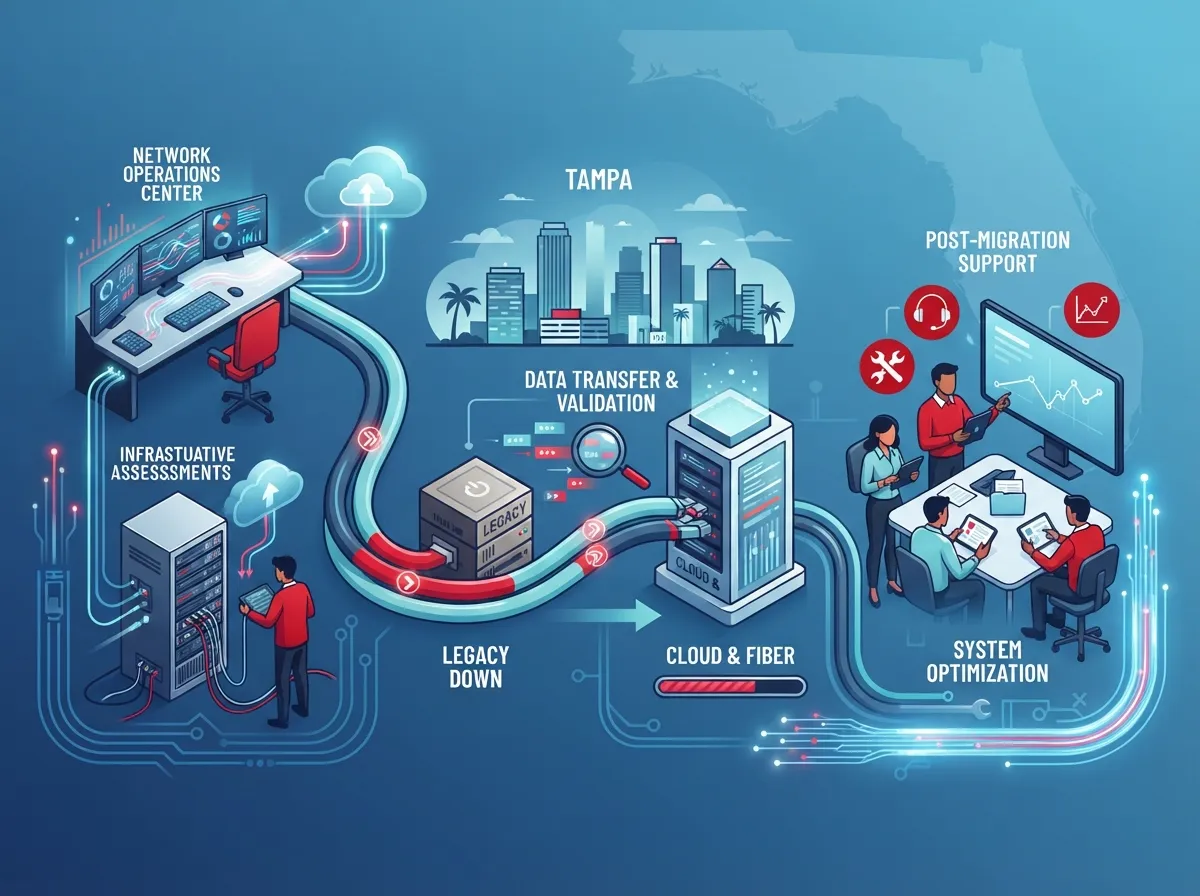
Telecom migration support is hands-on help moving your business phone, internet, and communication tools from one setup to another. Think of it as a moving crew for your communications. Good telecom migration support in Tampa covers the whole journey, not just the install day.
A complete project usually includes these pieces:
- Assessment: A review of your current phone lines, internet circuits, and equipment.
- Solution selection: Choosing the right service, such as hosted VoIP, a new carrier, or a new internet circuit.
- Number porting: Moving your existing phone numbers to the new service.
- Network readiness: Checking that your cabling, switches, and internet can handle the change.
- Configuration and installation: Setting up phones, call routing, voicemail, and users.
- Training: Showing your team how to use the new system.
- Cutover and follow-up: Going live, then fixing small bumps quickly.
Common migration goals include moving to hosted VoIP, replacing an old PBX, switching carriers, or tying several offices together under shared extensions. Scope and response times vary by provider, so always ask for the details in writing.
Step-by-Step: How to Plan Your Telecom Migration
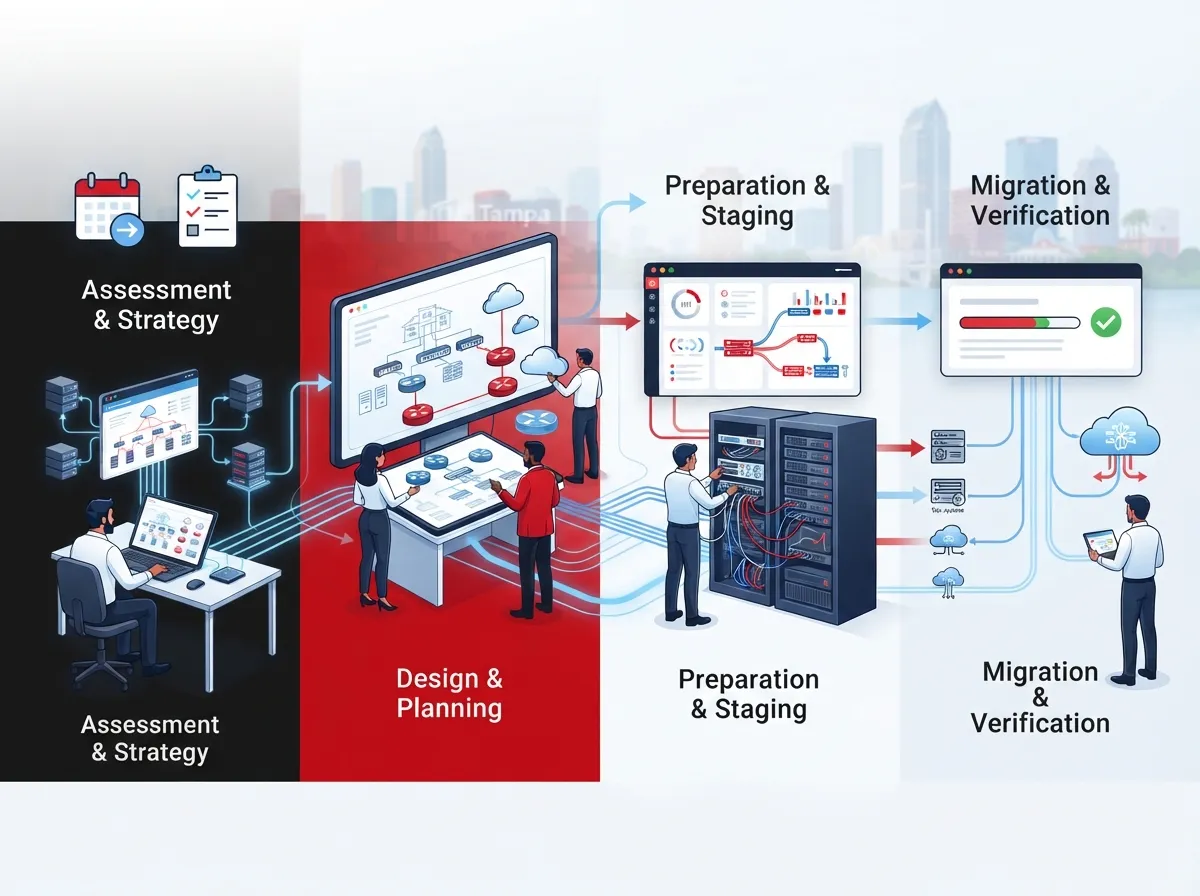
A calm migration starts with a clear plan. Here is a simple order of operations that works for most Tampa businesses.
- Set your goals. Do you want lower costs, better call quality, mobile calling, or support for more locations? Write down your top three.
- Take inventory. List everything that touches your phone and internet service (more on this below).
- Check your network. Confirm your internet, cabling, and Wi-Fi are ready.
- Compare providers and quotes. Get address-specific pricing and service terms.
- Schedule number porting. Lock in dates before you cancel anything.
- Configure and test. Build the new system and test it before going live.
- Train your team. Short sessions beat long manuals.
- Cut over and monitor. Go live during a quiet window and watch closely.
If you want a deeper look at the final stretch, this guide to 5 steps to switch your business phone to the cloud in Tampa pairs nicely with the plan above.
Build Your Telecom Inventory First
This step saves more headaches than any other. Before anyone touches a line, make a full list of what you have and what each item does. Surprises during cutover almost always come from something nobody remembered.
Be sure to list:
- Every phone number, including main lines, direct lines, and toll-free numbers
- Extensions, hunt groups, and ring groups
- Auto attendants and after-hours greetings
- Voicemail boxes and voicemail-to-email settings
- Fax lines and fax-to-email setups
- Alarm lines, elevator phones, and door phones
- Credit card terminals and other devices that use a phone line
- Integrations with your CRM, helpdesk, or call recording tools
Next, confirm that the new service supports every business-critical item on that list. If an alarm panel or payment terminal depends on a traditional line, you need a plan for it before the switch, not after.
Get Your Network Ready for the Move
Here is a secret that surprises many owners: a VoIP migration succeeds or fails on your local network as much as on the phone platform. Even the best phone system sounds bad on a shaky network.
Before cutover, check these items:
- Internet capacity: Make sure you have enough bandwidth for calls plus everything else your team does at once. Our guide on what internet speed you need for VoIP in Tampa can help you size it.
- Latency, jitter, and packet loss: These affect voice quality more than raw speed.
- Wi-Fi coverage: Soft phones and mobile apps need steady signal in every work area.
- Firewall settings: Voice traffic needs the right rules and priority.
- Power backup: A battery backup keeps phones and network gear alive during short outages.
- Failover connectivity: A second internet connection can keep calls flowing if the main one drops.
Cabling matters too. Old or messy wiring causes many mystery problems. If your office wiring is aging, a look at professional structured cabling services for Tampa businesses can show you what a clean setup looks like. Learn more about the basics of structured cabling if the term is new to you.
How Number Porting Works (And How to Keep Your Numbers)
Yes, in most cases you can keep your existing business numbers. Moving a number from one provider to another is called porting, and it is a core part of any good migration.
Here is the golden rule from the FCC: do not cancel your old service before the new provider starts the port. Canceling too early can cause you to lose the number for good.
The FCC says simple number ports generally must finish within one business day. Complex business ports, such as many numbers or special line types, can take longer. Always confirm the schedule with both providers and ask whether any temporary service impact is expected.
To make porting smooth:
- Gather a recent bill from your current provider for each number.
- Confirm the exact account name and billing address on file.
- Ask your current provider for any account PIN or passcode.
- List every number, including fax, alarm, and toll-free lines.
- Agree on a port date and a backup plan with your new provider.
For more detail, read how to keep your phone number when switching to VoIP in Tampa.
Compare Migration Paths at a Glance
Not every migration looks the same. This quick table shows common paths and what to watch for.
| Migration Type | Best For | Key Things to Check |
|---|---|---|
| Legacy PBX to hosted VoIP | Offices tired of aging phone hardware | Network readiness, number porting, device compatibility |
| Carrier-to-carrier switch | Businesses wanting better pricing or service | Contract end dates, port timing, service terms |
| New internet circuit | Companies needing more speed or reliability | Address-level availability, install lead time, backup options |
| Multi-office consolidation | Franchises and growing companies | Shared extensions, call routing, consistent cabling |
If you are weighing options, our breakdown of 6 key differences between VoIP and traditional phone systems makes the choice easier.
Protect 911 Service During the Switch
This part is not optional. Emergency calling needs special attention any time you change phone providers, especially with VoIP.
Before and after cutover, do the following:
- Confirm the registered service address and location information for each user or device.
- Ask your provider how 911 calling and callback numbers work during and after porting.
- Update addresses for remote workers and any extra office locations.
- Test emergency calling steps with your provider’s guidance, never by placing real emergency calls without coordination.
- Keep a contingency plan, such as charged mobile phones, in case of an outage.
A friendly reminder: tell your whole team how 911 works on the new system. A quick note on every desk can make a real difference.
Minimize Downtime and Surprises
Downtime is the number one worry, and it is very manageable with good habits. Think of cutover day as a rehearsal you have already practiced.
- Test early. Build and test the new system while the old one still runs.
- Pick a quiet window. Evenings or weekends often work best, depending on your hours.
- Keep the old service live. Do not shut it off until everything passes testing.
- Prepare call forwarding. Have a backup route for your main number during the change.
- Assign a point person. One person should collect issues and relay them fast.
- Plan day-one support. Ask for extra help on your first live morning.
Many mistakes come from skipping testing or rushing the schedule. Our list of 15 cloud phone system mistakes Tampa small businesses make is a handy way to avoid the common traps.
How Long Does a Migration Take?
It depends on your size, your equipment, and your providers. One Tampa-area provider says many of the business phone migrations it handles finish in about three weeks. That is a provider-specific estimate, not an industry standard, so treat it as a rough example.
Several factors change the timeline:
- The number and type of phone numbers you are porting
- Whether new internet service must be installed first
- The condition of your cabling and network
- How many locations and users are involved
- How complex your call flows and integrations are
New internet circuits can have longer lead times than phone setup, so start that part early. If speed and reliability are on your mind, see why Tampa businesses need dedicated fiber internet.
Do Not Assume Fiber Is at Your Address
Internet availability in Tampa is address-specific, so never assume. A third-party analysis citing FCC Broadband Data Collection data (as of December 31, 2025) reported fiber at 100/20 Mbps or faster for 20.7% of Tampa business broadband-serviceable locations, compared with 75.4% of residential locations. Those are provider-reported availability figures, not measured speeds, and not a promise for any single building.
In plain terms, your neighbor down the road may have fiber while your suite does not. Always ask for an address-level quote. Compare installation lead times, service-level agreements, and backup options. Our guides on fiber vs. cable business internet in Tampa and how to compare business internet providers in Tampa walk through that process. You can also read about what an Internet Service Provider does if you want a quick refresher.
How to Choose the Right Migration Partner
The partner you pick shapes the whole experience. When you talk to providers, ask direct questions and get answers in writing.
- What is included in your migration scope, from assessment to post-launch support?
- Who handles number porting, and how do you coordinate with my current carrier?
- Will you test the network before cutover?
- What training do you provide for my staff?
- What are your response times after go-live?
- Can you support multiple locations and other services, like cabling and security?
A single point of contact can make life much easier, especially for IT managers and franchise operators who do not want to chase five vendors. That is the idea behind using one telecom partner in Tampa. For more selection tips, check how to choose a business VoIP solutions provider in Tampa.
Ideal Solutions Provider is a Tampa-based telecom and IT partner with over 24 years of experience and relationships with 35+ vetted suppliers. They compare options side by side, review your current setup, and help with everything from consultation to installation and ongoing support, so you are not juggling vendors on your own.
Train Your Team and Support the First Weeks
A great system can still feel clunky if nobody knows how to use it. Training turns a new phone system into a tool people actually like.
Keep training short and practical. Show people how to transfer a call, check voicemail, set call forwarding, and use the mobile app. Share a one-page cheat sheet for each role, and name a friendly go-to person for questions.
After launch, plan a check-in at the end of week one and again after about a month. Review call quality, voicemail routing, and any missed features. Small tweaks early on keep customers happy and staff relaxed.
Ready for a Smooth Switch?
Moving your phones and internet is much easier when you plan ahead, protect your numbers, prepare your network, and lean on real support. Take inventory, test before you cut over, keep the old service alive until the new one is proven, and double-check 911 details. Do those things and you are most of the way to a calm, confident migration.
Ready to talk it through with a local team that has done this for decades? Contact us for a free review of your current setup, or call us to start planning your move with a friendly expert on your side.
FAQs
Q: What does business telecom migration support include in Tampa?
A: It usually covers assessing your current phone and internet services, choosing the right solution, porting your numbers, preparing your network, configuring and installing the new system, training your team, and supporting you after go-live. Scope varies by provider, so ask for the details in writing.
Q: Can my business keep its existing phone numbers when switching providers?
A: In most cases, yes. The key is to avoid canceling your old service before the new provider starts the port, since canceling early can put your numbers at risk. Simple ports generally finish within one business day under FCC rules, while complex business ports can take longer.
Q: How long does it take to migrate a Tampa business phone system to VoIP?
A: It depends on your number of users, locations, and network condition. One Tampa-area provider says many migrations it handles take about three weeks, but that is a provider-specific estimate. New internet installs and complex call flows can stretch the timeline.
Q: What happens to 911 service when a business switches phone providers?
A: You need to confirm the registered service address and location details for each user or device, and ask your provider how 911 and callback work during and after porting. Keep a backup plan, like charged mobile phones, in case of an outage.
Q: How can a company avoid downtime during a telecom migration?
A: Test the new system before going live, keep your old service running until everything checks out, and schedule cutover during a quiet window. Set up call forwarding as a backup and make sure you have extra support available on day one.





