

Key Takeaways
-
Confirm which features are included versus add-ons, and budget for hidden costs like taxes, number porting, desk phones, installation, and contract cancellation terms before signing.
-
Test your internet speed during peak hours and count simultaneous calls, since a common planning figure is about 100 Kbps per concurrent VoIP call, and verify your router can prioritize voice traffic.
-
Plan for outages by asking providers about failover options such as forwarding calls to mobile phones or adding a backup internet connection, and verify your 911 and registered address setup.
-
Start number porting early to keep your existing business number, and give desk phones only to high-call-volume roles while letting others use apps to control hardware costs.
Picking a small business phone system can feel like walking into a candy store with a calculator. There are so many shiny options, and every one promises to be the best. The good news? You do not need a tech degree to choose well. You just need a clear plan and a few friendly pointers.
A small business phone system handles your calls, business numbers, voicemail, and call routing. It can be old-school on-site equipment or a modern cloud service that works on desk phones, computers, and mobile phones. Many small teams now lean toward cloud options because they are flexible and billed per user.
In this guide, we will walk through nine practical tips. They are written for small business owners, office managers, IT managers, and multi-location franchise operators. Grab a coffee, and let’s make this simple.
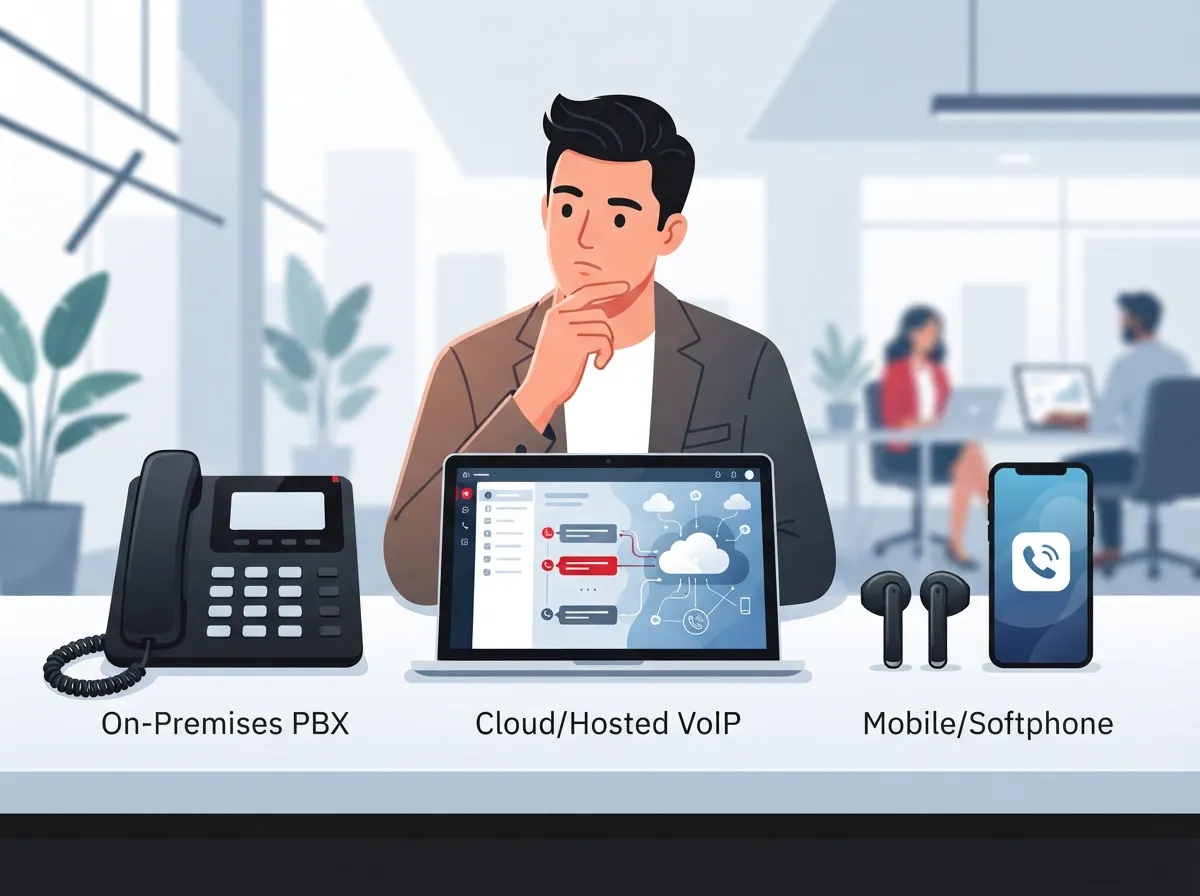
1. Know the Types of Phone Systems First
Before you shop, it helps to know what is out there. Most options fall into three buckets, and the names get tossed around a lot.
| System Type | How It Works | Best For |
|---|---|---|
| Traditional PBX | On-site equipment in your building | Single-site offices with stable needs |
| Hosted / Cloud PBX | Provider runs call control online; you pay per user | Growing, hybrid, or multi-location teams |
| VoIP Service | Calls travel over the internet | Teams wanting flexibility and lower upfront cost |
Want a deeper side-by-side? Check out 6 Key Differences Between VoIP and Traditional Phone Systems for a friendly breakdown.

2. Count Your Users, Locations, and Call Volume
Think of this as sizing a pair of shoes. A system that is too small pinches, and one that is too big wastes money. Start by writing down a few simple numbers.
- How many people need a phone line today?
- How many do you expect to add in the next two years?
- How many locations or remote workers are there?
- How many calls do you handle on a busy day?
These answers shape everything else, from price to features. Franchise operators especially benefit here, since scalable cloud plans make adding a new site much easier than installing new hardware.
3. Choose Features That Match How You Work
Features are where the fun begins, but also where costs creep up. Not every plan includes everything, so always confirm what is built in and what is an add-on.
Common features worth a look include:
- Auto-attendant: a friendly digital receptionist that routes callers
- Voicemail and call forwarding: never miss a customer, even away from your desk
- Ring groups and call queues: share busy lines across a team
- Business hours routing: send calls to the right place after hours
- Business texting and call recording: helpful for service and compliance
- CRM and software integrations: keep customer notes in one place
For a longer checklist, see 9 VoIP Phone System Features Every Business Needs in 2026.
4. Understand the Real Cost, Not Just the Sticker Price
Here is a story we hear all the time. A business signs up for a low monthly rate, then gets surprised by extra fees. Let’s avoid that. Cloud PBX pricing is commonly reported at about $15 to $45 per user per month, depending on the provider and plan. Broader hosted VoIP ranges run roughly $10 to $40 or more, with many small business plans landing near $20 per user monthly.
| Plan Level | Typical Price Per User / Month | What You Usually Get |
|---|---|---|
| Entry | $10 to $20 | Core calling, voicemail, basic routing |
| Mid-tier | $20 to $35 | Added features like analytics and integrations |
| Advanced | $35 to $75+ | Deeper reporting, call center tools, premium support |
These are published ranges that vary by vendor, so always confirm directly. For a Tampa-specific view, read How Much Does a VoIP Phone System Cost for a Business in Tampa?
5. Watch for Hidden Costs
The advertised price is only part of the picture. A smart buyer looks at total cost of ownership. Before you sign, ask about these items:
- Taxes and regulatory fees
- Number porting charges
- Desk phones, headsets, and accessories
- Installation and setup help
- International or metered calling
- Premium feature add-ons
- Contract length and cancellation terms
Skipping this step is one of the most common slip-ups. If you want to dodge the classic traps, 5 Hosted PBX Mistakes Tampa Small Businesses Must Avoid is a quick, helpful read.
6. Check Your Internet and Network Readiness
A cloud phone system is only as good as the internet behind it. Think of your connection like a road. If it is jammed, your calls get stuck in traffic. A common planning figure is about 100 Kbps per concurrent VoIP call, though real needs vary by codec, network overhead, and other traffic. Always validate with your provider.
Here is a simple readiness checklist:
- Test your current internet speed during your busiest hours.
- Count how many calls could happen at once.
- Check that your router and switches can prioritize voice traffic.
- Look at your wiring. Clean, organized cabling prevents many call-quality headaches.
Good wiring really matters. Learn more about why in 13 Ways Structured Cabling Supports VoIP & Cameras. And if you are unsure about speed, What Internet Speed Do I Need for VoIP in Tampa? has you covered. Your Internet Service Provider plays a big role here too.
7. Plan for Outages and Emergency Calling
Nobody likes to think about outages, but a little planning goes a long way. Internet-based calling can be affected if the power or internet goes down, unless you have backup arrangements. Ask your provider about failover options, such as forwarding calls to mobile phones or adding a backup internet connection.
Emergency calling deserves special attention. In the United States, VoIP users should verify how 911 works with their service and keep registered service addresses current. Location handling can differ by service and device, so confirm the details before you roll out phones to your team. It is a small step that can matter a lot.
8. Keep Your Existing Business Number
Most owners do not want to reprint business cards or lose customers who know their number. The good news is that number porting is common. You can usually keep your current number when you switch, though timing and fees vary by provider.
Start the process early, gather your latest phone bill, and ask your new provider for a clear timeline. Our guide, How to Keep Your Phone Number When Switching to VoIP in Tampa, walks through it step by step. And if you are ready to make the leap, 5 Steps to Switch Your Business Phone to the Cloud in Tampa keeps the process simple.
9. Get a Trusted Partner to Guide You
Here is the honest truth. Comparing providers, reading fine print, and coordinating internet, cabling, and phones can eat up your week. That is where a single point of contact shines. Ideal Solutions Provider, a Tampa-based telecom and IT partner with over 24 years of experience, compares options across 35+ vetted suppliers and handles everything from consultation to installation and ongoing support.
Having one friendly team means fewer vendors to chase and fewer finger-pointing moments when something needs fixing. If you are weighing options, How to Choose the Right Phone System for Small Business is a great companion read, and you can explore our cloud based phone systems page for more detail.
Do You Need Desk Phones, or Are Apps Enough?
Great question. Many modern systems let employees answer calls on a desk phone, a computer app, or a mobile app. A front desk or call-heavy role often still prefers a physical phone for comfort and reliability. Remote and hybrid workers may be perfectly happy with an app and a good headset.
A mixed approach is common. Give desk phones to the people who live on the phone, and let everyone else use apps. This keeps hardware costs down while keeping your team flexible.
A Simple Checklist Before You Buy
Ready to pull it all together? Run through this quick list before you commit:
- Do I know my user count, locations, and growth plans?
- Have I confirmed which features are included versus extra?
- Do I understand the full monthly and one-time costs?
- Is my internet and cabling ready for voice traffic?
- Do I have a backup plan for outages?
- Have I verified emergency calling details?
- Is my existing number safe to port?
- Do I have reliable support after installation?
If you can say yes to most of these, you are in great shape. You can also follow along on YouTube for helpful telecom tips.
Final Thoughts
Choosing a small business phone system does not have to be stressful. Know your options, count your needs, watch the full cost, and make sure your internet and wiring are ready. A little homework now saves a lot of headaches later, and your customers will notice the difference with every call.
Ready for a friendly, no-pressure look at your options? Contact our team for a free consultation, or call us and let’s find the right fit for your business together.
FAQs
Q: What is the best phone system for a small business?
A: The best fit depends on your team size, locations, and budget. Many small and hybrid teams like cloud-based VoIP because it is flexible and billed per user. A quick audit of your needs will point you in the right direction.
Q: How much does a small business phone system cost per user?
A: Cloud PBX is commonly reported at about $15 to $45 per user per month, while broader hosted VoIP often runs $10 to $40 or more. Prices vary by provider and features, so be sure to count taxes, fees, and phones in your total.
Q: How much internet bandwidth does a business VoIP system need?
A: A common planning figure is about 100 Kbps per concurrent call, but real needs depend on your setup and other network traffic. Test your speeds and confirm the details with your provider before you switch.
Q: Can I keep my existing business phone number?
A: Usually, yes! Number porting lets you move your current number to a new provider. Start early and ask about timing and any fees so the switch goes smoothly.
Q: How do business VoIP systems handle 911 calls and outages?
A: Emergency calling can work differently on VoIP, so verify the details and keep your registered service address up to date. For outages, ask your provider about failover options like forwarding calls to mobile phones or adding backup internet.





