

Key Takeaways
-
A managed network provider designs, runs, monitors, and fixes some or all of your business network under a service contract, while an ISP mainly delivers the internet connection itself.
-
Read the SLA closely: check uptime measurement, response and restoration times, support hours, exclusions, and service credits, and ask the provider to explain each in plain language.
-
Clarify security responsibilities in writing, since some providers manage firewalls and threat monitoring while others only manage equipment, leaving security gaps for you to fill.
-
Managed SD-WAN often suits multi-site businesses that rely on cloud apps, VoIP, or video, because it routes traffic across existing connections using central rules and one dashboard.
-
Compare total cost rather than monthly price by asking for itemized quotes covering setup fees, equipment charges, and early termination terms, and confirm who owns the equipment and circuits.
-
Many businesses blend a small in-house IT team for daily needs with a managed provider covering nights, weekends, monitoring, and heavier technical work.
If your office network ever felt like a second job, you are not alone. Slow Wi-Fi, dropped calls, mystery outages, and a pile of vendor phone numbers can eat your whole week. That is where a managed network provider steps in. Think of it as a pit crew for your business connection. They keep things running smoothly so you can focus on customers, not cables.
In simple terms, a managed network provider is a third party that designs, runs, watches, and fixes some or all of your business network under a service contract. Whether you run a small Tampa shop, a growing mid-sized company, or a multi-location franchise, this kind of help can take a big load off your plate.
In this friendly guide, we will walk through what these providers do, what services they offer, how contracts and SLAs work, and how to pick the right partner for your team. No jargon overload, promise.

What Is a Managed Network Provider?
A managed network provider takes responsibility for part or all of your network operations. That can include your internet connection, routers, switches, Wi-Fi, firewalls, monitoring, and support. Many are telecom carriers or managed service providers. The exact split of work depends on your agreement.
Some businesses hand over everything. Others only want help with a few pieces, like Wi-Fi or a multi-site connection. Both approaches are common, and neither is wrong. The goal is to match the service to your needs.
Here is a quick way to picture it:
- You own the business. You decide what the network needs to support.
- The provider owns the day-to-day. They watch, patch, troubleshoot, and report.
- The contract sets the rules. It spells out who handles what and how fast.
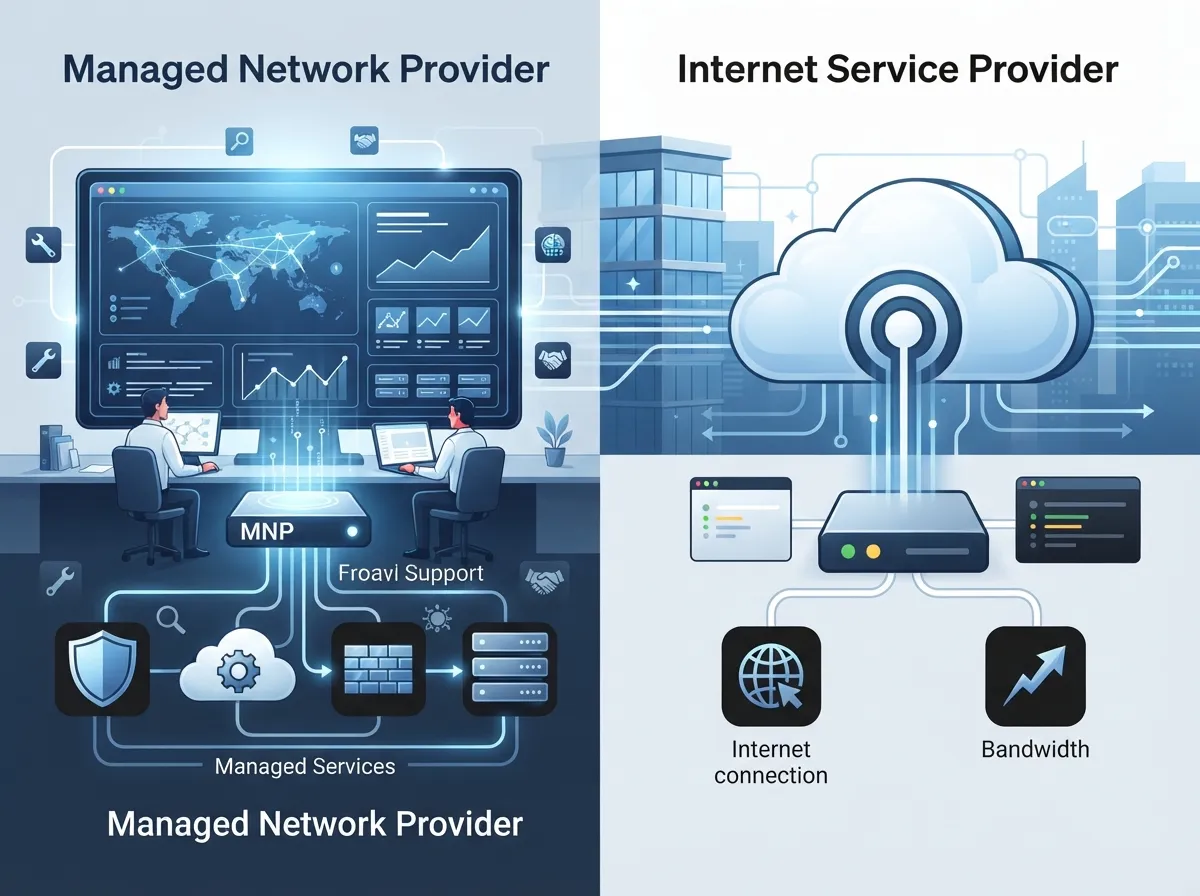
Managed Network Provider vs. Internet Service Provider
This is one of the most common questions we hear. An Internet Service Provider (ISP) delivers your connection to the internet. That is its main job. A managed network provider goes further. It looks after the equipment, performance, security, and support that sit on top of that connection.
Sometimes one company does both. Many carriers sell managed services alongside their circuits. Other times, a provider manages your network using connections from several carriers. The key is to know which party is responsible for what.
| Feature | Internet Service Provider | Managed Network Provider |
|---|---|---|
| Main role | Delivers internet access | Runs and supports your network |
| Equipment management | Usually limited to a modem or handoff device | Often routers, switches, firewalls, Wi-Fi |
| Monitoring | Basic line status | Ongoing network monitoring and alerts |
| Multi-site support | Varies by carrier | Often central management across sites |
| Security | Varies | May include firewall and security services |
If you want a deeper look at connection options, our guide on what to look for in a business internet provider is a great companion read.
What Services Does a Managed Network Provider Offer?
Services vary, but most providers build from a familiar menu. Here are the common ones:
- Managed WAN: Connects your offices and sites so they act like one network.
- Managed LAN: Looks after the switches and wiring inside each building.
- Managed Wi-Fi: Designs, monitors, and tunes wireless coverage.
- Managed SD-WAN: Steers traffic across your available connections using central rules.
- VPN and remote access: Gives staff safe access from home or on the road.
- Network monitoring and troubleshooting: Watches performance and fixes issues.
- Network security: Firewalls, filtering, and related protections.
- Extras: Cloud connectivity, analytics, SASE, and consulting.
You do not need all of these. A single-location office may only need monitoring and Wi-Fi help. A franchise with many sites may lean on managed SD-WAN. For a closer look at the full list, check out these 8 managed network services every business should know.
Why Are Businesses Choosing Managed Networks?
The market is growing fast. Mordor Intelligence estimates the network managed services market at USD 16.73 billion in 2025 and USD 18.72 billion in 2026, with a forecast of USD 32.88 billion by 2031. Its definition covers managed LAN, WAN, Wi-Fi, and network security services.
A word of caution on the numbers. Other research firms report very different totals because they draw the market lines in different places. For example, SkyQuest estimates a much larger figure for 2025. Treat these as estimates, not exact measurements. The clear takeaway is that more businesses are outsourcing network work.
Why the shift? Here are the common reasons:
- Access to specialist skills. You get network know-how without hiring a full team.
- Around-the-clock monitoring. Problems get spotted early, often before staff notice.
- Simpler multi-site management. One partner can oversee many locations.
- Fewer vendor headaches. One point of contact beats juggling five.
- Predictable planning. Service contracts can make budgeting easier.
One honest note: outsourcing does not automatically lower costs or boost security. The benefits come from choosing the right provider and writing a clear contract.
How Do Managed Network Providers Handle SLAs?
Service-level agreements, or SLAs, are the heart of any managed network deal. An SLA is a written promise about how the service will perform and how fast problems get fixed. Without a clear one, you are basically crossing your fingers.
When you review an SLA, look closely at these items:
- Availability: What uptime is promised, and how is it measured?
- Response time: How fast will someone start working on a ticket?
- Restoration time: How fast will service be restored?
- Support hours: Is help available 24/7 or only during business hours?
- Performance measures: Are latency, packet loss, or jitter covered?
- Exclusions: What events are not covered, such as planned maintenance?
- Service credits: What do you receive if the provider misses the mark?
Tip: ask the provider to explain the SLA in plain language. A good partner is happy to do that. If the answers feel slippery, that is useful information too.
Is Managed SD-WAN Right for Your Business?
Managed SD-WAN is one of the hottest offerings out there. It helps route traffic across the connections you already have, like fiber, cable, or wireless, using rules set from one central spot. It can be a great fit for branches, cloud apps, and distributed teams.
Mordor Intelligence reports that managed WAN made up 27.15% of network managed services market share in 2025, and it projects managed SD-WAN to grow at an 18.4% CAGR through 2031. That tells you a lot of businesses are paying attention.
Is it right for you? It often makes sense if you:
- Run several locations that need to talk to each other.
- Rely on cloud apps, video calls, or VoIP all day.
- Want one dashboard instead of many device logins.
- Have more than one internet connection available.
Keep in mind that real results depend on design, connectivity, setup, and the SLA. For more detail, see 6 SD-WAN benefits every business owner should know and SD-WAN vs. traditional WAN.
Who Is Responsible for Network Security?
This question deserves a straight answer: it depends on your contract. Some providers include firewalls, filtering, and threat monitoring. Others only manage the equipment and leave security tools to you or another vendor.
Before you sign, ask these simple questions:
- Who manages and updates the firewall?
- Who watches security alerts, and how fast do they respond?
- Who handles user access and remote connections?
- What happens if there is a security incident?
Security is usually a shared effort. Even with a strong provider, your team still plays a part, from strong passwords to careful email habits. Put the split in writing so nobody is guessing later. If you are weighing options, this article on cloud security vs. traditional network security can help.
How to Choose the Right Managed Network Provider
Picking a provider is a big decision, so take your time. Do not just compare the monthly price. The cheapest quote can turn costly if it leaves out support or locks you in. Use this checklist:
| What to Compare | Questions to Ask |
|---|---|
| Geographic coverage | Can they serve all your locations? |
| Supported technologies | Do they offer fiber, SD-WAN, MPLS, and Wi-Fi? |
| Security responsibilities | Who owns firewall and threat response? |
| Monitoring and reporting | What do you see, and how often? |
| Escalation process | Who do you call when things go wrong? |
| Integration | Will it work with your phones, cameras, and systems? |
| Contract flexibility | What are the term, renewal, and exit rules? |
| Total cost | What is included, and what costs extra? |
Also confirm ownership. Contracts should say who owns the equipment and circuits. That detail matters a lot if you ever switch providers.
What Does Managed Network Service Cost?
Pricing varies widely. It depends on the number of sites, the size of your staff, the services you choose, the connection types, and the support level. Some providers charge a flat monthly fee per site. Others price by device, user, or bandwidth.
Because so many factors play in, it is wise to ask for a full quote that lists every line item. Watch for setup fees, equipment charges, and early termination terms. For a practical walk-through, read how to budget for managed network services in Tampa.
Managed Network Services vs. an In-House IT Team
You might wonder if you should just hire your own IT person. For some companies, that works well. For others, a managed provider fills gaps a single employee cannot cover, like nights, weekends, and vacations.
Many businesses choose a blend. They keep a small in-house team for day-to-day needs and lean on a provider for monitoring and heavy lifting. Our comparison of in-house IT vs. a network solutions provider digs into this choice.
Where Telecom Fits Into the Picture
Your network does not live on its own. It carries your VoIP calls, your cloud security cameras, your access control, and your daily internet use. A weak network can hurt all of them. A strong, well-managed network helps them all work better.
That is why many businesses like working with a telecom partner who sees the whole picture. At Ideal Solutions Provider, we have spent over 24 years helping Tampa-based and nationwide businesses sort out their telecom and IT needs. We work with more than 35 vetted suppliers, so we can compare options side by side instead of pushing one carrier. You can learn more about our business network solutions and how they connect with phones, cabling, cameras, and more.
Solid cabling matters too. A great managed network still needs a solid foundation, which is why structured cabling services are often step one. See structured cabling on Wikipedia for a quick background on how it works.
Simple Steps to Get Started
Ready to explore your options? Here is an easy path:
- List your sites and needs. Note locations, staff count, and critical apps.
- Review your current setup. Gather bills, contracts, and equipment lists.
- Decide what to hand off. Pick the pieces you want help with.
- Request clear quotes. Ask for SLAs, equipment ownership, and all fees in writing.
- Compare side by side. Look at total value, not just price.
- Plan the switch. Schedule installs to avoid business disruption.
If that feels like a lot, you do not have to do it alone. A single point of contact can handle the research, comparisons, and installation for you.
Ready for a Calmer Network?
A good managed network provider takes the stress out of connectivity. You get monitoring, support, and clear responsibility, so your team can get back to work. The key is to know what you are buying, read the SLA closely, and choose a partner who listens.
If you would like a friendly second opinion on your current setup, we are happy to help. Contact us for a free consultation, or call us to talk it through. We will review what you have, point out where you may be overpaying, and help you find a managed network solution that truly fits.
FAQs
Q: What does a managed network provider do?
A: A managed network provider designs, runs, monitors, and supports some or all of your business network under a service contract. That can include your WAN, LAN, Wi-Fi, security, and troubleshooting. The exact duties depend on what your agreement spells out.
Q: What is the difference between a managed network provider and an internet service provider?
A: An internet service provider delivers your connection to the internet. A managed network provider also looks after the equipment, monitoring, performance, and often security that sit on top of it. Sometimes one company does both, so always check who is responsible for what.
Q: What should be included in a managed network services SLA?
A: A solid SLA covers availability, response and restoration times, support hours, performance measures, exclusions, and service credits. Ask the provider to explain each point in plain language before you sign. Clear terms now save a lot of frustration later.
Q: Is managed SD-WAN right for a multi-site business?
A: Often, yes. Managed SD-WAN can steer traffic across your available connections using central rules, which helps branches, cloud apps, and remote teams. Results still depend on design, connectivity, setup, and the SLA, so it is worth talking through your specific sites first.
Q: Who is responsible for network security when using a managed provider?
A: It depends on your contract. Some providers handle firewalls and threat monitoring, while others only manage equipment. Get the split in writing, and remember your own team still plays a role through good habits like strong passwords.





