
Key Takeaways
-
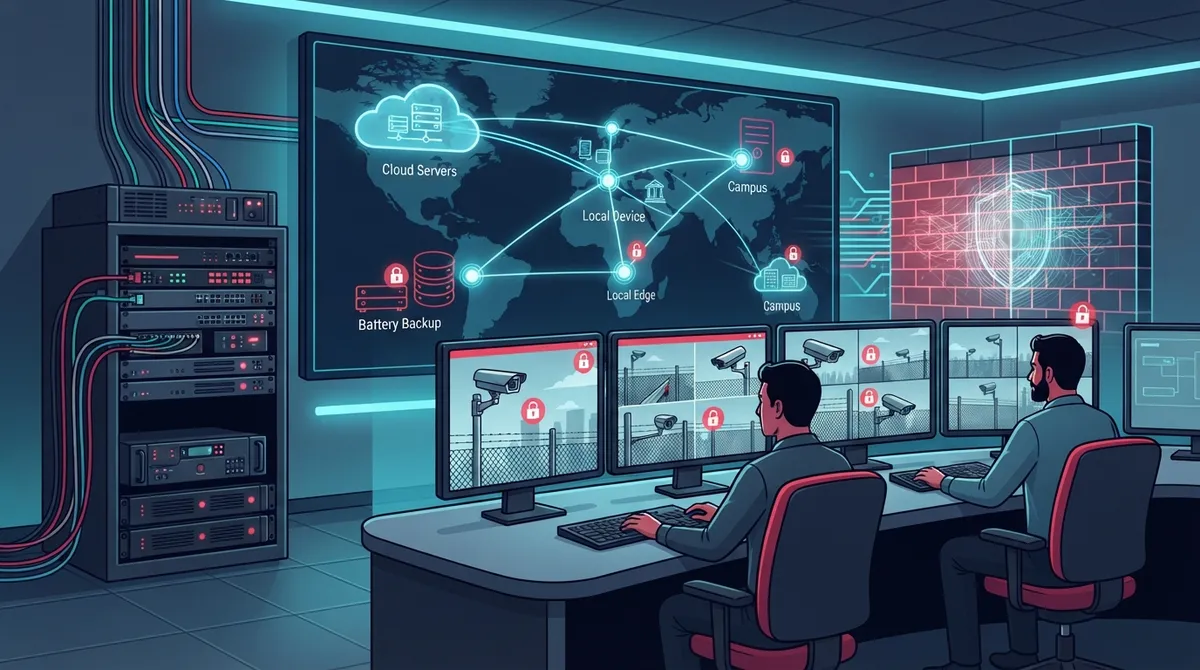
Most enterprise video surveillance problems start with the network, not the cameras, so plan bandwidth, cabling, and internet reliability before buying hardware.
-
Video bandwidth depends on resolution, frame rate, compression, motion, live viewers, and retention; edge recording and on-camera analytics can reduce what crosses your wide-area link.
-
Choose cloud, on-premises, or hybrid architecture based on your sites, connection reliability, latency needs, and data-residency requirements rather than defaulting to one option.
-
Use PoE switches with enough power budget for every camera, add battery backup at critical sites, and use quality labeled cabling to prevent dropped feeds and outages.
-
Cameras are network devices and should be secured by changing default credentials, applying firmware updates, segmenting them from business systems, and enabling multifactor authentication.
Picture this: a manager pulls up a live camera feed to check on a branch office, and the screen freezes. Then it buffers. Then it shows nothing at all. Sound familiar? You’re not alone, and the problem usually isn’t the camera.
Most enterprise video surveillance headaches start with the network, not the hardware. Cameras are only as good as the connection that carries their video. When that connection is weak, shared with the wrong traffic, or planned as an afterthought, your security investment falls flat.
The good news? These mistakes are easy to avoid once you know what to look for. In this friendly guide, we’ll walk through seven common missteps and how to fix each one. Whether you run one office or a dozen franchise locations, you’ll leave with a clear plan for building a system that actually works when you need it most.

What Is Enterprise Video Surveillance?
Enterprise video surveillance is a business security system built on networked cameras, video management software (VMS), recording or cloud storage, and often analytics. It protects people, property, and operations across one or many sites.
Unlike a simple home camera kit, an enterprise setup is managed centrally. You can view live video, search recordings, and set user permissions from one dashboard. That is why the telecom side matters so much. Every camera depends on your local network, your internet connection, and often your cloud service.
The market keeps growing, too. Grand View Research estimates the global video surveillance market at USD 83.5 billion in 2025, with a projected 2026 to 2033 growth rate of 11.7% per year. Its report also says IP video systems held 55.7% of market revenue in 2025. Other research firms use different definitions and report different totals, so treat any single number as a rough guide.
Now let’s look at the mistakes that trip businesses up.
Mistake 1: Ignoring Bandwidth Until Video Starts Lagging
Video is hungry. A handful of high-resolution cameras can swallow a surprising amount of network capacity, especially when several people watch live feeds at the same time.
Many businesses buy cameras first and check their internet speed later. That order is backward. Planning your bandwidth first keeps you from paying for cameras that stutter and drop.
What Drives Bandwidth Use
- Resolution: Higher resolution means more data per second.
- Frame rate: More frames per second means a smoother picture and a bigger load.
- Compression (codec): Modern codecs shrink video without hurting quality much.
- Motion activity: Busy scenes create more data than empty hallways.
- Live viewers: Each person watching live adds to the load.
- Retention period: Longer storage needs more space, whether local or in the cloud.
Good news: you can lighten the load. Edge recording and on-camera analytics keep most video on site and send only what matters across your wide-area link. For a closer look at real numbers, see 8 Internet Speeds Your Cloud Cameras Actually Need (2026).
Mistake 2: Choosing the Wrong Architecture for Your Sites
There are three main ways to record and manage video: on-premises, cloud, or hybrid. Picking one without thinking about your sites is a common and costly error.
| Approach | Best For | Watch Out For |
|---|---|---|
| On-premises | Sites needing low latency or strict data control | Hardware upkeep and manual updates |
| Cloud (VSaaS) | Multi-site teams that want easy remote access and scaling | Depends on a steady internet connection |
| Hybrid | Businesses that want local backup plus cloud convenience | More moving parts to plan and manage |
Cloud video surveillance as a service can simplify remote administration and growth. Local or hybrid storage can keep recording during an outage and support data-residency needs. There is no single winner. The right pick depends on your locations, your connections, and your risk tolerance.
If you are weighing options, these reads can help: Cloud vs. On-Prem: Which Camera Setup Wins? and 6 Key Differences Between Cloud Video Security and DVR Systems.
Mistake 3: Skimping on Cabling and Power Planning
Here’s a hidden gem of enterprise video surveillance: the cable in the wall matters just as much as the camera on it. Poor cabling causes dropped feeds, flickering images, and mystery outages that waste your IT team’s time.
Most IP cameras use Power over Ethernet (PoE). One cable carries both data and power, which keeps installs tidy. But PoE needs planning. Your switches must have enough power budget for every camera, and you need backup power so cameras stay on during an outage.
A few simple rules go a long way:
- Count every camera and add up its power draw.
- Check that your PoE switch can handle the total load with room to spare.
- Choose quality cable rated for the distance and speed you need.
- Label every run so future troubleshooting is quick.
- Add battery backup for switches and recorders at critical sites.
Solid structured cabling is the backbone of all of this. Learn more in Security Camera Cabling for Business: A 2026 Guide and What Are Gigabit Cabling Capabilities for Your Business?.
Mistake 4: Leaving Cameras Open to Cyber Risks
Cameras are network devices, which means they can be targets. A camera left on default settings is like leaving a back door unlocked. And once an attacker is in, they may try to reach your business systems.
Security should be designed in from day one. Here is a simple checklist:
- Change every default username and password right away.
- Apply firmware updates on a regular schedule.
- Use role-based permissions so people see only what they need.
- Turn on multifactor authentication where available.
- Place cameras on their own network segment, away from payroll, files, and phones.
- Use encrypted connections for viewing and storage.
- Track vendor support and retire devices that no longer get updates.
Network segmentation is a big one. Keeping cameras separate from business-critical systems limits the damage if something goes wrong. For deeper reading, try Is Cloud Video Security Actually Safe for Business? and How to Choose a Data Security Service for Business Telecom.
Mistake 5: Forgetting About Multi-Site Connectivity
Managing one building is simple. Managing ten is a different story. Franchise operators and growing companies often find that each location has a different internet provider, different speeds, and different reliability.
That patchwork makes central viewing a struggle. Telecom connectivity is the glue that holds a multi-site deployment together. Here is how common connection types stack up for surveillance:
| Connection | Strength | Consideration |
|---|---|---|
| Fiber | High bandwidth, steady performance for fixed sites | Availability varies by address |
| Wired broadband | Good value for smaller sites | Upload speed can be limited |
| 4G/5G cellular | Fits temporary, mobile, or hard-to-wire sites | Depends on coverage, data plans, and reliability |
| SD-WAN | Ties sites together and can steer traffic smartly | Needs thoughtful design |
Yes, 4G or 5G can work for business cameras, such as at a construction site or pop-up location. Just check coverage and data caps first. For fixed, high-bandwidth sites, wired Ethernet and fiber are usually the better fit.
If you manage many locations, explore What Are SD-WAN Services and Does Your Business Need Them? and Multi Location Cloud Surveillance: A Simple Business Guide.
Mistake 6: Overlooking Interoperability and Integration
Your cameras do not live alone. They often need to work with access control, alarms, phone systems, and your existing software. Mixing vendors without checking compatibility can leave you with systems that refuse to talk to each other.
Before you buy, ask a few questions:
- Do the cameras support open standards such as ONVIF where it matters?
- Will they work with your current VMS?
- Can they connect with your access control system?
- Are your network switches and cloud services compatible?
Integration pays off in real ways. Imagine a door alarm that automatically pulls up the nearest camera. That is the kind of workflow that saves time and stress. To see how it fits together, read 14 Cloud Access Control Integration Wins for 2026 and What Is an Integrated Business Platform for Telecom?.
Mistake 7: Skipping Privacy, Retention, and Analytics Planning
Smart features like motion alerts and video analytics are exciting. But they come with responsibilities. Accuracy varies, and privacy rules differ by place and by use.
Before you switch on analytics, take these steps:
- Test the accuracy of alerts in your own environment.
- Define what the footage may and may not be used for.
- Limit who can view and export video.
- Set a clear retention period and stick to it.
- Post signs where required and follow local surveillance, privacy, and labor laws.
How long should you keep footage? There is no one answer. It depends on your industry, your risk, and any legal rules that apply to you. Longer retention also means more storage and more bandwidth, so plan the two together. When in doubt, talk with legal counsel. For help on storage choices, see 13 Security Camera Storage Solutions to Know in 2026 and How to Deploy Video Analytics Security Systems Right.
How to Choose the Right Telecom Partner for Surveillance
Now that you know the pitfalls, how do you pick a partner who can help you avoid them? Look for someone who treats surveillance as a network project, not just a camera sale.
A strong partner will:
- Audit your current internet, cabling, and network before recommending gear.
- Size bandwidth and storage based on your real camera count and retention goals.
- Offer cloud, on-premises, and hybrid options without pushing just one.
- Handle installation, cabling, and ongoing support under one roof.
- Plan for security, segmentation, and future growth.
This is where a single point of contact shines. At Ideal Solutions Provider, our Tampa-based team has more than 24 years of experience helping businesses nationwide bring together internet, cabling, networking, cloud video security, and access control. With over 35 vetted suppliers, we compare options so you are not stuck juggling vendors. Take a peek at our cloud video security services to see how it all fits together.
Not sure where to start? These guides can help: How to Roll Out Cloud Video Security for Enterprise and Why Does CCTV Installation Need Network Planning First?.
Your Quick-Start Checklist
Ready to put this into action? Use this simple plan to get moving:
- List every site and the number of cameras each one needs.
- Check upload speed and reliability at each location.
- Decide between cloud, on-premises, or hybrid recording.
- Review your cabling and PoE power budget.
- Segment cameras from business systems and lock down accounts.
- Confirm compatibility with your VMS and access control.
- Set clear retention and privacy rules.
Work through these in order and most surprises disappear before they start. You will also have a much stronger conversation with any vendor you talk to, since you will know exactly what to ask.
Wrap-Up: Build It Right the First Time
Enterprise video surveillance works best when the network behind it is planned with care. Watch your bandwidth, pick the right architecture, invest in solid cabling, protect your cameras from cyber risks, connect your sites reliably, check compatibility, and set smart privacy rules. Do those seven things and you will dodge the mistakes that cost other businesses time and money.
And remember, you do not have to figure it all out alone. If you would like a friendly, no-pressure review of your current setup, contact us today and let our team help you build a surveillance system you can count on. Prefer to talk it through? Call us any time.
Want more tips and updates? Follow us on Facebook, Instagram, and YouTube.
FAQs
Q: What is enterprise video surveillance, and how does it work?
A: Enterprise video surveillance uses networked cameras, video management software, and recording or cloud storage to protect business sites. Video travels over your network to a central dashboard, so you can watch live feeds and search recordings from anywhere. It all depends on a solid network, which is why planning matters.
Q: How much bandwidth do IP security cameras need?
A: It depends on resolution, frame rate, compression, motion, and how many people view live video. Edge recording can cut the amount of video sent over your internet link. The best move is to size your connection based on your actual camera count and retention goals.
Q: Should a business choose cloud, on-premises, or hybrid video surveillance?
A: Each one has a place. Cloud makes remote access and scaling easier, on-premises helps with low latency and data control, and hybrid blends both for backup during outages. Your sites, internet reliability, and compliance needs will point you to the right fit.
Q: Can 4G or 5G be used for business security cameras?
A: Yes, cellular works well for temporary, mobile, or hard-to-wire locations. Just check coverage, data plans, and reliability first. For fixed sites that need lots of bandwidth, wired Ethernet or fiber is usually the stronger choice.
Q: How can a company secure surveillance cameras on its network?
A: Start by changing default passwords, updating firmware, and using role-based access with multifactor authentication where possible. Then keep cameras on a separate network segment and use encrypted connections. It also helps to retire devices that no longer get vendor support.





