
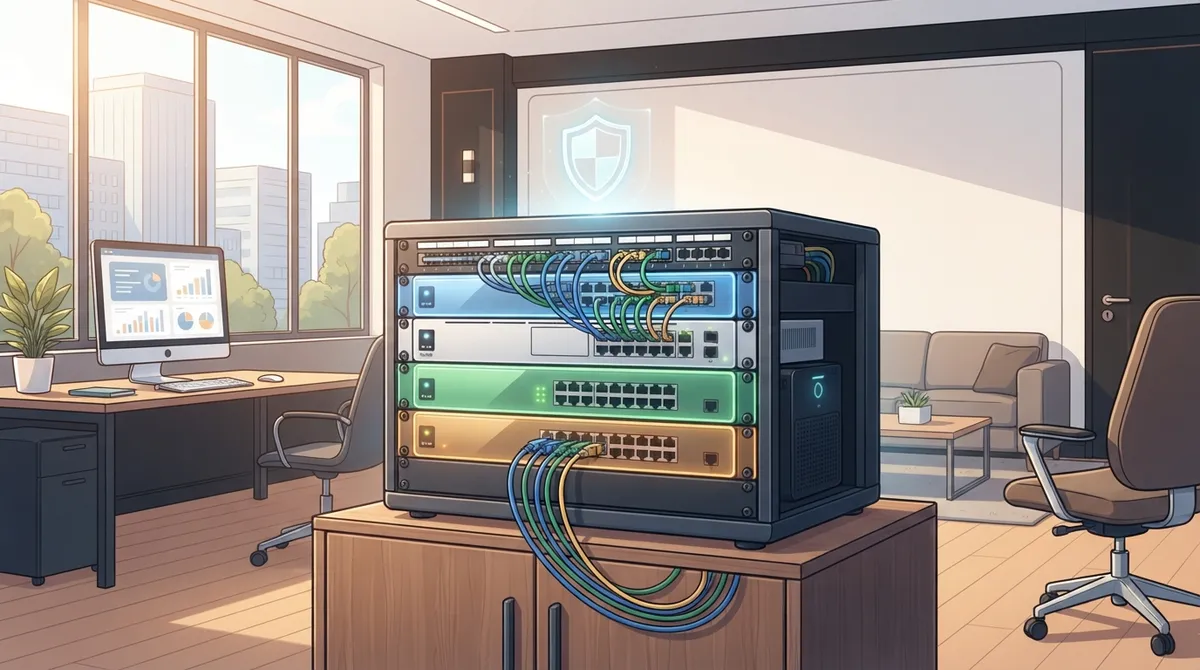
Key Takeaways
-
Separate your network into zones (employees, guests, and business devices like cameras or card readers) so a guest's phone or compromised device cannot reach sensitive files.
-
Compare internet plans on upload speed, uptime commitments, data caps, equipment fees, and support hours, not just the headline download number.
-
Use business-grade routers with built-in firewalls; home routers typically lack the access controls and security rules a working office needs.
-
Business internet only provides the connection, while managed network services add configuration, remote monitoring, custom security policies, and ongoing support.
-
Add a backup internet line and a small UPS battery for your router and switch, since a single connection is a single point of failure for payments and calls.
-
Count users, devices, and key apps and map where Wi-Fi must reach before buying gear, so you avoid overbuying or underbuying equipment.
Picture this: it’s Monday morning, your team is ready to roll, and the Wi-Fi decides to take a coffee break. Phones glitch, the card reader stalls, and cloud files won’t open. We’ve all been there, and it’s never fun. The good news is that most of these headaches come from a network that was never planned well, not from bad luck.
The right small business network solutions bring together business internet, routers, switches, Wi-Fi, security, and support. They help your staff reach cloud apps, phones, cameras, and payment systems without drama. This friendly guide walks you through how to pick, plan, and protect a network that fits your size and budget. Whether you run one Tampa storefront or a few franchise sites, you’ll find simple steps you can use today. Let’s build something reliable together.
What Small Business Network Solutions Really Include
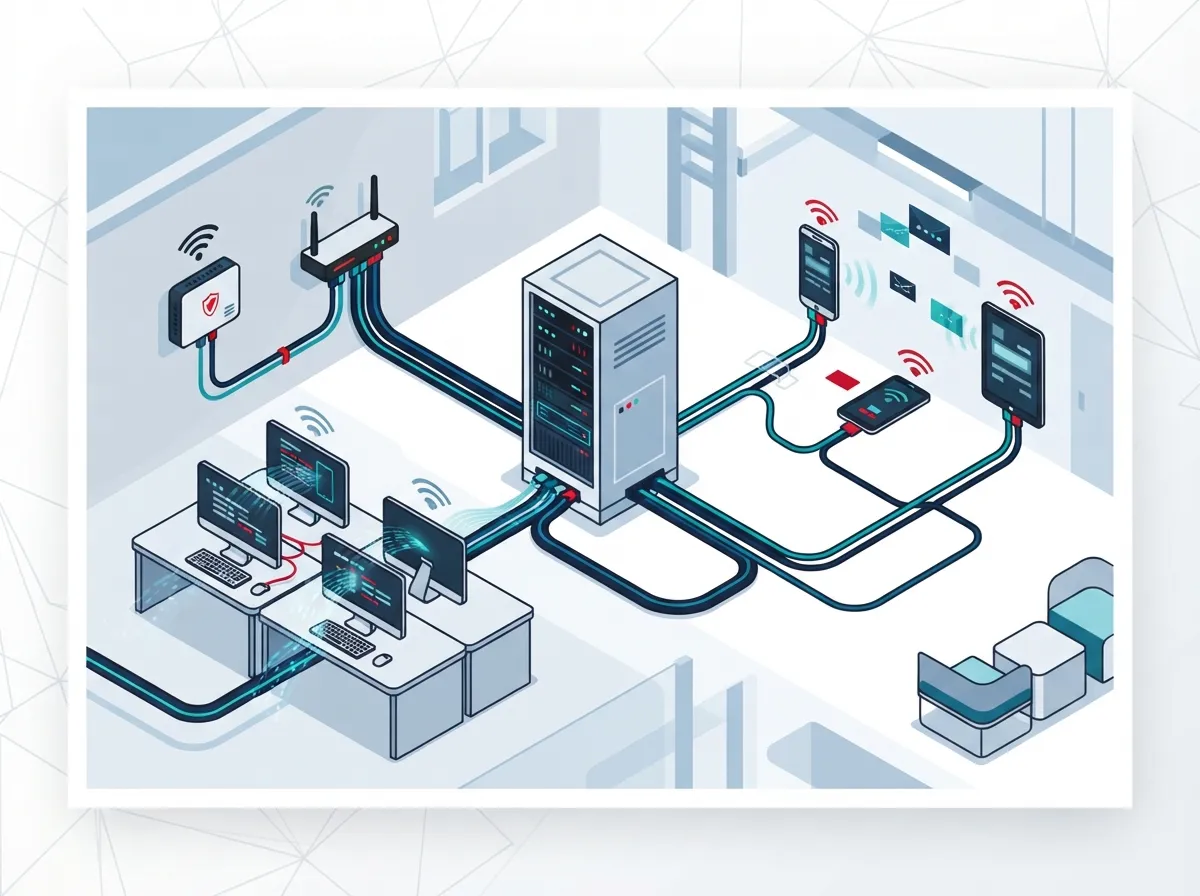
When people hear “network,” they often think of just the internet bill. In business telecom, small business network solutions are bigger than that. They combine the internet connection with the gear and services that connect your people, devices, locations, and cloud tools.
A typical setup includes these parts:
- Internet access: a business broadband or fiber line from an Internet Service Provider.
- Router and firewall: the traffic cop that guards the front door.
- Ethernet switches: the hubs that link wired devices.
- Wi-Fi access points: the antennas that cover your space.
- Cabling: the backbone that carries it all.
- Support and monitoring: people who fix problems fast.
Think of it like a small city. The internet is the highway, the router is the main gate, and the cables are the streets. If any piece is weak, traffic jams happen.
Business Internet vs. Managed Network Services
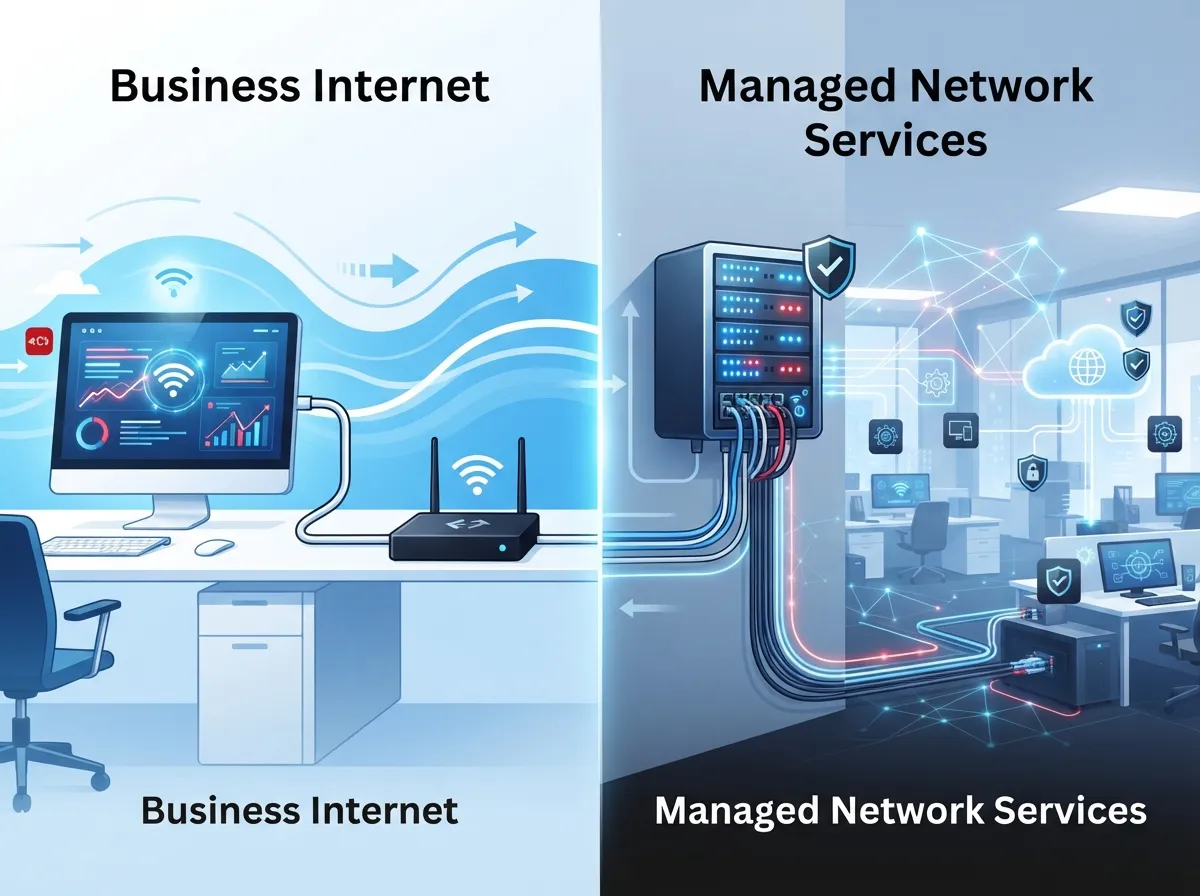
Here’s a point that trips up lots of owners. Business internet and managed networking are not the same thing. Internet service gives you the connection to your provider. Managed services add someone to configure and support the router, Wi-Fi, traffic rules, VPNs, and security features.
| Feature | Business Internet Only | Managed Network Services |
|---|---|---|
| Connection to provider | Yes | Yes |
| Router and Wi-Fi setup | Often self-managed | Configured and supported |
| Remote monitoring | Rarely | Commonly included |
| Security policies | Basic | Customized |
| Best for | Very simple setups | Growing teams and multiple devices |
If you have a tiny team and few devices, internet alone may be fine. If you rely on VoIP calls, cameras, or several locations, managed help can save you a lot of stress. For a deeper look, see 8 Managed Network Services Every Business Should Know.
How to Build Your Network Plan Step by Step
Good news: you don’t need to be a tech wizard. Follow these steps in order, and you’ll end up with a plan that makes sense.
- Count your users and devices. Include laptops, phones, printers, cameras, door readers, and guest devices.
- List your key apps. Note cloud tools, VoIP phones, video calls, and payment systems.
- Map your space. Walk the floor and mark where people work and where Wi-Fi must reach.
- Check your current setup. Look at your speeds, equipment age, and any weak spots.
- Define your risk level. Ask what happens if the network goes down for an hour or a day.
- Set a budget. Include equipment, monthly service, and support.
- Compare options. Look at providers, service commitments, and backup choices.
- Install and test. Confirm speeds and coverage before you call it done.
Taking time on steps one through five makes the rest much easier. Many owners skip them and end up buying too little or too much.
How Much Internet Speed Does a Small Business Need?
This is one of the most common questions, and the honest answer is: it depends. Your speed need grows with the number of users and the kind of work you do.
Instead of chasing the biggest download number, compare these items:
- Upload speed: vital for video calls, cloud backups, and cloud cameras.
- Service-level commitments: what the provider promises for uptime and repair time.
- Data limits: some plans cap usage.
- Equipment fees: routers and modems may cost extra.
- Support hours: find out when real people answer.
- Backup options: a second connection can be a lifesaver.
Here is some encouraging news. According to the FCC’s May 2025 report, with data as of December 2024, about 95% of U.S. homes and small businesses had access to fixed broadband at 100 Mbps down and 20 Mbps up or faster. Keep in mind that availability varies by address, so always check your exact location. Our guide on what to look for in a business internet provider can help you compare plans.
If you use cloud cameras, bandwidth matters even more. Read 8 Internet Speeds Your Cloud Cameras Actually Need (2026) before you size your line.
The Gear Your Small Business Network Needs
Let’s talk equipment. You don’t need the fanciest gear, but you do need the right gear.
Router and Firewall
This is your network’s front door. A business-grade router with a built-in firewall blocks unwanted traffic and lets you set rules. Home routers often lack these controls, so avoid them for work.
Switches and Wi-Fi Access Points
Switches connect your wired devices, and access points spread Wi-Fi around the building. Several well-placed access points usually beat one big router sitting in a closet. Managed Wi-Fi also lets you watch performance and fix issues remotely.
Cabling That Lasts
Wi-Fi gets the glory, but cables do the heavy lifting. Phones, cameras, and desktops run best on solid wired connections. Structured cabling gives your office a tidy, standards-based backbone that grows with you. If you’re weighing options, check Cat5e vs. Cat6: Which Office Cabling Wins in 2026? and What Is Structured Cabling for Your Business Network?
Keep Your Network Separated and Safe
One smart trick is to split your network into zones, often called VLANs. Put employees on one, guests on another, and business devices like cameras or card readers on a third. That way, a guest’s phone can’t wander into your accounting files.
Network security usually includes these basics:
- A properly set up firewall
- Strong Wi-Fi encryption
- Timely firmware updates on all gear
- Strong administrator passwords with extra sign-in checks
- Access controls so people only reach what they need
- Ongoing monitoring
Why bother? A March 2025 Mastercard survey of more than 5,000 small and medium business owners across four continents found that 46% said their current business had experienced a cyberattack. Of those hit, nearly one in five said they later filed for bankruptcy or closed, and 80% said they spent time rebuilding trust with clients and partners. These are self-reported results, so treat them as a helpful warning rather than a guarantee.
Remember, managed security helps, but it doesn’t replace backups, endpoint protection, or staff training. Think of it as one layer in a stack. For more, see How to Choose Network Security Services for Your Business.
Connecting Multiple Locations Securely
If you run more than one site, you have two popular options. A site-to-site VPN links locations through encrypted tunnels over the internet. SD-WAN goes further by managing several connections and steering important traffic, like voice and video, along the best path.
| Option | Best For | Key Benefit |
|---|---|---|
| Site-to-site VPN | 2 to 3 simple sites | Low cost, encrypted links |
| SD-WAN | Multiple sites or complex needs | Smart traffic routing, multiple links |
| Dedicated fiber or MPLS | High-demand, sensitive traffic | Consistent performance |
SD-WAN is most useful when you have several sites or more complex needs, so a single small office may not need it. Learn more in What Are SD-WAN Services and Does Your Business Need Them? Franchise operators with many locations will also like 7 Multi-Location Telecom Solutions Florida Firms Need.
Plan for Outages Before They Happen
Even the best network has a bad day. A little planning keeps a hiccup from becoming a disaster. Resilience steps may include:
- A secondary wired or cellular internet line
- Automatic failover so the switch happens without you lifting a finger
- Backup power, such as a small UPS, for your router and switch
- A simple written plan for who to call and what to do
These measures reduce downtime, though they can’t promise service will never drop. Still, for a business that takes payments or answers phones all day, a backup line is often well worth the small monthly cost.
Match Your Network to Your Business Type
Different teams have different needs, so let’s make this practical.
- Small business owners: keep it simple. A business internet line, a solid router, and good Wi-Fi often cover you. Add VoIP when you’re ready.
- Mid-sized companies: add managed Wi-Fi, VLANs, and cloud security tools. Consider a backup line.
- IT managers: focus on documentation, monitoring, and one vendor to call when things break.
- Office managers: look for hands-off setup, clear support hours, and fast repairs.
- Franchise operators: choose repeatable designs you can copy to each new site, with central management.
No matter your role, the goal is the same: a network you rarely have to think about.
Why a Single Partner Makes Life Easier
Juggling an internet vendor, a phone vendor, a cabling crew, and a camera company can feel like herding cats. When something fails, everyone points at someone else. A single telecom partner can design, install, and support the whole stack, so you have one number to call.
Ideal Solutions Provider is a Tampa-based telecom and IT partner with over 24 years of experience. They work with 35+ vetted suppliers to compare options for internet, VoIP, cabling, networking, cloud cameras, and access control, then help with install and ongoing support. If you want to see how this approach works, read Why Do Tampa Bay Businesses Need One Telecom Partner? or explore their business network solutions.
Common Mistakes to Dodge
Learn from the folks who came before you. Watch out for these slip-ups:
- Buying on download speed alone. Upload speed and reliability matter just as much.
- Using consumer gear. Home routers lack business controls.
- Skipping cabling plans. Cheap, messy wiring causes slow, flaky connections later.
- Forgetting guest separation. Guests should never share your main network.
- Ignoring updates. Old firmware is an open invitation for trouble.
- No backup plan. One line means one point of failure.
Spotting these early saves money and stress. For help avoiding cabling pitfalls, see 12 Structured Cabling Mistakes That Hurt Your Business.
Ready to Build a Network You Can Count On?
A strong network doesn’t have to be complicated. Start by counting your users and apps, choose gear that fits, separate your traffic, secure it, and plan for the rare outage. Then lean on a partner who handles the details, so you can get back to running your business.
If you’d like a friendly second opinion, we’d love to help. Contact us for a free review of your current setup, or call us to talk it through. You can also follow along on YouTube for more helpful tips. Here’s to a smoother, safer, faster network in 2026!
FAQs
Q: What network equipment does a small business need?
A: Most small businesses need a business-grade router with a firewall, an Ethernet switch, Wi-Fi access points, and solid cabling. It’s also smart to add a small battery backup for your router and switch. Your exact list depends on your team size and how many devices you run.
Q: Is managed Wi-Fi worth it for a small business?
A: For many businesses, yes! Managed Wi-Fi lets someone watch performance, control who gets on, and fix problems remotely. It also helps you keep employee, guest, and business-device networks separate, which is great for safety.
Q: How can a small business connect multiple locations securely?
A: You can use a site-to-site VPN for simple setups or SD-WAN when you have several sites or busier needs. Both link your locations through protected connections. A telecom partner can help you pick the best fit and set it up.
Q: What backup internet options are available for small businesses?
A: Common choices include a second wired line from a different provider or a cellular connection that kicks in automatically. Pair either one with backup power for your network gear. These steps reduce downtime, though they can’t guarantee zero interruptions.
Q: What is the difference between business internet and managed network services?
A: Business internet is the connection itself. Managed network services add the setup and support for your router, Wi-Fi, security rules, and monitoring. Think of internet as the road and managed services as the team keeping traffic running smoothly.





