

Key Takeaways
-
Enterprise connectivity blends fiber, broadband, cellular, and managed networking; most companies use a mix rather than a single link, so plan for combined options.
-
Dedicated internet access offers predictable speeds and stronger uptime and repair commitments, making it a strong main link for critical sites running cloud apps and VoIP.
-
Business broadband is often faster to install and cheaper, so it suits smaller sites or serves as a backup path alongside fiber at larger locations.
-
SD-WAN manages traffic across multiple links, prioritizing voice and video and rerouting around outages, with a single dashboard for managing many sites.
-
SASE combines networking with cloud-delivered security like firewalls and zero-trust access; it is an architecture, so it still requires solid underlying connections.
-
Poor structured cabling can undermine even the best internet service, so plan organized, tested, scalable cabling alongside your connectivity strategy.
If you have ever stared at a spinning wheel during a video call, you already know how much connectivity matters. For a busy business, it is not just about speed. It is about keeping every office, every employee, and every cloud app talking to each other without drama. That is what enterprise connectivity solutions are all about.
In plain terms, enterprise connectivity solutions link your offices, people, data, cloud apps, and devices. They often mix fiber, broadband, cellular, and managed networking. Most companies use a blend of these tools, not just one. The good news? You do not have to be a network engineer to pick the right mix.
In this friendly guide, we will walk through five solutions worth knowing in 2026. We will cover what each one does, who it fits, and what to ask before you buy. Whether you run one Tampa office or a dozen franchise sites, you will find something useful here. Grab a coffee, and let’s dig in.

Why Enterprise Connectivity Solutions Matter More Than Ever
Work now happens everywhere. People log in from offices, homes, job sites, and coffee shops. Your apps live in the cloud. Your phones run over the internet. Even your cameras and door locks need a steady connection.
When the network slips, everything slips. Calls drop. Cameras go blind. Customers wait. That is why smart businesses treat connectivity as a core part of operations, not an afterthought.
Recent research backs this up. TeleGeography’s 2026 WAN Manager Survey found that 63% of respondents have deployed SD-WAN, with another 15% rolling it out. It also found that Direct Internet Access is used by 96% of respondents. These are survey results, not universal rates, but they show where the market is heading.
Who Benefits Most?
- Small business owners who want fewer vendors and simpler bills
- Mid-sized companies growing into new locations
- IT managers who need dependable uptime and clear support
- Office managers who just want the phones and internet to work
- Franchise operators who need the same setup at every site
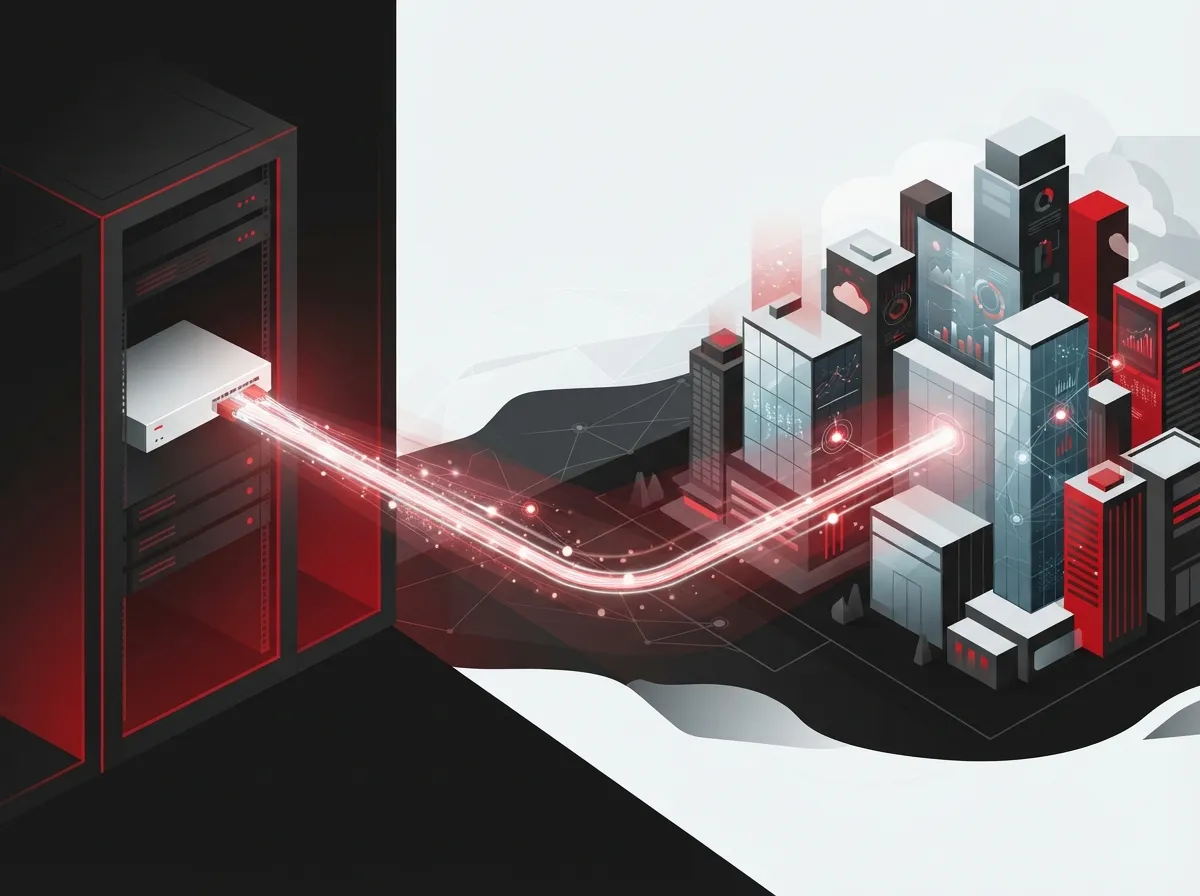
1. Dedicated Internet Access (DIA)
Think of dedicated internet access as your own private lane on the highway. You do not share that bandwidth with the business next door. That means more predictable speeds and steadier performance.
What Makes DIA Special
DIA usually comes over fiber. It often includes service-level commitments for uptime and repair times. It is a great fit for companies that depend on cloud apps, video meetings, and VoIP calls all day long.
Frost & Sullivan’s 2026 enterprise networking analysis reported DIA adoption at 81% of enterprise locations in its research sample. Again, that reflects a specific sample, but it shows how common DIA has become.
If you want to dig deeper, our guide on dedicated fiber internet explains the basics in plain language. You can also read about dedicated internet access pricing so there are no surprises at contract time.
When DIA Makes Sense
- You run cloud phones, cameras, and apps all at once
- Your team does lots of video calls
- Downtime costs you real money
- You want written performance and repair commitments
2. Business Broadband and Fixed Wireless
Not every location can get fiber. Sometimes the building is too far from the nearest line. Other times, the install timeline is too long. That is where business broadband and fixed wireless shine.
The Flexible Helper
Broadband is often faster to install and more budget friendly. It can serve as your main link at smaller sites. It can also act as a backup for a bigger site that has fiber.
Frost & Sullivan reported broadband at 62% of enterprise locations in its research. Many companies pair it with DIA so they have a second path if one link fails.
Shopping around? Our post on fiber vs. cable can help you compare. And if you want a checklist, see what to look for in a business internet provider.
Dedicated vs. Broadband at a Glance
| Feature | Dedicated Internet (DIA) | Business Broadband |
|---|---|---|
| Bandwidth | Not shared, predictable | Often shared |
| Service commitments | Usually stronger | Varies by plan |
| Install time | Can take longer | Often faster |
| Typical cost | Higher | Lower |
| Best use | Main link for critical sites | Smaller sites or backup |
3. SD-WAN for Smarter Traffic
SD-WAN sounds fancy, but the idea is simple. It uses software to manage traffic across several internet links. It can send your video calls down the best path. It can also steer traffic around an outage or a traffic jam.
Why Businesses Love It
- Better call quality: It can prioritize time-sensitive apps like voice and video
- Built-in backup: If one link fails, traffic can move to another
- One dashboard: You can manage many sites from a single place
- Easier growth: Adding a new site takes less work
TeleGeography’s survey describes SD-WAN as the standard WAN technology among its respondents. If you want a plain-English primer, check out what SD-WAN services are and whether you need them.
Is SD-WAN a Replacement for MPLS?
Not always. MPLS still has a place when a company needs specific quality-of-service or routing behavior. TeleGeography found MPLS averages about 22% of enterprise sites. Many companies run a hybrid setup that blends MPLS with internet-based links.
Curious how the two compare? Read 3 key differences in SD-WAN vs. MPLS. Tampa Bay firms can also explore SD-WAN solutions Tampa Bay businesses trust.
4. SASE: Security Built Into the Network
SASE stands for Secure Access Service Edge. Say it fast, and it sounds like “sassy.” It combines network features, often SD-WAN, with cloud-delivered security. Common parts include secure web gateways, firewall-as-a-service, and zero-trust network access.
Here is the key point: SASE is an architecture and service model. It is not a single internet circuit. You still need good underlying connections.
TeleGeography reported that 53% of surveyed enterprises had implemented elements of SASE, with another 23% in progress. That is a survey finding, not a market-wide rate. Still, it shows how many teams are rolling security into the network itself.
SD-WAN vs. SASE: What’s the Difference?
| Question | SD-WAN | SASE |
|---|---|---|
| Main job | Manage and steer traffic across links | Combine networking and security |
| Security included? | Basic, depends on vendor | Cloud-delivered security is core |
| Is it a circuit? | No | No |
| Best for | Multi-site performance | Distributed teams needing consistent protection |
If security is on your mind, our guide on choosing network security services is a good next read.
5. Private LTE and 5G for Tough Environments
Wi-Fi is great for offices. But in a big warehouse, factory, or campus, it can struggle. Private LTE or 5G gives you a dedicated wireless network with more control over coverage and devices.
AvidThink’s 2026 Enterprise Connectivity Report noted that the Global mobile Suppliers Association identified more than 1,904 enterprises with private 4G or 5G deployments as of Q3 2025. Manufacturing led the way. The report also cited a projected 42% CAGR over five years. Treat that as a forecast, not a sure thing.
Keep Expectations Realistic
Private 5G usually complements Wi-Fi and wired networks. It does not replace them. It makes the most sense where you have lots of moving devices, large spaces, or demanding operational needs.
Most Tampa offices will not need it. But if you run a plant, port, or large campus, it is worth a conversation. Your wired backbone still matters too. See how to plan manufacturing facility cabling that lasts.
The Hidden Hero: Structured Cabling
Here is something many people forget. Even the best internet service struggles if the cabling inside your building is poor. Wi-Fi access points, phones, cameras, and door readers all rely on solid structured cabling behind the walls.
Good cabling is organized, labeled, tested, and ready to grow. It keeps your whole connectivity plan healthy. Learn more in what structured cabling is for your business network. If you are comparing cable types, try Cat5e vs. Cat6.
How to Choose the Right Enterprise Connectivity Solutions
Ready to pick? Follow these simple steps. A little planning now saves a lot of headaches later.
- Map your sites and apps. List every location and the tools each one needs.
- Measure bandwidth and latency needs. Count users, video calls, cameras, and cloud apps.
- Set uptime and recovery goals. Decide how much downtime your business can handle.
- Review security and compliance. Think about industry rules and data protection.
- Compare total cost. Look beyond monthly price to install fees, equipment, and support.
- Check the contract. Look for availability targets, support response times, install dates, and remedies for missed service levels.
Should You Manage It Yourself?
Many businesses decide not to. Frost & Sullivan reported that 80% of enterprise SD-WAN buyers in its research preferred fully managed or co-managed models, versus 20% who preferred do-it-yourself. That makes sense when your IT team is small and busy.
With a managed or co-managed setup, a provider can handle design, installation, monitoring, and troubleshooting. Just be sure to clarify who does what and how problems get escalated. Our guide to choosing a managed service provider walks through the questions to ask.
Building Resilience Across Multiple Locations
Franchise owners and multi-site companies have a special challenge. Every location needs to work, and each one may have different options available. Here are a few simple ways to keep things steady:
- Use two different connection types at important sites
- Pick a design that can reroute traffic if one link fails
- Standardize cabling and equipment across locations
- Monitor every site from one place
- Test your backup plan before you need it
For more on this topic, see 7 multi-location telecom solutions Florida firms need.
Why a Single Point of Contact Helps
Juggling an Internet Service Provider, a phone vendor, a cabling crew, and a security company gets old fast. When something breaks, everyone points at someone else.
That is where a single partner can help. Ideal Solutions Provider has over 24 years of experience and works with 35+ vetted suppliers. They compare options across carriers, handle consultation and installation, and stay with you for ongoing support. You can learn more about why this works in why Tampa Bay businesses need one telecom partner.
It also helps to see the big picture. Your connectivity supports your cloud-based phone systems, your cloud video security, and your cloud-based access control. When the foundation is strong, everything on top works better.
Putting It All Together
The best enterprise connectivity solutions are rarely one-size-fits-all. A small Tampa office may do great with fiber plus a broadband backup. A growing mid-sized company may add SD-WAN across sites. A manufacturer may layer in private 5G. The right mix depends on your apps, your locations, and your risk comfort.
Start with your needs. Then build the plan around them. And do not be shy about asking questions. A good partner will explain things clearly and never rush you.
Ready to Strengthen Your Network?
You do not have to figure this out alone. If you want a friendly second opinion on your current setup, we would love to help. Contact us for a free consultation, or call us to talk with a real person. You can also catch tips on YouTube, Facebook, and Instagram. Here’s to a faster, steadier, calmer network in 2026!
FAQs
Q: What are enterprise connectivity solutions?
A: They are integrated services that link your offices, employees, cloud apps, and devices. They often combine fiber, broadband, cellular, managed networking, and security. Most businesses use a mix of these tools rather than just one.
Q: How do SD-WAN and SASE differ?
A: SD-WAN uses software to steer traffic across several internet links for better performance and backup. SASE adds cloud-delivered security, like firewalls and zero-trust access, on top of networking. Think of SD-WAN as the traffic manager and SASE as the traffic manager plus security guard.
Q: Is SD-WAN a replacement for MPLS?
A: Not always. Some companies keep MPLS where they need specific quality-of-service or routing behavior. Many others run a hybrid design that mixes MPLS with internet-based links, depending on their apps, risks, and budget.
Q: How should a business choose between dedicated internet and broadband?
A: Dedicated internet gives you predictable performance and stronger service commitments, which suits critical sites. Broadband is often cheaper and faster to install, which suits smaller sites or backup links. Many businesses use both together for extra peace of mind.
Q: When does private 5G make sense for an enterprise?
A: It tends to fit places like factories, warehouses, ports, and large campuses where Wi-Fi struggles with coverage or device density. It usually works alongside Wi-Fi and wired networks instead of replacing them. Most standard offices will not need it.





