

Key Takeaways
-
Dedicated fiber internet (DIA) reserves bandwidth exclusively for your business, avoiding the slowdowns of shared broadband during peak times like Monday morning video calls and cloud backups.
-
DIA often offers symmetrical upload and download speeds, which matters for cloud backups, video meetings, hosted apps, and sending large files.
-
A written SLA is a key safety net: compare uptime targets, latency limits, repair times, exclusions, and service credits, since advertised uptime alone doesn't tell the full story.
-
Dedicated fiber costs more than shared broadband, and final pricing depends on bandwidth, location, contract term, construction needs, and redundancy, so request written quotes from multiple providers.
-
Availability is address-specific, so request a site survey and confirm construction and installation charges before committing, since a neighbor's fiber access doesn't guarantee yours.
-
Even dedicated fiber should be paired with a backup connection from a different carrier with automatic failover, plus internal cabling and network security that can handle the speed.
Picture this. It’s Monday morning, your team is jumping on a big video call, the cloud backup is running, and someone just uploaded a giant file. Suddenly, everything crawls. Sound familiar? You are not alone, and there is a friendly fix worth knowing about.
Dedicated fiber internet is a business-grade connection built to give your company its own reserved slice of bandwidth. Instead of sharing capacity with the neighbors, you get a line designed for steady, predictable performance. In 2026, more Tampa Bay businesses are asking about it, and for good reason.
In this guide, we’ll walk through what dedicated fiber internet really is, how it differs from regular business broadband, what it costs, and how to decide if it fits your team. We’ll keep it simple and honest. Let’s dive in!
What Is Dedicated Fiber Internet?
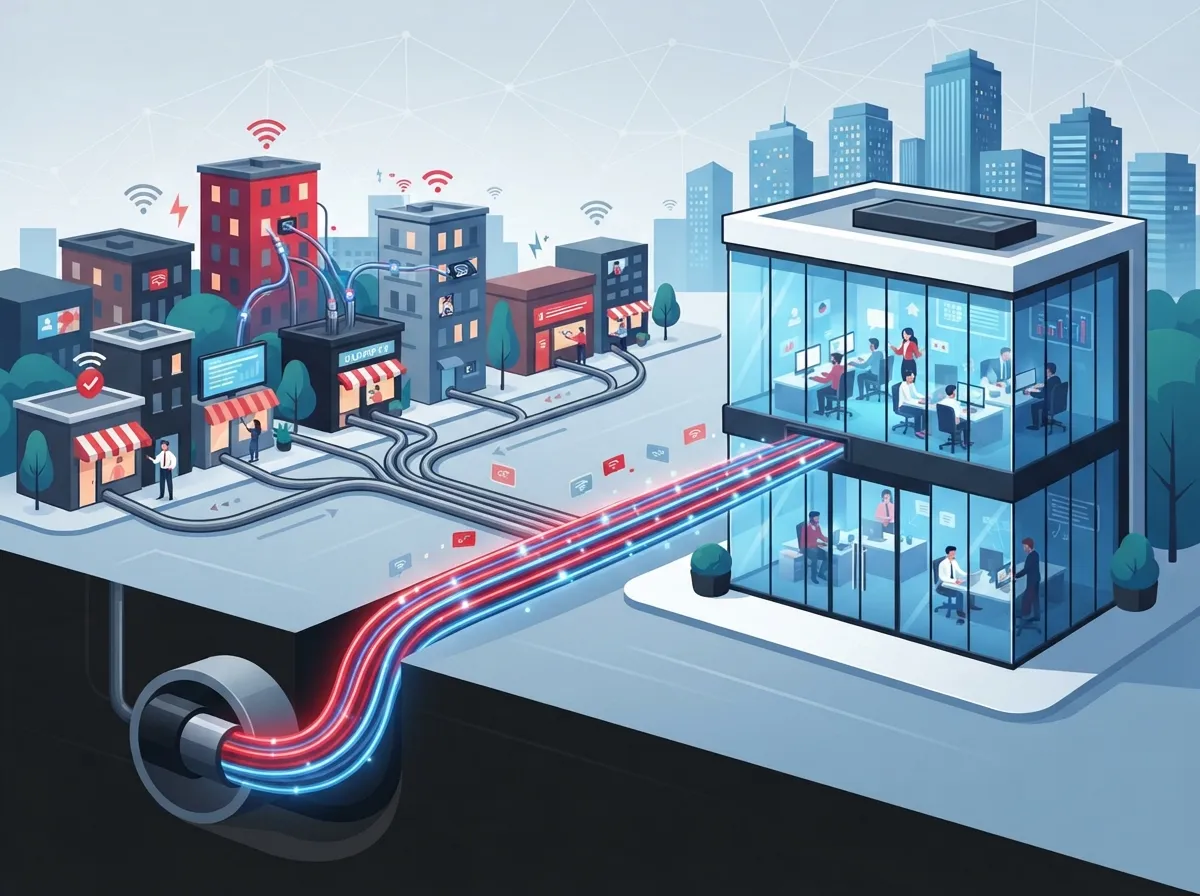
In business telecom, dedicated fiber internet usually means Dedicated Internet Access, or DIA. It is a business internet circuit with bandwidth reserved just for you. That bandwidth is not shared with nearby subscribers the way it is on typical cable or consumer-style plans.
Think of it like a private lane on a highway. Regular broadband is a busy public road. Rush hour can slow everyone down. A dedicated lane keeps your traffic moving, no matter what the rest of the neighborhood is doing.
One helpful note: the exact network design can vary by provider. Some are fully exclusive fiber paths, while others use reserved capacity on shared infrastructure. It is smart to ask your provider exactly how the circuit is built. A good telecom partner will gladly explain it.
Key Features of Dedicated Fiber
- Reserved bandwidth: Your capacity is set aside for your business.
- Symmetrical speeds: Upload and download speeds are often the same.
- Service-level agreement (SLA): Written performance promises backed by remedies.
- Scalability: You can often raise bandwidth as you grow.
- Priority support: Business-grade repair and response commitments.
How Is Dedicated Internet Different From Business Broadband?
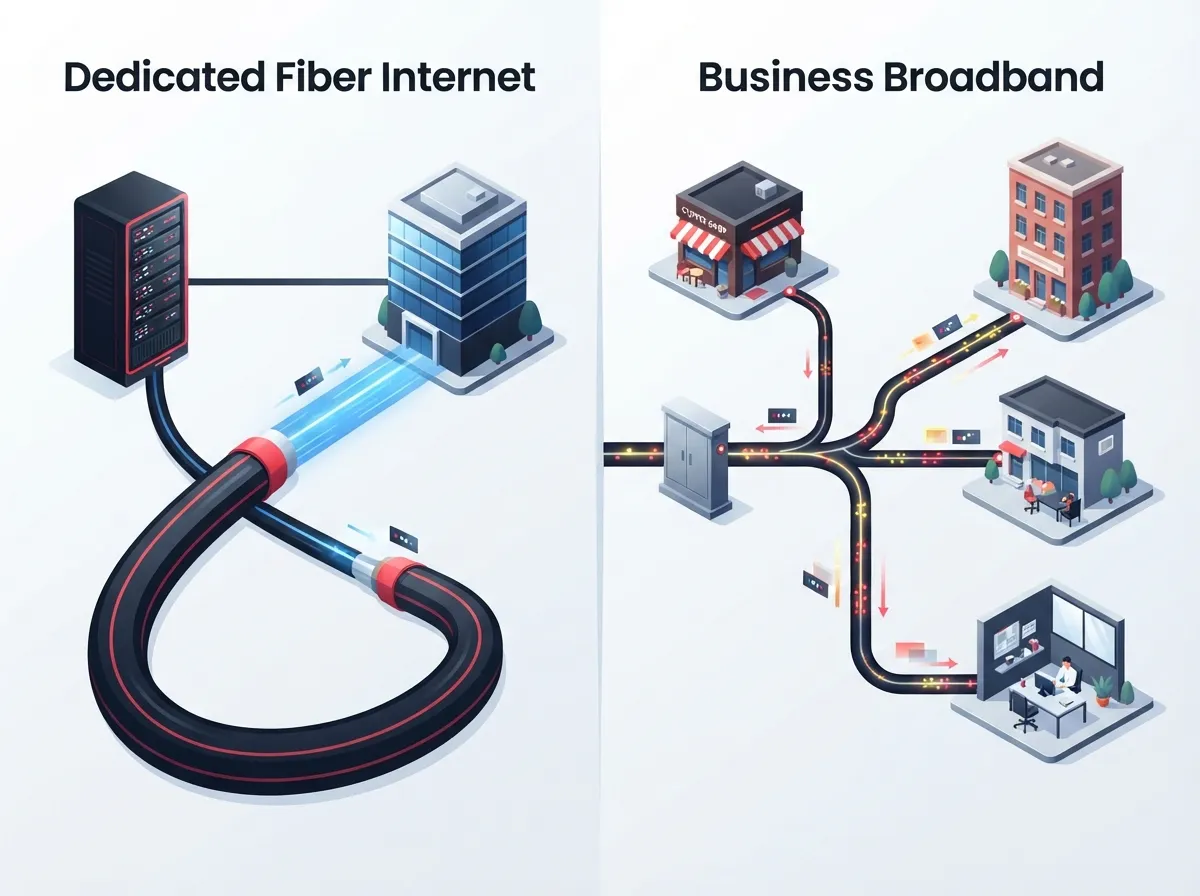
This is the question we hear most often, and it is a great one. Both can deliver fast speeds, but they are built for different needs. Here is a side-by-side look.
| Feature | Dedicated Fiber (DIA) | Shared Business Broadband |
|---|---|---|
| Bandwidth | Reserved for your business | Shared with nearby users |
| Upload/Download | Often symmetrical | Often asymmetrical |
| SLA | Commonly included | Limited or none |
| Performance | More predictable | Can vary at busy times |
| Typical Cost | Higher | Lower |
| Best For | Cloud-heavy, multi-site, mission-critical | Light to moderate use |
Shared broadband is a perfectly fine choice for many small offices. It is affordable and easy. But if your business depends on constant, steady connectivity, dedicated fiber can be worth the step up. If you want to dig into the basics of choosing a provider, our guide on what to look for in a business internet provider is a friendly place to start.
Is Dedicated Fiber Internet Symmetrical?
Often, yes! DIA commonly offers symmetrical speeds, meaning your upload and download match. A 1 Gbps plan gives you 1 Gbps in both directions.
This matters more than you might think. Many everyday tasks are upload-heavy, such as:
- Cloud backups and file syncing
- Video meetings with many participants
- Hosted applications and remote desktops
- Sending large design, legal, or medical files
- Running e-commerce and web servers
One important caution: symmetry is a feature of the service plan. It does not automatically mean every fiber product is dedicated. A fiber plan can be fast and still be shared. Always confirm both details with your provider.
Why Do Businesses Choose Dedicated Fiber?
Businesses pick dedicated fiber because they want fewer surprises. Here are the benefits we see matter most.
Predictable Performance
Reserved capacity helps keep your connection steady, even when the rest of your area is busy. That means smoother video calls and fewer frozen screens. Fiber can also support low-latency connectivity, which helps with voice and real-time apps.
Stronger Contract Support
Dedicated service is often sold with an SLA. That is a written agreement outlining what the provider promises. It gives you something concrete to point to if there is ever a problem.
Room to Grow
Fiber can support scalable bandwidth. Providers advertise a wide range of options, and that range varies by company and area. For example, Comcast Business advertises dedicated bandwidth from 1 Mbps up to as much as 400 Gbps in select areas, and Spectrum Business advertises dedicated fiber speeds up to 100 Gbps. These are provider-specific claims, not universal limits, but they show how much headroom fiber can offer.
Support for Modern Tools
Cloud phones, cloud security cameras, and hosted software all lean on your internet connection. If you are running these tools, a solid connection matters a lot. We explain this link in why cloud-based security systems fail without fast internet, and the same logic applies to VoIP reliability for business.
What Should a Dedicated Internet SLA Include?
An SLA can sound like fine print, but it is your safety net. An advertised uptime number alone does not tell the whole story. For instance, Comcast Business advertises 99.99% uptime SLAs, and Spectrum Business advertises a 100% uptime SLA for its dedicated fiber product. These are product claims, so always read the actual agreement for definitions, exclusions, and remedies.
Here is a simple checklist to review before you sign:
- Availability target: What uptime percentage is promised, and how is it measured?
- Latency and packet loss: Are there written limits, and do they apply end-to-end or only on part of the network?
- Repair and response times: How fast will they respond to an outage?
- Exclusions: What events are not covered, such as scheduled maintenance?
- Remedies: What do you get if they miss the target, such as service credits?
Take your time with this part. A clear SLA saves headaches later, and a friendly telecom advisor can help you read the details.
How Much Does Dedicated Fiber Internet Cost?
Here is the honest answer: it depends. There is no reliable universal price. DIA typically costs more than shared business broadband because it includes reserved capacity and often stronger support and contract commitments.
Several things shape your final price:
- Bandwidth: More speed generally costs more.
- Location: Pricing varies by address and provider presence.
- Contract term: Longer terms can lower the monthly rate.
- Construction: Extending fiber to your building can add one-time charges.
- Redundancy: Backup paths and extra services add cost.
Ask for written quotes that spell out construction, installation, and recurring charges. That way you can compare offers fairly. For more ideas on keeping costs in check, check out our tips on finding the best business internet deal in Tampa.
How Can I Check If Dedicated Fiber Is Available at My Address?
Availability is address-specific. Your neighbor across the street may have fiber while your building does not yet. According to the FCC, as of December 2024 about 110 million homes and small businesses, or 95%, had access to terrestrial fixed broadband at 100 Mbps download and 20 Mbps upload or higher. The FCC also reported that nearly 7 million additional locations gained access to 1 Gbps download and 100 Mbps upload service between mid and late 2024. Coverage is growing, but your exact address still matters.
Here is a simple way to check:
- Gather your address details: Include suite numbers and whether you lease or own.
- Ask for a site survey: Providers can confirm whether fiber is on-site or needs to be extended.
- Request written charges: Get construction, installation, and monthly costs on paper.
- Compare multiple carriers: Different providers may reach your building differently.
- Confirm the timeline: Construction can lengthen installation, so plan ahead.
Checking providers one by one can be tiring. That is where a single point of contact helps. Our walkthrough on how to find business internet providers by address shows how it works, and you can see local examples in why Tampa businesses need dedicated fiber internet.
What Internet Speed Does My Business Need?
Great question! The right speed depends on your team size and what you do online. There is no one-size-fits-all number, so think about your real activities.
| Business Activity | What to Consider |
|---|---|
| Video meetings | Number of simultaneous calls and upload needs |
| Cloud backups | Data size and backup windows |
| Cloud phones (VoIP) | Concurrent calls and call quality |
| Cloud security cameras | Number of cameras and upload load |
| Hosted apps and e-commerce | Steady uptime and low latency |
A simple tip: add up your busiest-hour needs, then leave room to grow. If you run cloud cameras, our post on internet speeds your cloud cameras actually need offers helpful guidance. And for phones, see what internet speed you need for VoIP in Tampa.
Who Benefits Most From Dedicated Fiber?
Dedicated fiber is often considered by organizations that depend on predictable connectivity. That includes:
- Multi-site businesses and franchises: Consistent performance across locations makes management easier.
- Cloud-first teams: Hosted apps and remote work need steady uploads.
- Healthcare and financial offices: Voice, video, and data-heavy workflows run smoothly.
- E-commerce companies: Downtime can mean lost sales.
- Growing mid-sized enterprises: Scalable bandwidth supports expansion.
If you run several locations, pairing dedicated fiber with SD-WAN services can tie everything together nicely. And if you are weighing options, our comparison of dedicated vs. shared fiber can help you decide.
Should I Still Have a Backup Internet Connection?
Yes, and this one surprises people. Dedicated fiber is dependable, but it does not replace internal network security, backup connectivity, or application-level resilience. No single line is immune to a construction crew cutting a cable or a local outage.
A smart setup often includes:
- A secondary connection from a different carrier or technology
- Automatic failover so your team barely notices a switch
- Strong firewall and network security inside your office
- Quality cabling so your internal network keeps up
That last point is easy to overlook. Fast internet only helps if your wiring can carry it. Take a peek at gigabit cabling capabilities for your business and our overview of structured cabling services to make sure your inside network is ready.
How to Choose the Right Dedicated Fiber Setup
Ready to move forward? Here is a friendly step-by-step path.
- List your needs: Note your users, locations, apps, and busiest hours.
- Confirm availability: Request a site survey for your exact address.
- Compare more than one provider: Look at speed, SLA, and total cost side by side.
- Review the SLA closely: Check uptime, latency, repair times, exclusions, and credits.
- Plan for redundancy: Add a backup path so you are never stranded.
- Check your internal network: Make sure cabling and equipment can handle the speed.
You can also read our broader tips on how to choose the right fiber internet for your business and the benefits of fiber internet for business. Learning a bit about how an Internet Service Provider delivers service can also make those provider conversations feel easier.
How Ideal Solutions Provider Can Help
Comparing carriers, reading SLAs, and tracking down fiber availability can feel like a second job. That is where Ideal Solutions Provider comes in. As a Tampa-based telecom and IT partner with over 24 years of experience, we work with 35+ vetted suppliers and act as your single point of contact. We compare options side by side, review your current setup, and recommend what truly fits, not what hits a sales quota.
We also handle the pieces that go with your connection, including cloud phone systems, structured cabling, networking, cloud security cameras, and access control. Learn more about our business high speed internet services, and feel free to connect with us on Facebook or watch tips on YouTube.
Wrapping Up: Is Dedicated Fiber Right for You?
Dedicated fiber internet gives your business reserved bandwidth, often symmetrical speeds, and stronger contract support through an SLA. It usually costs more than shared broadband, but for cloud-heavy, multi-site, or mission-critical teams, the steady performance can be well worth it. The key is to check availability at your address, read the SLA carefully, compare total costs, and plan a backup connection.
Not sure where to begin? That is completely okay. Our team is happy to look at what you have today and show you simple options. Ready for a friendly, no-pressure conversation? Contact us for a free consultation, or call us and let’s find the right fit for your business together.
FAQs
Q: What is dedicated fiber internet for businesses?
A: Dedicated fiber internet, often called Dedicated Internet Access (DIA), is a business connection with bandwidth reserved just for your company. It is not shared with nearby subscribers, which helps keep performance steady. Be sure to confirm with your provider how the circuit is built.
Q: How is dedicated internet access different from business broadband?
A: Business broadband shares capacity with other users, so speeds can dip at busy times. Dedicated internet reserves bandwidth for you and often includes symmetrical speeds and an SLA. It usually costs more, but it offers more predictable performance.
Q: How much does dedicated fiber internet cost for a business?
A: There is no single universal price. Cost depends on your bandwidth, location, contract term, any construction needed to reach your building, and extras like redundancy. The best move is to request written quotes with all one-time and monthly charges listed.
Q: Should a business use a backup internet connection alongside dedicated fiber?
A: Yes, it is a smart idea. Even dependable fiber can be affected by outages or cable damage, and it does not replace network security or backup connectivity. A secondary connection with automatic failover keeps your team working no matter what.
Q: How can I check whether dedicated fiber is available at my business address?
A: Availability is specific to each address, so ask providers for a site survey and written installation and construction charges. A telecom partner like Ideal Solutions Provider can check multiple carriers for you at once, saving you time and guesswork.





